We remain fully operational. Our teams are working around the clock to ensure your deliveries continue safely.

Descargar la aplicación


Servicios al cliente
Sobre nosotros
Copyright © 2025 Desertcart Holdings Limited
Descargar la aplicación
Buy anything from 5,000+ international stores. One checkout price. No surprise fees. Join 2M+ shoppers on Desertcart.
Desertcart purchases this item on your behalf and handles shipping, customs, and support to Uruguay.
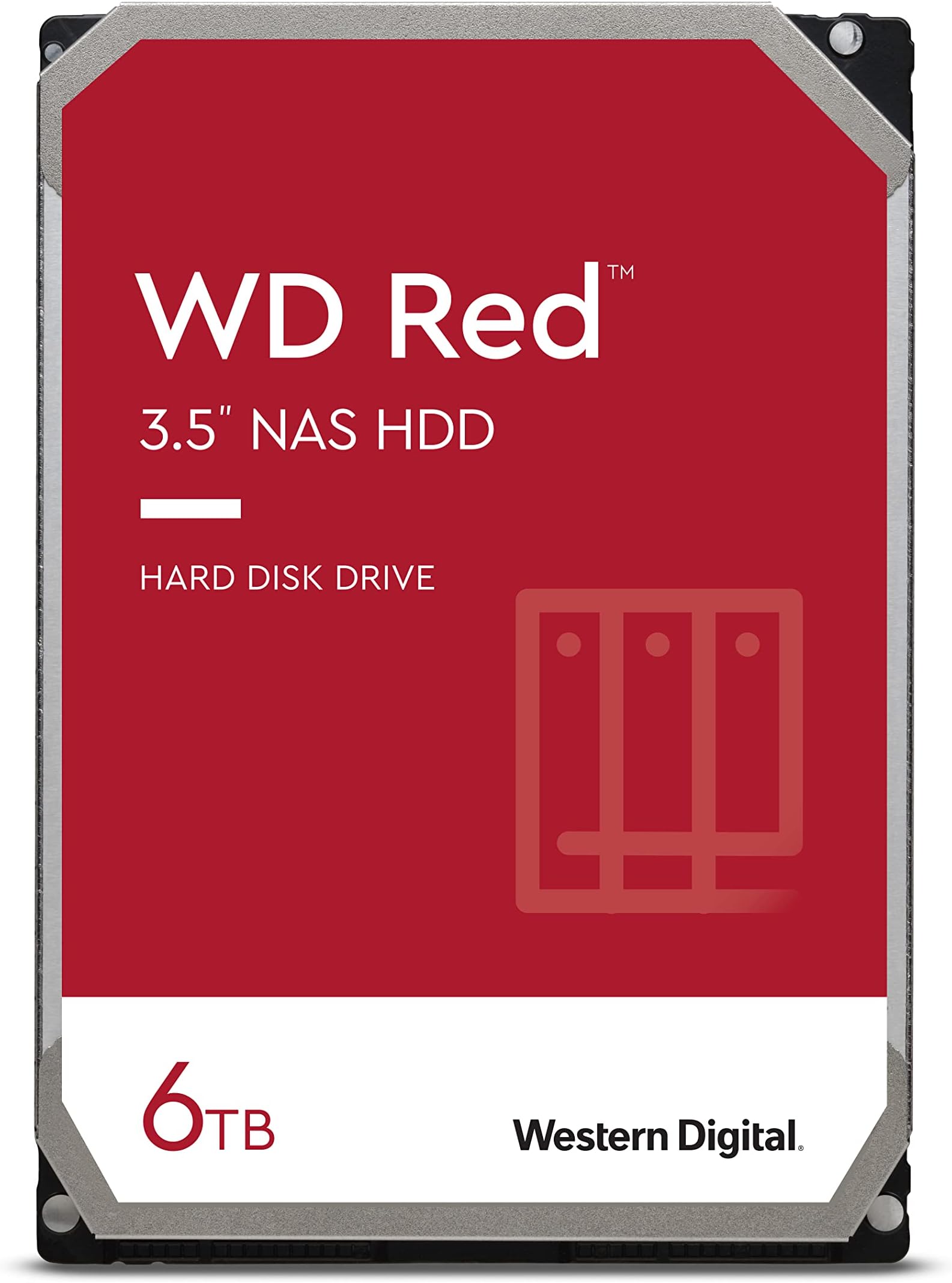
🚀 Elevate your NAS game with WD Red — storage that works as hard as you do!
The Western Digital 6TB WD Red NAS Internal Hard Drive is engineered specifically for personal and home office NAS systems with up to 8 bays. Featuring a 5400 RPM speed, SATA 6 Gb/s interface, and 256MB cache, it delivers reliable, quiet, and efficient performance optimized by NASware firmware. Designed to handle up to 180TB/year workload, it offers robust durability and comes with a 3-year limited warranty plus data recovery service, making it the go-to choice for professionals demanding dependable, high-capacity storage.



| ASIN | B07MYL7KVK |
| Additional Features | Data Recovery Service |
| Best Sellers Rank | #151 in Internal Hard Drives |
| Brand | Western Digital |
| Built-In Media | Internal Hard Drive |
| Cache Memory Installed Size | 256 |
| Color | Red |
| Compatible Devices | Television |
| Connectivity Technology | SATA |
| Customer Reviews | 4.5 out of 5 stars 12,472 Reviews |
| Data Transfer Rate | 180 Megabits Per Second |
| Digital Storage Capacity | 6 TB |
| Enclosure Material | Information Not Available |
| Form Factor | 3.5-inch |
| Global Trade Identification Number | 00718037860947 |
| Hard Disk Description | Mechanical Hard Disk |
| Hard Disk Form Factor | 3.5 Inches |
| Hard Disk Interface | Serial ATA |
| Hard Disk Rotational Speed | 5400 RPM |
| Hard-Drive Size | 6 TB |
| Hardware Connectivity | SATA 6.0 Gb/s |
| Installation Type | Internal Hard Drive |
| Item Dimensions L x W x Thickness | 5.79"L x 4"W x 1.03"Th |
| Item Type Name | Internal Hard Drive |
| Item Weight | 580 Grams |
| Manufacturer | Western Digital |
| Model Name | WD Red NAS Internal Hard Drive |
| Model Number | WD60EFAX |
| Number of Items | 1 |
| Read Speed | 180 Megabytes Per Second |
| Special Feature | Data Recovery Service |
| Specific Uses For Product | business, personal |
| UPC | 718037860947 |
| Unit Count | 1.0 Count |
| Warranty Description | 3-year manufacturer's limited warranty |
R**T
Used to Easily Replace Failed Drive in Tivo Roamio
I considered throwing away my six year old Roamio, model 846500, when it failed. The Tivo wouldn't get past the "Welcome" screen. I fixed the failure in less than an hour with only this WD20EFAX drive, and now have four times the storage as a bonus. The internet knowledge base (and the Weaknees company that's probably the best third party support company for Tivo) says that this failure mode is almost always caused by a failed hard drive. They also recommend this particular model replacement drive. Replacing the drive in Tivo Roamio is extremely easy. It's easy both both physically and because this Tivo will automatically format a new drive (as long as the drive size is 3TB or less) and automatically load all the required Tivo software during boot up. You will, unfortunately, lose any recordings and such drive-kept data as channel lists, scheduled recordings and One-Passes, and so on that were on the old failed drive. There are plenty of decent videos on the internet to show how to do this, but here is a quick procedure to give you an idea of how easy it is: Remove two torx head screws in the back of the unit and use a thin blade such as a common dinner knife to carefully pry up the top of the box. Remove three torx screws that attach the drive's adapter rails to the box and disconnect the drive's data/power cable by pulling the connector away from the drive. Remove the drive mounting rails from each side of the drive, noting their original position, by removing the two torx screws connecting each rail to the drive. Using the new drive, put everything back together. Reconnect the Tivo to your TV system, plugging in the power cable last. Plug in the Tivo's power and let the system boot up. Be patient because it will take some time for the Tivo to automatically format the drive and load all the software needed. Follow the screen guide to set up the Tivo as for a new unit. Your current account with Tivo and any monthly or All-In programming are still in place because the account is based on the box'es ID number which is stored on Tivo's motherboard rather than its hard drive. Voila...You just saved yourself the cost of a new Tivo and upgraded your video storage capacity, as I did!
C**I
Western Digital NAS Hard Drive
This is not your average Western Digital desktop hard drive. The WD Reds are made for heavy duty, high duty cycle use. They are made for use in Network Attached Storage devices. The NAS environment can really torture a hard drive. Especially when it has to support a lot of users and devices. This hard drive is made to be able to function in such an environment. I have a Terramaster NAS in my home network. That system has two Seagate Ironwolf hard drives. It has been flawless in operation. I attached an external hard drive enclosure to the Terramaster to have a backup of all the data. The hard drive enclosure does not come with its own hard drive. You get to choose, depending on your needs. I bought this WD Red hard drive to use as the backup for the Terramaster. I backup the data from the NAS on this hard drive and then store the drive in a safe location. The WD Red has been flawless. It is easily the equivalent of the Seagate Ironwolf. The operation is silent and reliable. I have not had any issues with these NAS hard drives. Yes you can use a regular desktop hard drive for this purpose. A WD Blue caviar hard drive will also work. However, the WD Red is a more robust hard drive. It is more expensive than a regular desktop hard drive. But the reliability and peace of mind are worth it. NAS hard drives will also work on your desktop computer. You can swap out your WD Blue hard drive for this one. You will get added durability and dependability. But it will only be worth the extra cost if your computer is regularly stressed. A one-user desktop PC that gets used for 5 hours per day is not under stress. However, if you have a PC that is used for security monitoring purposes or as a home server, then yes, invest in a more robust hard drive. I love solid state hard drives for their performance and lighter weight when used on a laptop. However, for storage purposes, I still prefer a mechanical hard drive. If I were building my own desktop PC, yes, I would use a NAS hard drive such as the WD Red. But I would not throw out a working WD Blue that comes with a new PC. Evaluate your needs carefully. A data storage system used in a business setting should have robust hard drives. If you are a content creator on Youtube, get at least a four bay NAS storage device and fill those drive bays with WD Reds or Seagate Ironwolves. If you surf the internet, shop online, and basically only consume social media, then a regular PC with a traditional desktop hard drive will be good enough. Highly recommended for NAS Storage systems and heavy-duty desktop use.
T**A
6TB Hard Drive Worked Great!
Buying anything off Amazon related to computer equipment can be a risk. Great experience from this seller and would buy 4 more hard drives if I had the money. Received it, bench tested and ran with no errors. Formatted and spun right up on my NAS. Great customer service and very responsive! Saving for future purchases 5 Star!
J**E
Todo como tiene que ser.
Todo como tiene que ser.
A**W
Decent drive, there are issues with Synergy usage & Possibility of getting non-red hardware
WD has introduced a proprietary S.M.A.R.T. alternative that you can use in Synergy that is supposed to track the health of the drive in a more intelligent way. Unfortunately, it's been done in a very stupid way. After 3 years of runtime hours, a warning will pop up telling you to replace the drive. This would be fine, if it was dismissible, and if it did not override any other warnings and prevent you from seeing other warnings. 3 years of runtime hours on a NAS drive is nothing, and drives should be expected to run for at least 5 years. So you can see how this is an issue. It's a money grab from WD. Another issue is that WD has been sending out different drives under the Red branding, that are not actually reds, but instead are something else (i unfortunately cannot remember right now, a simple google will give you the info). I will probably keep buying WDs for my personal home server where I don't use Synergy since it's not a RAID (yet), but for any production environments please be aware of the issues.
J**J
Perfect for RAID 0 NAS replacement drive
We now have several of these... used in home Network Attached Storage (NAS) devices as redundant drives across the network so we don't lose our files and pictures and what.not. This particular one was purchased as a SPARE drive... better to have it and not need it than need it and not have it! We've found these drives to run well, and mostly cool in our NAS... sometimes as the weather heats up and things get to pinging around the network a bit, they can get a little warm, but since the NAS reports the temp and alerts me, I try to ensure things run sufficiently cool and well-ventilated to keep the drive healthy. SPEED, STORAGE capacity and NOISE level of these drives is all excellent. Total Satisfaction!
N**K
Old reliable
WD Red is a workhorse for NAS devices. I bought a PR2100 NAS device five years ago preloaded with WD Red 2 TB drives. Only now has one of the drives started to report errors, but still hasn't failed. This is running the drives 24x7 for five years. I bought these 4 TB units to replace the older drives, the procedure was painless, and now I have double the space for five more years. I may repurpose the error-free drive in a desktop computer and see just how long it can last. This is not a gaming drive, there's no high-performance aspects to these drives. They're made to keep working for extended periods of time with no rest. And they do it well.
I**C
Not appropriate for NAS usage
I've been a long time fan of using WD Red drives in my servers and they've served me well... until now. These drives are SMR, which renders them useless for NAS. They'll work great, I've got no complaints about performance, and the four I own are all working fine 2.5 years later without a single reallocated sector. However, when you resilver to replace a failed drive, the SMR technology completely falls apart and turns it into literally a 2 - 3 week long process (VS under 24 hours for a standard CMR drive). If you're at one drive of redundancy then you'd better hope you don't get a second drive failure that month... and you're NAS performance is going to be terrible during the process as well. Thus these drives are not significantly better than any cheap drive, for a significant price premium. What's worse, when I bought my drives there was zero indication that they'd switched from CMR to SMR drives in the WD Red product line, and even today they don't explain why that matters. As such, I'd be extremely nervous about buying a WD drive in the future, as who knows what new cost-saving technology they'll silently implement. Aside from performance and reliability, the next most important aspect of a NAS drive is the warranty. Harddrives fail, regardless of the company or price point, so if you're running a NAS with several drives then you're inevitably going to get some that die prematurely. I've had to send a couple drives in for replacement, and the process is typically doing an RMA on the manufacturer's website and they'll ship a replacement to you for free. WD now charges to replace defective drives. They want you to mail your drive to them, at your own expense, then once they receive it and process it in a couple weeks they'll mail you a refurbished replacement with you paying for shipping ($8 for it to arrive in ten days, upwards of $50 for faster shipping). If you want them to ship immediately you need to pay $25 (non-refundable) plus the cost of the replacement drive (refundable after they receive and process your old drive). Yes, that's right, if they send you a dead drive then you'll need to pay another $50+ and wait for weeks for a replacement. Oh, and the replacement will probably have thousands of hours of use so you can look forward to repeating the process in another year or two.
Trustpilot
Hace 3 semanas
Hace 2 meses