
Descargar la aplicación


Servicios al cliente
Sobre nosotros
Copyright © 2025 Desertcart Holdings Limited
Descargar la aplicación

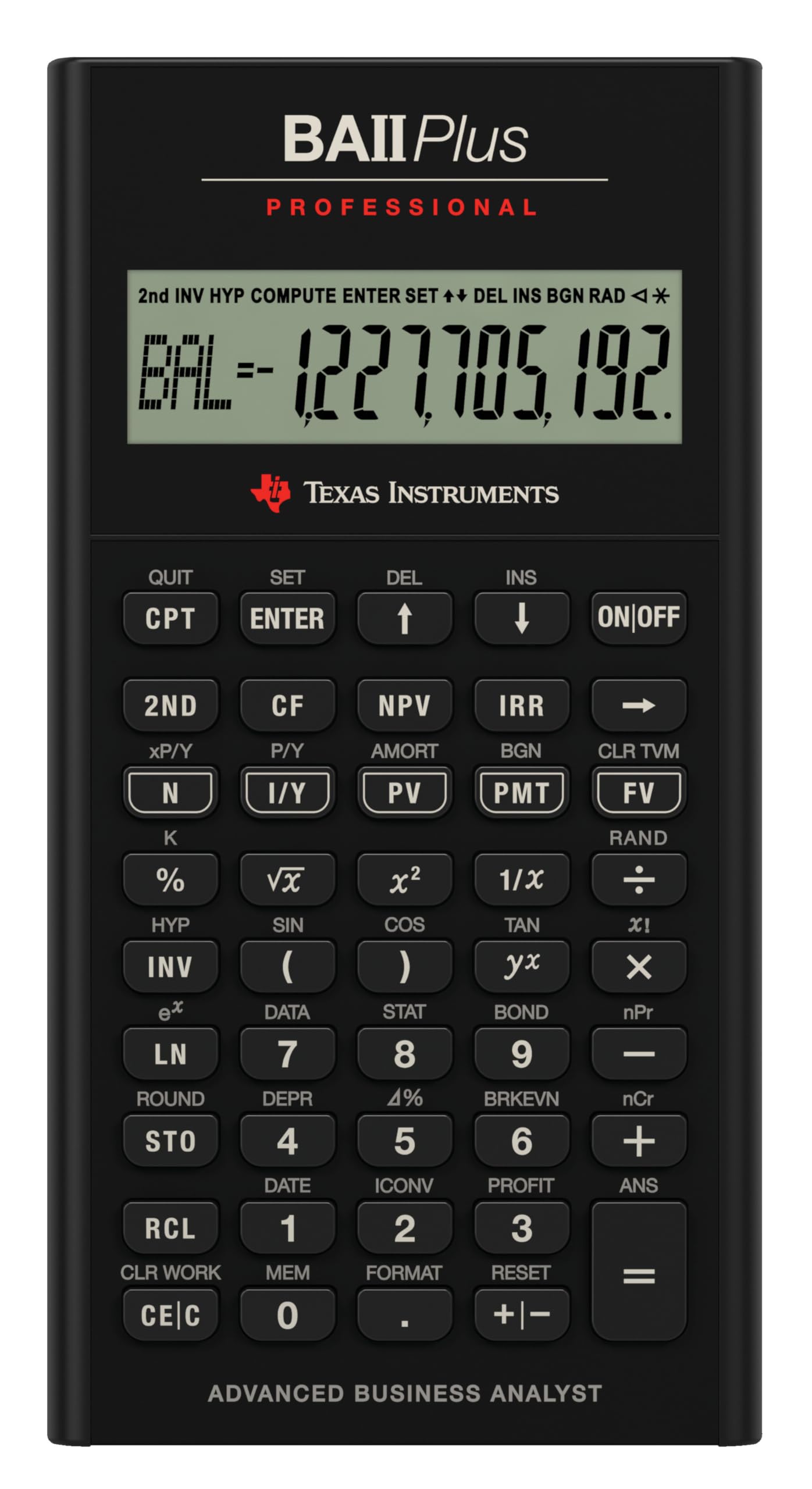


📈 Elevate your financial game with the pro’s choice calculator!
The Texas Instruments BA II Plus Professional is a robust financial calculator designed for business and finance professionals. It features advanced time-value-of-money functions, cash flow analysis for up to 32 uneven cash flows, and key financial metrics like NPV, IRR, and payback calculations. Its durable metal build, ten-digit display, and Automatic Power Down function ensure reliability and extended battery life. Approved for CFA exams and widely used in finance education, it’s the essential tool for mastering complex financial computations with speed and accuracy.

| ASIN | B0001EMLZW |
| Batteries | 1 CR123A batteries required. (included) |
| Best Sellers Rank | #3,226 in Office Products ( See Top 100 in Office Products ) #3 in Financial & Business Office Calculators |
| Brand | Texas Instruments |
| Color | Black |
| Customer Reviews | 4.4 4.4 out of 5 stars (5,860) |
| Date First Available | June 6, 2007 |
| Is Discontinued By Manufacturer | No |
| Item Weight | 6 ounces |
| Item model number | BA II Plus |
| Lines Per Page | 2 |
| Manufacturer | Texas Instruments |
| Manufacturer Part Number | IIBAPRO/TBL/1L1 |
| Material Type | Metal |
| Number of Items | 1 |
| Product Dimensions | 10 x 1 x 7 inches |
| Size | 9.8 Inch |
A**R
With a few minor changes, the best financial unit ever made
This is my first ever review of any product. I own a lot of calculators. Mostly HPs (12C, 10B, 48GX, 49G+, 50G), a few Casios, Sharps, other specialized types. This is my first TI and it is a real nice piece of work. In a nutshell, this is one spectacular business calculator. It looks good, feature rich (I can't think of anything I would want that it doesn't have), interesting interface. A total winner. I ordered on June 5, 2007. It arrived June 12th. About $35 w/free shipping. I won't compare it with the HP12C. Have had the 12C for a long time. Always loved it. Faster, slower? Po-tAto, Po-tato. With all the good things about this calculator, there are just a few things I'd change or add to it. There are three glaring flaws that I can't believe they forgot. 1) No equivalent to the "EEX" key on the 12C. Or at least a "000" key that allows entry of thousands, millions, ... with one button press. This is a very annoying ommission for me. Keying in 3, 6, or more zeros is a real pain in the arse. This is an absolute must have feature. 2) A calculator with trig functions and no "PI" key? Duh! 3) No slide off hard cover? Very, very bad move. Maybe a two line display would be nice. But I won't lose any sleep over that. The rest for me is just key placement. Moving from upper right to lower left for power and clear? These keys are nearly always near each other. The "CE/C" and back arrow key also on opposite extremes. They should be clustered closer together. The on/off key should also be a shifted key to avoid accidentally keying it when unit's in a pocket, or by a stray key press when working. One should have to take deliberate action to turn the calculator on or off. Matter of fact, you should have to "hold" the shift key and press the on/off key to turn the unit off. The unit should also have the option (in setup) of using "continuous memory" or not. [Meaning when you manually shut the unit off, it comes back on where you left it, rather than clearing] So, I would move the backspace key up one and make the "on/off" shifted above it. Then I would move the "CE/C" key where the backspace key is now. Move the "CLR WORK" key with the "CE/C" key. Then all the clear keys would be together. Now, where should that "PI" key go? How about shifted above the square root key? Then I would move the reciprocal ("1/X") key to the shifted position and make that key either an "EEX" or "000" key. Now there would be an extra key left where the "CE/C" key was in the lower left corner. How about a "TIME" key? This calculator is nice enough that it should know what the time and date are. Yes? Matter of fact, it should be one of those self setting atomic types! Maybe a timer too. Does the equals ("=") key need to be two (2) keys high? No big deal either way. (But no, it doesn't! Move +, -, X, / down one! Hmm. Another extra key. Maybe that could be where the "EEX" could go.) Last request would be in the display options. On most HP scientific calculators, there is something they call "engineering notation". Basically it is "scientific notation" but grouped in multiples of (3). You know, kilo (E3), mega (E6), giga (E9), ... Has no one thought that this is also "money notation" too? Thousands, Million, Billions, ... Like some annual reports list "(in Thousands)"? Once in awhile a body might want to display like that too (Maybe a letter in the "indicators" along the top could be used. The "T" and "M" in "COMPUTE" could indicate thousands and millions? The "B" in "BGN" for billions?) For me, this calculator, with these few changes, would easily be the new "world standard" for business calculators. And the trig functions are a nice touch too.
J**2
Better than the regular BA 2 plus but still flawed
I own both this and the regular BA 2 plus. They have the same functionality but the build quality on this model is much better in every respect in which they differ. Both models share the same weaknesses, though. Strengths: * Allowed on the CFA exam and in many finance classes. This is the real reason for its use * Has most finance-related functions you would need reasonably handily available * An alternative to the ubiquitous HP 12C * Has both chain and algebraic mode. Chain mode calculates everything up to now immediately, so 2+3*5 = 25. It also has algebraic mode, which would give you 2+3*5=17. Some people like one way and some like another. I'm glad they provided both. Personally I use algebraic mode but you have to get used to it. Weaknesses: * The biggest weakness in both this and the regular BA 2 plus is their decision about key presses. You CANNOT press a key until you have completely released the previous key or it will not register. This leads to big problems if you are typing fast on it. You really have to use the same finger for all keys you press or some of your key presses will not register. You may think this is a small problem because this is how many people use a calculator. However, the BA 2 plus has many important functions that you can only get to by pressing "2nd" and then the key. It would be very desirable to be able to press second with one hand and the key with another. I can't tell you how many errors this has caused for me. I think TI had to implement this on purpose, so I have to blame their engineering and/or design department. The HP does not have this failing. * Screen construction. The plastic over the screen is really, really thin and in contact with the LCD. This means a very gentle touch will turn your LCD black or put crazy designs on it. This is problematic since this calculator only provides a soft case and the screen is not recessed, so the screen WILL get pressure applied at times. No need to make things so delicate, TI. * Friction with the table. The regular BA 2 plus has no friction between it and the table so as you type, your calculator will move around. Awful. This pro model has two small rubber bumps at the top of the calculator but the bumps at the bottom are plastic with no friction. This means the calculator has a tendency to rotate as you use it. I don't know why TI didn't just use rubber at the bottom like they used it at the top. * Interface design. This is not the worst design in the world, but it does seem like the guys at TI could have put more thought into which functions are frequently used in finance. For example, you must press "2nd" in order to use the exponential function. That's a very common function in finance! They made really obscure functions like inverse hyperbolic cosine as easily available as really basic and important stuff. Another example of a poor decision: it takes multiple keystrokes to clear basic items like the values stored in the time-value-of-money spreadsheet or the memory locations. Why make these commonly used key so obscure. What TI really needs to do is video people actually using this calculator on the CFA and in classes and see which keys get used. Make them easy, preferably one keystroke. Bury things that are *never* used in a menu or something. Neutral comments: * Some people say the keys require a lot of pressure to press. This is true but it's also true of the HP and generally, I think, a fine choice. They could have made them more gentle, but these positively click, so you really know when you have pressed them. You won't accidentally press wrong keys. I think it's fine. Anyway all three main financial calculators (HP 12C, BA 2 plus, BA 2 plus pro) have high pressure keys.
K**R
Great tool
A great tool if the Excel formulas make little sense to you. This is way simpler, especially for a student of finance. I got this for graduate school, as they are not programmable, but I will probably most often use it throughout my career. The professional version is well worth the extra couple bucks.
A**N
Good calculator but I don't like the buttons.
I purchased this calculator for use in my finance classes and overall it's a great calculator. Pros: -It has great functions that are easy to use. -It's a nice size, not as bulky as my TI83 calculator. -Sturdy build, I definitely don't worry about it breaking. -It is a very nice looking calculator. Cons: -It comes with a soft case. Not too much of a problem but it would be nice to have a hard case for the extra security. -The buttons drive me nuts. They are good in that they aren't super easy to push so I don't end up with a number I didn't intend to be there, but I struggle with getting it to register the numbers I DO want. Maybe it's a processing problem and that it can't keep up with me. But I really don't enter numbers very fast and I am very deliberate about pushing the buttons down hard. I have to be annoyingly intentional about watching the screen to make each number shows up when it's pushed. Basically, I have to type a number in much slower on this calculator than on any of my others. In conclusion, this is a great calculator in regards to excellent, easy to use functions, sturdy build and appearance. But if you like to type in lots of numbers quickly, you might want to find someone who has one of these to see if it will work for you. Best of luck!
A**B
ممتازه
V**O
Chi acquista questa calcolatrice ha l'esigenza di avere uno strumento utilizzabile per l'esame CFA, e questa T.I. è il meglio sul mercato. Al di là di questo specifico impiego è comunque un'ottima calcolatrice finanziaria. L'ho acquistata con Amazon Wharehouse ad un prezzo di circa un terzo, ancora sigillata nella confezione originale. Soddisfattissimo!
T**D
Très complet et utile pour les études liées au "corporate finance", accepté aux examens; pas de programmation possible. A noter l’écran se marque de taches noires lorsqu'on appuie dessus...sans conséquence, l'écran redevient normal au bout de quelques secondes. Les touches font néanmoins un peu de bruit.
A**R
I have both the BA II Plus and the Plus Professional. The professional is more expensive, but the extra cost is worth it. I am not sure if it was just my calculator, but the BA II Plus felt cheap. The buttons were not very responsive, so I would type 1.1 and get 11 instead, and the screen was very small. In an exam, you don't have the time to re-calculate over and over again. Aside from cost, the Professional doesn't come with a cover face plate, so you need to maybe buy a carry case, but it's such an easy decision.
M**H
As expected. As other review mentioned, these buttons are a lot more stuff than the regular TI-BA II version. But, I actually like the "click" feeling that you get when you press the button all the way down - and, I feel like it really reassures me that the number was entered in (and I don't have to glance at the screen to check it). I bought it for the CFA exam. I already have the regular version, but it's nice to have two for the exam, just in case you run out of luck and your battery dies. This also has a few useful functions that the regular version doesn't have.
Trustpilot
Hace 2 días
Hace 3 semanas