We remain fully operational. Our teams are working around the clock to ensure your deliveries continue safely.

Descargar la aplicación


Servicios al cliente
Sobre nosotros
Copyright © 2025 Desertcart Holdings Limited
Descargar la aplicación



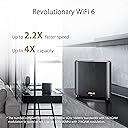
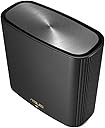


🚀 Elevate your home network to pro-level speed and coverage—because buffering is so last decade.
The ASUS ZenWiFi XT8 AX6600 is a premium tri-band mesh WiFi 6 system designed to blanket your home with ultra-fast 6.6 Gbps wireless speeds across up to 5500 sq ft. Featuring advanced antenna placement, a dedicated 2.5G wired port, and robust network security, it supports multiple SSIDs and is optimized for high-demand devices like the PS5, ensuring seamless connectivity for work, play, and everything in between.


| ASIN | B082T48132 |
| Antenna Location | Home |
| Best Sellers Rank | 12,867 in Computers & Accessories ( See Top 100 in Computers & Accessories ) 51 in Whole Home & Mesh Wi-Fi Systems |
| Box Contents | 2 x xt8, set up guide, uk plug |
| Brand Name | ASUS |
| Colour | Black |
| Compatible Devices | Cellphone |
| Connectivity Protocol | Wi-Fi |
| Connectivity Range | 510 Square Metres |
| Connectivity Technology | Wi-Fi |
| Control Method | App |
| Controller Type | Push Button |
| Coverage | 510 square meters or 5500 square feet, 6+ rooms |
| Customer Reviews | 4.3 4.3 out of 5 stars (2,077) |
| Data Transfer Rate | 12 Gigabits Per Second |
| Frequency | 5 GHz |
| Frequency Band Class | Tri-Band |
| Global Trade Identification Number | 04718017436670 |
| Is Modem Compatible | No |
| Item Dimensions L x W x H | 16L x 7.5W x 16.2H centimetres |
| Item Weight | 716 g |
| LAN Port Bandwidth | 1000 Mbps |
| Manufacturer | ASUS |
| Manufacturer Part Number | 90IG0590-MO3G20 |
| Maximum Upstream Data Transfer Rate | 3300 Megabits Per Second |
| Model Name | ZenWiFi XT8 |
| Model Number | 90IG0590-MO3G60 |
| Number of Ports | 5 |
| Operating System | Android 10.0, RouterOS |
| Other Special Features of the Product | Remote Access |
| RAM Memory Installed | 16 GB |
| Security Protocol | WPA3 |
| Unit Count | 1.0 count |
| Voltage | 220 |
| Wi-Fi Generation | Wi-Fi 6 |
| Wireless Compability | 802.11ax |
L**G
Most stable and fastest mesh network on the market
TL;DR If you have a lot of WiFi devices and need speed, stability and range - just get it, you won't regret. I've had a lot of routers and mesh networks, pretty much from every brand, and this is by the the most stable, fastest and seamless network. I'll cut to the chase now - in order to get most of it you need you tweak settings a bit. It'll work plug & play, but it really shines once it is fully setup. 1) For initial setup, it needs to be close together, connected via wireless backhaul - easiest to do with the mobile app. Once done, I would recommend wired backhaul between nodes, however 4x4 160MHz 4800Mbps backhaul is fast enough, even at a distance. 2) Setup 2.4GHz, 5GHz-1 and 5GHz-2 networks as 3 separate SSID and don't use smart connect. Use 2.4GHz for all IoT smart devices, 5GHz-1 for TVs and non-WiFi 6 gear, and 5GHz-2 for WiFi 6 gear only (set network as AX only) 3) From then on, I recommend using web browser console, you have more settings there and it's easier to use. 4) For those working from home on VPN and having issues with MS Teams calls and Outlook desktop client - use your broadband provided kit as router with wi-fi off, and switch ZenWifi to AP mode. 5) Turn off smart connect, don't turn on any QoS or AI protect stuff 6) Tweak roaming mode to your own needs. I've included sample settings for 5GHz-2 network which gives full 1.2Gbps, I also get 1.2Gbps on 5GHz-1, this maxes out our 910Mbps fibre optic broadband anyway. With all above, our 2 x Galaxy S20s and laptops with Killer 1650 M.2 Wifi 6 AX are a lot more responsive - not to mention much faster max speeds - that's thanks to improved latency on WiFi 6, regardless whether it's 5GHz-1 or 5GHz-2, but separation gives better overall performance kids with their TVs and tablets are not impacting our work. Note 1 - currently it is not possible to use 5GHz-2 network in 4x4 mode, so max you can get is 1.2Gbps rather than 4.8Gbps, but this is irrelevant since you would need multi WAN internet connection to go over 1Gbps anyway, and gigabit is plenty fast. Note 2- NAS functions (whether FTP or Samba) maxes out at ~67MBps (536Mbps) even with Samsung T5 which gives me over 500MBps (4Gbps) when connected directly to PC - that's not great, but fast enough for a NAS. Note 3 - I'm currently on firmware 25524, it is stable, no issues, everything gets signal across 3 floors and in both front and back garden - and I have rather large network: 2 x XT8 in AP mode 3 x network switches 4 x 4K smart TVs (2 wired, 2 wireless) 5 PCs (2 wired, 1 on VPN all the time) 5 tablets 4 x TV streaming devices (1 wired) 4 x phones 7 x Ring devices 14 smart plugs 9 smart speakers 13 other smart wifi devices To finish off I'm going to add that the actual hardware is a lot smaller and lighter than I thought it is, less obstructive, looks very good in any room, it shows quality and it's very well designed and built. Highly recommended, especially considering it is actually cheaper than WiFi 6 mesh from other brands. UPDATE: Attached 2 more screenshots with speedtest over wire and wireless. Can't get much better than that!
B**D
Outstanding coverage coupled with great throughput
I bought 2 x 2 packs of the ZenWiFi AX to replace 7 Linksys Velop 7 Pros that were failing miserably, given I was in a late Victorian multi-storey house covering 3,000sq.ft., due to their poor coverage in my environment. These ZenWiFi AXs are fantastic, cover a large area with client speeds in the 500-700Mps range and backhaul in the multi-gigabit range. A stable mesh system makes for highly reliable inter-node connections and for trouble free 4K+ video streaming. I ran a ping for a week and only 1 in 20,000 packets dropped (34 out of 636,000 packets sent). The 4 units cover all four floors with the lowest speeds I am seeing around 300-400Mbs mark. Setup when using the router capability looked straight forward, but I did not want to change my addressing scheme and have subnets so needed to run in AP mode with AiMesh. This proved not so intuitive to set up and took a few hours, using a combination of the App and the Web Interface. That said it all works beautifully. The Asus App and Web interface knock spots of Linksys equivalent. Very happy with my purchase, highly recommend.
S**X
This review is for the XT9s
Firstly these are so much better than the XT8s that i tried around 18 months back. On paper there is not much difference between the two but in real life this couldn’t be further from the truth. The XT9s were a breeze to setup and I was up and running in 15 mins. I live in a 950 Sq ft apartment in London with brick walls and found the range and speed to be consistent. There were no black spots. I have a Virgin 500 mbps plans and I got speeds around 250 - 400 depending on my location. No drop outs, however I did find the satellite using the 2.4ghz randomly for wireless backhaul connection. This impacted the overall speed and this was despite me setting 5ghz-2 as a dedicated wireless backhaul band. This happened a number of times and was sorted by scheduling an auto reboot every 24 hours on the app. The app is good you can do loads of tweaking if you want to. The XT9s are a far better choice than the Eero Pros, Deco X90 and X95. Better/consistent performance for lesser money. I got a great deal on these on prime day. I have given it 4 stars and not 5 as I could not achieve full speed even seated next to the router.
S**B
Very good coverage, consistent speed, stable and controllable.
After two weeks of use I am very pleased with this new system. I bought a two unit pack, plus one additional unit, to replace a flaky Linksys Velop tri-band setup. My stone terraced house is between two others which have been converted to flats, so the WiFi spectrum is quite crowded and my old system failed to hold a manually set channel, and was constantly hunting for a 'better' signal with frequent drops in speed. This only became a problem after neighbours switched to Virgin Broadband and changed their routers. These new units have similar range, and i can set all three to use the same channel and they stay on that chosen channel. Now we do not have frequent channel hopping for my own, and neighbouring, networks. I have strong coverage across three floors and into the extension - with some solid walls and some lath and plaster walls, with full speed throughout the main house and around a 30% speed drop in the extension and garage. Setup was simple once my telephone connected to the first unit, I then powered up the additional units when prompted in the app, and in around six minutes they were all linked together and ready to place where needed. Signal strength stabilised quite quickly in the new locations. The AI Protection feature has already protected one user from malicious site visits and I could quickly and easily activate parental controls for devices used by visiting grandsons. Parental controls vary by age group, and devices can be grouped for easy admin. Almost all features can be set in the phone app, with slightly different options in the web interface, and it was easy to set up using my phone, with the website only needed to refine some settings for connected storage.
P**E
Sinds medio juni 2020 in gebruik. Beide nodes zijn bedraad aangesloten en de snelheid en stabiliteit van het netwerk zijn fantastisch! We runnen een Bed & Breakfast en onze gasten kunnen op een apart gastennetwerk tegelijkertijd Netflix kijken zonder enige haperingen. Het bereik in huis valt me wel een beetje tegen. De installatie vergt wel even tijd. In het begin is het even puzzelen. Mijn Ziggo modem staat in bridge modus en de Asus functioneert als router. Er zijn veel instelmogelijkheden.
K**I
For yrs,i was using wifi extenders but tody, im using None,because,i simply Dont need Any...Thanx ASUS
G**I
Good product, however sometimes even with full strength wifi it takes time to load a video… also had a issue when I registered for warranty on ASUS website… after registration straight away was showing warranty expired, contacted ASUS and they said they wouldn’t cover because was sold by Amazon… so I contacted Amazon and they said they cover 2 years. So I really hope I don’t have any issues with the product.
C**N
Compré este aparato con dudas y pensando que tal vez me serviría para resolver un problema y al final me ha resuelto tres, dos de ellos ni era consciente de que los tenía. El primer problema era que mi conexión a Internet (800Mb), la cual distribuía por la casa usando PLC de calidad pero con un tendido eléctrico viejo, me llegaba a la habitación principal apenas a 300Mb y a un dormitorio donde tengo consolas apenas a 100Mb. Estable y fiable, pero muy lenta. Como este juego de aparatos tiene un canal wifi dedicado en exclusivo a tender un puente entre todos me compré el pack de 3 y lo puse a prueba. Con la configuración por defecto nada más sacarlo de la caja y actualizando el firmware el resultado fue una mejora brutal en la primera prueba, conectado por cable el portátil con el que hice todas las pruebas vi que donde antes llegaban 300 ahora llegan 750 y donde antes llegaban 100 ahora 550. Cuando revisé tutoriales por Internet y ajusté un poco algunos valores (por ejemplo puse el canal dedicado a la comunicación entre los 3 en la banda de 160Mhz en exclusiva) las cifras subieron a 795 y 680 respectivamente. Además de esas cifras tan buenas, resulta que la conexión era igual de estable y fiable que con los PLC, así que se puede usar para juego online sin notar ninguna pérdida de paquetes o mal ping. Además de eso me mejoró dos cosas más que no sabía que fallaban en mi casa: el wifi (como era de esperar, este trasto es una bestia en este tema) que ahora va mucho mejor que antes y el ping. ¿El ping? Sí, resulta que cuando le quité todo el trabajo al router de mi operadora, le apagué el wifi y lo puse en modo DMZ para que le pasase todo el tráfico al ASUS, su rendimiento mejoró mucho, por lo que no he vuelto a tener nada de lag o problemas de ping en el juego online, cosa que a veces me pasaba y me obligaba a reiniciarlo una vez a la semana para mantener el rendimiento. Ahora sencillamente no lo reinicio nunca. Ahora mismo el router ASUS está haciendo todo el trabajo, gestiona unos 30 aparatos diversos, no ha perdido rendimiento tras enchufar todos los trastos que tengo (bombillas wifi, enchufes wifi, un NAS que está 24/7 trabajando y descargando, etc) y es sólido como una roca. Es caro, pero merece la pena. Y todo esto sin cambiar el Firmware, que hay firmwares no oficiales que dicen que lo mejoran aún más, pero no he querido tocarlo ya que realmente no le falla nada. Hay que destacar que mi casa es pequeña y mis tabiques finos, si vives en un castillo medieval o similar este aparato no te va a arreglar tus problemas de red. Ah, y antes de que se me olvide. Cada uno de los aparatos tiene un puerto USB, por lo que le puedes pinchar un disco duro que se puede transformar en un disco de red, en un servidor de descargas Emule/Bittorrent gestionado por el router o incluso una impresora de red. El disco duro creo que sólo se lo puedes poner al principal, pero me parece que la impresora a cualquiera de ellos (no lo he probado así que seguro seguro no lo sé).
K**N
ASUS make great WiFi equipment and the XT8 has become better with time thanks to regular firmware updates (plus 3rd party support in the AsusWrt Merlin GNUton's builds) and a web admin interface that is highly configurable. Range and speed for me has been very good with 15+ devices connected but the best has been the reliability and fast startup/reconnect times of the router+node. The only negative, and it is quite a big one, is that the supported control channels for the hardware I received only reach to 140 (5700MHz) despite the UAE and UK (as a UK socket power plug adapter was provided) both allowing higher channels than this. This reduces the available non-DFS channels and so also reduces the channel bandwidth possible (reduced speed) on the higher channel range.
Trustpilot
Hace 2 días
Hace 3 semanas