We remain fully operational. Our teams are working around the clock to ensure your deliveries continue safely.

Descargar la aplicación


Servicios al cliente
Sobre nosotros
Copyright © 2025 Desertcart Holdings Limited
Descargar la aplicación
![[OLD MODEL] Crucial m4 256GB 2.5-Inch (9.5mm) SATA 6Gb/s Solid State Drive CT256M4SSD2](/_next/image?url=https%3A%2F%2Fm.media-amazon.com%2Fimages%2FI%2F61UrlrOKvzL.jpg&w=3840&q=75)
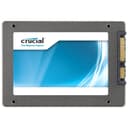
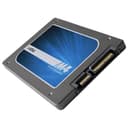
🚀 Elevate Your Storage Game!
The Crucial m4 256GB 2.5-Inch SATA 6Gb/s Solid State Drive offers exceptional performance with 500 MB/s read speeds and 260 MB/s write speeds. Designed for internal installation in desktops, this shock-resistant SSD ensures your data is secure while providing a generous 256 GB of storage capacity. Backed by a 3-year warranty, it's the perfect upgrade for anyone looking to enhance their computing experience.
| ASIN | B004W2JL2A |
| Additional Features | Shock Resistant |
| Best Sellers Rank | #3,897 in Internal Solid State Drives |
| Brand | Crucial |
| Cache Memory Installed Size | 256 |
| Color | - gray |
| Compatible Devices | Desktop |
| Connectivity Technology | SATA |
| Customer Reviews | 4.5 4.5 out of 5 stars (3,882) |
| Data Transfer Rate | 6 Gigabits Per Second |
| Digital Storage Capacity | 256 GB |
| Form Factor | 2.5-inch |
| Global Trade Identification Number | 00649528752192, 02100001091538 |
| Hard Disk Description | Solid State Drive |
| Hard Disk Form Factor | 2.5 Inches |
| Hard-Drive Size | 256 GB |
| Hardware Connectivity | SATA 6.0 Gb/s |
| Installation Type | Internal Hard Drive |
| Item Weight | 2.64 ounces |
| Manufacturer | CRUCIAL TECHNOLOGY |
| Media Speed | 260 megabits_per_second |
| Model Name | M4 |
| Model Number | CT256M4SSD2 |
| Number of Items | 1 |
| Read Speed | 500 Megabytes Per Second |
| Specific Uses For Product | Personal |
| UPC | 649528752192 |
J**T
Hands Down Best Deal Out There. Quick Start Guide Included In review.
My Rig: MSI Z68 GD65 B3 (latest firmware) Seasonic X750 watt, 8GB of corsair vengeance low profile, Zotac Nvidia 560TI Intel I5 2500k modestly bumped to 3.5 based. I do desktop support but this was MY first ssd install. I did a lot of research by comparing products and decided to settle on Crucial. The price to compatibility and positive review ratio is what had me decided. However the benchmarks I got out of it actually shocked me. I received this M4 128GB at 0309 firmware which is second to latest. I ran benches with this and will run again with newer firmware when I feel there is a need to. Must do two things to this SSD: 1. Install it to the SATA 1 or 2 ports for SATA III, preferably Intel designed ports if you got it or primary AMD if an AMD board. Read your manual if you must. This is because third party controllers like Marvel simply are not as fast as the Intel. 2. Do a google search for "Sean's ssd optimization guide" and click the first link. Then go to page one. Follow all the instructions to the T. Those are the two most important things. Also do NOT clone your previous hard drive. It turns out badly because your cloned version of Windows will not automatically turn Trim on along with other optimizations. Install Windows fresh. This is the biggest upgrade of your computers life so don't skimp by saving 10 minutes. I am on my third day with this drive and it is outstanding. My computer boots in less 17 seconds from pushing power button to everything loaded on desktop. That is baseline no startups except chrome steam and sandiebox. A person who properly sets this up will get good use out of the drive. To be honest If I get one year of great performance out of drive I consider it good and I will buy something identical to it. On a side note. SSDs while sturdy are like anything else that has transistors in it. They are prone to premature failure due to things like your UPS carrier playing catch with it or a person discharging static to the device because they live in a cool dry air climate. Always install your SSD with an ESD wrist bracelet. You can buy one off amazon for a few bucks to save your computers life. I whole heartedly believe that ssd's that are not functioning right is 80 percent of the time is caused by an ID-10T error. Right now my benches with crystal mark are Seq. 526 Read 202.6 Write 512k 404 read 203 write 4k 31.49 read 119.7 write 4kqd32 312 write 202 I will update this again in 4 months to provide another benchmark. All in all the purchase was pleasant. Amazon ships this in a bubble envelope with just the ssd box inside. Not bad if your UPS person doesnt play catch with it. However I think it should be shipped in a snug cushioned box instead. I have not had to call Crucial support yet and am hoping not to have to. When somebody says they got horrible tech support from crucial either they were expecting too much too fast or do not understand warranty processes. I provide warranty support for a company that rhymes with Sell so I am the most experienced person to inform you on this. One final thought. From what I have read on all kinds of forums and including this review page, macbooks are hit and miss with this, a good portion of the negative reviews are from macbook owners - so take a hint. This is a great drive for a great price and frankly had I to do over again would have gotten the 256 which is an even more rediculous bargain due to the recent price drop. This SSD is produced in conjuction with Micron who owns the fab to creating the chips found on many other ssd's sold by other companies. This is why they are able to offer strong performance and reliability for this low price. Also if you are considering a intel's pricier ssd due to their 5 year warranty consider that this is a solid state drive with no mechanical parts. So if it gets past the infancy death that ALL electronic devices incur due to no falt of their own then this will undoubtedly last for years. Infancy deaths will occur within 3 months. Remember you have warranty for a reason. So once it hits the 3 month mark you should sleep a little better. *Update 6/5/2012 - I still have this running fine with only a 17GB windows foot print and no read/write errors recorded from Windows so far. It is treating me well* That is all I hope this review has been helpful. Giz out. *Update 4/16/2013 - This is still running strong and no complaints at all. No Stop Screens (blue screens of death) slow downs or hiccups. Haven't felt the need to rebenchmark because it is still booting up lightning fast and programs open just as snappy. Great experience with this SSD will probably buy another soon. Also Trim does seem to be doing its job. Almost a year later and just as fast.
J**H
It's a Solid Product!
First off, I'm not a tech-savvy kind of guy. Just a normal person who is capable of following instructions, but don't really know why it works. This is my first SSD and first hard drive installment. I used this SSD as a boot drive for my Desktop PC. There are lots of review of the product already, so I want to go through my experience installing the Crucial 128 GB m4 SSD. Increased Performance: Very noticeable difference. I always shut down my computer after every use. My PC used to take a over 2 minutes to boot. Then after booting, I will have to wait another few minutes for everything to "start up". So, my routine would be turn on the PC, and walk away and eventually comes back to use the PC. With the new Crucial 128 GB m4 SSD, my PC now boots in less than 30 seconds, and I can use it immediately. The SSD eliminated the annoying "start up". This is exactly why I wanted a SSD boot drive. Additional Hardware Required (PC): The package did not come with a Bay Converter, so you will need to buy one of those. I recommend the SILVERSTONE SDP08 3.5 to 2 X 2.5-Inch Bay Converter . To install SSD, just plug in the hard drive plug and the power. You will also need to buy a transfer kit if you want to move stuff over from the previous hard drive. I recommend a fresh install of Windows 7, so you can enable TRIM which will keep the SSD running blazing fast. To enable TRIM is very easy, you can Google the instructions on how to do it. Data Transfer: If you had an existing hard drive like I did, make sure to unplug that first. Install a fresh OS on to the SSD, and then plug the old hard drive back in. You do not need back up the data of the old hard drive. The previous C: drive will now be E:. If you have more than 1 partition the rest will be F:, G:, and so on. I recommend formatting your old C: drive and use it as a storage drive after you get everything set up. Oddity: After the SSD was installed, I got a prompt to run it using AHCI or IDE before the Windows load screen... I didn't know what they were, so I chose AHCI and it crashed constantly. After switching to IDE in the Bios, it was working like a champ. Important Update: Make sure you go to Crucial official website and download the latest firmware. Just Google "Crucial SSD firmware" and it's the first link. I had a blue screen of death once before installing the firmware, so I'm not sure if that's related. However, after I install the firmware to version 009, I haven't had any issues since then. Boot Disk - How to: This gave me a bit of trouble, so I want to save someone some time. To make a boot disk for the firmware update, you need to have an ISO burner. I didn't know this, and was burning the ISO file straight to the CD and it failed to boot every time. Eventually, I stumbled upon a recommended free program called "Free ISO burner", use that to burn the ISO file to a CD. I spent over 3 hours trying to figure out why I couldn't install the firmware :( Worth: Is the price of the SSD worth it? You're probably reading the reviews trying to figure out if it's a good buy. I bought it for $179.00 through Amazon Prime. As of right now, I would say that SSD is a luxury item. The price is dropping constantly... so I would say, save your money and wait until early 2012 to make your purchase. Now, if you had an extra $180 around and wanted the speed, then yes this product sure does deliver! Final Thoughts: The Crucial 128 GB m4 is a solid product. Read the reviews and choose carefully. Don't go for the fastest drive, go with the most reliable drive... because in the real world applications speed is relative. Reliability is a must! Again, it's a luxury item and I'm happy to pay for it. For me it was worth every penny. If you have money to spare, the Crucial 128 GB m4 is highly recommended!
K**L
The Crucial M4 is 128GB solid state drive. These drives use a technology akin to that used in flash drives , and seen in the likes of tablets and smart phones, to provide a slim, cool and fast performing storage device for your system. I'd be thinking about getting one of these for ages as my 1.5 TB Hard Disk Drive had become extremely slow and no amount of defrags and optimisation could improve it that much. I'd tried an alternative 1TB drive but still had very slow times between turning on, logging in and eventually loading my desktop so I could work. I was aware that SSD's can greatly improve performance but was concerned that they are know to have a shorter life than HDD's and that they won't slowly degrade like an HDD but just stop working (rather than gradually giving bad sectors as Hard Disks tend to). I took the plunge though and I'm very glad I did, my boot times have improved from several minutes to under a minute even with my system now fully loaded with all my services and the system is extremely nippy now. It's worth noting that these drives are 2.5" laptop sized. If you want to install them in a desktop then an adaptor like this allows you to attach them Akasa AK-HDA-03 2.5-3.5 inch SSD/HDD Adapter . Installation was easy. I plugged the drive into the adapter bay and easily slotted this into my tower. I then plugged this into a spare sata port (my P55 mother board has sata 2 so I'm testing at a slower rate than those with sata 3 will get and still very impressed). Following that I booted and went into my BIOS set-up to tell the system this was my primary HDD and to set my boot order. Following that I put Windows 7 in my DVD drive, started the boot process and carried out the installation. A frresh install is required rather than copying an image from and old HDD as Windows 7 will optimise itself for an SSD and you always get a better and fresh performance when performing a clean build. The biggest bottleneck to performance on my system was the HDD, and it will be for a lot of people. The temptation can be to buy a new motherboard or CPU but it's often the case that these may well handle everything you need perfectly fast but are being hamstrung by a slow old mechanical drive. This is an upgrade that can affordably transform a system. A couple of things worth noting though: These drives have a limited life and tend to be expensive compared to an HDD and they are best used in conjunction with an HDD. What I've done is set this as my systems drive for windows but kept my HDD and used it to hold all of my user libraries and have also installed several programs onto it, plus i've put my steam library on there. That way the majority of dynamic and frequantly changing high volume stuff can sit on the HDD whilst the SSD handles the task of running the OS itself. This should ensure a balance of performance and system life and the system still runs very quickly. This also means this drive is still two thirds empty , thus ensuring plenty of spare capacity and hopefully life. Knowing the drives are more vulnerable I'd also advise taking regular image backups in case you need to quickly rebuild your system following failure. I've also kept win 7 on my other HDD so that I can always boot from it when I need to. Overall though I'm very impressd with this drive. A big boost to my system for a reasonable price. [edit] After a few months of good performance and no problems I ran into problems with this drive. Googling around I found these problems are very common. The drive can begin to randomly freeze and completely freeze windows. Once this happens you are forced to power reset and will find the drive is missing from your bios. In order to find your drive again you need a power cycle. To do this, boot the machine into your bios and leave it for 20 minutes, reset the machine and repeat, the drive will then reappear. This has worked for me. In order to prevent the freezing it is suggested you update your firmware, but this doesn't always work. The following was another suggestion from Crucial themselves: "The behaviour you are describing is consistent with deleted cells not being cleaned from your drive. This can result in reduced performance or even complete lack of response from the SSD. There is a feature built into our SSDs called Active Garbage Collection. Letting Active Garbage Collection run on the drive for an extended period will clean these cells and restore the SSD to a healthy state. To do this on your PC or Laptop, you will need to let the SSD idle for 6 to 8 hours. In a PC, simply disconnect the SATA cable from your SSD and only leave the power cable connected. After switching your PC on, the SSD will be in an idle state but still have power so Garbage Collection can function. Leave the PC powered for the 6-8 hours. In a laptop, power on with the SSD installed and enter your system BIOS (please refer to your system manufacturer's documentation on how to access the BIOS.) Leave the laptop in the BIOS menu for the 6-8 hours. Following this process, your drives functionality and performance should be restored. To prevent the SSD performance degrading again, you can make adjustments to your power settings: - Go to Control Panel - Go to Hardware and Sound - Go to Power Options - Select Change Plan Settings - Select Change Advanced Settings - Make sure the 'hard disk' field is set to `never' (Laptop users select 'battery and power adapter'). " Hope this helps if you experience this.
H**5
Il me fallait un SSD avec + d'espace que mon vieux Intel X25M de 80Go (seulement 74 exploitable...) et tant qu'à faire en sata III. Chose faites pour encore moins cher! Donc le pix défie toute concurrence. Ses perfs aussi. Pour ceux qui hésitent à franchir le pas, allez-y, c'est vraiment agréable à l'usage, et quand on y a goûté, c'est très dur de retourner sur un 7200tpm, encore + sur un 5400tpm ^^ Et c'est fiable. Un HDD au fil du temps et du grattage (si ça gratte beaucoup) perds en perf, et parfois meurt sans prévenir. Avec ses 120Go, vous pourrez mettre l'OS (boot en quelques secondes), les applications qui en découlent (photoshop, office se lanceront très rapidement). La réactivité générale aura une toute autre facette. Et comme c'est une version 120Go, vous pourrez même y mettre vos jeux (énorme gain de temps sur jeu solo vu que c'est du read, et en jeu multi, ça charge aussi plus rapidement. Je le ressens quand je lance Battlefield 3 sur mon SSD, et quand je lance CS:GO sur mon HDD annexe (stockage)). Points négatifs ? Aucun.
Z**P
I've only had this drive for about a week but I've put it through its paces to see how it compares to my previous Crucial CTFDDAC256MAG-1G1 2.5-inch Solid State Drive (256GB,Real SSD,C300,SATA 6GB/S) . The answer is... pretty well. These drives are almost identical to the C300 series internally, just with a slightly tweaked and faster controller. Like the other reviewer, northener, my drive came with firmware 0001. I did some brief initial testing with it and didn't run into any issues before I upgraded to 0002. It's still slightly annoying that Crucial only provide firmware updates as bootable ISO's though, at the very least they should make it easier for people to create bootable USB keys - it's possible to do this manually, but annoying and clunky. So most of you will need a CD-R and an optical drive handy for doing the update it seems. Aside from that, absolutely no qualms about the drive so far. It's being used as a scratch drive for large video files, and excels at this purpose - the supposedly higher specs of the newer sandforce drives don't translate into real world performance where incompressible files like video are concerned. Finally, performance. The drive is plugged into a 6Gbps Intel SATA port on a sandy bridge system. Synthetic benchmarks got me sequential reads at ~440MB/s, sequential writes at ~270MB/s, random 4k reads at 22MB/s and random 4k writes at 74MB/s, both higher than those of the C300 (and higher than the specs mentioned on this product page). I don't have any real-world tasks to do on this drive that'll do it complete justice, but I can mux a complete >30GB blu-ray M2TS (reading from and writing to the same drive) in a couple of minutes whilst the drive is still perfectly usable by other applications. No testing done on a Mac, but OSX users might want to check the Crucial forums as there are several people there with issues with these drives in their macbooks. Four and a half stars for still having a clunky firmware upgrade process but being a brilliant SSD nonetheless. Edit: Crucial published firmware 0009 for this drive recently, which I've just flashed to, to large performance increases. The drive now benches at ~514MB seq reads, 270MB/s seq writes, 23MB/s rand reads and 76MB/s rand writes, so a large jump in sequential reads especially. 0009 is also much faster initialising the drive on boot and there are numerous other relibaility fixes too. I've also found out that the firmware upgrade ISO loads perfectly fine with unetbootin, making installing it via USB stick much easier. As such I'm now bumping the review up to five stars.
T**E
Lo que yo necesitaba era un disco duro para un macbook pro del 2009, estaba dudando entre este y entre otro más conocido, pero al final debido al precio me decidí por este y por una ampliación de ram de 4gb a 8 gb. He acertado por completo. Lo primero he de decir que la mano de obra ha sido facilísima y sin problemas, eso sí, hay que comprar un juego simple de destornilladores. Ahora mi macbook va 4 veces más rápido (sin exagerar), el encendido y el apagado es muy rápido, y programas como el photoshop se abren en 2 segundos. Tambíen he ganado en refrigeración, ya que ahora no hace falta que funcione tanto el ventilador y hace mucho menos ruido, de hecho es totalmente silencioso. Puse comprarme uno nuevo pero no mereció la pena ya que ahora está como nuevo. Ni lo dudes. Amazon como siempre perfecto, eso estaba ya implícito.
晩**亭
サブのWin7に取り付けてみました。復元ソフトでOSをHDDから移動させました。 起動が早くなり、ブラウザ・ソフトの立ち上がりも良好です。 ベンチマークは行っていませんが、HDDとは大きな視覚的(体感的)な差があります。 トラブルは、今の所ありません。64GBもあればブータブルディスクとしては十分だと思います。 多分、動画編集ソフトなどを入れてもまだ余ると思います(結構な量のソフトを入れても26.6GB/59.6GBです)。 M/B:ASUS P5G41T-M LX CPU:Q8300(Intel) OS:Win7 Pro(32bit) MEM:PC3-1333 2GB×2枚 交換前HDD:HITACHI HDP725050GLA360(500G・7200rpm・3.0GB/s) 主なソフト:Ulead VideoStudio11/CyberLink Media Suite8/Picasa3/AVG アンチウィルス、等。
Trustpilot
Hace 4 días
Hace 3 días