We remain fully operational. Our teams are working around the clock to ensure your deliveries continue safely.

Descargar la aplicación


Servicios al cliente
Sobre nosotros
Copyright © 2025 Desertcart Holdings Limited
Descargar la aplicación


Buy anything from 5,000+ international stores. One checkout price. No surprise fees. Join 2M+ shoppers on Desertcart.
Desertcart purchases this item on your behalf and handles shipping, customs, and support to Uruguay.
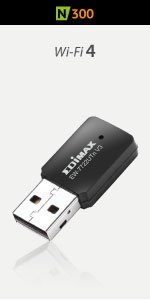
🚀 Tiny dongle, massive Wi-Fi freedom — stay connected, stay ahead!
The Edimax EW-7811Un V2 is a nano-sized Wi-Fi 4 (802.11n) USB adapter delivering up to 150Mbps on 2.4GHz. It offers plug-and-play support across Windows 11, MacOS, and major Linux distros, featuring robust WPA3 security and a sleek low-profile design that minimizes damage risk. Ideal for professionals seeking reliable, cross-platform wireless connectivity in a compact form factor.




| ASIN | B08F2ZNC6J |
| Best Sellers Rank | #113 in USB Computer Network Adapters |
| Brand | Edimax |
| Built-In Media | 1 USB Adaptor |
| Color | Black |
| Compatible Devices | Desktop |
| Compatible Operating System Family | Linux, MacOS, Windows |
| Customer Reviews | 4.4 4.4 out of 5 stars (606) |
| Data Link Protocol | Wi-Fi 4 |
| Data Transfer Rate | 150 Megabits Per Second |
| Hardware Interface | USB |
| Item Weight | 2 Grams |
| Manufacturer | Edimax |
| Mfr Part Number | EW-7811Un V2 |
| Minimum Required Operating System Version | Mac OS 12 Monterey, Windows 11 |
| Model Number | EW-7811Un V2 |
| UPC | 649659025479 |
| Warranty Description | Manufacturer Warranty |
M**N
Good little device that works as expected.
I use this with a 1u server running OpnSense. OpnSense is an open source router software. It has been very reliable. I have not tested the range and I am usually close to the system when I connect. I have not had any trouble. I did not have to install any drivers. I have tested it on my Linux (Debian 12) laptop and it works well.
F**K
Back on the Web!!
The Edimax USB Wi-Fi 802.11n Adapter worked perfectly on my aging laptop after the internal wifi card 'bit-the-dust' - NOTE: The Edimax wifi adapter ONLY provides 2.4 g connectivity, NO 5g available. It's Plug and Play for Linux - fully supported by all Linux kernals.
P**M
Excellent for Linux, BSD and Embedded Applications
It can be frustrating to buy a computer and try to run non-Windows software on it, only to find out that the wireless doesn't work due to proprietary drivers. Or maybe you have an embedded computer that doesn't have wireless. If you don't have connectivity you can't even download anything - you have to put it on a disk and load it. In late 2025 it seems that Linux, NetBSD and OpenBSD work with the Edimax Nano out-of-the-box!
V**T
Great item and great customer service
Item showed up earlier then expected and was everything I needed to complete the project I was working on. Also received an email from company checking with me to see if everything was ok and to send me the right direction if I needed drivers. Always nice to have good product and the seller who cares. If your needing this for Linux so far I've used tested it with kali, cyborg. Bugtech, parrot and it works flawless.
J**N
Does the job, with a few quirks
It's Linux compatible, I didn't have to do anything special to get it working with Garuda, but Linux Mint needed a kernel driver... fortunately I had a VM that I could patch one into under Windows and get it going, but once I changed to a more up-to-date (indeed, rolling) distro (Garuda) it wasn't necessary. Their website claims to only support up to Linux kernel 5.13 but that is inaccurate, as I'm running it with a 6.8.9 kernel currently. Now let's talk about speed. AC1200 mathematically is more bandwidth than a USB 2.0 port will handle; those are limited to 480MBps. I don't know who made the decision to not go with USB 3.0 on this device but they need to have their heads examined. That being said, it works, though it could probably be a whole lot faster if it weren't designed by someone who can't do math. I'm currently connected to my WiFi router which is across the width (and through a wall) of the apartment at 175.6Mbps. Not exactly stellar, but it is what it is. I think we only have 400Mbps service anyway, so I guess that's good enough for me. My roommate needs some bandwidth, too, so yeah, it's fine. Also, reliability (or lack thereof). Occasionally a couple of weeks ago (not so much lately) it would get hot and stop working. Unplugging, letting it cool for a minute, and replugging it resolved the issue. Maybe there's such a thing as "too small" and instead maybe a bit of bulk (and copper) would allow for better heat dissipation. But that would cost money, of course. Overall, it's an acceptable product with just a couple of flaws. If they would address those, it would be perfect. As it stands, I would probably repurchase from their brand if I ever needed another one for another system, especially if I couldn't put a PCIe or m.2 card in, instead. I can't say anything about their tech support as I'm an advanced user and don't care about calling tech support (I probably know more than they do so they would just frustrate me with their accent). So they'll get my default 3 stars because their website is adequate.
M**W
Works best in 2.0 USB ports.
I bought four of these adapters for computers running Windows 10 in a senior living facility for residents who don’t have easy access to Ethernet connections, and they’ve worked perfectly. There was no software installation required—just plug them into the USB 2.0 ports, and they connected right away! The compact size is fantastic, with no bulky antenna sticking out, making them discreet and easy to use. The connection is fast and reliable, meeting the internet needs of the residents without any issues. A hassle-free, plug-and-play solution that exceeded all expectations!
D**Y
Highly Doubt 150 Mbps; Cell gets 95 Mbps, but ony 45 Mbps Max For This!
I'm torn between only 2 and 3 stars (which I gave it for price and usability in a pinch). The title should definitely be changed to "possibly UP TO 150 Mbps". But I have no way of knowing if that's possible, since I NEVER got more than only 40-45 Mbps maximum!! And usually as low as only 12-29 Mpbs!! My phone is always 95 Mbps. This was under Linux MINT (Xfce); title says: "Linux: Ubuntu/Mint Plug-n-Play for Kernel 5.15 and Above" the main reason I purchased it! Well, it took time in the Terminal and a few reboots until it finally functioned under Mint! The package had also been previously opened; probably by someone else returning it.
K**S
Died after about 7 minutes of use
Was plug and play with an up to date Ubuntu laptop, so that was nice. As I needed to plug it into there first to get it's MAC Address. So only had it plugged in there for like 2 minutes. Then I plugged it into an older Raspberry Pi zero with a micro USB to female USB to add to a project I was working on that needed to have an IP reservation from my router. Don't know if it was plug and play for the Pi. As in the about 5 minutes before I even got to check if it was online. This was while I was adding the IP reservation. The Edimax got insanely hot, like too hot to even touch without it burning ya. If I had left it in any longer I'm certain it would have started a fire. Or if the wire was laying on fabric and not a table. Suspect I must have gotten a bad one. Issue was 100% the adapter and not the micro USB cable. As the cable was in use for months previous with an ethernet USB adapter and still worked just fine when I went back to the ethernet adapter instead. Can't be 100% certain what happened but that's what I get for buying the cheapest Linux Wi-Fi Adapter I could find. Just tossed it in the trash rather then bother getting my $10 back and to make sure no one else gets hurt by trying to use it.
A**G
It does what it says on the tin.
T**.
Works perfectly with Presonus RM16/32 AI for wireless config.
P**O
At fast i thought it was a west of time and money but when i started using it it did amplify/simplify my work and the network aswell
J**S
This is the V2 edition of the edimax wifi adaptor and it barely supports any Linux distros unless you plan to compile a driver yourself.
Z**A
Great signal amazing quality high speed and nice to have wifi on desktop without wires or falling over asus adapters
Trustpilot
Hace 1 mes
Hace 3 semanas