We remain fully operational. Our teams are working around the clock to ensure your deliveries continue safely.

Descargar la aplicación


Servicios al cliente
Sobre nosotros
Copyright © 2025 Desertcart Holdings Limited
Descargar la aplicación
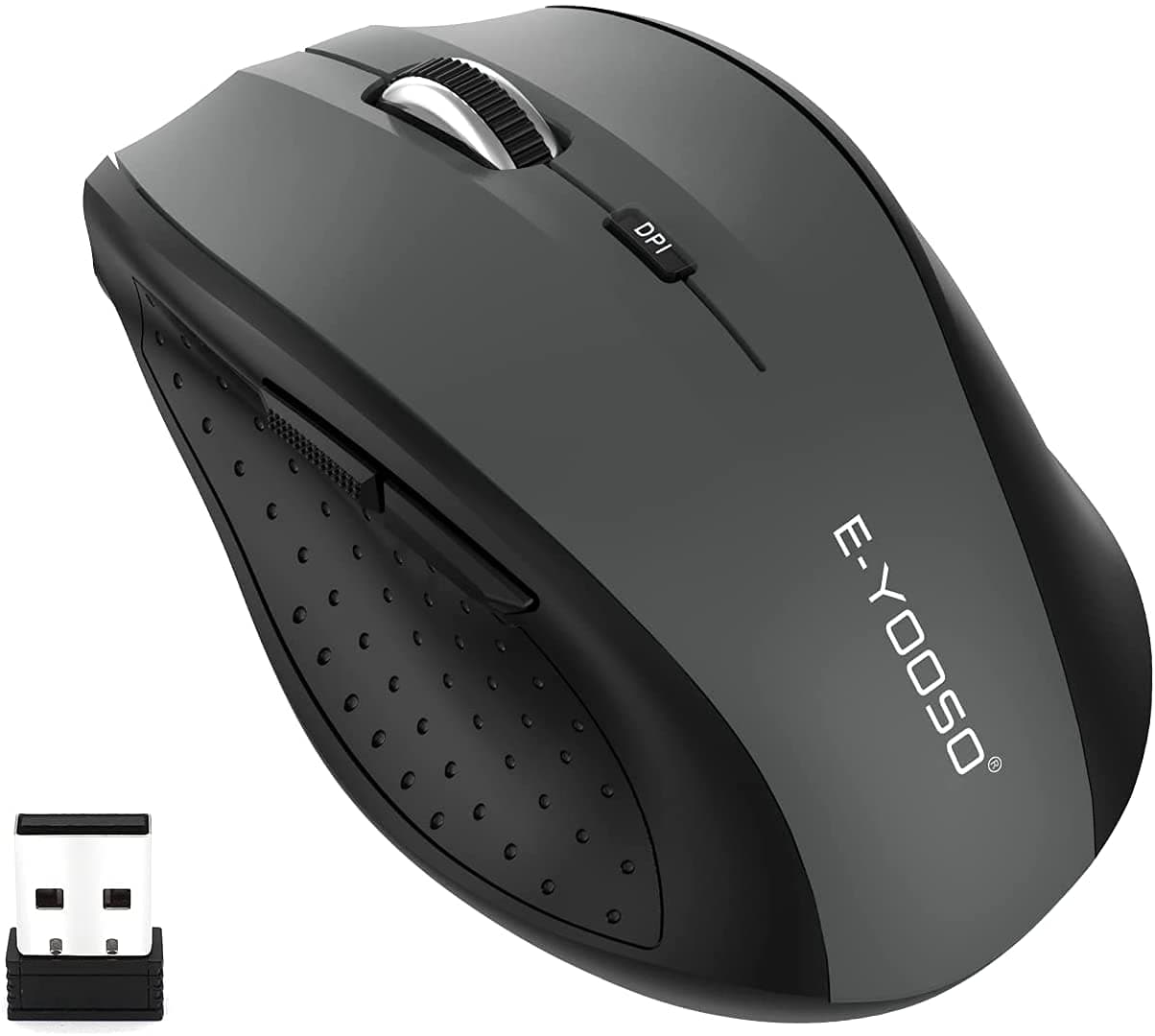
🖱️ Elevate your workflow with precision, power, and style — don’t get left behind!
The E-YOOSO Wireless Mouse E-1010 combines professional-grade precision with long-lasting power and ergonomic comfort. Featuring 5 adjustable DPI levels up to 4800 for versatile use, a stable 2.4GHz wireless connection with a 33ft range, and an 18-month battery life supported by smart power-saving mode, it’s designed for seamless productivity across Windows, Mac, Linux, and Chromebook devices. Its anti-slip, sweat-resistant build and 6-button layout make it perfect for both office tasks and casual gaming.


| ASIN | B094QH5MWN |
| Additional Features | Portable, Wireless |
| Antenna Location | Office |
| Are Batteries Included | No |
| Are Batteries Required | No |
| Battery Average Life | 18 months |
| Best Sellers Rank | #59 in Computer Mice |
| Brand | E-YOOSO |
| Built-In Media | Mouse, USB Receiver, User Manual |
| Button Quantity | 6 |
| Color | Gray |
| Compatible Devices | Personal Computer, Surface Pro, Surface, HP Laptop, DELL Laptop, Lenovo Laptop, Acer Laptop, ASUS Laptop, Microsoft Laptop, ThinkPad Laptop, SAMSUNG Laptop, and more |
| Connectivity Technology | Radio Frequency, USB, USB A, Wireless |
| Customer Reviews | 4.4 4.4 out of 5 stars (7,070) |
| Embellishment Feature | Logo |
| Enclosure Material | Plastic |
| Finish | Matte |
| Hand Orientation | Right |
| Hardware Platform | Linux, Mac, PC |
| Item Dimensions L x W | 4.21"L x 2.79"W |
| Item Type Name | Wireless Mouse |
| Item Weight | 0.03 Kilograms |
| Manufacturer | E-YOOSO |
| Model Name | E-1010 |
| Model Number | E-1010 |
| Mouse Maximum Sensitivity | 4800 Dots per Inch |
| Movement Detection | Optical, Wireless, USB |
| Number of Batteries | 1 Lithium Polymer batteries required. |
| Operating System | Chrome OS, DOS, Linux, Mac OS, Windows 11, 10, 8.1, 8, 7, Vista, XP, 2000 and more |
| Pattern | Solid Color |
| Power Source | Battery Powered |
| Range | 33 Feet |
| Style Name | Modern |
| Theme | irrelevant attributes |
| Unit Count | 1.0 Count |
| Warranty Description | 1 year warranty |
K**.
Easy to use, great battery life
This works great! Battery power lasts so much longer than the last wireless mouse I purchased. Comfortable, ergonomic design. I’d recommend
R**N
Great buy!
Very good mouse. Sturdy too, I've dropped it many times. I use it for office work and playing games.
J**I
Great quality still
Honestly, I rarely leave reviews but this was a great buy. Needed a mouse quickly and this was cheap. Its been a year and it just is completely reliable and great quality.
O**D
Reliable and Well-Designed Mouse
This mouse offers excellent performance and a thoughtful design. It has an ideal size and weight, making it comfortable to use for extended periods. The ergonomic shape fits naturally in the hand, and the cursor responds quickly and accurately, ensuring smooth operation. Initially, I experienced a minor issue where the mouse would enter standby mode, which I mistakenly assumed was a wireless USB disconnection. However, I later discovered that pressing the middle button reactivates the connection. This highlights the importance of reviewing the user manual to fully understand the product's features.
J**E
Good for the price (So far)
Well, it's a mouse. I had a similar one to this that I bought like 5 yrs ago which still works excellent, but the scroll wheel was non-operational. Let's see how this one turns out but so far feels better than my previous 'cheap' mouse. The clicks are silent rather the traditional 'loud' clicky noise which I like
R**D
Mouse
Works great
S**6
Moving mouse won't wake up from sleep mode
Got this for my Win10 laptop, after long periods of not using it (hours or days) the mouse will not wake up unless I pull the USB dongle out and put it back in, AND pull the battery out and put that back in. Got fed up with it today so I went into Device Manager and selected every USB device, changed the power settings to not allow my laptop to turn off any USB stuff and that appears to have fixed the problem, sort of - right or left click won't wake up the laptop or mouse, but clicking on the scroll button does. I also updated the Logitech mouse driver this morning, that might have something to do with it. The DPI button doesn't appear to do anything - I don't see anything on the display when I click on that button. Oh great - I let the laptop and mouse go to sleep, just clicked on the scroll wheel and nothing happened - then clicked on the DPI button and that woke up the mouse and laptop - just bizarre. Long story short - out of the box using Windows plug and play drivers this mouse will not work properly, you have to modify some settings, but I can't tell you which change I made actually fixed the wakeup problem, but I strongly suspect it was the USB power settings - that's not something your average computer user is going to know about. I'm very computer literate and I first tried to change the power settings for the mouse itself, but there is no power management option for the mouse in Device Manager, have to change the USB power options, which took me some time to figure out. And I would definitely suggest opening up the Logitech Setpoint settings (click on Start/Programs/Logitech/mouse and keyboard settings), then click on tools, then check for updates to get a better driver than the generic Windows mouse driver. Still don't know how to find what your DPI setting is - DPI is mouse sensitivity expressed as the number of dots per linear inch, meaning how many pixels the mouse will jump over at a time - probably only matters for point and shoot gaming, like when you're trying to take a long range sniper shot and need precision aiming.
S**B
Nice mouse.
Great mouse. Portable. Compatible.
R**R
Does what a mouse is supposed to do, no complaints
N**N
high-quality products
A**E
Got six weeks of use of it, and then it completely died
N**B
l didnt know there was so many different mouses. So l hoped l brought the right one. Just wanted a ordinary mouse, wireless. It works fine
N**I
very comfortable and it has nice features
Trustpilot
Hace 2 semanas
Hace 1 día