We remain fully operational. Our teams are working around the clock to ensure your deliveries continue safely.

Descargar la aplicación


Servicios al cliente
Sobre nosotros
Copyright © 2025 Desertcart Holdings Limited
Descargar la aplicación

🚀 Elevate your home network to pro-level speed and coverage—don’t get left buffering!
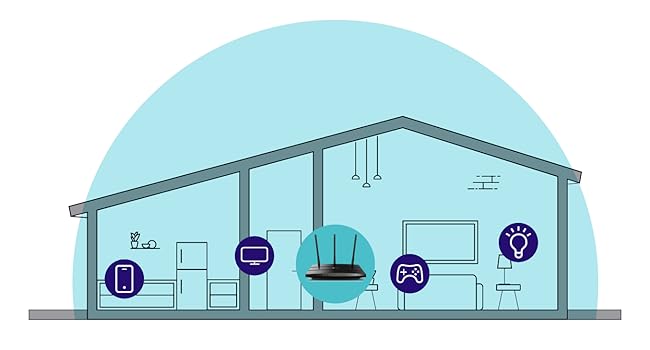
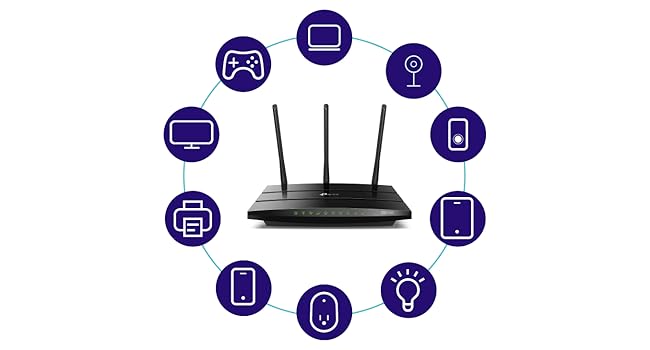
The TP-Link Archer C7 is a high-performance AC1750 dual-band router delivering combined speeds up to 1750 Mbps. Equipped with three external antennas and four gigabit LAN ports, it ensures expansive WiFi coverage and fast wired connections. Compatible with TP-Link OneMesh for seamless network expansion and managed remotely via the TP-Link Tether app, it’s ideal for 4K streaming, gaming, and smart home setups.

| ASIN | B079JD7F7G |
| Are Batteries Included | No |
| Best Sellers Rank | 122,868 in Computers & Accessories ( See Top 100 in Computers & Accessories ) 927 in Routers |
| Brand | TP-Link |
| Colour | black |
| Connectivity Type | Wi-Fi |
| Customer Reviews | 4.4 4.4 out of 5 stars (68,536) |
| Date First Available | 14 May 2018 |
| Guaranteed software updates until | unknown |
| Item Weight | 422 g |
| Item model number | Archer A7 |
| Lithium Battery Energy Content | 4.9 Watt Hours |
| Lithium Battery Packaging | Batteries contained in equipment |
| Lithium Battery Weight | 0.8 Grams |
| Manufacturer | TP-Link |
| Number of USB 2.0 Ports | 1 |
| Operating System | RouterOS |
| Product Dimensions | 24.36 x 16.05 x 3.28 cm; 421.84 g |
| Series | TP-link AC1750 |
| Voltage | 120240 Volts |
| Wireless Type | 802.11ac, 802.11b, 802.11g, 802.11n |
M**H
Great router although now obsolete
I bought this to add to another TP-Link Archer C7 I bought a couple of years ago with the aim of putting OpenWRT on it. I discovered this model was now no longer made but ordered it anyway since OpenWRT is known to work on it. However, it is an American model with a USA power supply (it came from Florida) but that is no problem with a UK adapter. The router is also an Archer A7 which apparently is identical to the Archer C7 according to the OpenWRT site. Seems to be working fine.
N**L
Good item. Wrong plug
It was easy to setup. Works well in my garden room. The only problem I had was that it came with a US plug on it. So I had to get a adapter uk to us adapter.
K**R
I just finished installing the A7 TCP-Link 1750AC router replacing a 6 year old Linksys E2500--having had to replace my modem earlier in the week after it failed and went into a reboot loop. The Linksys worked but not reliably of late and it was slow for a dual band router. I opted to use the quick install and then tweak later using the full featured web interface. The install using TP's Tether app from my iPhone worked but not without a few missteps--a failure to connect to the router at first using the 5G SSID worked once I tried with the 2.4G. A second hiccup occurred when binding the router--it froze and I had to go back and repeat the step. I could have just logged in to the router from a laptop but wanted to see how well the app worked. I highly recommend this approach for newbies--as the steps involved and required knowledge of how routers work could prove a bit daunting for a total novice. That said, once installed and configured with the same SSID and password as my old router to save having to reconfigure a lot of devices (including a Netgear extender) everything worked and the entire process took less than 45 minutes. Once I had everything working I logged in to the full web app giving me access to the router through a thoughtfully designed interface . I made my security tweaks, set up a guest network, enabled Alexa control and tested every device to be sure all was in good order and then made a backup of the configuration--having been forewarned that a firmware upgrade would cause me to lose what I had just done. As it happened a firmware upgrade was indicated so I chose the automatic upgrade option but to my surprise everything stayed intact iso I did not have to resort to a restore from the backup--still I am a belt and suspender guy having sent too many years in IT and learning the lesson early on that what can go wrong will. So--the big payoff was the throughput. I used an app called Speedtest and was a very pleased to see a 3x improvement in download-regardless of which server I selected. Upload was slightly better but that is not generally an issue. My TV, Sonos products, 2 iPhones, extender, 2 computers and 2 Kindles all worked without any changes needed ( the virtue of keeping my SSID and passwords the same as before). Performance is obviously much improved. I would have given this a 5 star but for the two hiccups and a little more clarity in the basic quick setup about a few functions. Otherwise as the title say it was a near perfect install and if this router lasts as long as the linksys. Range has also improved greatly and I may not need the extender to get from the router to the most distant room but as the router is in a utility closet where the modem, Sonos bridge and a few other devices live I'll keep it up. Our house is about 2,500 sq. ft if that gives you an idea of range. The signal is robust from every room.
A**O
I don't know if it's the best but it's pretty amazing ! Without going into details, I will say it just that everything advertised is true for a very good price. Very good web interface to setup, a good app for your phone (TP-Link Tether), easy to setup. The great thing is that you can have separated logins for 2G and 5G, for regular use and guests, and you can individually turn them on/off, this is a sweet thing. For all the technical details just read the description here or on their website and enjoy. They have a more detailed manual on their website. Important note : Intel Wi-Fi cards for laptop requires 160 Mhz band to reach 1300 mbps which AC A7 does NOT have. So, if you Wi-Fi card is Intel on your laptop you will be limited to 866 mbps at 5G even if the Wi-Fi card specification says it can reach more because it requires 160 Mhz band and T-Link Archer A7 does not have. This is a great router, but if you looking for 1300 mbps on 5G I not sure how it is possible. Another important note: On phones probably you get much less than 1300 mbps. In my case, a iPhone 11, I can reach max 550 mbps. Any way it improves the speed. Compared with my old router and my Wi-Fi router provided by ATT, it was a big difference. The USB port works great for a shared drive, I could never make it work with other routers. If you install the app FE File Explorer on your iPhone you can easily save or transfers pics or any file back and forth to your computer through the shared drive without the hassle of clouds and emails, this app also works like a browser and music player on the shared drive. I particularly hate clouds :) , I prefer to have my private cloud. I ordered and will receive today a TP-Link Wi-Fi extender with OneMesh, actually a luxury for the size of my apartment :) , I will update later if it works fine.
V**Y
Review originally titled, "Plan to Buy A New One Every Few Months" Here's what I originally wrote: "When this device works it's great. Mine failed after 8 months, and trying to deal with TP-Link for technical support or warranty fulfillment is an exercise in futility. Yet at this price I guess the "rent" for this unit is about $8 per month. "So I will just buy another one and hope it lasts at least that long again." I stand by what I said about TP-Link technical support. However, I was able to get this box to work again. I did buy a replacement unit but have not opened it. If my current one continues to work, I will probably return the replacement unit to Amazon unopened. My problems originated with the cable internet provider, Spectrum. Somehow, my internet modem "fell off the grid." Although we were getting internet service at home, Spectrum reported that our modem was "off line." Then after the sixth day in this status our service stopped altogether. It turned out that our modem needed to be "provisioned" again -- basically set up as though it was brand new service. Spectrum used obsolete information to do this, so it took several phone calls and two technician visits to get a working internet signal to come out of the cable modem. I could get internet service with a single computer plugged directly into the cable modem. But the rest of the household was dark. The problem was that this TP-Link router would not "shake hands" with the cable modem. The router could see the modem, but would not engage with it to deliver internet service to the router customers. None of the troubleshooting advice in the TP-Link manual or from their chat-based technical support made the slightest difference. What finally did make a difference was this: Holding the reset button in (with a bent paper clip) for more than 30 seconds. The manual says more than 5 seconds is enough, but that's wrong. After 30 seconds of reset, I was able to navigate to the router's setup screen from my laptop with a hardwired ethernet cable and re-initialize everything (language, time zone, type of service, etc.). The router finally made a successful connection to the internet signal being provided by the cable modem, and now everything works. Things have been working now for a bit more than a week, so I suspect they will continue to work with this current box. Clearly the initial blame for everything lies with Spectrum, which messed up our service by somehow un-provisioning it. But the process of getting this router to work again was needlessly difficult, which is why I offer only four stars. Performance-wise, this unit is quite good, and better than a more expensive Motorola unit that I used previously. The three antennas on the back seem to generate a very powerful wi-fi signal that easily covers our household. The wifi signal is servicing two laptop computers, two iPhones, an iPad, a Kindle Fire tablet, an Apple TV box, and a Sony Blu-Ray player's online streaming functions. They all seem to coexist happily. The unit is also servicing a Brother printer/scanner and a third computer via hardwired Ethernet (there are four outlets on the back). For the price is seems pretty hard to beat. And if I run into this kind of problem again I expect to be able to solve it much more quickly.
N**A
I recently purchased the TP-Link Archer A7 wifi router from Amazon.com in "used: like new" condition, and I must say, I am thoroughly impressed with this device. Despite being used, the router looks and performs like it's brand new, and I couldn't be happier with my purchase. Setting up the router was a breeze, and it only took a few minutes to get it up and running. The range of the wifi signal is excellent, and I have no trouble connecting to the internet from any corner of my home. The speed of the connection is also very impressive. One of the things I appreciate about this router is the user-friendly interface of the management app. It's easy to customize the settings and prioritize bandwidth for specific devices or applications. Plus, the guest network feature is a nice touch, as it allows me to give my guests access to the internet without compromising the security of my network. It also supports 220v, which makes it an ideal choice for use in countries with higher voltage standards. So, if you're looking for a router that can handle your internet needs and works with your voltage requirements, the TP-Link Archer A7 is definitely worth considering. Overall, I would highly recommend the TP-Link Archer A7 wifi router to anyone in the market for a reliable and high-performance router. It's a great value for the price, and it works flawlessly right out of the box.
J**L
It works as described, and increased our wifi speed from about 30 mbps to 70 on the 5ghz band. We have a router/modem combo (b/g/n, I think) that seemed to max out around 37 mbps over wifi. I turned off the router functionality on that unit, and connected it to this router, and the speed increase was instant. Setup was easy, too. The Tether app makes running things from your smartphone pretty easy, too. We have since received a speed increase from our ISP, and I have tested speeds as high as 400 mbps on the 5ghz band (100-160 is the normal average). The 2ghz band is significantly slower (maybe around 50 mbps), but that's the nature of that band. The range is also greatly improved. I would lose signal in various parts of our yard, but I can now go across the street and get high speed (I've tested as high as 63 mbps before our ISP increased our speed). If you're looking for a budget-friendly way to upgrade an older (especially if you don't have an AC router) setup, I recommend this router. We have about a 2500 square foot house, and signal is great everywhere. I imagine you could have a much larger house and still get great signal with this router. The only issue that I've had is that, after a recent firmware update, the name of the router changed. I had to reset security options and save the password again. This was a minor annoyance. The LED indicators can be turned off via the Tether app, and after this update, the timer function for this seems to have lost functionality. Again, just a minor annoyance. I just decided to keep the lights off all day, instead of timing them to be off at night.
Trustpilot
Hace 1 día
Hace 2 semanas