We remain fully operational. Our teams are working around the clock to ensure your deliveries continue safely.

Descargar la aplicación


Servicios al cliente
Sobre nosotros
Copyright © 2025 Desertcart Holdings Limited
Descargar la aplicación




🚀 Elevate your Raspberry Pi setup with a sleek, vibrant touchscreen that keeps you ahead of the curve!
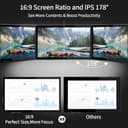
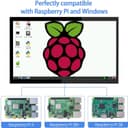
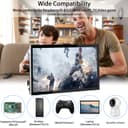
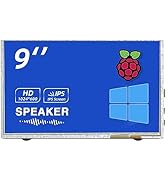
The HMTECH 10.1-inch Raspberry Pi touchscreen monitor features a crisp 1024x600 IPS display with 178° viewing angles, delivering vivid colors and wide visibility. Powered via USB and connected through HDMI, it offers plug-and-play ease with multi-touch support and 3 display modes for versatile use. Compatible with Raspberry Pi models 5/4/3/2/Zero and Windows 7-11, this portable monitor is perfect for professionals seeking a compact, responsive second screen solution.




| ASIN | B0987468N2 |
| Additional Features | Computer monitor, Gaming monitor, Portable, Project touch screen, Touchscreen |
| Aspect Ratio | 16:9 |
| Best Sellers Rank | #31,817 in Electronics ( See Top 100 in Electronics ) #836 in Computer Monitors |
| Brand | HMTECH |
| Brightness | 250 cd/m² |
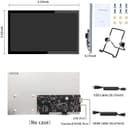
| Built-In Media | 1 x Bracket, 1 x HDMI Cable, 1 x Manual, 1 x Micro USB Cable, 1 x Raspberry Pi Touchscreen Monitor |
| Color | Black |
| Compatible Devices | Raspberry Pi, Windows PC, Macbook, TV, Video Game Console, Various Systems |
| Connectivity Technology | USB/HDMI |
| Customer Reviews | 4.0 4.0 out of 5 stars (451) |
| Display Resolution Maximum | 1920 x 1080 Pixels |
| Display Technology | LCD |
| Display Type | LCD |
| Hardware Connectivity | HDMI, USB 2.0 |
| Has Color Screen | Yes |
| Is Electric | No |
| Item Dimensions D x W x H | 11.14"D x 7"W x 2.23"H |
| Item Weight | 0.82 Kilograms |
| Manufacturer | hengmiao |
| Model Name | Raspberry Pi Touchscreen Monitor |
| Model Number | HM10.1-RP |
| Mounting Type | Bracket Mount |
| Native Resolution | 1024x600 |
| Number of Component Outputs | 1 |
| Picture Quality Enhancement Technology | IPS |
| Pixel Pitch | 0.26 |
| Refresh Rate | 60 Hz |
| Resolution | HD |
| Response Time | 3 Milliseconds |
| Screen Finish | Glossy |
| Screen Size | 10.1 Inches |
| Shape | Rectangular |
| Specific Uses For Product | Multimedia/Personal/Gaming/Business |
| Total Number of HDMI Ports | 1 |
| Total Thunderbolt Ports | 1 |
| Total USB 2.0 Ports | 1 |
| Total USB 3.0 Ports | 1 |
| Total Usb Ports | 1 |
| Viewing Angle | 178 Degrees |
| Voltage | 5 Volts (DC) |
| Warranty Description | Professional tech support to ensure no-worry lifetime service. All the HMTECH Raspberry Pi Monitors are tested before delivery. HMTECH promises that if the product has any quality problems within 30 days, you can contact Amazon or email us for free replacement. HMTECH will continue to provide each customer with the best quality products and services. |
| Warranty Type | 90 Days Manufacturer Warranty |
C**.
For the most part a good screen for a good price, but can have power problems (updated)
This review is for the "HMTECH Raspberry Pi Screen 10.1 Inch Touchscreen Monitor 1024x600" (model HM10.1-RP). For the most part, this is a good deal, as it's a decent sized touch screen for $60. My tests have been mostly positive, in that I will be able to make use of this for other projects, but not for my originally intended project. I was hoping to attach a Raspberry Pi Zero 2 W to the back of this and put this to use as a kiosk of sorts. However, since the screen's power input and touch control input are combined through a single micro-USB interface, this is not possible with a Pi Zero computer. When a Pi Zero is connected, the screen will turn off and on every few seconds: It will stay on for maybe 5 to 20 seconds, and then it will turn black (seems to power off) for anywhere from 1 second to maybe 5 seconds, and then it turns on again. This continues indefinitely, which results in this combination of computer and screen being unusable, presumably due to the Pi Zero not passing sufficient amperage through the micro-USB connection to the screen. Tests confirm that a Raspberry Pi 4 (Model B Rev 1.4) does work without any problems. It actually works very well, even with the 5-minute screen timeout powering off the screen and then powering back on again when touched (running Ubuntu 22.04.3). The takeaway is that the screen works well, probably with just about any other types of computers, including Pi 4 computers, but not with Pi Zero computers. If one did not need the touch capability, then the screen could probably be powered by a separate power source, and then it might work as a display for a Pi Zero computer, but that's not my intended use-case. It would be nice if there was a different way to power this screen besides through the micro-USB connection, so that the touch capability could be enabled on a Pi Zero. Updated: I was mistaken about the Pi Zero power to the screen. It turns that using a power supply with higher current (amps) does provide sufficient power for both the Pi Zero computer and the screen through the micro-USB port on the Pi Zero, while still enabling touch screen control over the same micro-USB connection to the screen. I'm using the power supply described as "Argon Micro USB Cable Power Supply 5.25 Volts 3 Amps for Raspberry Pi 3 and Zero Boards". Additionally, the screen blanking in the Raspberry Pi O.S. (set to a default of 10 minutes) does also power off the screen, and then wakes up (powers on) the screen when the screen is touched.
✌**️
Good from the get go and expandable for my future projects
This is a good purchase for the price point. I am always weary and anxious when buying electronics and I prefer the ability to look at items before purchasing them. However, I must point out how well this item came packaged. Every piece was well cushioned and sealed. I also like that they provided a point of contact in case I need further assistance. I connected the screen to the device via HDMI port and powered it up. No drivers were required as listed and performed as stated. The monitor is a good size, and I did not need to do a manual calibration. The touch screen is smooth and accurate and I did not experience any problems with it. I purchased it as a little portable display that I can connect to whatever I need without having to disconnect and reconnect to my large monitor. I used Windows 10 to test it; it works flawlessly over HDMI. Only thing I did notice was the resolution could be a bit better, but I've just began experimenting with it; sure there are tweaks I can do here or there to enhance it. This is ideal for intermediate to professional users, which is what I was looking for. I will be expanding it for other projects, but it meets my current needs as an intermediate user.
K**.
Good but could be better
This display works just fine with my Raspberry Pi 4B at multiple resolutions. It also comes with cables needed for operation, although you will need an adapter to get into the Pi's microHDMI port -- nice touch, but why not supply a cable with the correct connector. My biggest complaint is the total lack of technical support. I could not view the "manual" by scanning the code that came with the product on my phone, and when I attempted to go to their site via my desktop computer, they left me with a virus that required me to completely reinstall my Chrome browser. Shame on them! A case would be nice too.
D**E
Updated 5 star rating customer service is awesome
Using this screen with a victron cerbo gx for system control. Screen is great, touch doesn’t seem to work though and when I first unboxed it the ribbon cables to the board were not seated properly so there was intermittent interference and video quality issues Update, after speaking to customer service was able to get the touch functionality working, intermittently, the usb power needs to be connected to one of the data ports not just power. The circuit board mounted to the back of the screen is loosely attached (unable to tighten it better because of how it’s mounted) and it seems the problem is still with the ribbon cables, if held just right it works well, as soon as anything moves touch goes away. Second update. Seller was very helpful and got me all sorted. Everything works great now
A**R
Nice display but doesn't run at 1024x600
Overall these are nice touch panels, I'm using two for displaying instruments in flight simulators, and they work well for that. 2 issues however, I'm unable to get them to run at their supposed native resolution of 1024x600, on connecting to windows 10 they show 1024x768 or 1080p as available, not a 1024x600. I went into NVidia's control panel app and created that resolution but when used it comes up letterboxed on the display as if that's not the correct res for the display. I reached out to the seller who tells me it's in fact 1024x600 but has no ideas on why it doesn't work. Secondly these are bare displays, which is nice for projects but there's not a really good way to mount t hem into your own panel, it's going to require some combination of a custom backplane as the only screw holes are flat on the back of the panel for a r-pi mount
A**R
If it breaks, you’re on your own
Ordered this for use with a Raspberry Pi. Worked fine for a few weeks, then I put it away for a few months. Pulled it back out the other day and it’s dead. Manufacturer impossible to reach and of course Amazon is no help. Waste of $$.
D**Z
Lo acabo de comprar, era el motivo por el cual lo compre, Alguien de soporte que me pudiera apoyar?
J**E
Colors show very nicely on this little display. It was quite simple to set up. I liked that it uses a USB connection so I can just plug it straight into my pc. Motion looks decent on this monitor. I haven't tried the touch screen yet but it does feel very premium. I have zero complaints and I would totally recommend for the price.
S**N
I am very impressed with this screen. The touchscreen capability is immediate, and accurate, with 5 fingers easily being detected at once. I plugged it into my pc for a test and ran a 4k video through it, a phone recording doesn't do it justice as the picture quality has zero issues at all. Brightness is good too, however I will have to test once I install it as a control center for a custom truck. Main thing I enjoy about this product is how slimline it is, and how small the bezels are. In comparison to the Raspberry Pi 7" touchscreen with 1" bezels, this looks a lot more sleek and appealing.
A**X
Pues no hay mas que decir, se instalo y funciono pero 2 meses mas tarde ya no da senal de video.
A**R
[See solution below] Issue description: I bought this as a multi-functional screen that I could use as a second screen for my PC or use with my Raspberry Pi. This said, when I tried it for the first time on my PC, it was only showing snow on the screen (no signal). I figured it could be a driver's issue so I contacted amazon technical service to obtain the proper vendor information... which they incorrectly provided. They had me call another company that does not make this product... after a second attempt with Amazon, I was able to contact the vendor. I haven't had an answer yet on their part, but I found the solution for this issue. After troubleshooting more, I found that the issue was an incompatibility with video streaming services. The 'Not Signal' (snow) was happening only when I started listening to something on Netflix or other services alike. [SOLUTION] To bypass this I did the following: On Windows, go to Device Manager > Monitors and disable the Generic PnP Monitor drivers. In my case, I had multiple Generic PnP Monitor drivers, so I disabled them all. After that, I was able to use video streaming services on my monitor. General review: The product quality is fair for the price you pay. On the market right now, if you want a good quality screen, it's twice as much or more. For the use I make of it, issue aside, I'm happy with this screen. I didn't buy it for the touchscreen feature, but I'm pleased with it. The package comes with an HDMI cable, USB cable and a stand for the monitor. Some cons though: the recommended screen ratio doesn't fill the 10 inch monitor fully. The format should be 1024 x 768 (not 1280 x 600) to be able to fill the screen, but this setting distorts the image a bit. Also, it doesn't come with a case or anything to protect the electronic board behind the screen and (at this time) I didn't find a case to buy as an add-on to the monitor. This is a bit annoying since there's more risk of damage.
Trustpilot
Hace 2 semanas
Hace 1 mes