
Descargar la aplicación


Servicios al cliente
Sobre nosotros
Copyright © 2025 Desertcart Holdings Limited
Descargar la aplicación
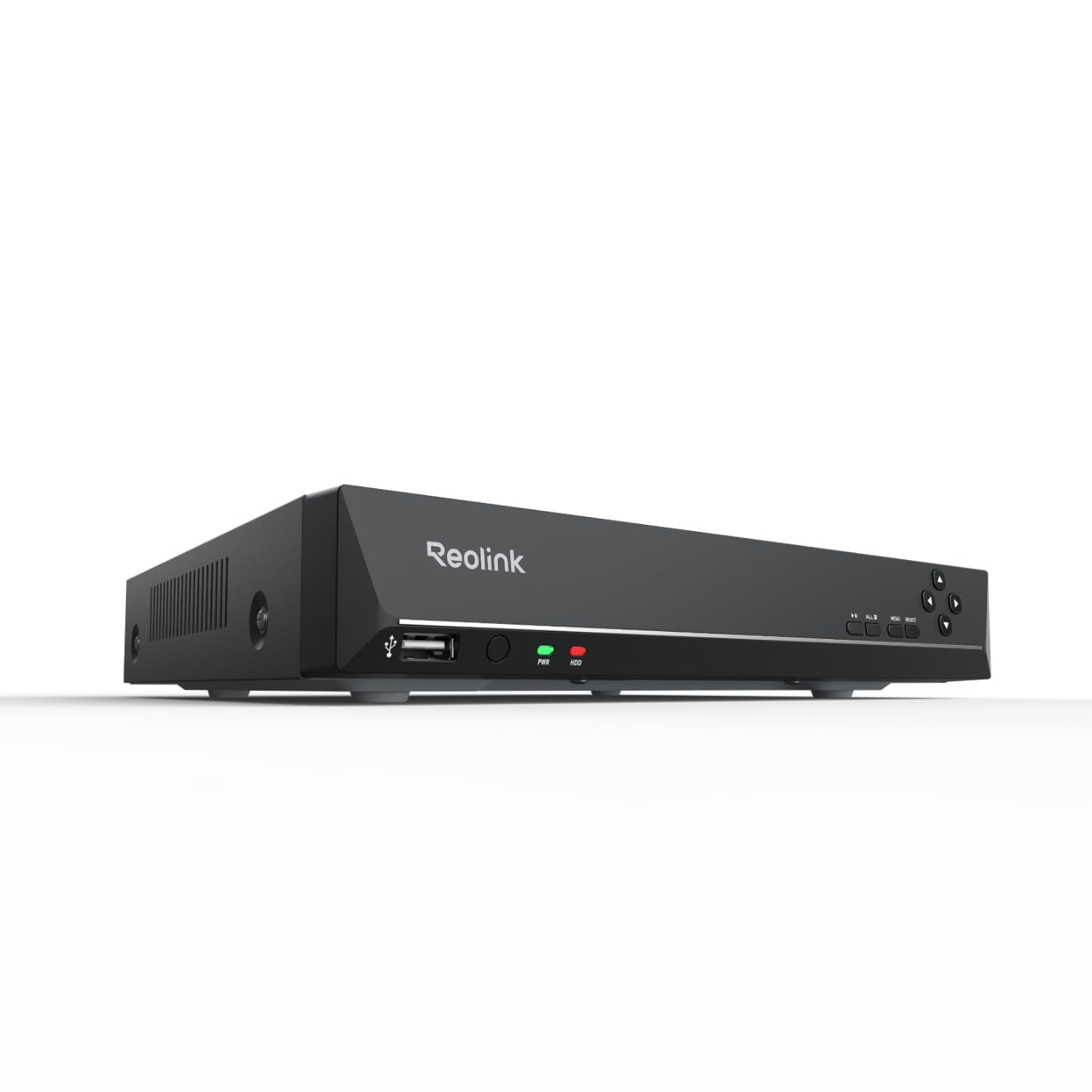
🔒 Elevate your home security game with smart, seamless, and scalable surveillance!
The REOLINK RLN8-410 is a professional-grade 8-channel Network Video Recorder designed exclusively for Reolink PoE IP cameras ranging from 4MP to 16MP resolution. It features effortless plug-and-play setup via PoE technology, a pre-installed 2TB hard drive for continuous 24/7 HD recording, and advanced smart detection capabilities. With free cross-platform apps for remote monitoring and expandable storage options, it offers a scalable, intelligent home security solution trusted by thousands of users.





| ASIN | B01D2TQXJW |
| Audio Input | RCA |
| Best Sellers Rank | #3 in Surveillance Video Recorders |
| Brand | REOLINK |
| Compatible Devices | Not support Third-party camera, Only work with Reolink Camera |
| Connectivity Technology | Ethernet, HDMI, VGA |
| Customer Reviews | 4.4 out of 5 stars 2,135 Reviews |
| Hard Disk Size | 2 TB |
| Hard-Drive Size | 2 TB |
| Item Dimensions L x W x H | 10.24"L x 9.06"W x 1.61"H |
| Item Weight | 4.41 Pounds |
| Manufacturer | Reolink Digital |
| Media Format Digital Video | HDD |
| Memory Storage Capacity | 2 TB |
| Model Number | RLN8-410 |
| Number of Channels | 8 |
| Product Dimensions | 10.24"L x 9.06"W x 1.61"H |
| Total Usb Ports | 2 |
| UPC | 749110052362 |
| Video Input | IP Input |
| Warranty Description | 2-Year Litmied Warranty |
| Wattage | 25 watts |
M**S
Great system and even better Custom Service support
This a great camera system. It is perfectly priced. Reolink has the best customer support I've ever seen in a company. If you have an issue they respond within hours. Not kidding. I emailed their tech support at 8:30 PM and they responded by 8:53 PM. After working through my issue, the problem was solved less than an hour later. Their customer service is the best. I have had this camera system now for over two years and I have had zero major issues with it. I think most of the issues that arise are small technical issues that usually happen when the system (firmware) is updated. You may have to reset some settings. However, I think you can save system settings and then reload them. The system has never failed. Cameras Reolink continues to improve the quality of their cameras. And once you have the system installed upgrading is as simple as unplugging the old camera and plugging in the new one. I have 4M cameras and 5M cameras and the 5M cameras produce a high-quality image. The 4M cameras are good but the 5M cameras are superior. I can only image how awesome a 4K camera would be. Motion detection is awesome. There are a ton of controls that allow the motion detection to be set up for your personal needs. Getting notified on your phone that someone is at your front door is worth every penny you might spend on the system. Mac App The client on my Mac is super slick. It is easy to navigate and configure. Reolink continues to push updates to keep the client updated and fix issues. The client continues to improve. With one of the latest updates you can now update the NVR firmware from your computer. Prior to this update you were required to copy it to a flash drive and update it directly on the NVR. iPhone app The app on my phone is also slick with a nice interface. The only issue I have sometimes is getting connected when trying to view a camera. Even on a super-fast WIFI network I will get connection errors and it may take several tries to finally get the camera to begin streaming. I should take a STAR off of the rating for this but there is so much more about this system that is great I am going to leave it at 5-STARS. This issue may even have something to do with my home WIFI. So, 5-STARS it is. If you are looking for a surveillance system get this one. It is a great system. It is easy to set up. It is easy to use. You won't break the bank getting it. You can always start with the NVR and a camera or two and add cameras at a later date. That is what I did. I ran extra CAT-5 cables when installing the first two cameras and then easily added three more cameras. I highly recommend Reolink.
A**.
Great product
This works flawlessly for the price. I only have one camera on it at the moment, but I get notifications almost immediately when it detects a human (turned off vehicle notifications). Never had any issues at all, and it’s been running 24/7 for over a year now.
C**R
A great, quiet NVR to pair with your Reolink Wifi Video Doorbell
This is a great NVR. Easy setup with my Reolink WiFi Video Doorbell, quiet operations, and not too bulky (not VCR-sized lol). I maintained complete usage of my Reolink WiFi Doorbell - as someone who's read mixed reviews about this, and the noise, I'd like to provide as much info as possible. I first connected my video doorbell to my WiFi during its setup, physically hooked up the video doorbell (powered by my old doorbell wires), and ensured everything ran smoothly in the app. From there, I physically connected the NVR to the same network (doorbell on WiFi broadcast from a modem, NVR connected to a network switch plugged into that same modem via ethernet). I had to plug the NVR into a monitor via HDMI and set everything up with the included mouse (including inputting passwords - ouch). Once the NVR settings were good (the setup is very easy to go through step-by-step), I added my video doorbell within the NVR's interface (still using my monitor, etc). Once I input my camera's admin login info, it began displaying the doorbell's video on the monitor. From there, it automatically recognized the NVR in the Reolink app (you may need the NVR's admin/password setup you created, if you setup a separate admin account for the NVR vs the doorbell. I did). I have both the doorbell and NVR (which redundantly shows the doorbell) on my app. The NVR is recording 24/7 from the doorbell, and I choose to not have any notifications turned on for it (but you can redundantly setup notifications for it - you do lose out on certain notification types through the NVR alone, though). On that last note, it's why I also kept my doorbell in the app - I can keep the local recordings on its SD card, get notifications of movement/packages/etc by keeping the doorbell as its own device on the app. I still get notifications for doorbell presses and can talk through my doorbell over the Reolink app just fine. If you do what I did, you will (or should) have the same setup as I do. Local 24/7 recording on the very quiet NVR (seriously I'm obnoxious about wanting things silent, and it's a foot away from me. There is no fan noise, only very minor hard drive noise sometimes), local event-based recording on the doorbell's SD card, and notifications for events on my phone. The NVR's 24/7 recording also denotes events, and you can filter (all through the app, too). I don't know what functionality people have lost, but I bought the white NVR. I can confirm you can use the WiFi doorbell over WiFi (not POE) with this NVR, as long as it's connected to the same network. You get 24/7 recording and you get to keep notifications. Your WiFi's speed will affect your experience, but this was mine. If you were someone who was looking for this info, as I had been prior to ordering, I hope this helps.
P**B
Works well, but some management features fall short
I purchased this to augment the storage for the existing Reolink camera I have (Reolink Duo 3 PoE). Setup was a breeze and it was truly plug-and-play with the camera (once I did a factory reset). Image quality, motion detection and other video features are all there and work really well with great clarity. I also appreciate the ability to add external storage to the unit. Why four stars? There are management features that are ONLY available via a locally attached monitor. Especially the Camera HW and firmware versions and more advanced used management. To Reolink's credit they have made strides toward headless management of the unit. It used to be that you needed a local monitor to setup the device, but now it can all be done over the network with the app. I would hope (expect) the software to close these feature gaps over time. The other shortcoming is that it doesn't support IPv6. C'mon Reolink it's 2025.
G**G
Poor Product Longevity - Bad Customer Service
Worked perfect for a little over a year and just stopped working. The POE cameras all light up and continue to function but the DVR doesn't show any cameras and has stopped recording. Now this whole system I've put together is useless until I buy another one of "their" NVRs and maybe it lasts longer. There should be no reason for it to suddenly stop working. It is a fixed system that is connected to a voltage regulated power bank to ensure to voltage spikes or power loss occur. The system is kept on a fan cooled system to ensure it does not over heat. No expense was spared in this camera system. Customer Service will send me one email a day of basic troubleshooting but have yet to have any real help over a week in. If I could go back I'd pick a better system with quality customer service. UPDATE 8/4/25 I have to thank Sandy from customer service. She was so kind and helpful I very appreciative for her help and patience. Thank you for your help Sandy I appreciate it. You were very prompt and honest thanks again. Turns out the old NVRs can only run so much POE power and will eventually quit if there is too much draw. I had two of the Duo floodlight cameras on the system. The new NVRs now show how much POE power is being used. Hopefully this doesn’t happen again it looks as if they’ve recognized the issue and addressed it in the newest model time will tell.
H**E
Solid NVR – Great for Building a Local Security System
This NVR was perfect for building out my local home security system. Setup was smooth, and it integrates well with Reolink cameras. I really like that it offers local storage and control, without needing to rely on the cloud. I did overestimate my needs—8 channels is more than I actually use—but having the extra capacity gives me room to expand in the future. Honestly, more channels is better than too few, so no regrets there. On top of that It saved more than 1 month of data for all my devices, so this is a plus. On top of that, It can stream high quality videos in real time. Comparing to other systems on the market, this is a much more valuable product for the long term.
M**I
Unreliable. Stopped recording multiple times and completely died.
I purchased this NVR in 8/2022, so I have had it for eleven months. I have the NVR connected to one Reolink camera. The NVR is not connected to the network; it is a standalone, isolated device. Twice the NVR has inexplicably stopped recording footage. The first time, the hard drive ran out of space despite all the settings being correct to overwrite the recorded footage. I fixed this by upgrading the firmware per Reolink's support site, but there is no reason it shouldve stopped working in the first place. The second time, there was 19GB of space free, but the NVR was not recording until I rebooted it The NVR interface is relatively simple and it has provided PoE fine to my one camera. The hard drive spinning is a bit loud, but understandably any package deal (both NVR and storage included) will have cheaper components/drawbacks. However, for what you pay for this device, and the simple configuration you may have (for me, there is just one camera connected to this box meant to record and overwrite- like a dashcam in a car), there should not be glitches. The reason it stops recording randomly is a big deal because a normal homeowner like myself is not going to check for the blinking red recording light daily. The reason I do check is because the first time it stopped recording, it made me lose trust in this device. Within the last week, the recording light on my NVR stopped blinking, yet this time it was still recording. I contacted support and was getting about one email a day (they're based across the world and reply around 5am once daily). Rather than hash things out in a timely manner on the phone, we worked on troubleshooting for a week. Somehow, the NVR wont even power on now- as if the unit is completely dead. I will update this review accordingly with how support handles a replacement/refund. I like the Reolink cameras for how affordable they are to the competition, but the NVR is unreliable. You could pair these with another NVR software possibly and get the best of both worlds.
J**M
Superb products and software
REOLINK rocks! I upgraded to 5mp and 8mp IP cameras and NVR from an older and "another brand". The ease of use, functionality, setup is proving to prove itself a fantastic value for the money. The picture quality is awesome, the motion detection is Ai assisted and fantastic. The connectivity and options are second to none in my opinion. I had a problem with 1 of my 7 cameras, after a bit of trouble shooting it was shipped out/replaced very quickly. I am totally impressed and grateful for REOlink and their products.
Trustpilot
Hace 2 meses
Hace 2 semanas