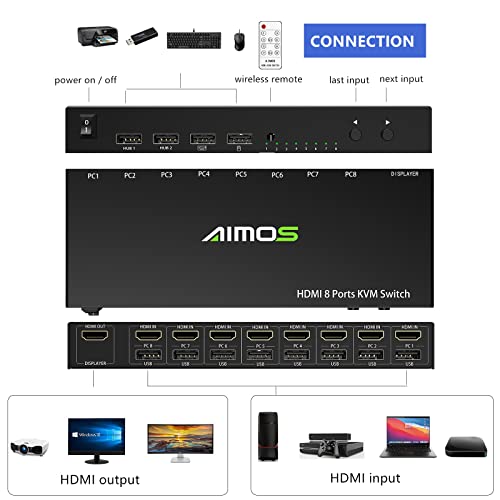


🔗 Connect. Control. Conquer your workspace like a pro.
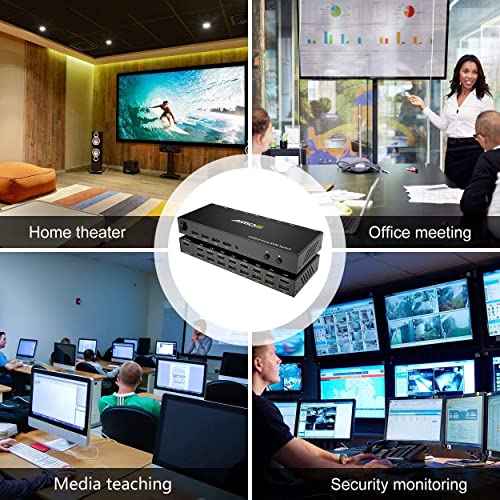
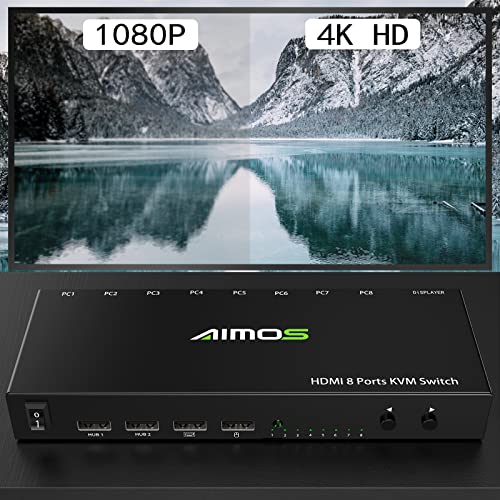
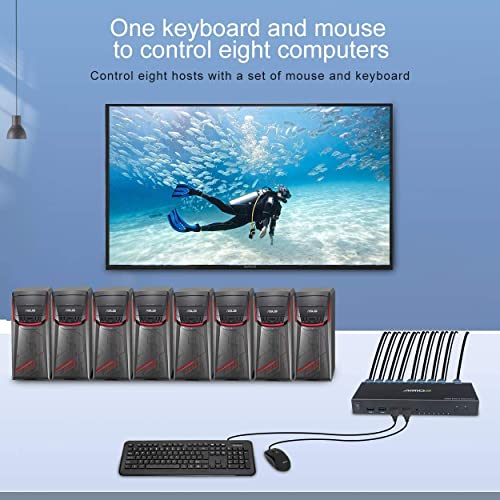
The KCEVE HDMI KVM Switch is a compact, plug-and-play solution that lets you share one monitor, keyboard, and mouse across up to 8 computers or gaming consoles. Supporting 4K@30Hz resolution and USB 2.0 peripherals, it’s compatible with Windows, Mac, Linux, and major consoles, making it the ultimate space-saving tool for multitasking professionals and gamers alike.


| ASIN | B08QCR62VL |
| Best Sellers Rank | #386 in KVM Switches |
| Brand | KCEVE |
| Circuit Type | 1-way |
| Compatible Devices | PC, Laptop, PS4, PS3, Nintendo Switch, Windows 10, Windows 8.1, Windows 8, Windows 7, Windows XP, Windows Vista, Mac OS, Linux |
| Connectivity Protocol | Usb |
| Connector Type | Hdmi,usb,wireless |
| Contact Material | Metal |
| Contact Type | Normally Closed |
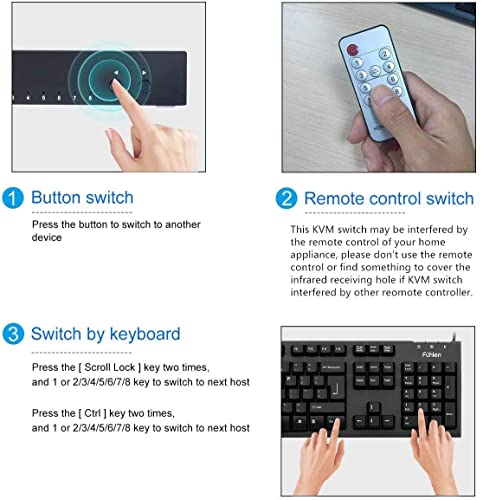
| Control Method | Push Button, Touch |
| Control Type | input selection |
| Current Rating | 5 Amps |
| Date First Available | December 11, 2020 |
| Item Weight | 4.8 ounces |
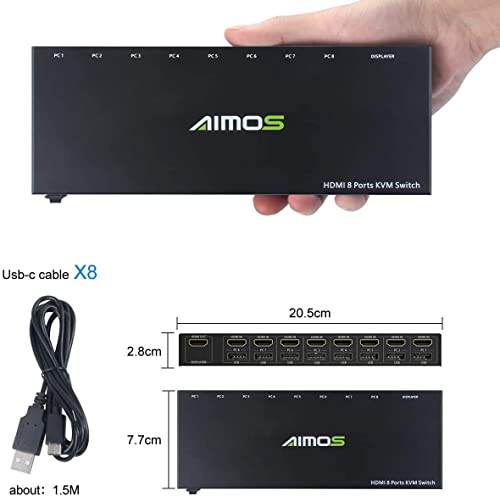
| Item dimensions L x W x H | 8.07 x 3.03 x 1.1 inches |
| Manufacturer | KCEVE |
| Mounting Type | Plug-In Mount |
| Number of Positions | 8 |
| Operating Voltage | 5 Volts (DC) |
| Operation Mode | ON-OFF |
| Product Dimensions | 8.07 x 3.03 x 1.1 inches |
| Terminal | Connect |
| UPC | 033985906104 |
| Unit Count | 1 Count |
K**W
Easy setup, well worth the money.
I was expecting the setup to be a nightmare, because of the low price, but it was very simple. Works very well, the remote is a really nice touch, the hot key control is also simple to use.
T**S
Does the job, but with minor glitches.
This is the third KVM I've purchased recently, and this one does a good job, but with a minor limitation. Let's start with the good: this KVM works fairly well. I'm running 7 devices into it, including three video game consoles, two computers, an OSSC, and a TV tuner. All of the devices work as expected, and I can use the keyboard, mouse, and game controller (where compatible) on all the attached devices. This is excellent for turning the second monitor on your computer desk into a mini home theater system. Another nice thing is that the keyboard, mouse, and 2 additional USB ports all connect to the PC with a single USB cable. This makes hooking things up very convenient. So what's the downside? There are two minor issues: first, the KVM has its own internal EDID, and computers will detect this as a 720P video device, even with a higher resolution monitor plugged in. So my computers and game consoles default to 720P, and I have to manually set them to 1080 or 4K. This isn't a huge problem, since most of my hardware has manual settings for these things, but for a device that doesn't have manual resolution controls (like my camcorder), there's no way to change the EDID to show a higher native resolution. The other minor glitch is that sometimes, the keyboard or mouse doesn't work. I've had the keyboard drop out in the middle of a session, and I've had the keyboard and/or mouse just "not work" when turning on a computer or game console. Unplugging and re-plugging the USB cable seems to fix, this, as does swapping inputs. But it's annoying when it happens - which is just often enough to be a thing. Having said all that - this KVM is fairly inexpensive, and it's hard to beat this for the price. If you need a KVM for 1080P devices, this is a good choice. If you're looking for a 4K KVM, it's probably best to move up to one of the more expensive units, since this is limited to 30Hz and so isn't good for video games or computers at 4K.
S**Y
Avoid this brand, review what hardware your KVM uses.
Garbage, had to return. Kept failing, screen blinking, screen powering down, KVM eratic. Bad mojo. Then come to find out this KCEVE company just resell their garbage brand to other companies and try to pawn it off as new companies, when they are just re-branding this failed KVM hardware.
S**Y
Siletly doing its job
Using with cluster of 8 machines for two months. Compact, simple, all ports functional (so far so good, remember - only two months). I wish all devices be like that - simply do what they suppose to do without extra installation efforts. Thank you.
T**O
A basic eight port KWM switch when you need a small footprint for HD connecttions
This isn't the first Aimos KWM switch I have owned. In fact this was purchased to replace the 4 port Aimos KVM switch purchased three years ago. When you need an 8 port HDMI switch, they can be pricey because many of them have an additional power supply the carry the signal at the right frequency to get to the monitor (since HDMI cables can't really travel more than 25ft before the signal has to be boosted). Here is the reason why the price is so low. You can see in the photo that the footprint from the 4 port to the 8 port isn't much of a difference. This switch doesn't need to be rack mounted. This small footprint may require you to purchase some new HDMI cables, especially if you are using display port to HDMI cables that sometimes have a wider footprint. While this system does support a 4k resolution, it is only supported at 30hz. Since this doesn't have power supply to make sure the signal is at 60-75hz, you may have trouble supporting the signal the way you need it. I upgrade the television before I purchased the device and knew the Raspberry Pi cluster was probably going to be a problem to configure (the reason why the switch was needed). No changes were needed for the Retropie machine but the Rasperry Pi 4b systrems (with Raspian installed) may have your scrambling to get these device into the safe video mode (when connected to a 4k tv) that will make it difficult to set for a wide screen If you use Ubuntu (or another distro) on them, this problem will go away but you may have to replace a the video cables as I had to do but getting 4k to work with this device, good luck with that. If you use SSH, Nextcloud, or remote desktops, this may not be a big deal. UBB1 didn't recognize the wired Logitech game controller I use but USB2 did. That wasn't a big deal since I can always use USB hub. The Windows servers had no trouble with it. Sometimes with wireless keyboards, you might have to turn the keyboard on and off to get it to work or turn the switch off and on to get it to wake up. If you have Raspberry Pi's on the system, you should leave it on if your working remotely and reboot after updates. You get what you pay for with this device and if you are too picky with your tech needs, then you better fork out the $200 or more to get a different version that has a power supply to get the refresh rates you need for 4K
A**R
Artifacts at high resolutions, All systems tried to use the max resolution at 60hz result no video
Got two, hooked everything up and got no video. Had difficulty getting all my various Atomic PI, Raspberry PI, Orange PI, Odroid, and Firebat SBCs working through the switches. At higher resolutions video would glitch at times. Set to 1920x1080 is seems mostly stable. With the highest resolution at 30 hertz, it really caused issues with my systems auto detecting and switching to it but at the system default of 60hertz which resulted in no video. Finally have 13 of 16 SBCs working through the switch. Wish I'd kept the boxes and returned them instead, but it looks like with great effort they will at least be usable.
C**I
Works great, as expected. Easy set up. No issues.
Works great, as expected. Easy set up. No issues. Accidentally found out that our LG TV remote control works on port 6.
C**N
I received it a few days ago, and was rather satisfied at first. But after some time the number of issues I found started to be unbearable. 1. I have a mechanical RGB wireless (with dongle) keyboard, the issue is rather small, when plugged into the keyboard USB port, I cannot control the RGB, when plugged into another port I can but cannot use hotkey anymore. (which is the most important feature for me) 2. The mouse in the mouse port sometimes simply stop working, or lose the left click, and I cannot plug mouse + keyboard + headset in the two basic hub ports. 3. when using discord or teams I lose one peripheral because of ‘Not Enough USB Controller Resources’. My headset is a bit specific as it is considered as multiple devices. But I can fix that by having a hub on one of the basic port and using the hub instead of both basic ports (+keyboard port for the switch feature) If you are using basic peripherals it seems good, but for more advanced ones it starts to be a pain and losing a lot of features.
I**N
all works fine, couple concerns: * switching took like 5 sec minimum. * windows PC wake up super fast and in 100% times, but for MacBook it super unstable, if you switching between PC and MacBook it works fine, but if PC -> playstation(doesn't matter what device, just some device) -> MacBook - nothing, and you need to open MacBook to apply switching.
K**H
I had to return 2 out of the 3 I ordered due to quality issues. USB port cutting out or not working at all. When it works it is great. Sadly quality control isn't where it should be for this product.
A**U
El producto permite usar un solo monitor, mouse y teclado con hasta ocho computadoras. En la empresa usamos dos cajas para gestionar 16 computadoras y nos funciona a la perfección. Funciona "out of the box" y es muy simple de usar. Estamos muy contentos con el producto.
S**M
Unfortunately, the product is not performing well. It is experiencing significant lagging and hanging issues, which makes it difficult to use effectively.
Trustpilot
Hace 1 mes
Hace 2 meses



