Some deliveries may take a little longer than usual due to regional shipping conditions.

Descargar la aplicación


Servicios al cliente
Sobre nosotros
Copyright © 2025 Desertcart Holdings Limited
Descargar la aplicación

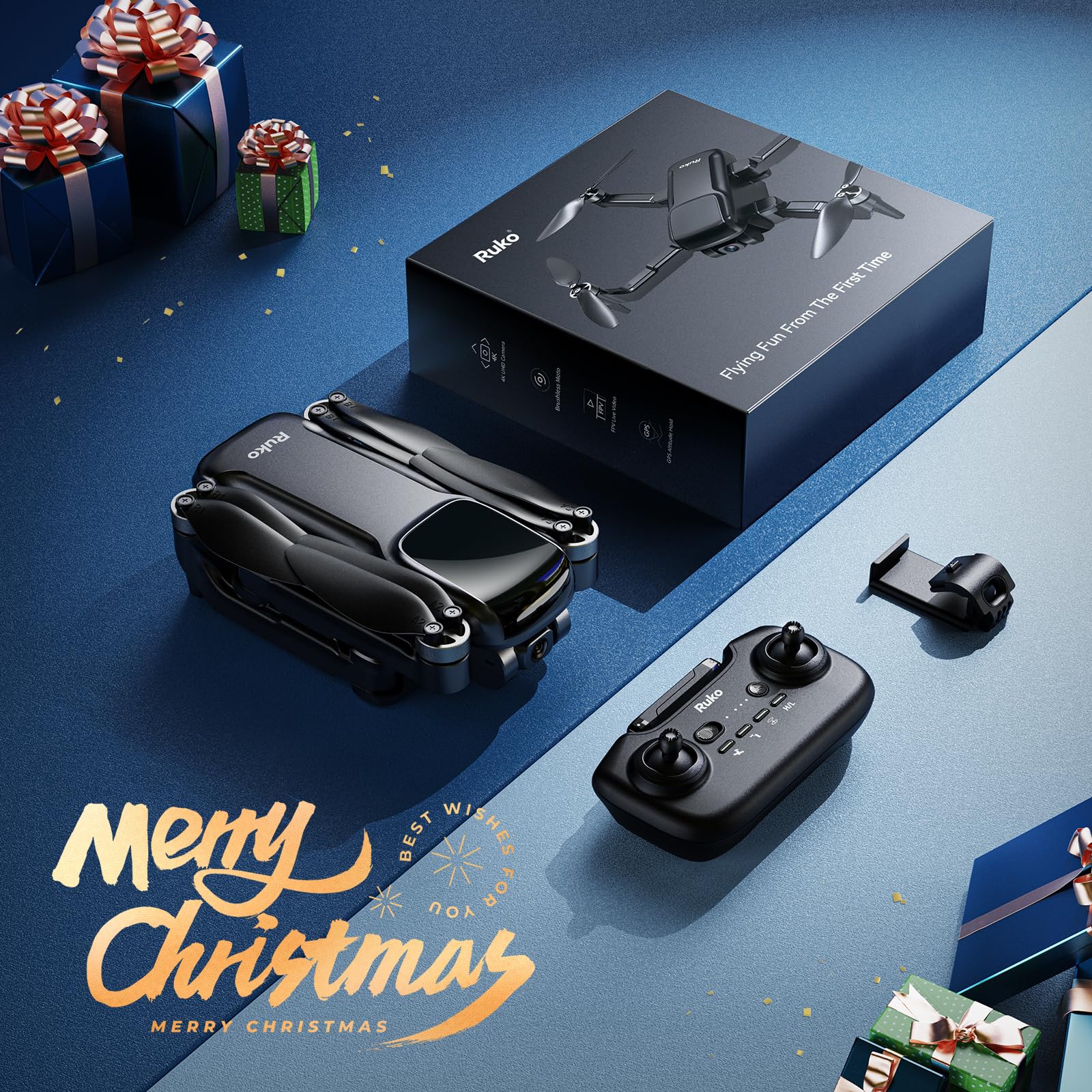


🚀 Elevate your perspective—fly smarter, capture sharper!
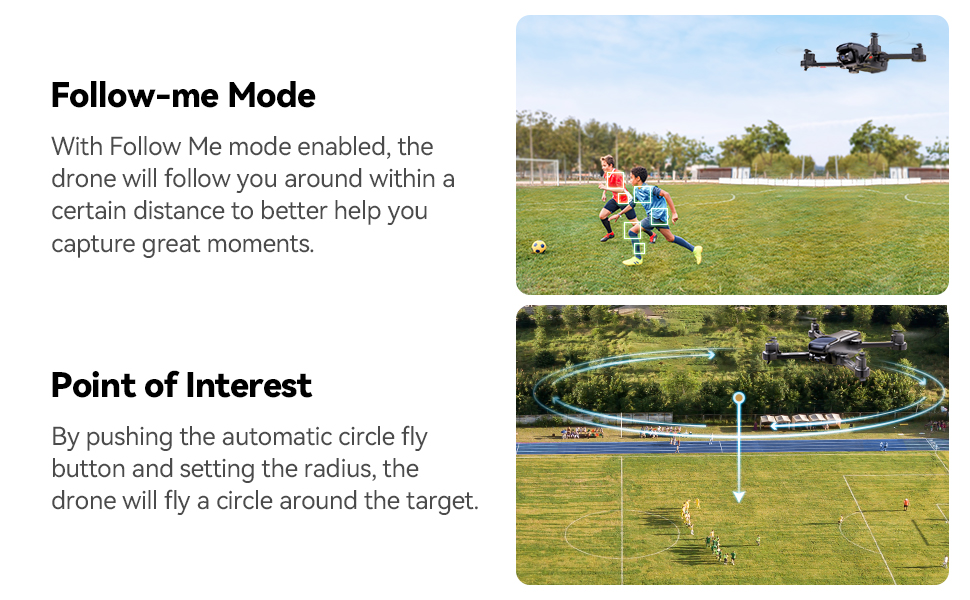
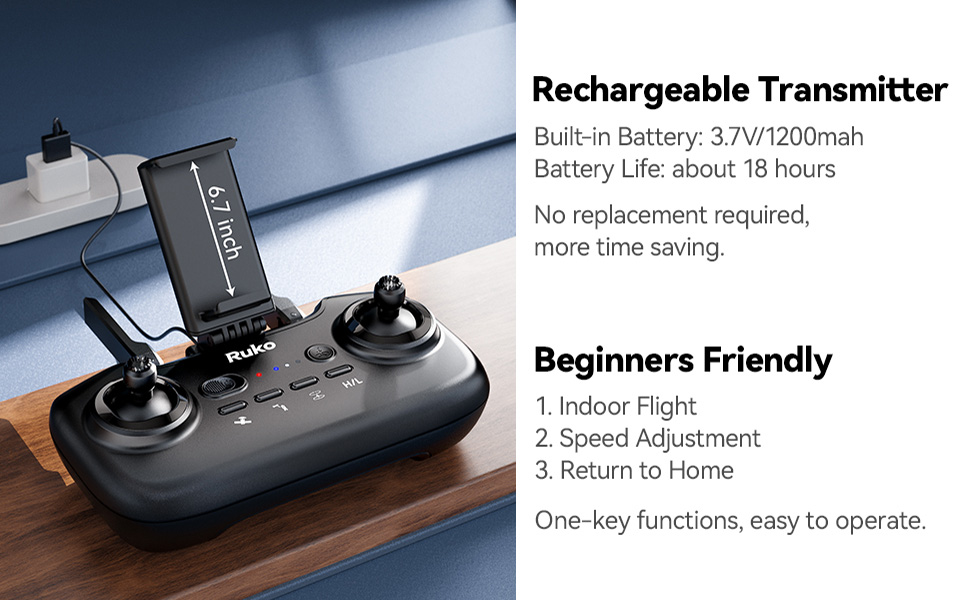
The RukoU11S is a beginner-friendly foldable drone featuring a 4K UHD adjustable camera with a 120° field of view, GPS-assisted stable flight, and 5G live video transmission. It offers up to 40 minutes of flight time with dual batteries, a compact design for portability, and a rechargeable, easy-to-use remote control. Perfect for professionals seeking a reliable, travel-ready drone to capture stunning aerial content effortlessly.




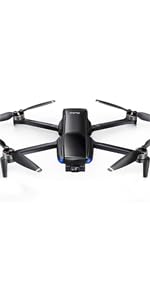
| ASIN | B09B9TKQFX |
| Batteries | 2 Lithium Ion batteries required. (included) |
| Best Sellers Rank | #71,588 in Toys ( See Top 100 in Toys ) #244 in Remote- & App-Controlled Drones |
| Brand | Ruko |
| Customer Reviews | 4.2 4.2 out of 5 stars (4,526) |
| Date First Available | 21 October 2021 |
| Item Weight | 270 g |
| Manufacturer | Ruko |
| Manufacturer Part Number | U11S |
| Manufacturer reference | U11S |
| Mirror Adjustment | Remote Control |
| Model | U11S |
| Product Dimensions | 9.06 x 7.72 x 2.36 cm; 270 g |
| Special Features | Compliance with FAA Remote ID, Extended Flight Time, One-Button Return, Portable, Speed Adjustment |
ا**ن
مذهل
B**R
الرمود يفضي خلال 5 دقايق نظام معقد اغبى درون في العالم
J**N
Malfunction
Well packed and everything looks perfect. But all screws of the fans were not tightened well. And during the first fly itself right limb stopped functioning and fell down. I followed all instructions mentioned the videos and this is the first time I experienced with this issues from a drone. May be I received a product with malfunction.
W**F
I bought this for my partner who always wanted a drone. It is an excellent starting drone. While the controls were a little confusing at first, it is now quite easy to fly. Being a cheaper model, it doesn't do well in slight winds or have a particular long battery life but an excellent buy nontheless.
M**E
This is my first real camera drone with fpv and gps lock, and al the bells and whistles. I was very impressed with the ease of use in terms of setting it up, take off, and flight. there's almost no reason to not take this along with you anywhere you go! You never know when you might find a cool spot to explore and get some interesting shots. Setting up only requires unfolding the drone, placing it on a level surface and turning it on to connect to the app and controller. After compass calibration and gps lock, you are good to go! Takeoff is actually very smooth compared to other drones (so I have heard). Other types of quad-copters seem to have issues sometimes where they flip over during takeoff due to lack of throttling. The f11 always gives an extra burst during takeoff to make sure this doesn't happen... regardless of using the stick or auto land/takeoff Flight is pretty surreal, especially for someone's first time seeing their area at birds eye view. The f11 practically flies itself! There really isn't much of a learning curve aside from figuring out the limits of the drone in certain situations. For example: the booklet warns to not use gps mode indoors, which of course I did not do, but I figured out what happens if you do after troubleshooting a small issue I had flying very close to large objects outdoors (within 10 feet). When you are very close to and surrounded by large trees or buildings or in a building, the gps accuracy is greatly decreased. This causes the drone to suddenly think it is in the wrong location while it is just hovering in gps lock which results in loss of control as the drone veers off in one direction for no reason. only had a few of these incidents that all happened when i was flying at a height of 2-10 feet with much larger objects within 5-10 feet of the drone. Easy fix though! I turned off gps lock when I am dangerously close to large objects or below tree canopy in a forest and never had another incident. After those times of being an idiot and crashing it (once on metal railing, then concrete) the drone was fine! it is actually pretty tough! Aside from a few scratches, no issues with flight whatsoever! It doesn't matter how much you spend on a drone, or what fancy features it has.... technical issues will happen which might result in a flyaway or crash. It's all part of the game! especially if you are new to the game. I can't imagine buying a $1,000+ drone as my first drone... even if it had more safety features like object avoidance... still might crash. And then you are down $1,000 and crying. From what I have researched however, the Ruko f11 flies just as smoothly as the dji mavic pro. Also battery life is incredible!!!!
A**4
تتكسر بسرعة هي جيدة نوع ماء..
M**O
First impression of opening the box are positive. The drone is inside a sturdy zipper case which is perfect for traveling. The drone, the extra battery and the controller have their own compartment inside the case which they fit neatly and do not move around the case when transporting the case from one place to another. Extra space is available to store usb cables and the phone holder. The drone is very light and looks good quality. It does not come with a TF card, so you have to buy one yourself. There is an extra set of propellers included which is great just in case they get damaged. The controller does not have words to explain what each button does, but there is a cardboard template overlay to simplify the effort included with instructions, so it is helpful in the beginning. They are very easy to learn; in two days I remember every direction. The home button that returns the drone where it started is great because if you cannot see where your drone is, press the return button and comes back where it started. It comes with three standard USB cables so you can charge everything at the same time and have them ready to fly quick. It comes with two batteries which is great – longer flying time. The batteries say they last for 20 minutes and two days that I tested the drone has been very windy in Florida and it did not last the full 20 minutes, but it was decent time. Maybe I might buy a battery later on that lasts longer. User manual is easy to understand and follow instructions. I was having some issues with connecting the drone to the controller, and I contacted customer service. Great customer service, always willing to help. The app has videos that are very helpful for someone who knows nothing about drones. Recording or taking a picture is easy because I just click on my phone. You can also do it on the controller, but it is faster on the phone. Pictures that takes are saved on the phone, but the videos are only on the card, so I had to transfer them from my computer. I do not know if it is something in the setting to change, but it would be great if the videos save on the phone as well, so I do not have to take extra steps to get my videos. Going to the settings and making changes is easy, you can change limit height of the drone can go, but I have not made any changes yet. I believe Ruko makes quality items because my son has a robot from Ruko and it has survived a lot of throwing and dropping and still working. I think this drone should last us a long time and would be awesome for our vacation in Europe this summer. I am not an expert on drones, but my husband is the one who is more into drones and had tried a lot of drone before and said that this one is a good drone. I did take a few videos with the drone; it was windy, and I was moving the drone a little bit too much, so the video is a bit shaky. Quality of the video is good.
K**T
my son received this as a present and absolutely loved it! the customer service is excellent and for the price of this Ruko F11, the material and look is great and system friendly to set up for a first time young user.
Trustpilot
Hace 2 meses
Hace 1 mes