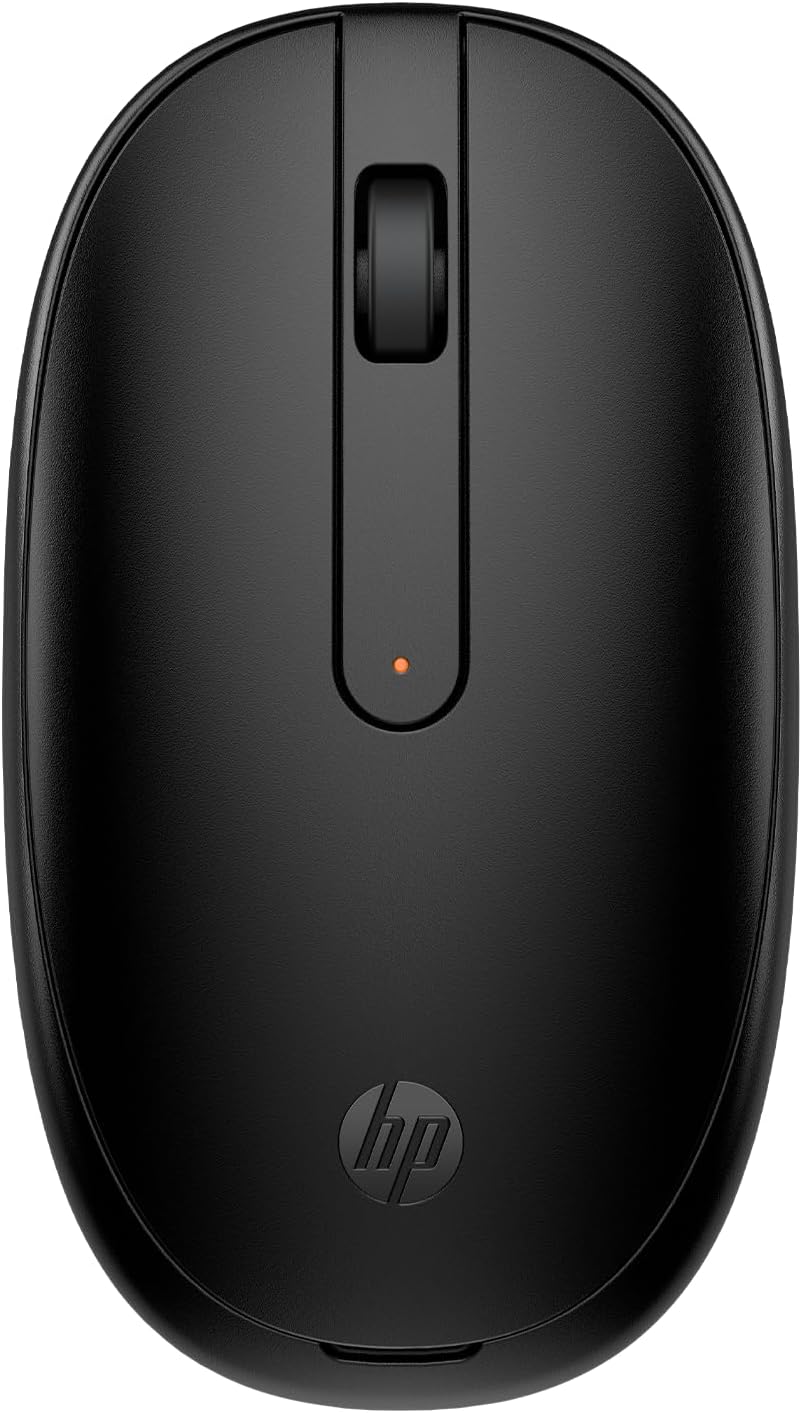
240 Bluetooth® Mouse
ID del producto: 393314075
Detalles
- BrandHP
- ColorBlack
- Connectivity TechnologyBluetooth
- Movement Detection TechnologyOptical
🎯1600 DPI precision tracking
📶Bluetooth 5.1 wireless tech
🔋15-month battery life
Buy anything from 5,000+ international stores. One checkout price. No surprise fees. Join 2M+ shoppers on Desertcart.
Desertcart purchases this item on your behalf and handles shipping, customs, and support to Uruguay.
🖱️ Elevate your workspace with precision and freedom—click smarter, not harder!
The HP 240 Bluetooth Mouse combines cutting-edge Bluetooth 5.1 connectivity with a high-precision 1600 DPI optical sensor, delivering reliable, lag-free performance. Its sleek, ambidextrous design ensures comfort for all-day use, while an impressive 15-month battery life keeps you powered without frequent replacements. Compatible across major OS platforms, this mouse is the perfect blend of style, efficiency, and hassle-free wireless freedom.


| ASIN | B09KBJK9LK |
| Additional Features | Connectivity: Bluetooth 5. |
| Antenna Location | Office, School |
| Are Batteries Included | Yes |
| Are Batteries Required | Yes |
| Battery Average Life | 15 months |
| Best Sellers Rank | #535 in Computer Mice |
| Brand | HP |
| Built-In Media | 240 Black Bluetooth Mouse, Quick Start Guide, Warranty Card, 1 x AA Battery |
| Button Quantity | 3 |
| Color | Black |
| Compatible Devices | Desktop, Mac, Notebook |
| Connectivity Technology | Bluetooth |
| Customer Reviews | 4.3 4.3 out of 5 stars (2,272) |
| Enclosure Material | Plastic |
| Finish | Matte |
| Hand Orientation | Ambidextrous |
| Hardware Platform | PC, Mac |
| Item Dimensions L x W | 5"L x 3"W |
| Item Type Name | Mouse |
| Item Weight | 1.92 ounces |
| Manufacturer | HP Inc. |
| Model Name | HP 240 Bluetooth Mouse |
| Model Number | HP 240 |
| Mouse Maximum Sensitivity | 1600 Dots per Inch |
| Movement Detection | Optical |
| Number of Batteries | 1 AA batteries required. (included) |
| Operating System | Chrome OS, Windows 10, Windows 11, macOS |
| Power Source | Battery Powered |
| Range | 1600 |
| Style Name | Bluetooth Mouse |
| Unit Count | 1.0 Count |
| Warranty Description | Peace-of-mind coverage: Rest easy with an HP standard one-year limited warranty |
S**T
Simple, reliable, and comfortable. A great everyday mouse!
I've been using this HP 240 Bluetooth Mouse for a few weeks now, and it's been a fantastic experience. The setup was a breeze – I just turned it on and paired it with my laptop via Bluetooth 5.1, and it connected instantly. No dongles, no hassle! The mouse feels great in my hand, and the ambidextrous design is comfortable for long hours of work. The 1600 DPI tracking is super accurate and responsive, which is perfect for both my daily tasks and some light photo editing. The three buttons and scroll wheel all have a satisfying click and feel very durable. The black color and sleek design look really professional, and it's so nice to have a clutter-free desk without a bunch of wires. This is a simple, no-frills mouse that just works, and it works perfectly. For the price, you can't beat the quality and convenience. Highly recommend it!
F**N
A great mouse for HP products.
I must admit, I'm a mouse user. I particularly like the fact that it connects to my HP laptop without needed something that goes in the USB port (and gets lost when I use the port for other things, making it cost-effective!). It's been reliable, the battery lasts a long time, and it hasn't minded being dropped a bunch of times.
B**.
Decent cheap mouse for my MacBook Air
I paired this up with an M2 MacBook Air my publisher had given me and it works great. Tracks fine and lights up the minute the computer is fully powered on. My only issue is that it's too flat to be comfortable for me, but for $10, it will do.
L**E
Perfect
Perfect and easy to connect to our laptop
L**A
Mouse
Good quality , looks amazing
A**A
Great Bluetooth mouse.
Very nice Bluetooth mouse. Very easy to setup and use. Rated battery life should provide lots of use with each battery. The mouse is low profile, comfortable and very responsive to the movement.
M**S
Mediocre at best
The connectivity is inconsistent with the cpu. The scroll button on the mouse doesn't work properly. For example when you use the stroller to go up a page, the page's movement is random before it goes in the direction you want it to go. Battery life is not that great either.
K**.
Basic, but works well.
A simple, and small Bluetooth mouse that works perfectly. This is not my main mouse, but is excellent for travel due to its slim build. No frills, but functional for the price.
É**O
Produto excelente, corresponde exatamente ao anúncio!
A**R
Excellent product! The best thing was that it reached with in 2 days, appears to be a genuine HP product manufactured in China. Single, battery included. The information on the product specification sheet in all the languages and the pictorial representation of how to start the mouse is very helpful. Very easy to install. The size is full in length and breadth, but height is less (compared to the wired mouse that I have). Initially it appears to be very fragile, but it is not for using muscle power, it is for office work on laptop, for which it is appropriate. Light weight also. Cursor response etc also real-time and excellent! Look is also excellent! Overall its an excellent product! Smooth functioning. Noise is ok, no issues. Comfortable to use. I am attaching images, and a video for comparison.
H**O
Siento que es un buen producto. No lo he usado mucho pero se siente ágil para operarlo
J**E
Connects instantly to my computer and works faultlessly. Delivery was ahead of schedule and Amazon service is always great. I have no complaints.
W**I
just got mine today and it was easy to connect. It came with a battery. it functions well, love the size and speed. You can hear the click sound but other than that. it is good
Trustpilot
Hace 1 mes
Hace 1 mes