


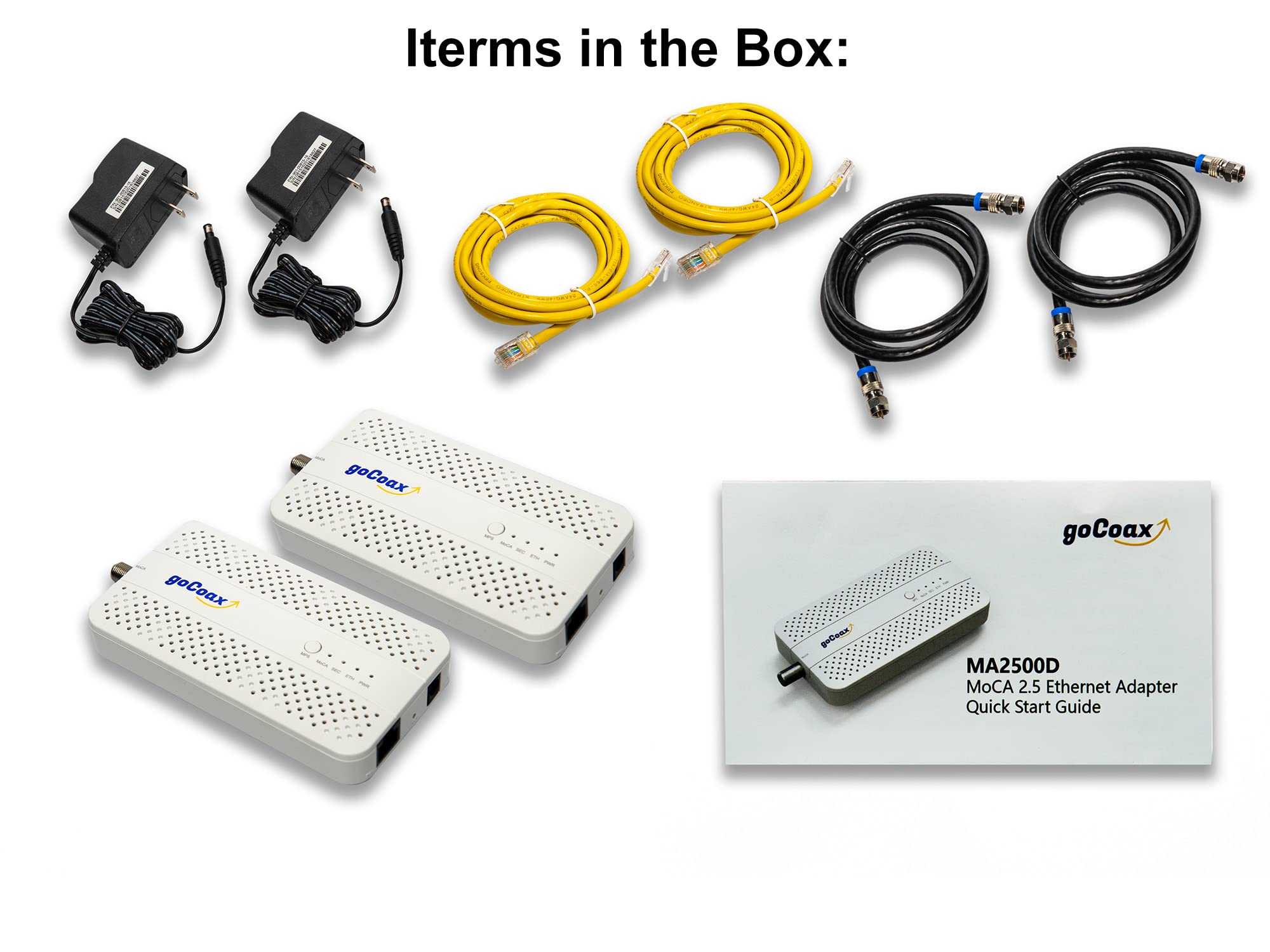
🚀 Elevate Your Network Game with goCoaxMoCA 2.5!
The goCoaxMoCA 2.5 Adapter offers a powerful 2.5Gbps bandwidth over existing coaxial cables, ensuring minimal latency and maximum performance for streaming and gaming. With a robust Ethernet interface and the ability to connect multiple devices, this adapter is the perfect solution for modern home networking needs.


| ASIN | B09RB1QYR9 |
| Best Sellers Rank | #32 in Computer Network Adapters |
| Customer Reviews | 4.4 4.4 out of 5 stars (3,269) |
| Date First Available | January 27, 2022 |
| Item Weight | 1.58 pounds |
| Item model number | WF-91HG-ZM71 |
| Manufacturer | goCoax |
| Package Dimensions | 9.8 x 6.14 x 2.83 inches |
D**N
Fantastic, just do your homework beforehand
I'll start this review off by saying I'm super happy with my purchase. Setup took me, an IT professional, about an hour, but that will vary based on your local wiring. My biggest recommendation for any one purchasing is to do some homework first on setting up MoCa and what roadblocks you may run into. Below is a summary of my existing setup and a high level overview of the steps I took to get setup, along with my final thoughts. I include some basic latency testing and speed testing information near the bottom. For anyone interested in the MoCA splitter and filter I used, I have included links below. Background: I use an Asus AiMesh Wi-Fi system in a house built in the late 1800s. Basically every room was added on at some point by a person with some free time and spare lumber, so nothing is to code, or even remotely associated with any other room in the house. I've wanted to run Ethernet throughout the house since I moved in, but due to the inherent challenges of multiple, hard-to-access crawl spaces and no attic, I was left with very little options outside of my office other than a spotty mesh Wi-Fi system My goal: Having just upgraded to fiber, I had a house full of unused coax cable. I wanted to send Ethernet over this, and effectively "wire" in my access points. However, I wanted to ensure that if a future owner or myself wanted to return to copper/cable internet, that it wouldn't impact this setup. -- What I bought: - 2-pack of goCoax - 1 pack BAMF Coax MOCA-compatible Coax Splitter https://www.amazon.com/dp/B017T9KF1S - 1 pack PPC MoCA POE filter https://www.amazon.com/dp/B07SLD9QPH -- How I accomplished it: - OUTSIDE: First, I had to crack open the Spectrum box on the outside of my house. Inside, there were a bunch of disconnected coax runs and a single filter connection coming from the outside line to my internet line, along with another "filter"-type device that had a ground line connected to it. I removed their filter and ground connection, and replaced it with the BAMF 4 way splitter on the "In" connection. I also connected the PPC filter in between the outside line and the BAMF filter (so it looked like line from road -> PPC filter -> BAMF "in" port on 4 way splitter). Finally, and this is super important, I connected the ground wire I had removed from the Spectrum filter/bracket to the new BAMF splitter, which has two spots, one on each side, to connect the ground wire. While a ground wire isn't 100% required, it's very important to preserve your equipment. From there, I connected all of the coax runs I wanted to use to the "Out" ports on the BAMF splitter. I then made sure everything fit in the box and closed it up. - INSIDE: Took a two foot piece of Coax and connected it to the coax wall jack where my access point was. Powered up the goCoax unit, connected the two foot piece of coax to it, and ran the Ethernet line to my access point's WAN port. Where my cable modem was originally hooked up and my primary router was, I hooked up the other goCoax box, powered it up, and ran the Ethernet cable to a LAN port on my primary router. Power cycled my access point and waited. Within a few moments, the Ethernet and MoCA lights both lit up on both goCoax devices, and I ran some ping and speed tests. Was getting my max internet speed at the access point, with zero dropped packets. Pinging another device on my network, I averaged 3-4ms of latency with no jumps. Moved a large file between devices at 100MBps, not quite 1Gbps speeds but way, way faster than my Wi-Fi had been. That access point is now getting the fastest speeds I've ever had in that part of the house with super low latency, and I can use it as a jumping off point for additional Ethernet runs. -- SUMMARY: For $60 a piece, these devices are amazing. They required zero setup in terms of configuration, all plug and play, and the most time consuming part was prepping the existing coax setup in my home by adding the MoCA splitter and filtering the outside line. These two steps for essential for ensuring the coax was actually tied together, and that the MoCA signal was not escaping into the outside line. I have some other coax runs in my home and I'll absolutely be buying more of these goCoax units to equip there. I was skeptical at first, but now I'm a total believe in this product. If you have a house full of coax cable and want to put it to good use, this is absolutely the product to buy!
J**N
Reliable. Saved me lots of money.
MoCA adapters are a great way to add Ethernet connectivity to your household without having to spend money re-wiring the infrastructure. I’ve been using these for over a year and have not experienced any problems. The network speed did not degrade as a result of using this. The setup was quite easy. I was able to put the adapter on a VLAN while sending traffic for other VLANs through the device. The adapter is pricy, but it’s a great value for what you’re getting.
B**M
Vastly improved my network performance from my downstairs office, 300mbps w/wifi to 2100+mbps w/MoCA
tl;dr - get a coax explorer before buying to make sure you have a solid coax connection between the two rooms you wish to connect. This thing works as advertised with speeds up to 2135mbps achieved on a 2gbps internet plan. Just make sure all portions of your home network can handle these speeds or you'll have a bottleneck to slow you down. I might also update this review later if I purchase a third adapter for another room in the house for a roommate. Longer Review with context: I recently moved into a house I'm renting that has 0 ethernet wallports and needed to find a creative way to wire directly to my service provider's router (ziply). I bought a 2 pack of these and initially wasn't getting a signal through what I thought was a coaxial cable that would lead to a central coax hub back to the outlet in my office. Per the provided troubleshooting instructions, I tested the MoCA adapters by plugging each adapter on to either end of a disconnected coax cable and verified there was no issues with the adapters themselves. With that my worst fears were confirmed and I found that the coax cable I was hoping lead to my office was actually to the cable box outside. There were also 4 other cut coax cables in my network closet by the router upstairs which I've now assumed are home runs to each different coax port. I popped on over to home depot, got a "Coax Explorer 2 with Remote Kit" for testing and a "Coax Cable Installation Tool Set" in order to turn those cut wires into functional ones. NOTE: I'd highly suggest getting at least a Coax Explorer BEFORE buying this to test the coax connections you wish to connect to the adapters. Once I had working cables it was very easy to track down the correct cable to the correct outlet and BOOM my MoCA adapter was working perfectly! Reading all these reviews I didn't expect more than 1000mbps over one of these, however I was able to clock speeds up to 2100mbps which is at capacity for what I'm paying ziply for which is an advertised 2gbps. My roommate was so impressed they may also get an adapter to hook up their room. I'm still unsure if there will be any interference as I think these cables are just long coax cables run through the walls (not terminating anywhere to cause interference aka home run) but i've obviously been wrong before haha. I've attached a couple screenshots to this review. The first should be just a speed test while using the MoCA Adapter, the other is my speedtest history showing my switch from my Wi-Fi 6e Adapter to this wired connection setup. NOTE: You will only be able to get speeds over 1gbps by connecting to the interface on your router that is rated for faster than 1gbps. My router in particular has a 10gbps interface that I am connected to over the MoCA Adapter. You also need a network adapter capable of handling these higher speeds. You can find if your adapter has the capacity by opening the system information portion of windows. As you can see by my last screenshot, my Network Adapter can handle up to 2.5gbps. Overall I'm super happy with this purchase and the product itself has no issues. I'd say my headaches were entirely my fault due to a lack of preparation. I highly recommend this product if you've got a solid coax connection that can make it to your router.
F**N
Die Übertragung funktioniert tadellos. Eine Einrichtung war gar nicht nötig. Einmal anstecken und die beiden Geräte hatten sich gefunden. Ein Gerät hängt an dem Router, das Zweite an einem WLAN Repeater. Überdenken repeatwr können wir verlustfrei auf die gesamte Bandbreit des Internetanschlusses zugreifen. Top Produkt!
G**T
Ideale oplossing om snel internet via een coax kabel te laten lopen wanneer een UTP om welke reden dan ook niet kan. Makkelijk te installeren.
G**E
Acquistati in coppia per far passare la linea internet attraverso la rete coassiale dell'antenna TV. Svolgono egregiamente il loro lavoro. Velocità e latenza sono sostanzialmente pari al cavo Ethernet, nel mio caso si arriva massimo a 1Giga di velocità in up e down essendo limitato dalle porte di uscita del modem TIM. Da verificare se effettivamente riesce ad arrivare ai 2.5 pieni, ma per il resto è ottimo. Peccato perchè, dovendo acquistarne almeno 2, il prezzo finale di questa soluzione diventa un pò alto.
K**N
I live in the UK so there was a risk that my coax cable wouldn't be high enough quality to support MoCA very effectively. I decided to take the plunge anyway and thankfully it paid off. These worked perfectly to get a wired network up into the loft. I have a 900 Mbps fibre connection to the house and the coax seems to cope with that just fine. I've not bothered testing higher speeds because most of my network equipment is rated for gigabit ethernet. Note that you will need to buy plug adaptors, but the devices support UK voltages so no need for transformers.
A**U
前から使いたくて買おうか迷ってたが値下がりしてた機会に購入 きちんと動作してくれて良かったです
Trustpilot
Hace 1 día
Hace 1 mes



