We remain fully operational. Our teams are working around the clock to ensure your deliveries continue safely.

Descargar la aplicación


Servicios al cliente
Sobre nosotros
Copyright © 2025 Desertcart Holdings Limited
Descargar la aplicación


🔒 Light up your security with 360° clarity and smart alerts — because peace of mind never looked this good!
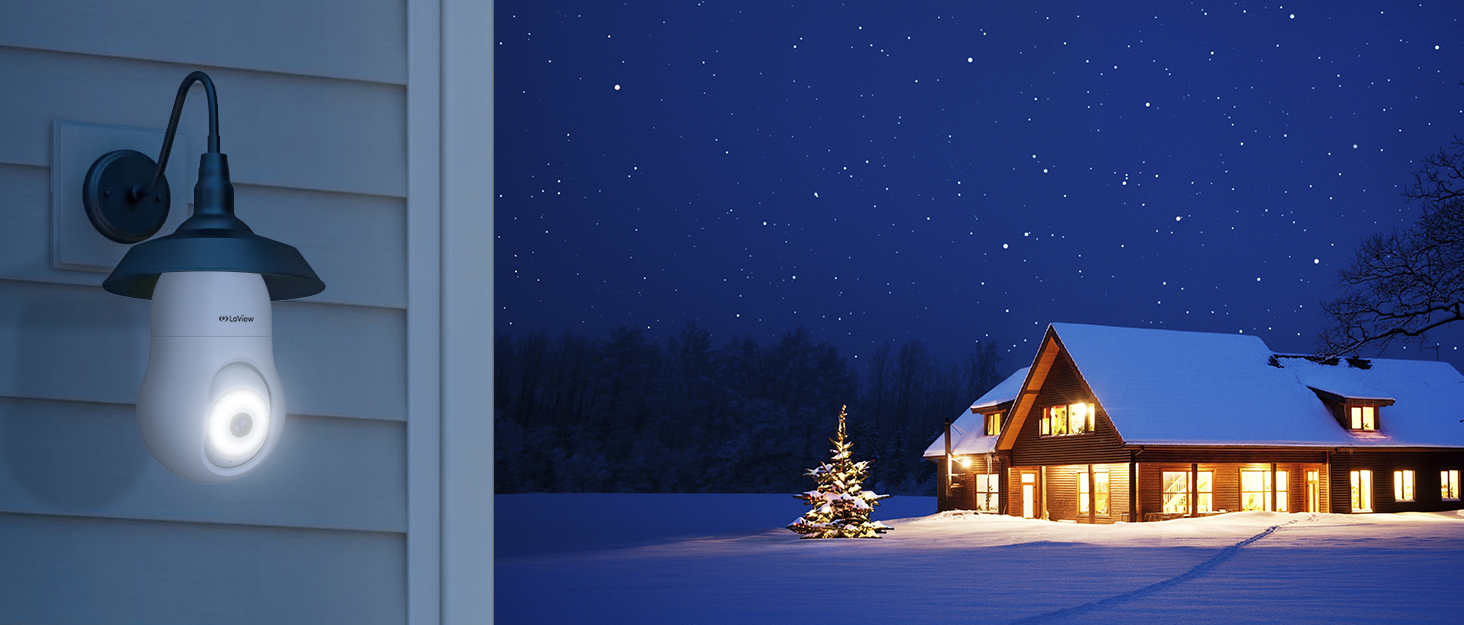
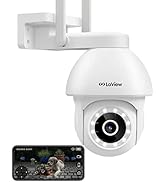
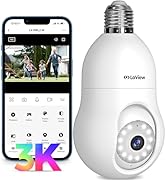
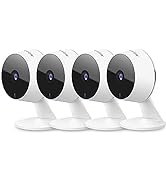
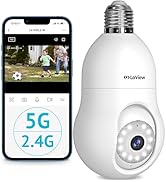
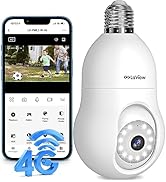
The LaView 4MP Bulb Security Camera combines ultra HD 2K resolution with a 360° panoramic lens and advanced Starlight night vision to deliver full-color video around the clock. Designed for easy wireless installation via a standard E27 bulb socket, it features smart motion detection with tracking, a powerful 110db siren, two-way audio, and seamless integration with Alexa and Google Assistant. Weatherproof and app-controlled, it’s the perfect all-in-one indoor/outdoor security solution for tech-savvy professionals seeking effortless, comprehensive home monitoring.















| ASIN | B0BDFRNZY6 |
| Alert Type | Audio and Motion |
| Batteries Included? | No |
| Batteries Required? | No |
| Best Sellers Rank | #43 in Dome Surveillance Cameras |
| Color | White |
| Compatible Devices | Smartphone |
| Connectivity Protocol | Wi-Fi |
| Control Method | App |
| Controller Type | Amazon Alexa |
| Customer Reviews | 4.1 4.1 out of 5 stars (11,986) |
| Date First Available | September 7, 2022 |
| Effective Still Resolution | 4 MP |
| Effective Video Resolution | 1080 Pixels |
| Field Of View | 360 Degrees |
| Focus Type | Auto Focus |
| Form Factor | Dome |
| Included Components | camera body,light socket |
| Indoor/Outdoor Usage | Indoor, Outdoor |
| Installation Type | Screw In |
| International Protection Rating | IP67 |
| Item Package Quantity | 1 |
| Item Weight | 12.6 ounces |
| Item dimensions L x W x H | 4.06 x 6.77 x 0.37 inches |
| Item model number | LV-PWL2-W |
| Light Source Type | LED |
| Low light technology | Starlight |
| Manufacturer | LaView |
| Maximum Webcam Image Resolution | 4 MP |
| Mounting Type | Ceiling Mount |
| Night Vision Range | 33 Feet |
| Number of Channels | 2 |
| Number of IR LEDs | 1 |
| Number of Items | 1 |
| Optical Zoom | 4 x |
| Part Number | B0BDFRNZY6 |
| Power Source | Corded Electric |
| Product Dimensions | 4.06 x 6.77 x 0.37 inches |
| Room Type | Classroom, Kitchen, Living Room, Office |
| Shape | Oval |
| Size | 4MP-1PK |
| Smart Home Compatibility | Smart Home Compatible |
| Special Features | Built In Light |
| Specific Uses For Product | Inside, Outside |
| Style | 2.4GHz |
| UPC | 192728013315 |
| Unit Count | 1.0 Count |
| Video Capture Format | AVI |
| Video Capture Resolution | 2K |
| Viewing Angle | 360 Degrees |
| Wattage | 4 watts |
| Wireless Communication Technology | Wi-Fi |
| Zoom Type | Digital Zoom |
A**A
Nice pictures - Motion Detection sensitive
We have been wanting to get a camera for our back alley for months ever since our neighbor's camera caught some dudes checking their truck and our vehicle to see if they were unlocked late at night. No bueno. We do have some vehicle theft in our area - especially with the alley ways being so private. AND - we have 3 teenage boys - one of which I could see trying to sneak out and be naughty... haha! (Just like his momma used to, let's be real.) I love that this camera was so easy to install - just screw it in and you're good! The only problem for me was that the bottom of the camera by where it screws into the light bulb thing was preventing it from getting it to insert in order to screw it in. I had to remove the light assembly to basically loosen the inner assembly so that it would come out a little to let the camera screw in. That was a bit annoying. Maybe it was just my light fixture...it IS from 1999. The picture is great - as you can see from my picture - and the night vision is really cool too. I ended up purchasing the cloud feature to save my videos. For some reason I thought there may be a way to insert an SD card or maybe send files via bluetooth to my computer. I wasn't super excited about paying extra for the cloud service. And honestly I'm not sure if it saves a certain amount of captured videos via the app that you could download if you wanted? The app is incredibly easy to use and like I said, the whole setup is fantastic. I'm still trying to figure out the motion detection - it goes off every time the trees blow around or if my dogs happen to walk along the fence. I saw something about human detection on the app, but I'm not sure how that works. There is a "do not disturb" function, so I can set it to not send me notifications during the day. Also, there's this "Starlight" function - I think it turns the light on when it detects motion? I promise I've had this for probably a month but just haven't played around with the functions enough. So I'm sure this review is super not as much helpful as it could be. Maybe there's a YouTube video out there about the specifics? There IS a YouTube video for EVERYTHING... I would recommend it - the price is RIGHT for the features and quality! And it connects to Alexa and Google Home. I connected to both (we also have a Google Nest at our front door), but also haven't tried that out either and not sure how it would be helpful. AND, it has a siren! I guess if it alerts you there's motion and you see some very bad people trying to do bad things, you can activate the siren and freak them out. THAT would be FUN!
N**E
Exactly what I needed
After using this camera for a couple months now, I've got to say the LaView Bulb Security camera is, quite honestly, better than I expected and highly recommended. I use this camera to monitor my telescope/astrophotography equipment, which is automated so I can sit inside, watch TV, go to sleep, etc. I don't live in a particularly "bad" neighborhood, but not the best, either. I feel much more at ease leaving my thousands of $ worth of equipment unattended with some measure of security. The camera itself is great! Clear images, IR night vision is bright & clear, push notifications to my phone are immediate when there is anything significant detected. The sensitivity is spot on for motion detection - I've got mine set at medium, which detects me as I walk up to my equipment to check on it, but does not alert to every bug that flies by (which is a complaint I've seen on other products). You can also turn off the camera via the app, which comes in handy when I don't want to record myself making adjustments. Following the subject is also very beneficial, rather than just being stationary. I'm a bit of a techy, and for me, the app is very intuitive & easy to use. I'm sure even a non-techy person would find it easy. The recordings are easy to find and play back. Screwing into a lightbulb socket means never having to charge it. I actually have mine in a small table lamp that I put outside when needed. The native orientation is to be upside down, so my image was initially flipped, but was also easy to flip to my orientation from the app.
M**B
Good camera, not waterproof, but water resistant. Lots of nag screens to upgrade for co$t ***UPDATE*
LaView 4MP Bulb Security Camera 2.4GHz,360° 2K Security Cameras Wireless Outdoor Indoor Full Color Day and Night, Motion Detection, Audible Alarm, Easy Installation, Compatible with Alexa… The light bulb-style camera comes economically packaged in a retail-marked light cardboard box. Inside the box, right on top there is a user manual, a quick start guide, and the small fold out marked" important notice ". The bulb camera itself is nestled inside a formed plastic holder. There is also a small adapter so you could plug this directly into a light socket. There's a sticker on the white socket adapter that tells you this is to help you set up the Wi-Fi. That's a nice touch and it makes sense. That way you can plug it into a socket convenient to you while you're setting it up so you don't have to stand on a ladder or something and wave your phone in front of the camera to connect it. Looking at the quick start guide, you will have to download the app before trying to set up the camera. That makes sense. They also note that this only works on 2.4 gigahertz Wi-Fi, so you'll need to be certain that your phone is said on a 2.4 GHz stream from your router. Setting up the camera is familiar to anyone that has set up a security cam before- they all seem to be set up in a similar fashion. Once you have downloaded the app and set up an account with them, you have to receive a unlock code in your email to proceed further. Further. Once you have that, it's as simple as plugging the camera into power, (this is where that handy little adapter makes it much easier) wait for the camera to initiate, then you put your Wi-Fi password in so the camera can program itself and the app will give you a QR code to show to the camera. After a moment, the camera will play a tone to notify you that it has recognized the QR code and then the app gives you a countdown. It's a 2-minute countdown, but it took less than that for the camera to initiate itself and come online. Then you can put the camera or wherever you need it to be. In our case, I plugged it in in the living room to program it and then put it out side in the lamp socket above the door. So far, I've had no glitches with the camera. It makes connections and reconnections fairly quickly, and it responds well to manual directional changes. There is a siren function to the camera, but the siren is very quiet. I tested the siren by setting it off manually when a family member was in the yard less than 100 ft from it and they said it sounded very quiet and not alarming at all. As part of the setup, you have the option to put a TF card into the camera for storage. Please note, it does not come with a TF card. You'll have to provide your own. However, the camera doesn't seem to be very picky. I put in a card that I had pulled from an older non-functioning camera, and the camera recognized it and started recording to it almost immediately. On the opposite side of the quick start guide( and keep in mind this has nine pages per side- so not really that quick) they will give you step by step on how to link your Alexa to the camera if you desire. Everything seems fairly straightforward and step by step. I'm going to hold off giving the camera my Alexa password, while I see if I'm happy with all the rest of the functions. Reading through the rest of the instructions and the quote important notice" insert, they know that the camera is not waterproof- this is even though the ads specifically say that this is an indoor-outdoor camera. The important notice goes on to say that if you use it outdoors, you'll have to ensure that the camera will not get wet in the rain. I have issues with this. I did not expect the camera to be waterproof, but I do expect it to be water-resistant. How can you sell your product as an outdoor product without it being water resistant at all? I have mind mounted outdoors, in a lamp fixture that's very similar to the one in the end. It'll be interesting to see what happens with the camera after the first rainstorm we have. As far as night vision, in complete darkness without turning the light on we can see the accustomed black-and-white night images, but they are fairly clear. Turning on the light will give you back color but you lose a little bit of the depth. Another thing I did notice that I thought was interesting. Is that turning on the light produces an audibly loud click. Hearing the click over the phone interface via the sound transmission of the camera assembly itself, it sounds quite heavy and makes a loud sound. One of the difficulties I've had with similar light bulb-style cameras is that sometimes it has difficulty making a connection. I've had this one for a couple of days now, and checking it multiple times during the day and the night. It has connected in a reasonably quick time, every time. The only difficulty I've had with the camera is the controlling software on your phone. There is a very high incidence of the software nagging you to buy the premium version and buy cloud software. In addition to the continual nagging, you have to wait several seconds to be able to dismiss the nag screen. I was seriously thinking about purchasing more of these cameras, but the nag screen is starting to make me think otherwise. **** UPDATE **** After several emails back and forth with LaView, they provided me with the instructions to shut off the push ads. It’s buried deep in the app. Here is the path to get to the off switch. APP-> > Me page ->click on the upper right corner->Privacy Permission Settings->disable Personalization It did work to shut off most of the popups, but it took several days to stop them all. The seller has corrected part of the info in the paperwork that comes with the camera, According to their representative, the cams are rated IP65, which according to a quick Google, “An IP65 rated enclosure gives protection against low-pressure water jets from any direction, as well as condensation and water spray. It's suitable for most outdoor enclosures that won't encounter extreme weather such as flooding.” So water resistant, but not waterproof. Their customer service has been responsive, prompting this update on my review.
A**M
Merhaba ürünün içinden bağlantı için herşey çıktı hız kamerası beklediğimden daha iyi uygulama da sorunsuz çalıştı
G**E
Very useful , recommend it
A**I
This was such a great camera and amazing purchase for the price its beyond PERFECT motion detection and follows and then retracts to original position SD saves and records easy to use and set up bought a second one the same day after using it. COMES WITH A PLUG FOR DIRECT POWER CONNECTION INCASE YOU DO NOT HAVE A LIGHTBULB on your porch or back porch.
J**K
I tried 5 (yes5) other cameras before this and,for some reason had various problems with them all. Wifi signal, connectivity, sound or video quality. This lightbulb camera gives me everything I need. Good connection, wifi signal strength is 78-80 percent and it’s not really close to my modem. There 2 brick walls between them. It has great picture quality and good night vision. Pan and tilt are smooth, zoom is more than adequate. Sound isn’t very loud but this too is adequate. Set-up was a cinch. Simply connect the adapter provided and plug it in close to your modem. Download the app and follow the directions given. Once set-up you can disconnect from the adapter , plug it into any regular lightbulb socket and that’s it. I have this on my back deck and can keep my eye on the dog, watch the birds at the feeder, rabbits playing. At night film the raccoons and skunks etc. that happen bye. I definitely recommend 🌟🌟🌟🌟🌟 UPDATE. Camera is set to track people but now it tries to track every snowflake. The alerts are very annoying. Will have to disconnect and maybe buy a different make. The AI on this one is hopeless. Have to go from a 5 star rating to a 1 star rating. The tracking motion is also getting sluggish. Ah well, will try another make.
M**H
Ok
Trustpilot
Hace 3 semanas
Hace 2 días