

Desert Online General Trading LLC
Warehouse # 7, 4th Street, Umm Ramool, Dubai, 30183, Dubai
Desert Online General Trading LLC
Warehouse # 7, 4th Street, Umm Ramool, Dubai, 30183, Dubai


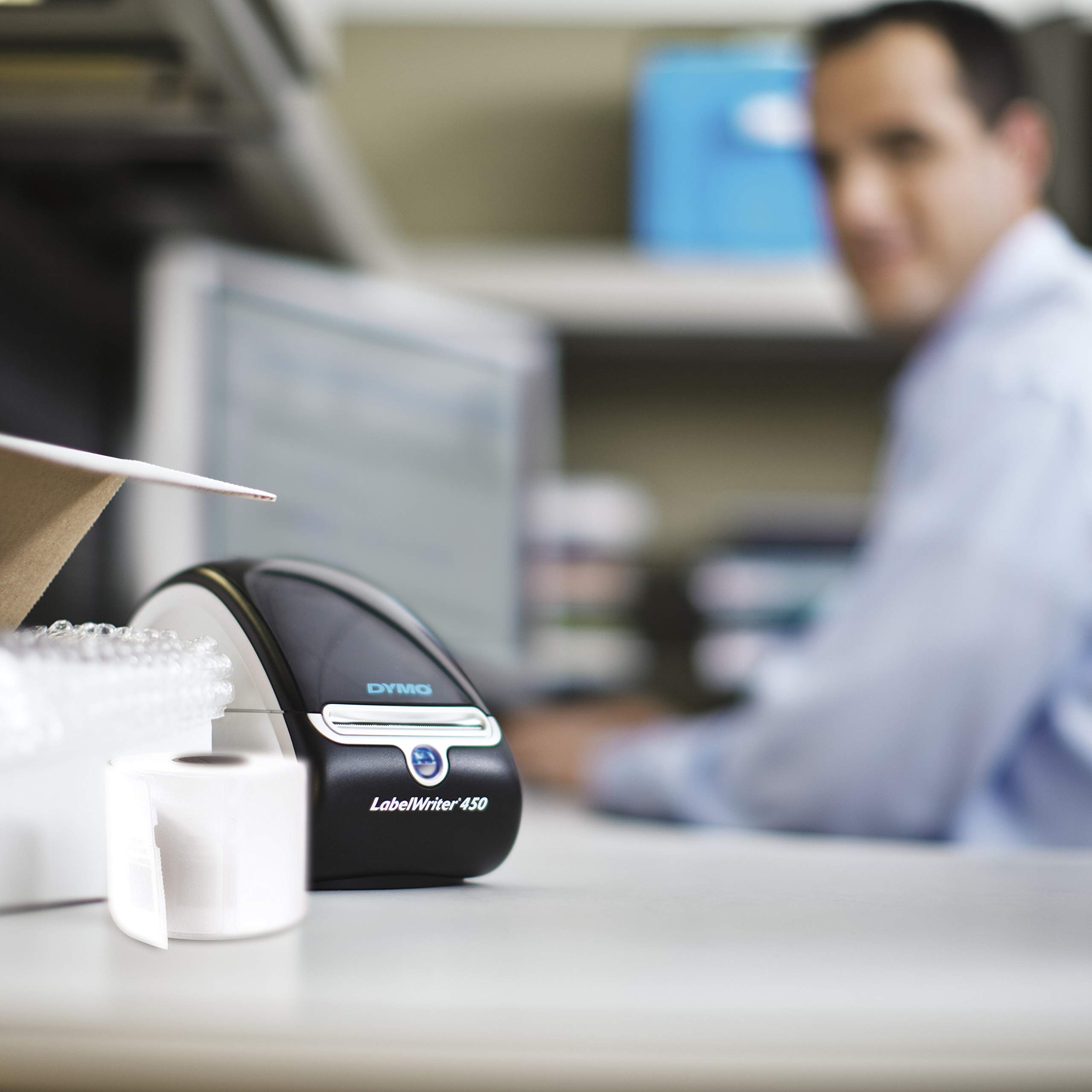
⚡ Label smarter, faster, and cleaner — never miss a beat in your office hustle!
The DYMO LabelWriter 450 is a high-speed direct thermal label printer that produces up to 51 crisp labels per minute at 600 x 300 dpi resolution. Compatible with both PC and Mac, it connects via USB and eliminates the need for ink or toner. Ideal for professionals seeking efficient, customizable labeling solutions for addresses, barcodes, and more.


| Product dimensions | 6.4D x 10.6W x 5.6H centimetres |
| Maximum Supported Paper Size | 8.5 x 11 inches |
| Included components | Address Label Starter Roll, Power Adapter, Power Cable, USB Cable, Quick Start Guide |
| Print media | Labels |
| Scanner type | Sheetfed |
| Max input sheet capacity | 450 |
| Compatible devices | Mac compatibility |
| Maximum colour print resolution | 300 dpi |
| Sheet size | 4 inches |
| Maximum black and white print resolution | 300 dpi |
| Warranty type | limited |
| Colour depth | 1 bpp |
| Dual-sided printing | No |
| Maximum copies per run | 1 |
| Item model number | S0838810 |
| Manufacturer | Dymo |
| Processor Count | 1 |
| Number of USB 2.0 Ports | 1 |
| Operating System | Windows XP/Vista/7^Mac OS v10.4 |
| Are Batteries Included | No |
| Item Weight | 653 g |
| Guaranteed software updates until | unknown |
K**M
Brilliant Label Printer
Just brilliant the only problem I had was setting up the software its not clear the one I needed I would have expected there to be just one and then select the printer.Once I found the right software I was off and running the labels that come with it were soon run out with practicing so you must buy labels when you buy it.I brought S0722540 (32 mm X 57 mm) which have a 1000 on a roll and I printed off over 500 label in a couple of days never once had a problem. and a good size I think for most jobs.I've since brought labels different sizes Dymo ones and I am waiting for a roll of cheaper ones from from a different company again from Amazon just to see if if they will work the same.Also I've since seen the same Dymo Label printer for twice the price with another company and I did wonder if i would use it much and now I am loving that I can just make labels for record cards and boxes of items.So in the end Its worth every penny of the cost on Amazon Just under £90.00 and I am very happy with it.I would like to redesign the software to make that so must better but its so good for the reasons I have to make a label from time to time now looking at reasons to make more labels.
K**G
Absolutely brilliant!
I purchased this label writer after reading all the excellent reviews here. I simply could not face another year of trying to print xmas card labels from a sheet of sticky labels inserted into my printer.I don't know anyone who hasn't experienced problems using sheets of sticky labels - and I, for one, was sick and tired of struggling trying to align the addresses in the spaces provided.My life is definately easier now I have this compact little label printer. I have now printed all my christmas card labels - the whole job took minutes, with no stress or effort on my part. I now have beautiful professional looking labels. The whole process is completely self explanatory and intuitive.Buy it - this is a purchase you won't ever regret buying!
A**N
Dymo LabelWriter 450. A true little treasure ! In use for over 6 years !
I've been a user of various Dymo label printers for about 6 years. They are quality units and give your correspondence a great look, as well as possibly avoiding items getting lost as almost all post is now machine scanned and read at the sorting offices and with a printed label, there is less chance of it being misinterpreted in my opinion. The S/W could be improved somewhat but it does the job. Note: Hunt around for the best price on the label rolls... they can be expensive. One final word of advice: MAKE SURE that the loaded label roll is hard against the left hand side of the printer. Unless you do this.... the label might jam!The units foot print is small and is easily fits on your desk. It connects to a USB port on your PC. It hase seen use in Win7, 8, 8.1 and Win 10 and never gave me any problems. NOTE: I do not print from within M'soft Word or Outlook, but just call up the dymo utility when i need it.Even after having printed thousands upon thousands of labels, they still come out absolutely perfect, which is a tribute to the quality of the printing head longlivity. The acid test is: Would you buy this type of printer again if you had to after several years of use? YES ! I just did, as this is a verified purchase. Unless you have to print day and night the standard (non turbo) unit is perfect so save yourself some money and go with this one.Albert
M**D
Labelwriter 450.
I ordered this in a moment of lockdown weakness. I decided I needed proper labels for one reason or another. I spent more than I wanted but my reasoning was that I could put it to many more applications where a label was required. I ordered a roll of labels with it but it is supplied with a very small roll. They both arrived together the next day. Big box. It's a pucker machine I must say but much bigger than I expected. Having said that it tucks nicely into a space next to the computer. The instruction manual is a bit of a joke and from what I can make out if you followed it you would never plug it in ! I used it to load my new roll of labels but after that I googled installation instructions instead. Easy peasy. Downloaded the DYMO driver and followed the instructions. Within ten minutes I was up and running.What a machine ! Opening the program you are presented with what appears to be a shortened version of Office or something similar. Select the label size that the machine is loaded with. You see a label and a red square on top of it. This is the printing area. Normal icons let you choose the font and size. You can move the text that you have typed in the red square so you can get it how you want it. You can choose how many labels you want it to print. When happy with it, click on the big blue button marked PRINT. The 450 comes to life and prints exactly what you have asked for. There's no need to worry about it running out of ink because it doesn't need any. Don't ask me why. You can store names and addresses in the memory and save labels that you have created.This machine has a capability far in excess of my needs but it will never fall short of my requirements. It is wise to buy a roll of labels when you buy the machine. The roll supplied will not last very long. I used it for practice before loading the 32mm x 57mm (1000) roll. This seems to be a good size for my use. Large enough to print addresses that are easy to read, if I need smaller I just cut it to size.Excellent build quality and easy to use...I love it.
Trustpilot
Hace 2 semanas
Hace 2 semanas