We remain fully operational. Our teams are working around the clock to ensure your deliveries continue safely.

Descargar la aplicación


Servicios al cliente
Sobre nosotros
Copyright © 2025 Desertcart Holdings Limited
Descargar la aplicación

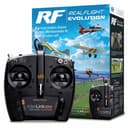
🛫 Elevate your RC game—fly smarter, compete harder, and never miss a landing!
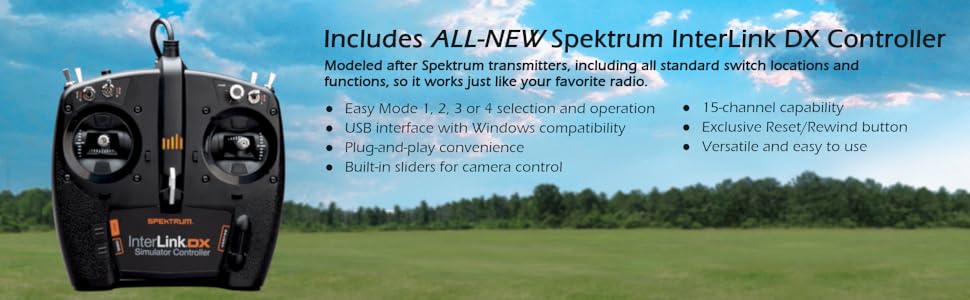
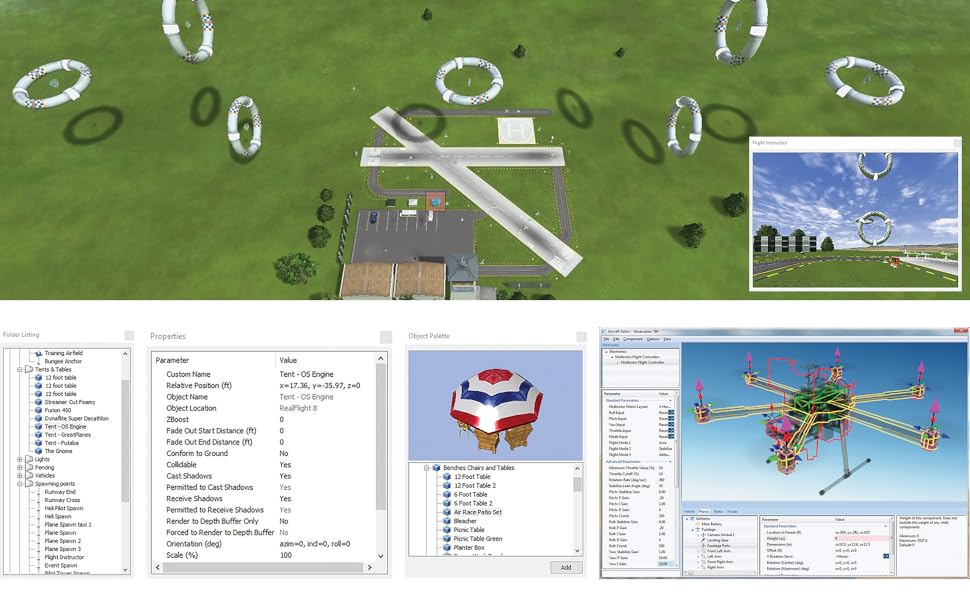
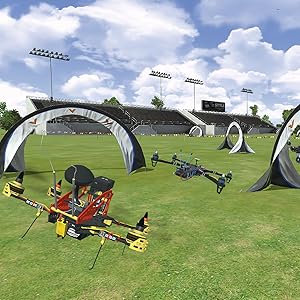
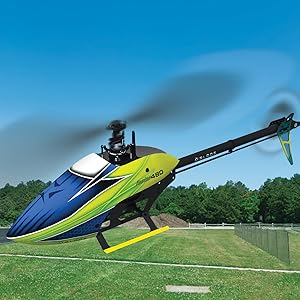
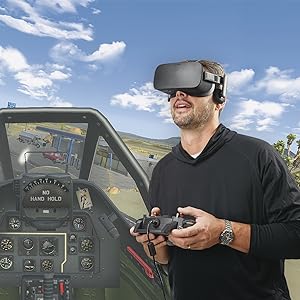
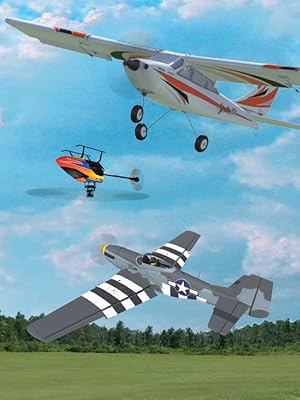
RealFlight Evolution is the industry-leading RC flight simulator featuring over 300 aircraft and 75+ flying sites, including the iconic Triple Tree Aerodrome. Designed for both beginners and seasoned pilots, it offers VR compatibility, online multiplayer, and an intuitive InterLink DX controller for a hands-on flying experience. With quarterly content updates and a modern UI, it’s the ultimate tool to practice, compete, and explore the skies from your desktop or laptop.


| ASIN | B0BKK5NBQ2 |
| Additional Features | Wireless |
| Age Range Description | 14+ |
| Are Batteries Required | No |
| Batteries are Included | No |
| Battery Description | No batteries required |
| Best Sellers Rank | #31,702 in Toys & Games ( See Top 100 in Toys & Games ) #316 in Hobby Remote & App Controlled Vehicle Parts |
| Brand Name | REALFLIGHT |
| Color | Black |
| Customer Reviews | 4.4 4.4 out of 5 stars (1,218) |
| Educational Objective | Coding Skills |
| Included Components | (1) RealFlight Evolution Steam® Key (on card), Product Manual, Remote |
| Indoor Outdoor Usage | Indoor |
| Is Assembly Required | No |
| Item Dimensions | 12.2 x 9.3 x 5.6 inches |
| Item Type Name | RC Flight Simulator |
| Item Weight | 2.3 Pounds |
| Manufacturer | RealFlight |
| Manufacturer Maximum Age (MONTHS) | 1500 |
| Manufacturer Minimum Age (MONTHS) | 14 |
| Manufacturer Part Number | RFL2000 |
| Material Type | Plastic |
| Model Name | RealFlight Evolution |
| Model Number | RFL2000 |
| Number of Batteries | 1 Nonstandard Battery batteries required. |
| Number of Items | 1 |
| Number of Players | 1-3 |
| Operation Mode | Manual |
| Power Source | Battery Powered |
| Set Name | Evolution |
| Size | Medium |
| Subject Character | no subject character |
| Theme | RC Hobby |
| Toy Vehicle Form | Airplane |
| UPC | 605482167045 |
| Unit Count | 1.0 Count |
T**E
REALFLIGHT Evolution RC Flight Simulator is the best I have found.
Very nice flight simulator. I was using the Microsoft Sim but it does not work on Mac PC's and had to purchase a windows emulator that was more costly. clumsy setup and time consuming. Returned it and got a refund from windows and decided to purchase a windows mini PC instead and dedicated it to my TV monitor. This simulator has so many configurations for flying I don't know if I'll ever use them all. Different airports, wind speeds and directions, multitude of planes including the ones I fly for my hobby and much more. Excellent simulator when the weather is not conducive to flying at the field.
J**S
It is very realistic and the physics seem to be fairly on par.
As always basically the best for the everyday person to learn and play with exciting models.
G**N
Good item
Verry good item ! Fast shipping
D**S
The only way to learn how to fly an RC model aircraft.
If you always wanted to learn how to fly a radio-controlled model airplane, helicopter or quad copter, but where afraid of failure, this product is by far the best way to achieve that goal. It is the most realistic RC flight simulator that I have ever experienced. Once you have mastered flying the Apprentice RC Trainer airplane on this flight simulator, you will have no problem flying the real Apprentice in real life. You learn by making mistakes, and this flight simulator makes it inexpensive and fun to learn from your mistakes. My only criticism of this product is that you will need to plug the Interlink DX Simulator Controller (the transmitter) into an unpowered USB 2.0 4 port hub (an $8.00 item at your local Best Buy or on Amazon) and then plug that USB 2.0 port into a USB 3.0 receptacle in your Windows 10 laptop or PC, otherwise you will not be able to use this product. No one seems to know why this solves the problem, but you will be having so much fun learning how to fly that you won't really care why it solves this problem. This product will not work with Apple computers. It also may not work with older PCs/laptops, so make sure your computer is capable of working with this software before placing your order. My HP laptop with Windows 10 is 2+ years old and it works fine with this software.
E**.
Great practice tool
This is a decent set up, for those, learning to fly, or, those wishing to hone their skills. Some of the programs are realistic, while some of them are very cartoon like. Much will depend on the type of system you are using, that is your computer and its ability to handle graphics.
H**A
Have loads of fun while learning to fly
Excellent product for either the old pro or the young at heart and wants to learn type of person boys girls women men it doesn't matter if taking to the sky is something you want to do this software it's set up will help you get there
J**S
I've waited to do this product review in hopes things would get better. It did not
I ordered this for my granddaughter and i to learn to fly R/C planes during this winter so we can really fly this spring. I ordered a laptop just for this program giving the specs for this system to HP. Here are the events that unfolded: *Everything went fine installing Steam. *Everything went fine to downlead the program using my key. *I attempted to click Play on the program. The program started, a plane on a runway came into view, a menu looked like it was loading but disappeared. *I attempted to contact Horizon Hobby, owner of this program. I could not speak to a real person. EVERYTHING was either done by email or chat. Not helpful at all. *I waited 4 days for Customer Service to call me but ended up trying the chat function. *After chatting, the rep seemed to know the issue and said he would send me what I needed. COOL! *The package arrives and I am eagerly looking to open it and start learning to fly. He sent me a USB hub. My problem was not connecting my radio to the laptop, the problem is the program stalls. *I go back to the chat function and the new rep says that he can see that someone is about to contact me, a "specialist" I'm thinking awesome! Just what I needed. *I waited and waited. I finally gave up and tried to install everything on my regular desktop computer. Maybe it was the laptop. *I installed everything onto my desktop and I could get it to work BUT, any time i would hit the ESC button for the menu to come up, an error would pop up and the program shuts down. Hey, at least we can use it a little bit. *I finally get a response from the "specialist" in email form of course telling me to look for a beta in the program. I had no idea what a beta was. I was on my own to search again. I found that the laptop liked the first beta and the desktop liked the 3rd beta however, both the laptop and desktop continue to have errors. *Save your money folks. I would look at other programs. This product should have never hit the market without proper testing. Not an enjoyable experience whatsoever. Buyer's remorse 100% Update 3/5/24. I am still fighting this simulator. I spend more time downloading and troubleshooting than flying. Do not buy this!
T**M
Works very good👍
Works Great👍
D**Y
Learning to fly RC model plains very healpful
M**E
Really good training program and remote if you are thinking of getting into remote control aircraft. Very easy to use and full training modules in the software to help you learn how to fly from beginner to advanced. (Software download via Steam). Excellent for new pilots, gain valuable experience before taking your own aircraft out. The software flying experience is just like flying for real. Definitely recommend to any new pilot or experienced to try out new moves before you take out your aircraft.
C**N
AMAZING PRODUCT .A MUST HAVE. A BIT EXPENSIVE BUT WORTH EVERY PENNY. YOU CAN TRY MANY OF THE EFLITE AIRPLANE AND HELI BEFORE YOU BUY THEM . THE SIM MODELS IN MOST CASES, FLY EXACTLY LIKE THE REAL ONE. SO YOU CAN SEE WHAT THE MODEL CAN DO AND WHAT YOU CAN DO TOO. SAVES YOU THOUSANDS OF $ IN CRASHES AND REPAIR AND MAKES YOU A MUCH BETTER PILOT. YOU CAN ALSO DOWNLOAD SOME OF THE LATEST EFLITE MODELS FROM THE STEAM WEBSITE INTO IT. ALSO DURING THE LONG WINTER MONTHS IN CANADA, YOU CAN FLY YEAR AROUND WITH IDEAL WEATHER, NO HEAT NO COLD NO MOSQUITOS AND NO WIND . ALSO IT HAS A GREAT TUTORIAL TO LEARN FLY AIRPLANE AND HELI AND 3D. WITH THE PRICE OF AIRPLANES TODAY , YOU SAVE ONE MODEL AND IT PAYS FOR ITSELF
C**N
Bester Kauf bevor ich mit meinem echten Flieger los geflogen bin. Konnte hiermit vorher üben und beim ersten Flug war ich bestens vorbereitet. Bevor ich mir einen neuen Flieger kaufe wird der erst am Simulator getestet.
M**4
Great game, easy installation.
Trustpilot
Hace 1 mes
Hace 2 semanas