
Descargar la aplicación


Servicios al cliente
Sobre nosotros
Copyright © 2025 Desertcart Holdings Limited
Descargar la aplicación

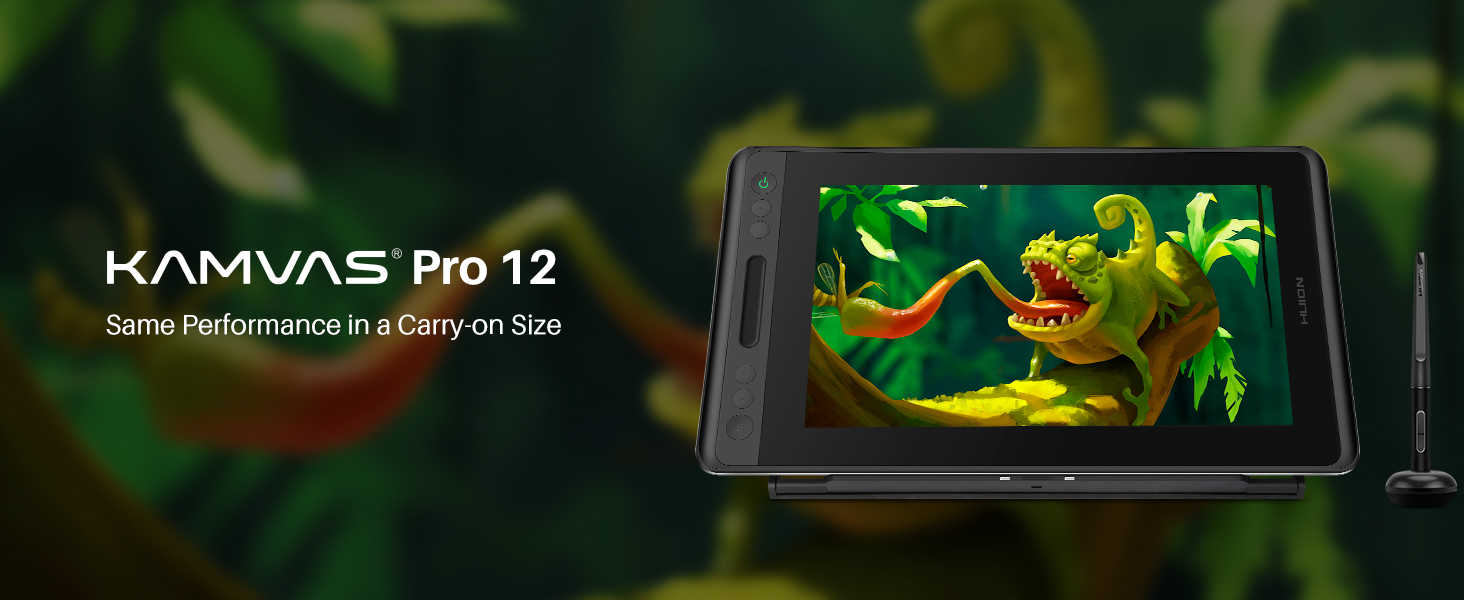
🎨 Draw Boldly, Create Fearlessly — Your Portable Studio Awaits!
The HUION Kamvas Pro 12 is a sleek, portable 11.6-inch pen display tablet featuring 8192 levels of pen pressure with tilt support, a vibrant 120% sRGB color gamut, and a fast 266 PPS report rate. Its full-laminated anti-glare glass offers a natural drawing experience, while customizable shortcut keys and a lightweight adjustable stand enhance productivity and mobility. Compatible with Windows and Mac OS, it’s designed for professionals seeking precision and portability in one stylish package.




| ASIN | B07PWKDSKP |
| Best Sellers Rank | #8,676 in Computers ( See Top 100 in Computers ) #34 in Graphic Tablets |
| Item model number | HUION Kamvas Pro 12 |
| Manufacturer | Huion |
| Product Dimensions | 29.46 x 29.46 x 0.1 cm; 2.44 kg |
W**D
Amazing product, strongly recommend!!
Lightweight pad and very good quality, easy to work with, pen is eady to handle and not too heavy or light, natural feel to the drawing surface, very quick response while drawing, pressure sensitivity is satisfying, very friendly to the budget and great value at given price!
A**Z
Good quality
Very nice and met my expectations, good looking and user friendly !
L**A
Great product there is one minor issue
Great product easy to setup and use! The only issue i had with it is that i keep having to recalibrate the pen cause it gets slightly off (the place where u draw is slightly different from the place the tablet draws on the screen) it is an easy fix, you have to recalibrate it every few hours but other than that i really enjoyed using it. The pen is sleek and comfortable to use for long periods of time and the screen is smooth like you would see for an ipad. It has an anti glare screen protector which is useful. The only other thing I can say is you need to get the drawing glove on its own but it isn’t too expensive. For the price of the product i would say overall its worth it.
D**I
Honestly really good
I bought it a month ago. The pen lag is very minimal, not noticeable at all, the colours are more vibrant on the display, the buttons took a while to get used to but they all work perfectly without any issues. The only thing I got confused by was installing the tablet, as this is my first time using a display drawing tablet. I chose to buy this after EXTENSIVE research, and I'm so so happy with what I received. Side note: it also works decently well as a second monitor.
J**N
Everything is great
Package came time, everything works well, well packaged, and perfect for the value of money
A**J
Super cool!
Super lightweight! Bought it as a gift for my sister and she loved it!
A**D
Kanvas 13 review along with it's lack of contents
Doesn't support multiguister/ hand touch recognition. It has an effy pen curser recognition, and it didn't came with a glove as the title suggested.
S**H
Tablet is not working properly
There is a problem with the connection between the PC and the tablet, the tablet's screen keeps going off and on simultaneously without stopping. Even the screen pixels are not stable, white moving pixels and lines. I was not satisfied at all from the first experience to me with Huion.
M**R
I see others complaining about lag etc... honestly you can't expect $1500 performance from $250 price tag used or $600 new product. Depending on the brush size and the size of the canvas you will see some lag when using very small brushes while also moving the pen slowly accross the screen. It makes some getting used to. There is a learning curve. If you want performance that mimics using a real brush then you are going to have to pay 4 times as much for the display and also pay for a gaming computer. This display and pen coupled with the huion keydial keypad for use with CAD softwares like FreeCAD or AutoCAD/SolidWorks is more than adequate and comparable to much more expensive alternatives. The most time consuming process is setting the keypad short cuts for each h individual program and also configuring the keys on the edge of the screen that will best suit your workflow. Even not set up properly for my needs yet and I can already see the benefit of buying both items for my 3d modeling. They will increase my efficiency and speed at getting things done to more than justify the expense. If you buy budget equipment you have to accept that there will be a compromise with performance.
ع**ل
تجربتي بعد تجربة اجهزة الواكم وسأقرن بينه وبين الواكم تحصل على مسند للجهاز مضاف له قفاز يمنع البصمات على الشاشه ومنديل لتنظيف الشاشة، القلم جيد ولكن ليس بمتانة اقلام واكم مع ذلك يؤدي الغرض. الشاشة الوانها واضحه وطبيعي تختلف عن الوان الجهاز المرفق يحتاج توصيل بالكمبيوتر وتوصيل بالكهرباء في نفس الوقت، الشاشة حجمها كبير جدا ومنطقة الرسم كبيره ايضا وكافيه من اجل الرسم، تحتاج طبعا لضبط اعدادات المحركات الخاصة بهويان يوجد بار لمس من اجل الزوم على الطرف والمسند جيد ولا ينزلق، الجهاز نحيل ومسطح جدا ووزنه خفيف مقارنة بحجمه، قد تصد حراره خفيفه من جهه التوصيل في يمين الشاشه عند الاستعمال المطول. اشكر شركه هويان السعوديه على إتاحة منتجاتها عبر امازون السعوديه بطريقه سهله وبأسعار مناسبة.
E**O
Si son distraídos, como yo mismo soy, es posible que no se fijen que, aunque lo señala la descripción del producto (pero no lo suficientemente destacado para mi gusto) la conexión a la computadora se da con un cable que tiene tres salidas; a la alimentación, a un puerto USB y a un puerto HDMI. El problema es que las Mac no tienen puerto HDMI (no los equipos viejos que yo tengo, no sé los nuevos) tienen un puerto mini Display para la conexión de video, por lo que la primera sorpresa cuando quieres conectar tu nueva Artist Display es que no lo puedes hacer porque te falta un cable adecuado para que la salida HDMI de la pantalla encaje con tu computadora. Felizmente aquí mismo en Amazon conseguí un cable de las características adecuadas por un precio razonable (otras opciones eran mucho más caras) y de buena calidad. Fuera de este contratiempo, y de que de preferencia también hay que pensar en conseguirle una base adecuada (que yo ya tenía) la experiencia de uso de este equipo recién estrenado es maravillosa, para mí que soy dibujante e ilustrador. El mejor acomodo para trabajar siempre es personal, pero el que se ve en la segunda imagen es el que yo encontré mejor, y ahí podrán ver que tengo un teclado al pie de la pantalla, porque para trabajar con los programas de dibujo más usuales, es indispensable contar con los short cuts que da el teclado para agilizar el trabajo. Es cosa de adaptarse, pero la experiencia del dibujo con este dispositivo es fenomenal, y yo estoy encantado.
T**S
Awesome, works fantastic. The colours are bright and sharp, pen sensitivity’s great too. Extremely easy to set up, just make sure you plug the hdmi to the display port and NOT the motherboard. Love Huion’s tablets!
ف**ي
جميل جدا المنتج ونفس المواصفات المذكوره
Trustpilot
Hace 3 semanas
Hace 1 mes