🎯 Master your workspace with precision and style — the SlimBlade difference.
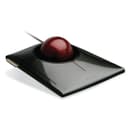
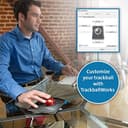
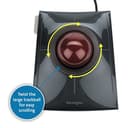
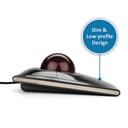
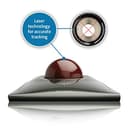
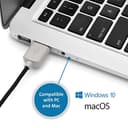
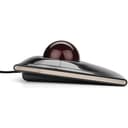
The Kensington SlimBlade Wired TrackBall Mouse combines a sleek, low-profile design with a large 55mm laser-tracked ball for ultra-precise cursor control. Its innovative 360° scroll ring enables effortless navigation, while the ambidextrous layout and plug-and-play USB connection ensure ergonomic comfort and hassle-free setup. Compatible across PC, Mac, and Chrome OS, and fully customizable via KensingtonWorks software, this mouse is engineered to boost productivity and reduce strain during extended use.


| ASIN | B001MTE32Y |
| Are Batteries Included | No |
| Average Battery Life (in hours) | 12 months |
| Batteries | 1 AAA batteries required. |
| Best Sellers Rank | 81,786 in Computers & Accessories ( See Top 100 in Computers & Accessories ) 28 in Trackballs 3,236 in PlayStation Legacy Systems |
| Brand | Kensington |
| Colour | Red |
| Computer Memory Type | DIMM |
| Customer Reviews | 4.3 4.3 out of 5 stars (1,934) |
| Date First Available | 24 Jun. 2009 |
| Guaranteed software updates until | unknown |
| Hardware Platform | Personal Computer |
| Item Weight | 318 g |
| Item model number | K72327EU |
| Manufacturer | Kensington |
| Operating System | Microsoft Windows Vista / XP^Mac OS X |
| Power Source | Corded Electric |
| Product Dimensions | 15.24 x 12.7 x 8.89 cm; 317.51 g |
| RAM Size | 1 Bytes |
| Series | SlimBlade™ K72327EU Trackball |
| Standing screen display size | 1 Millimetres |
H**T
Quality device, well worth a look for mouse-related RSI/Tendonitis sufferers
I've been suffering from mouse-related elbow tendonitis since late last year, so I have been through various pointing devices trying to find one that will not keep damaging the tendons. Finally, with this trackball, I have found a solution ... not just in helping with the tendonitis, but also in feeling easy and natural to use. As a hardened mouse user, I was initially wedded to the idea that I needed to find a better mouse. So I tried various "ergonomic" alternatives, but I realised that my problem came from the left-right pivoting of the elbow, and not from the angle of my wrist or the stress of pressing the buttons. In fact the "ergonomic" mice I tried made things worse, since being wireless they added the weight of a battery to the mass I was pushing around. One or two small batteries doesn't sound like much, but it's all extra load on a problem joint/tendon. Next, I went for a Logitech M570 trackball. I found steering with my thumb clunky, and the trackball was not pixel-accurate; it jerks by several pixels when you move it, rather than rolling smoothly. Cleaning and lubricating helps but does not completely solve the jerkiness (in fairness it's fine for general desktop use, just not for pixel-perfect control). The final drawback is that the M570 is right-handed device; I used it for a period with my left hand in order to allow time for my right elbow to heal, but it's not designed for this at all. I also tried a Wacom tablet, but again moving the stylus put stress (if less than with a mouse) on the damaged elbow. Then a few weeks ago, I happened to see one of the large Kensington trackballs (it was in a producer's intro to the Battlestar Galactica box set; he was sitting in front of an editing system with a Kensington Expert trackball front and centre). As soon as I saw it, I instinctively felt it was the kind of thing I needed. I searched for "Trackball with large ball" and soon identified it as a Kensington device; a SlimBlade soon arrived and now, a few weeks later, my elbow is not troubling me at all and I'm as comfortable using this, as I used to be with a mouse. The large ball has a definite feel of "heft", running smoothly and allowing pixel-perfect placement. So for me it has been worth every penny, even allowing for the rather high price. I have spent more than that price on trying other solutions that didn't work for me. The initially-released software was rightly criticised but the latest version is fine, allowing each button to be programmed with a different function, as well as being able to detect when the top pair or bottom pair of buttons are pressed simultaneously, giving six functions overall. The "twist ball to scroll" feature feels completely natural, and is the main feature that sets the SlimBlade apart from the slightly cheaper Expert. But I'm sure that an Expert with its physical scroll ring would do just as well, and it offers the benefit of coming with a wrist rest ... however I don't personally feel that the SlimBlade needs a wrist rest because of the way it slopes gently down to the desk -- and it would be easy enough to improvise or purchase one if needed. ----- Updates following a few more weeks of use: LUBRICATION: lanolin is apparently what Kensington uses for lubrication at manufacture, and is thus perfect for re-lubricating the ball if necessary. I just moisturised my fingertips with a tiny amount of solid, 100% pure anhydrous lanolin, and then used the ball for a few seconds, and a day later it is still gliding like new. GAMING: I got around to playing a first-person shooter with the trackball, and am happy to report that it works for me just as well as a mouse. Equivalent control, but no more running out of mouse-pad! The only disadvantage is that your index finger is naturally used to steer the ball, so you may need to map a different control to fire weapons etc. But overall, FPS gaming is at least as enjoyable for me with this, as it was with a mouse.
G**.
Love my Slimblade
I got the Slimblade Trackball for my office, to be used alongside a TypeMatrix keyboard and a Func MS-3 mouse. It took a little while to get used to, but what a brilliant tool! Arm movements are no longer necessary, which means less pain in the neck and shoulders. Letting the ball glide by itself also makes travelling long distances on the screen much easier, which is ideal for a dual-monitor set up. And while scrolling is a little disconcerting at first, I now vastly prefer it to the scroll-ring on my coworker's Expert trackball. Although not as advanced as they could be, the drivers let you configure your Slimblade pretty much any way you like. I'm especially a fan of the shortcuts you can assign to any button or button combination. I configured mine to close the current tab/window when I press the two top buttons and it's just a joy to use for my daily browsing. I still keep my mouse around, mostly for Photoshop and other similar programs, but prefer using my Slimblade for 80% of what I do on a computer. If Kensington ever gets around to updating this product, here are the only areas of improvement I can think of: - Heavier base plate (ideally made out of metal) to prevent the trackball from moving around during intensive use. - Improved drivers. Most notably, I would like to have a way to manage several trackballs (ideally I would like to have a trackball on each side of my keyboard which would mirror each other: eg. the bottom left button of the trackball on the right would be the same as the bottom right button of the trackball on the left).
C**E
Almost the perfect trackball.
I started using a trackball a few weeks ago, it does take some getting used to if you've been using a mouse but they are a lot more comfortable and more precise once you've adapted. Having started off with a cheaper model to see if I'd like the ball, I decided to upgrade to the Slimblade. This thing looks gorgeous, the large ball has a nice weight to it and rolls nice and smoothly. The four buttons are well-positioned, and scrolling by twisting the ball works really well, you can also do this with one finger by running it around the chrome ring and rotating the ball which make scrolling without moving the cursor a piece of cake. The slim profile also means that it is comfortable to use without a wrist rest. Don't worry about the bad reviews criticising the lack of customisation for the buttons, this has now been addressed and if you download the TrackballWorks software from Kensington you can customise all four buttons. It's not all good though. The trackball rocks ever so slightly on a desktop, I fixed this by putting a couple of squares of masking tape over one of the feet but you should not have to do this. The other thing is that it emits a faint squeal constantly. You can only hear it if the room is pretty much silent, but it is quite annoying. The buttons also click very loudly, but I'm hoping that this may quieten down with use. It's not perfect, but it's very comfortable and pleasant to use so I'm happy with it overall.
V**O
Llegó muy bien protegido, se sienten de buena calidad los materiales y poder configurar los botones hace muy práctico trabajar con el, lo recomiendo mucho
B**N
La particularité de mon commentaire tient au fait que j'ai testé deux des modèles proposés ici : d'abord la Kensington Orbit avec molette (modèle bleu à +/- 45 euros) et la Kensington Slimblade (modèle gris à +/- 95 euros, soit plus du double). J'avais acheté la première le 12 juin 2014 (soit il y a 5 ans) et la dernière il y a quelques jours suite à la mort de l'Orbit il y a un ou deux mois, toutes sur Amazon. La question qui vous taraude est la suivante : quelle est la meilleure ? Eh bien je vais vous laisser un peu mariner en commençant par parler de trackball en général. Au départ, j'avais acheté l'Orbit simplement par goût des gadgets (tout en me persuadant de la rationalité de mon achats avec les arguments habituels) et léger anticonformisme un peu superficiel, je ne vais donc pas vous faire tout un baratin sur l'intérêt médical, blabla. je ne m'en suis jamais soucié et j'allais très bien avec une souris. J'avais peut-être eu un problème sur une souris à cette époque mais je ne m'en souviens plus (ce que je sais c'est qu'une souris gamer à 90 euros que j'avais achetée était morte en 2 semaines mais c'était bien avant je crois). Malgré la légèreté de mon achat, je me suis finalement laissé surprendre puisque je n'utilise plus de souris au travail (soit la quasi totalité de mon temps d'ordinateur) alors que je pensais garder ce que je voyais comme un gadget pour de rares sessions. Pourquoi ? Parce que ce qui se dit sur les trackballs est vrai : ça change la vie. Déjà, la boule est rapide et précise, plus besoin de balayer une grande surface ou de mettre son pointeur à une vitesse trop élevée pour balayer l'écran à fond. Bouger est d'ailleurs un plaisir et pour moi qui aime toujours jouer avec des objets avec mes mains, je peux m'amuser à sortir la boule ou à la faire rouler. Mais au delà du pointeur, je dirais que le point positif majeur de ces trackballs, c'est le défilement tout simplement ultra rapide et reposant (surtout sur la Orbit). Sur ce point, la trackball change la vie. En sus, je n'ai eu quasiment aucun temps d'adaptation (ce qui n'est pas le cas de tout le monde d'ailleurs, certains sont en souffrance dessus), en fait bouger la boule n'est pas spécialement contre-intuitif mais cela dépend sans doute des personnes. En résumé : je pense que l'expérience trackball est supérieure à celle de la souris mais je ne dirais pas non plus que c'est un achat nécessaire. Passer à la souris ne m'embête pas plus que ça, selon moi les deux mondes se valent surtout poru de la bureautique standard. Le plaisir est plus dans la modalité et la différence, à moins que vous ayez des problèmes particuliers, une mauvaise surface ou peu d'espace. Passons maintenant aux deux modèles en particulier, et à celle que je préfère. Eh bien, au risque de vous surprendre et ça me fait mal de l'admettre mais je préfère le modèle Orbit qui est plus de deux fois moins cher. Pourquoi ? Comme vous le voyez sur les photos, ce modèle se manipule enveloppé comme sur une souris classique. Ayant des mains de taille 7-7,5, cette prise avec la boule medium est moins fatigante que celle sur la Slimblade qui est inclinée. De plus, la bague de défilement est juste parfaite sur l'Orbit bien qu'un peu cheap à voir. En fait, la Slimblade a selon moi quelques défauts potentiellement graves : - la disposition des touches fait que je clique souvent accidentellement à gauche. De moins en moins mais quand même. Sur l'Orbit, les touches tombent parfaitement devant les doigts vu qu'il y en a deux comme sur une souris. De plus, le défilement de la Slimblade demande de davantage bouger ses doigts alors que sur l'Orbit je pouvais défiler avec le petit doigt. Du coup, j'ai un peu mal au poignet en fin de journée...dommage vu que c'était justement ce que la trackball est censé éviter. EN résumé, je travaillais beaucoup plus vite avec l'Orbit je trouve et elle se fondait vraiment dans ma main, peut-être que ça viendra avec la SLimblade ? Si non, je rachèterai une Orbit. A la lecture de tout ceci, vous allez me demander : "mais pourquoi ne pas avoir racheté une Orbit si elle était si bien ?". D'une part, j'avoue avoir voulu tester le modèle premium par curiosité et par envie de changement. D'autre part, plus pragmatiquement, il ne faut pas oublier que mon Orbit s'est cassée. En effet, le clic droit est usé et double clique souvent alors que je clique une fois voire ne répond pas. Il y a un ou deux ans, j'avais réglé le problème en la démontant et en nettoyant un peu, cette fois ça n'a pas marché. Et c'était à prévoir sachant que l'Orbit est aussi efficace qu'elle n'est "cheap". En effet, le corps de cette trackball fait creux et les touches sont des bouts de plastique vides lévitant en l'air, reposant sur les vrais interrupteurs via une fine couche de plastique. Du coup, la souris craque un peu tout comme la molette a le feeling de faible qualité (même si il tourne bien quand même). AInsi, même si 5 ans d'utilisation 7 à 8 heures par jours 5j/7 est un bilan honorable, j'avoue que je culpabilise toujours un peu de jeter des produits. Ce n'est pas une histoire d'argent, ça m'aurait coûté moins cher d'acheter une seconde Orbit mais de principe. Du coup, j'espère que la Slimblade tiendra davantage. En résumé, je mets tout de même 5 à ces deux trackballs qui font le job malgré de menus défauts. La durabilité de l'Orbit reste correcte vu l'utilisation et le prix même si en vrai je mettrais plutôt 4,5/5. En tous cas, si je devais vous conseiller un modèle par défaut, ce serait celui là, la différence de prix de la Slimblade n'ayant pas de vraie justification pratique à mon sens à moins que vous ayez vraiment besoin de quatre boutons (difficiles à utiliser en sus si vous avez des petites mains comme moi) et d'une plus grosse boule. Quant à la trackball en général, elle est à réserver aux curieux à moins que vous en ayez une utilisation spécifique ou peu d'espace. En effet, bien que présentant des avantages par rapport à la souris, elle ne la dépasse pas à mon avis. Ce sont deux approches différentes qui se valent, le choix de l'une oud e l'autre m'est indifférent en pratique. EDIT : après m'être habitué, je n'ai finalement plus de problèmes sur la Slimblade. Cependant, elle est légèrement plsu fatigante bien que plus précise et plus fluide. Si vous visez uniquement les fonctionnalités de base, l'Orbit est un bon choix mais si vous voulez juste un plus bel objet, la Slimblade est mieux. Disons que ça ne vaut peut-être pas deux fois le prix.
S**D
Waaaaaaay better than using a normal mouse or even vertical mouse. Especially recommend for anyone with RSI. Product is well built. I know it's pricier, but you definitely get your money's worth. Very comfortable to use, and 10/10 I would buy again if needed.
P**C
Quick and easy setup. Just take it out of the box. Plug it in. Download Kensington Trackball Works and you're set. EARLY IMPRESSIONS: Coming from having owned the best of the best mice and trackballs from Logitech such as my current Marble Trackball, the M570 (which possibly contributed me the De Quervane syndrome I have now) and the Anywhere Mouse, not to mention scores of other mice and trackballs over the years include the 1990s version of the Kengington Expert Mouse -- I was, at most, expecting to marginally impressed by the Kensington Slimblade Trackball. But it took me only 15 minutes of acclimating and fine tuning the settings that I realized that this is a vast step up from my Marble Mouse. I'll have more to see in an updated review, but for now, here's few quick impression 5 star ratings, 5 being best: ***** Buttons: Excellent feel and "just right." In fact, were it not for the fact that some people mentioned the issue of having to press the buttons harder than they would expected, I never would have given this issue a second thought. The click pressure is about what I'd expect and has been a non-issue for me. I suspect that some people have this problem because the are pressing the keys to close to the hinge. But where my thumb and fingers naturally tend to fall are the areas that are farthest distance from hinges. ***** Scrolling: One of the best innovations since Xerox PARC invented the mouse. Honestly, even after all the glowing reviews in Amazon, I wasn't expecting it to be this natural, not to menion -- fun. Try it and you may never want to go back to a scroll wheel. ***** Ease of use and precision. Pointing and click is what you'd expect from a $99 trackball. Using a bigger ball than is the case on my Logitech Marble Mouse, does improve precision. This is especially the case because I am right handed, but need to use my left hand for this trackball. Many times when using my previous trackball, the Logitech Marble, I'd aim to put the mouse arrow on top of a small screen object (such as a line on my DropMind Mindmap) and found it difficult. So far, I'm finding myself about perform the same surgical actions more easily with the Kensington. ***** Smoothness of the ball. Initially, I found that would you do a rapid twist when scrolling, there's some kind of weird slight scraping vibration. The sound went away after a few days after natural oils from my fingers lubed the ball sufficiently. ***** TrackBallWorks Software. Works find and allows me to control all the buttons and chordings. So I was able to switch the traditional mouse click buttons to left-handed mode, use the top buttons for back and forward with browsing the Internet, refresh with bottom chord, and launch volume controls with upper chord. This is way more than what I could do with my Logitech Marble Mouse. **** Construction. ON THE PLUS SIDE, it's a beautiful, gleaming piece of modern art on my desk. ON THE NEGATIVE SIDE: The should have engineered the click buttons so that needed pressure to click is the same no matter were you click. While click-pressure has not been a problem for me in general, there are occasions where I click different areas of the button and it's unexpectedly harder than my finger expects. AS FOR THE BALL: My ball has dropped onto my hardwood floor about six times since I got this thing. Each time, I'm wondering if I dented or scratched it. I really wish they had fingered out a way to hold it in there. Conclusion: The days and weeks will tell. But for now, this is a candidate for being the best mouse/trackball input device I've ever used. UPDATE 9/18/2013 Well, I've come to the conclusion that this is the best mouse/trackball input device I've ever used. It beats all trackballs I've ever used. PLUS, it beats all mice I've ever used. That's a major shift because until this point, I've never had a trackball that has been as accurate, precise and easy to use as a good mouse. This Kensington Slimblade finally does it. It totally trounces Logitech and I've deleted all Logitech drivers from my main computer. I am amazed that it's not at or near the top of the charts. Well, for sure, in opinion, it deserves to be there. UPDATE 10/16/2013 Still going strong. No complaints. The one unfortunate thing is that many people might be scared off by the early reviews which reported problems with the the TrackBallWorks driver. That problem has long been fixed and it's been smooth sailing for me and many other users. If you're looking for the greatest trackball in the world and an alternative to the Logitech Marble Trackball (which I also own), this is worth a try.
G**A
Hace cosa de 5 años que estoy usando ratones trackball de muchas marcasy, sin duda, este ratón de Kensington, es el mejor de todos.Con este ratón trackball llevo más de dos años y, sinceramente, es perfecto. Espero que mi opinión sobre este ratón te ayude a decidir si es el correcto para ti. A mi me hubiera gustado en su día que alguien me hubiera explicado lo que te voy a explicar antes de comprarlo, puesto que es un ratón de precio elevado. Empecemos... 1) ¿Por qué compré este ratón trackball de Kensington? Este ratón trackball de Kensington lo adquirí hace algo más de dos años porque sufrí el síndrome de tunel carpiano hace más de 5 años y un doctor amigo mio me recomendó esta clase de ratones. Así pues, compré un ratón trackball y noté inmediamente como el dolor desaparecía por completo. A lo largo de estos años, he comprado bastantes ratones trackball, de bola grande y de bola pequeña, para usar con varios dedos y para usarlos con el pulgar, hasta que llegué a este ratón trackball de Kensington. Es, sencillamente, perfecto. Ya que no lo pone en el anuncio de Amazon, te indico que este modelo de ratón trackball de Kensington, se llama Slimblade. 2) ¿Qué viene en la caja? Cuando recibes el paquete en casa del ratón, no crees que de ahí vaya a salir el ratón. Lo cierto es que esta tan bien optimizado el espacio de la caja que una vez lo has sacado todo, te va a ser difícil meterlo todo igual. Concretamente, esto es lo que nos viene cuando compramos este ratón trackball de Kensington: a) Caja de cartón bastante bonita, aunque no muy resistente. b) Ratón de cable con la bola. c) Guía de inicio rápido. d) Papel informativo para descargarse los drivers. e) Panfleto de garantía. 3) ¿Qué calidad tiene este ratón? El ratón tiene una calidad excelente. Una vez pones la mano encima y lo empiezas a usar, sientes inmediatamente que es un ratón de altísima calidad. Lo que en móviles llamariamos "premium" o "buque insignia". El ratón es de plástico en su gran mayoría, pero se siente fabuloso cuando se usa. La base es firme, la bola es preciosa y de un tacto asombroso, el cable es de una excelente calidad (es de esos que lleva un recubrimiento de nylon o material similar), la conexión usb es perfecta,... No hay nada que incomode en cuanto a su calidad se refiere. 4) ¿Qué tal va la bola? Cuando una ha usado varios ratones trackball, lo que aprende es que cuanto más grande es la bola, más precisión obtiene y luego, ya depende de su es un ratón óptico o no, si la bola tiene un tacto bueno o no y su software. Esos son los condicionantes para que un ratón trackball se sienta bien cuando giramos la bola o no. En cuanto al tamaño de la bola, es perfecto. Es el tamaño más grande que he visto y se maneja con una precisión asombrosa. Su tacto es excelente y su color atrae a estar todo el día usando el ratón. Este ratón es, por si lo desconoces, un ratón óptico, por lo que no es un trackball de fabricación antigua de los que todavía se siguen vendiendo. Sobre el software, hablaré en el siguiente apartado 5) ¿Qué tal funciona su software? Este ratón trackball, si lo conectas al ordenador sin instalar su software, te lo detectará el ordenador como un ratón normal. Podrás mover el ratón perfectamente y usar dos de los cuatros botones (equivalente a click izquierdo y click derecho de un ratón tradicional), aunque no podrás personalizar nada. No obstante, a la que instalas los drivers, podrás personalizar este ratón hasta el extremo. Es un software perfecto, sin fallos, sin bugs. Su software se llama TrackballWorks. Podrás personalizar los 4 botones físicos que tiene, programar funciones con combinaciones de botones, la velocidad del puntero o su aceleración o, entre otros, la velocidad de desplazamiento cuando rotamos la bola (equivalente a la rueda de un ratón tradicional). También es posible, en caso de que usemos varias personas el mismo ratón, crear perfiles de configuración distintos. Si eres zurdo, con este ratón puedes programar los botones como te de la gana, por lo que es perfecto para zurdos. 6) ¿El ratón es resistente? Llevo más de dos años usando 14 horas al día este ratón y sigue perfecto. A mi me duraban menos de un año los ratones tradicionales y este aguanta como un campeón, sin signos de desgaste estéticos o funcionales. Estoy completamente seguro este ratón puede durar tranquilamente más de 6 años sin problemas. También es cierto que el desgaste que sufre un ratón trackball frente a uno tradicional es muchísimo menor, ya que el ratón trackball siempre está fijo en la mesa mientras que uno tradicional no para de moverse sobre la mesa. 7) ¿Su diseño es bonito? Su diseño no es que sea bonito, es que es espectacular. Si lo quieres para usar en tu casa, disfrutarás como un enano de su diseño, pero amigo, como lo quieras para usar en tu trabajo o despacho, serás la envidia de tus compañeros. Mucha gente te preguntará para que sirve eso tan guapo que tienes conectado al ordenador. 8) ¿Es cómodo de usar? No hay nada más cómodo que un ratón trackball. Ningún ratón tradicional, tableta gráfica o lápiz óptico se puede comparar a la comodidad de usar este ratón trackball de Kensington, por lo que si tu principal interés es la comodidad, esta es una compra magnífica. 9) ¿El modelo de cable (el de esta opinión) es superior a la versión sin cable? Sí, el modelo de cables es más eficiente, puesto que no tendrás en ningún momento problemas de batería. Además, el principal motivo de comprar un ratón sin cables es quitarse la molestia de que el cable se va quedando enganchado por ahí mientras se usa, más que por estética. Este ratón trackball, como no se mueve por la mesa para usarlo, no te molestarán los cables. Si quires tener más recogida la mesa, compraté unas pinzas de clables y lo pones por donde menos se vea. Además, comprar este ratón con cable hará que te ahorres un poco de dinero frente a la versión sin cable. 10) ¿Otros modelos de Kensington le hacen sombra? ¿Y de otras marcas? He comprado o probado muchos ratones trackball a lo largo de los años y no he encontrado ningún ratón que ofrezca las caracterísitcas que ofrece este modelo de ratón de Kensington. El único ratón que se le acerca, en cuanto a calidad se refiere, es el ratón Expert Mouse Pro de Kensington, aunque ese ratón no es compatible con ordenadores con versiones superiores a Windows XP. Por cierto, este ratón es compatible con sistemas operativos superiores a Windows 7 (yo lo uso con Windows 10 y funciona a la perfección). Y, por supuesto, también es compatible con Apple Mac. Los ratones trackball de Microsoft que he probado son buenos, muy buenos, pero los considero en un escalón inferior al de este modelo de ratón trackball de Kensington. 11) ¿Que tal es su precio? El precio de este ratón suele superar los 100 euros en todas las tiendas. Para la calidad que tiene, lo que ofrece y el diseño nos brinda, es muy barato. Os preguntaréis que cómo es posible que un ratón de 100 euros lo considere barato... Es muy sencillo. Llevo ya algunos años metiéndole un uso intensivo a este ratón sin ningún tipo de problema con una experiencia de usuario extraordinaria. Comprando otros ratones me hubiera gastado muchísimo más dinero a lo largo d este tiempo con una experiencia de uso muy inferior a la que he obtenido con este ratón de Kensington. Supongo que estarás pensando que duele un poco pagar 100 euros de golpe por un ratón y yo también estuve hace años en esa tesitura. Y sinceramente, no me he podido alegrar más de elegir comprar este ratón. Solo me ha dado que alegrías. 12) ¿Para que usos sirve y para qué no sirve? Existen muchos mitos sobre que estos ratones no sirven para jugar o que son muy lentos... Te voy a explicar para que lo uso yo y para que no lo uso... Me paso 14 horas al día delante del ordenador trabajando (y también jugado de vez en cuando). Para trabajar, este ratón es perfecto. Logras una precisión increible que ningún ratón tradicional te va a dar. Además, puedes estar todas las horas al día que quieras usándolo que no te dolerá la mano ni el brazo, por lo que quienes sufran de tunel carpiano, dolores en la muñeca, mano o cosas similares, les irá perfecto. No sólo es adecuado para cuando tienes dolores, sino para evitarlos en el futuro si pasas muchas horas delante de un ordenador. Uso mucho Excel, Word, Photoshop, y algo de Autocad y Corel Drawn y funciona perfecto. También uso todo el día el cliente de Outlook ya que tengo que enviar muchísimos correos electrónicos al día. Soy más rápido y ágil que cualquiera de mis compañeros. Por lo que respecta a juegos, lo uso perfectamente para la mayoría de juegos. Los únicos juegos que va un poco mal para jugar son los FPS, vamos, los que son de acción extremadamente rápida, estilo Fornite y cosas así. Para esa clase de juegos necesitas un ratón tradicional. Juegos de estrategia, aventuras, cartas, simuladores, rol... podrás jugarlos a la perfección con este ratón. 13) ¿Aspectos negativos del ratón? El principal aspecto negativo de comprar este ratón trackball es su periodo de adaptación. No es complicado acostumbrarse a este ratón, pero una semanita para manejarlo perfecto igual si te puede llevar. Si ya has usado un ratón trackball con anterioridad, únicamente notarás que el ratón que la bola queda algo más baja que en otros ratones, pero no tendrás que usar una alfombrilla para levantar la muñeca y que la mano te quede a una altura adecuada. Este ratón está muy bien diseñado y está pensado para usarlo directamente en la mesa. A los dos años empezaron a soltarse las piezas de goma de la base del ratón que ayudan a que quede firme y no resbale el ratón al mover la bola. Lo notarás al momento, ya que el ratón queda un poco cojo. Cuando te pase con una de las gomas, te recomiendo que las sacas todas y le pongas pegamento para que no pierdas ninguna. Como ves, los aspectos negativos que he puesto o son obvios o son de menor importancia. Y es que, este ratón está muy bien diseñado y fabricado. 14) ¿Merece la pena? Sí, merece la pena y mucho. En practicamente todos los casos. Es un ratón fabuloso que te facilitará pasar las horas sin problemas delante de un ordenador. Ofrece una experiencia fabulosa a un precio más que adecuado. Espero que Kensington, si alguna vez cambia de modelo, lo haga basándose en este modelo en concreto. Para mostrarte si merece la pena de verdad, te puedo decir que yo me he comprado un segundo ratón como este de reserva por si acaso se me rompe o dejan de venderlo.
Trustpilot
Hace 3 semanas
Hace 1 semana