We remain fully operational. Our teams are working around the clock to ensure your deliveries continue safely.

Descargar la aplicación


Servicios al cliente
Sobre nosotros
Copyright © 2025 Desertcart Holdings Limited
Descargar la aplicación
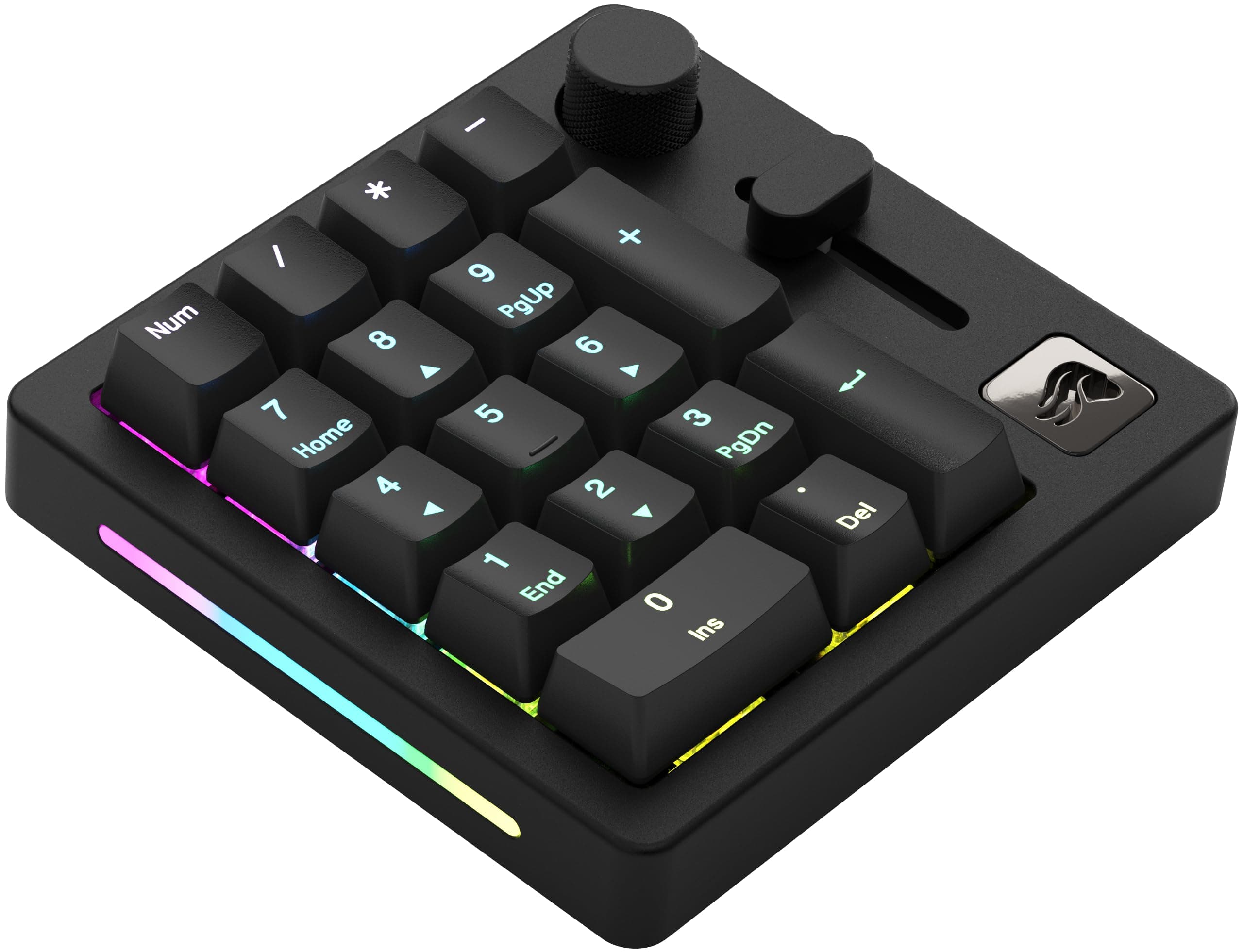







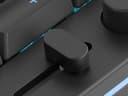
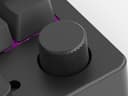

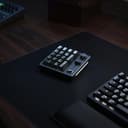


🌟 Elevate your setup with the ultimate customizable numpad — because your desk deserves to be as smart as you are.
The GLORIOUS GMMK Macro Pad is a premium 10-key mechanical numpad featuring 18 hot-swappable Glorious Fox Linear switches, a CNC aluminum chassis, and doubleshot ABS keycaps. It offers dual wired and Bluetooth 5.0 LE connectivity, customizable RGB lighting, and programmable volume controls. With up to 76 hours of battery life (RGB off) and full macro programmability via Glorious CORE software, it’s designed for gamers, professionals, and creators seeking a versatile, durable, and stylish numeric keypad.


| ASIN | B0B9NW913F |
| Additional Features | 5-Pin Hot Swap Support |
| Antenna Location | Business, Everyday Use, Gaming, Student |
| Best Sellers Rank | #17,177 in Video Games ( See Top 100 in Video Games ) #114 in Mac Gaming Keyboards #1,277 in PC Gaming Keyboards #2,261 in Computer Keyboards |
| Brand | GLORIOUS |
| Built-In Media | GSV2 Premium Screw-In Stabilizers, ABS Doubleshot V2 keycaps, Glorious Fox Linear Switches (Pre-Lubed), CNC machined Aluminum Body, Clickable Rotary Encoder, Programmable Slider, Braided USB-C Charging Cable |
| Button Quantity | 18 |
| Color | Black Slate |
| Compatible Devices | Gaming Console |
| Connectivity Technology | USB-C |
| Customer Reviews | 3.1 3.1 out of 5 stars (143) |
| Enclosure Material | Aluminum |
| Global Trade Identification Number | 00810069972046, 00810069975450 |
| Hand Orientation | Ambidextrous |
| Item Dimensions L x W x H | 4.72"L x 4.49"W x 1.57"H |
| Item Type Name | Gaming Keyboard |
| Item Weight | 517 Grams |
| Keyboard Backlighting Color Support | RGB |
| Keyboard Description | Gaming Mechanical Numeric Macro Programmable RGB Backlit |
| Keyboard Layout | QWERTY |
| Language | Multiple Languages |
| Manufacturer | Glorious |
| Mechanical Keyboard Switch Model | Fox |
| Model Name | Glorious Numpad Prebuilt - Black Slate |
| Model Number | GLO-GMMK-NP-FOX-B |
| Number of Batteries Required | 1 |
| Number of Keys | 18 |
| Number of Sections | 2 |
| Power Source | Battery Powered |
| Series Number | 810069972046 |
| Style Name | Contemporary |
| Switch Type | Linear |
| Theme | Customizable Mechanical Keyboard |
| UPC | 810069972046 |
| Unit Count | 1.0 Count |
| Warranty Description | 2 Year Limited Manufacturer |
| Water Resistance Level | Not Water Resistant |
P**S
This full-filled my expectations.
I use this with my tenkeyless keyboard. I love it because it is made of metal and the weight has some heft to it. It feels solid and unlikely to be moved around when used while gaming "vigorously". The buttons are programmable as well as the slider. The RGB on the side is also programmable. It is easy to connect and set up. It's size is just right, compact but functional and matches the keycap sizes to my keyboard. It will look great in many setups, I like the overall design. I had tried another brand of numpad before this purchase which exposed how problematic the plastic, lightweight numpads are when they do not stay put due to their light weight. This one full-filled my expectations. I am content with my purchase.
V**C
DO NOT BUT IF YOU WANT ANY CONTROL OVER IT!
I bought this numpad to match my GMMK Pro keyboard. First, it does not match. it is smaller and has rounded-off edges. it sits slightly too low next to my GMMK Pro in terms of its angle. The design difference is not why I decided to return mine. I wanted to use this Numpad wired 100% of the time. I do not need Bluetooth connectivity and even that has problems I have read on different forums. (using Bluetooth while wired causes lag). I wanted to turn on my computer and use my Numpad wired. That doesn't work. The keybinds I have set for my numpad doesn't work, the RGB setting on my numpad only sometimes works. The volume knob and slider do not control what the key binds are set for. (I used mine for Spotify audio it didn't work) the default Windows audio control does work. When I turn off my computer the numpad stays on (RGB) probably because of the battery. I use my numpad in my room and I find any light distracting. My GMMK PRO does not have this problem but this numpad does. I had to change my BIOS settings to get it to turn off while the computer is off (USB power while off). I have other devices that turn off with my computer and the glorious software does have a setting for it, but that setting is also set when the computer is on, meaning that if I don't touch the pad within 15 minutes it turns off. to some that may not be an issue, but for me it is. When I turn on my computer it's a lottery on whether the numpad wants to work or not. It will sometimes turn on with the RGB profile I have set for it, but it will rotate extremely slowly. ( I use a spiral RGB setting.) Most of the time the numpad does not register keypress on boot. I initially thought it could be because of "NUMLOCK" which all numpads have triggered on for some reason, but doing a quick keypress and then checking if it works found that to not be the case. Ignoring that issue I thought that well maybe it might be the Glorious software not being on. So I let it load. (I have the software start on startup). Nothing happens. So I manually open the software and It does not even recognize the numpad at all! In order to get my keybinds to register I have to manually disconnect the cable and reconnect it. And even then the RGB settings are not applied. it's off for some reason. I have to go and save the color settings again for it to apply. and depending on the settings the Numpad just decides It works too hard and shuts off the RGB. As one could Imagine, I talked to support. They requested a video via Google Drive, I sent it and they said try another cable, reset the numpad, try on another computer, and if that doesn't work just return It. I tried the cable that came with the unit, I also tried a coiled cable that is also from glorious (I did try connecting the cable to the mobo). And yet after all that work, nothing. I can't use my numpad without having to manually reconnect and open the software every time I use it. This is unacceptable, Please for the love of god do not buy this numpad. TLDR. RGB settings didn't save, keybinds didn't save, I have to reconnect the unit every time I turn on my computer, the software is atrocious, RGB on the unit stays on even once the computer is off And finally it likes to just turn off while using my desktop. I bought the Keychrone Q0 Plus instead. The color is different but oh well. here's to hoping it doesn't suck like this.
N**.
Fantastic keypad, TERRIBLE software... but I found a solution!
I bought this keypad to pair with a Kinesis Freeestyle2 RPG Gaming Keyboard. It sits very nicely in between the two halves of the keyboard, right above a wireless touchpad. The build quality is just amazing, the keys feel nice to use, and I love the knob and slider - in fact, those last two are why I bought it in the first place. I intended to use that slider as a master volume control for my whole system, and it does that quite well. One minor complaint is that if I try to use it while charging it, its input is really, really delayed. The issue goes away off the charger, but it's annoying when you want to use it while charging. So as others have said and will continue to say, the Glorious Core software is just plain terrible. While it is certainly intuitive, and has a nice low system impact when running, it's just so ridiculously limited in how it lets you configure your device. So here's where the worst part comes: The software lets you map the knob and slider to ONLY two options: Volume control, or OFF. THAT'S IT. This initially REALLY irritated me. I expected this $100 keypad to have a lot more customization. I was about to pack it up and send it back, when I remembered... oh yeah! ReWASD! I've been a user of the ReWASD app for a long time, so loaded it up to see if I could use it to remap the volume knob to something more useful. Sure enough, after initializing the keypad in ReWASD, building a new profile for it, and adding the "volume up" and "volume down" items in there, I was easily able to re-map them to something else. As a simple test I set them to mouse scrolling. Worked perfectly! The only downsides are two: 1. You still can't re-map the slider, as ReWASD won't detect it (but I like it how it is anyway so no biggie). 2. You need to purchase the ReWASD app separately. I'm positive there are other apps out there that can do the same thing, but ReWASD is what worked for me.
Ξ**Ҝ
Only good for Windows.
Returned mine 6 months after buying. Glorious kept promising updates for Glorious Core on macOS, but nothing reliable came through. Keys mostly worked, volume knob worked sporadically, and the slider was completely useless. Price vs limited mac functionality wasn’t worth it. Build quality was very superior, solid, heavy aluminum. Likely fine on Windows, but as a Mac user, I can only give 2 stars.
V**R
El teclado es de gran calidad y robusto. Muy bonito. Los keycaps y switches son normalitos. A mí personalmente los switches me desagradan pero es cuestión de gustos. El knob de la esquina solo sirve para regular volumen y para alguna funcion adicional al pulsar. El problema o defecto principal del teclado es el slider, que solo se puede configurar para volumen.... igual que el knob. ¿Para qué quiero dos controles diferentes de volumen? Podría haber tenido más opciones de configuración.... no entiendo por qué no las tiene.
S**E
Great feeling keys, quiet and the rgb is nice. The glorious software is absolutely useless though, even in their new version of glorious core. I still can't use it wirelessly or map the slider and dial. There's ways round it but you shouldn't have to considering the price!
O**Ü
Üretim kalitesi çok iyi olmasına rağmen ürünün diğer tüm özellikleri neresinden tutsanız elinizde kalıyor. -Yazılımı o kadar kötü ki. Ne yapsanız resetleniyor ve tekrar sürekli tuşlara basarak kendi ayarlarınıza getirmek zorunda kalıyorsınız. -Tüm RGB yi kapatmanıza ve neredeyse kullanmamanıza rağmen sürekli açık kalıp kendini gerçekten kapatamadığı için 70-76 saat aralığında şarj etmeniz gerekiyor. -Tek iyi yanı olan kısmı ürünün kasası. 500gramdan daha ağır bir CNC ile kesilmiş blok alüminyumdan üretilmiş. Macro tuşları için kullanmak istiyorum, TKL(küçük) klavye aldım Numpad im de olsun diyorsanız. Kesinlikle bu ürüne paranızı vermeyin. Hak etmiyor. Hiç tercihiniz kalmıyor ise. İyi günlerde kullanın.
A**M
Amazing, flashing QMK gives so much control then the normal software, omg I’m in love with the build of it it’s so nice. Very nice with my 75% keyboard
L**N
Parfait pour venir à côté d'un clavier sans pavé numérique. La molette et le curseur sont super pratiques également. Tient très bien la charge et se connecte très facilement
Trustpilot
Hace 2 meses
Hace 2 semanas