We remain fully operational. Our teams are working around the clock to ensure your deliveries continue safely.

Descargar la aplicación


Servicios al cliente
Sobre nosotros
Copyright © 2025 Desertcart Holdings Limited
Descargar la aplicación




⚡ Print smarter, faster, and greener—because your office deserves the best.
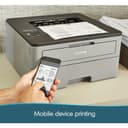
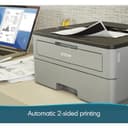
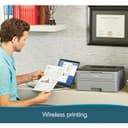
The Brother HL-L2350DW is a compact monochrome laser printer designed for busy professionals and small offices. It delivers ultra-fast print speeds of up to 32 pages per minute with sharp 2400 x 6000 dpi resolution. Featuring automatic duplex printing and wireless connectivity, it supports mobile printing and reduces paper waste. With a 250-sheet capacity and Amazon Dash Replenishment compatibility, it ensures efficient, cost-effective, and hassle-free printing backed by a 1-year limited warranty.


| ASIN | B0763WDSYZ |
| Additional Printer Functions | Print Only |
| B&W Pages per Minute | 32 ppm |
| Best Sellers Rank | #79,385 in Office Products ( See Top 100 in Office Products ) #94 in Laser Computer Printers |
| Brand | Brother |
| Built-In Media | Brother HLL2350DW, Starter Toner Cartridge (700 page yield est), DR730 Drum (12,000 page yield est), Quick set up guide, Installation CD-ROM (MAC OS available from download links), AC Power Cord |
| Color | Grey & Black |
| Compatible Devices | PC, Laptops |
| Control Method | Voice |
| Controller Type | Amazon Alexa |
| Customer Reviews | 4.3 4.3 out of 5 stars (13,020) |
| Display Type | LCD |
| Dual-sided printing | Yes |
| Duplex | Automatic |
| Global Trade Identification Number | 00012502649649 |
| Hardware Interface | USB |
| Ink Color | black |
| Item Dimensions D x W x H | 14"D x 14.2"W x 7.2"H |
| Item Type Name | HLL2350DW Compact Laser Printer with Wireless and Duplex Printing |
| Item Weight | 15.9 Pounds |
| Manufacturer | Brother Printer |
| Maximum Copy Resolution Black and White | 2400 x 6000 dpi |
| Maximum Copy Speed Black and White | 32 ppm |
| Maximum Media Size | 8.5 x 14 inch |
| Maximum Print Resolution Black and White | 2400 x 6000 dpi |
| Maximum Sheet Capacity | 250 |
| Model Name | HL |
| Model Number | HLL2350DW |
| Model Series | 2300 |
| Number of Trays | 1 |
| Other Special Features of the Product | Auto-Duplex |
| Output sheet capacity | 250 |
| Paper Size | 8.50 x 14, 8.50 x 11, 5.80 x 8.30, 8.30 x 11.70, 4.10 x 5.80, 3.37 x 9, 4.30 x 8.60, 4.80 x 9.50, 3 x 5 |
| Power Consumption | 460 Watts |
| Print media | Card stock, Envelopes, Paper (plain) |
| Printer Connectivity Type | wired, wireless |
| Printer Output Type | Monochrome |
| Printer Type | Laser |
| Resolution | 2400 x 6000 dpi |
| Scanner Type | Sheetfed |
| Series Number | 2300 |
| Specific Uses For Product | Home, Office, home office |
| Total Usb Ports | 1 |
| UPC | 012502649649 |
| Unit Count | 1.0 Count |
| Warranty Description | 1 year limited |
| Warranty Type | limited warranty |
| Wattage | 460 watts |
D**N
Reliable and Built to Last
The Brother HL-L2350DW Compact Monochrome Laser Printer works flawlessly. Printing is fast, the text comes out crisp and clear, and setup was a breeze. It feels sturdy and well-made, and I honestly get the sense that this printer could last a lifetime with proper care. For anyone needing a dependable, no-fuss monochrome printer, this is an excellent choice.
D**R
Affordable monochrome printing.
I was looking for a decent, economic B & W printer. This one is a reliable choice for those seeking efficient and high-quality black-and-white printing. Its compact design makes it ideal for small offices or personal use, fitting neatly into tight spaces. The printer is known for its fast-printing speeds, producing sharp and clear text documents, which is perfect for professional needs. I can attest that the copies are clear. It also offers versatile connectivity options, including Wi-Fi, Ethernet, and USB, making it easy to integrate into various setups. And it was a no-brainer to set up. Additionally, the printer supports mobile printing, allowing users to print directly from their smartphones or tablets. Overall, the Brother Compact Monochrome Laser Printer is a solid choice for those prioritizing speed, quality, and affordability in monochrome printing. It’s particularly well-suited for text-heavy tasks and environments where color printing isn’t a necessity.
D**I
A great no-nonsese printer for documents
Brother printers are top-notch in terms of value, quality, and support. I used inkjet printers for far too long before getting fed-up with low-quality HP units where replacing ink set me back more than the cost of the printer itself. This laserjet model is far more reliable, doesn't have to self-clean in the middle of the night, and replaceable toner cartridges last far longer than their inkjet counterparts. Everyone should have the means to print resumes, letters, and other documents at home. This printer is also capable of printing labels (using the right paper stock), and can automatically print double-sided pages. Make sure to do your initial setup by tethering the printer to a pc or laptop with a USB cable, as the wireless setup requires you to scroll through the entire alphabet to type in your wifi password into what looks like the display of a cheap calculator. Once set up, it works like a charm and can print from PCs, Macs, and mobile phones. I wish that this printer had LAN connectivity, but that's a minor gripe and not worth taking points away for.
S**H
Fast and durable but tough to set up
I love brother products and use them in my office. I have three of the all-in-ones. This is the first mono I bought. Bought this for my girlfriend's place. Long story short, it prints great it's fast and has the brother quality that I expect. The only downside of this printer is a pain in the ass to set up! It is not quick and easy and I don't know why I struggle so much with this thing but even when it loses connection it sucks. That said it's been running for months now with no issues but getting it hooked up a couple of laptops and Android devices to print to it was no simple task! I better use brother customer support before and they're fantastic, but this was the weekend and I really wanted to get it going so I struggled. I'm fairly Savvy with computers but this thing was not simple to get hooked up. That said if it's a good buy it's worth the hassle because it prints great is fast and very reliable. And if you haven't done so with brother printers figure out how to reset the cartridges because they will go a long long time before they say they need to be replaced. And I'm talking hundreds and hundreds of pages. I reset all my cartridges on all my printers until they simply start going light. They love to tell you to change your toner, cartridges and rollers WAY before they're due!!! If it weren't for the hassle of the setup this would get a five-star rating. It's a good printer!
B**R
Quicker to drive to Kinkos (ALWAYS OFFLINE).. Grrrrrrrrr.
EDIT: 112822 MAYBE FIXED.. BUT IT SHOULDN'T TAKE 9-MONTHS.. Leaving stars low because: EVERY OTHER WI-FI Device I can thing of just works, without all the hours of swearing.. So, “here’s what happened” (Monk).. maybe: When I first got the printer it wasn’t working, which is why I tried something per an Amazon review; disabling ipv6.. (Amazon reviews, LOL.. Now i feel stupid for trying it.. but I had to try something).. Last week I was staring at my wifi settings and noticed ipv6 formats. Which I enabled on the printer.. Power-cycled everything.. and since then at least the iPhone sees the printer (still ng on the iPad, but at least I can print.. after 9-months). Arguably I could have called brother for support, but as I said all other wifi things I have just ”work” (and there never seems to be a good time to wait on hold when I can just drive to Kinkos). 111622: HOW CAN THIS PRINTER HAVE 4.5 STARS? I HAVE A TMOBILE router (5G, but provides home wifi), and a new’ish iPhone (anyone else gave the combo)? Trying to print my absentee voting form (so I can vote against Hershel walker): Sometimes I can print from the iPhone after power cycling the router and printer (I don’t ever remember being able to print from the 2021 iPad); — but I just Power cycled ALL-THREE (the printer, the T-Mobile router, and the iPhone booted) about five times. Over the past (almost a) year I tried variations of resetting, hoping to find a sequence that works.. NO PATTERN HAS EMERGED, other than resetting everything over and over, and sometimes it randomly works (for maybe 5-minutes then goes off-line).. Makes me feel like that old comedy “HAL open the pod bay door” (try asking Siri about that).. I only reset everything five times tonight, it seems like six times usually works (maybe there’s an app in the printer just screwing with me, because all my other Bluetooth and Wi-Fi devices have no problems). Generally power down all three, then power up the router first and wait for Wi-Fi (which I can see on my Roku and on iPad), and then I power off the iPhone and the printer (feels like I’m at work). Sequentially takes time, so five resets is pushing an hour now that I’ll never get back. Not getting any satisfaction (like getting my 2-page ballot application printout). I bought this darn printer so I wouldn’t have to go to Kinko’s for anything during the pandemic. Maybe I’ll try again tomorrow, and reset everything over and over.. But I might have to since voting against walker is an emergency right now. EDIT: 092122: First time I tried to print something since July, where it took over an hour to get it to print. AND GUESS WHAT? PRINTER NOT ONLINE AGAIN!!! NEITHER DEVICE (Air print my a. ).. I’ve already killed 10-min rebooting and power cycling devices and printer, then trying to print again from both devices.. SAME!!! (As back in July when it took me over an hour to print some thing), I find myself contemplating chucking this thing in the garbage. Knocked off another star, and I’m very comfortable now with 1-star being where it belongs.. Because with todays technology the darn thing should stay connected, or at least connect back up without an hour of troubleshooting.. I don’t care if it’s my 5G router front-mobile, or whatever.. “because” other devices like my (Roku) for example is always connected (at least 98% of the time.. and e]when it’s not a power cycle and it’s working again). Again, if I really needed to print something, it would be quicker driving to the Kinko’s that is 25 min away (50-min round trip).. Totally worthless to casually print a shopping list for example.. I’ve gotten in the habit of not even bothering (because I expect it not to print). This is unacceptable.. [older edit]: Hovering b/t 1-2 stars.. 2-stars because people more likely to read.. There is no reason it needs to be this hard to print something.. Because my phone and iPad always connect to my internet router.. so does my (Roku).. Same for my old router (phone & (Roku) and oaf all 3, connected permanently and never forgot their connections).. My work laptop connected to the router no problem.. Wi-Fi printing should be settled technology by now.. This printer was advertised to work with apple (AirPrint), so what’s the problem? I give up.. If it continues to be a PITA; I’ll eat the $150.. it’s going in the trash.. EDIT: 070422: SAME OLD SAME OLD.. Over an hour to print today (last time 3H troubleshooting).. GOOGLE Always has the same list of things to check and recheck over & over again until the COWS come home (same WIFI, not in airplane mode, etc). Now neither my phone or pad can see the printer. I power cycled pad, phone and printer.. no change.. I went in and made sure IPV6 was set to no (no change). I hope I’m not in for another 3-HOURS of troubleshooting like last time. I guess I’ll try typing in the darn Wi-Fi password again on the printer (THAT TAKES 20-MINUTES at least .. because it’s a four word password.. and I only gave devices.. cannot plug in a laptop). Confirmed, the darn printer forgot the damn Wi-Fi password again (same as it did two days ago).. It’s a P.I.T.A! to type in that long Wi-Fi password with two buttons (I think it forgot the password because the field was blank, and after I typed it in again, it connected to the router immediately). EDIT: I think I entered the password again because the interface made me believe there was no password (if the green light is not flashing, I now believe it’s connected) NOW COMPLETELY DIFFERENT TROUBLE (from last time); Now neither phone nor pad can see the printer.. If they can’t make a printer that works wirelessly, you think there would be a port so you could run a darn USB cable across the floor or something.. Also I’ve been getting the low toner message, and I barely used the printer (I doubt I’ve printed 200 pages of normal text). Screw this, I’m about ready to chuck this thing in the garbage and buy some other printer (before sinking more money into this thing). Who the hell has time to troubleshoot a printer every time you want to print a recipe or a grocery list? EDIT: 070222: 3-HOURS TROUBLESHOOTING; turned ipv6 off (on the printer), and then could print from iPAD (phone was apparently working the whole time).. I listed to an expert somewhere in the comments to turn ipv6 on to stop the deep sleep (and forgetting the wifi password), but now I’m not sure this was ever a problem to begin with.. Verified for HL-L2350DW, turned off ipv6 on the printer and iPAD printing started working immediately.. EDIT: (same day): Changed from 1 to 3-stars (because I don’t know what the trouble is). When I looked at the printer it remembered the Wi-Fi name, but the password field was blank.. It took 20-min to type in that 4-word Wi-Fi password (with the two buttons).. And it connected immediately. So PROBLEM; forgets that long password.. But I just now figured out it prints from iPhone, but not iPad (both are new models up to date software). So maybe it’s apple screwing he instead of brother (2H of my life this session I’ll never get back).. So I bumped it up to three stars.. [original]: A PRINTER HAS ONE JOB (1-star)! It always takes AN HOUR OF SCREWING AROUND to get it to print anything.. It would be quicker to drive to kinkos.. Why am I blaming the printer? Because I see amazon reviewers with the same problem, and I see hundreds of people with the same problem in apple help communities ie: “I have this problem too” button).. When I do finally get it to work it’s a mystery how it got fixed.. So every time takes the better part of an hour (and sometimes I just give up trying).. It would be easier to write my grocery list by hand.. Darn thing is always offline, and defies all attempts to get it online again.. If it were only a one time setup I’d get over it, but after a few months a “CLEAR” pattern has formed; I’m using apple devices (AirPrint), and successfully connected the printer to both my old router, and my new router.. I suspect the problem is it drops its Wi-Fi connection to my router, but that’s the last thing I want to mess with because It’s NOT a joy to stand there 30+ minutes using two buttons to enter those long network passwords.. I dread screwing with the dreaded two buttons again, but I believe this is what it needs... It takes so damn long to type in the passwords I can’t bend over that long because I’ve had back surgery (seriously thinking about chucking this POS in the garbage).. It makes it worse I have to use a flashlight and a magnifying glass the see the super tiny LCD screen.. It’s 3am, I’ve got my flashlight, and I’m off now to screw with the two printer buttons again (that I’ve become much more familiar with than I wanted).. Grrrrr.
P**O
Ningun problema y hace eficientemente lo que promete con aceptable calidad de impresión.
B**Y
Very simple setup via onboard screen. Fast, double-sided printing with excellent output quality. This is a compact printer so it takes up very little space compared to other home office printers. We are very happy with this printer and it’s cost effective.
G**7
Arrivato perfetto , compatibile 100% consigliato
M**D
Fast b/w duplex printing Wifi a fiddle to set up but once done it works no trouble with the sleep mode from Mac, windows or iPhones, unlike other reviews - however I did update the firmware 3rd party toner worked for me but if not you can always take the chip off the old cartridge
S**.
Der Drucker wurde schnell und in gut zu transportierender Verpackung (seitliche Griffe) geliefert. Da die Treiber auf DVD mitgeliefert wurden, war die Installation in 5 Minuten erledigt. Das Druckbild ist sehr gut. Im Ruhemodus ist der Drucker nicht hörbar. Sehr gutes Preis-Leistungsverhältnis.
Trustpilot
Hace 2 meses
Hace 3 días