We remain fully operational. Our teams are working around the clock to ensure your deliveries continue safely.

Descargar la aplicación


Servicios al cliente
Sobre nosotros
Copyright © 2025 Desertcart Holdings Limited
Descargar la aplicación
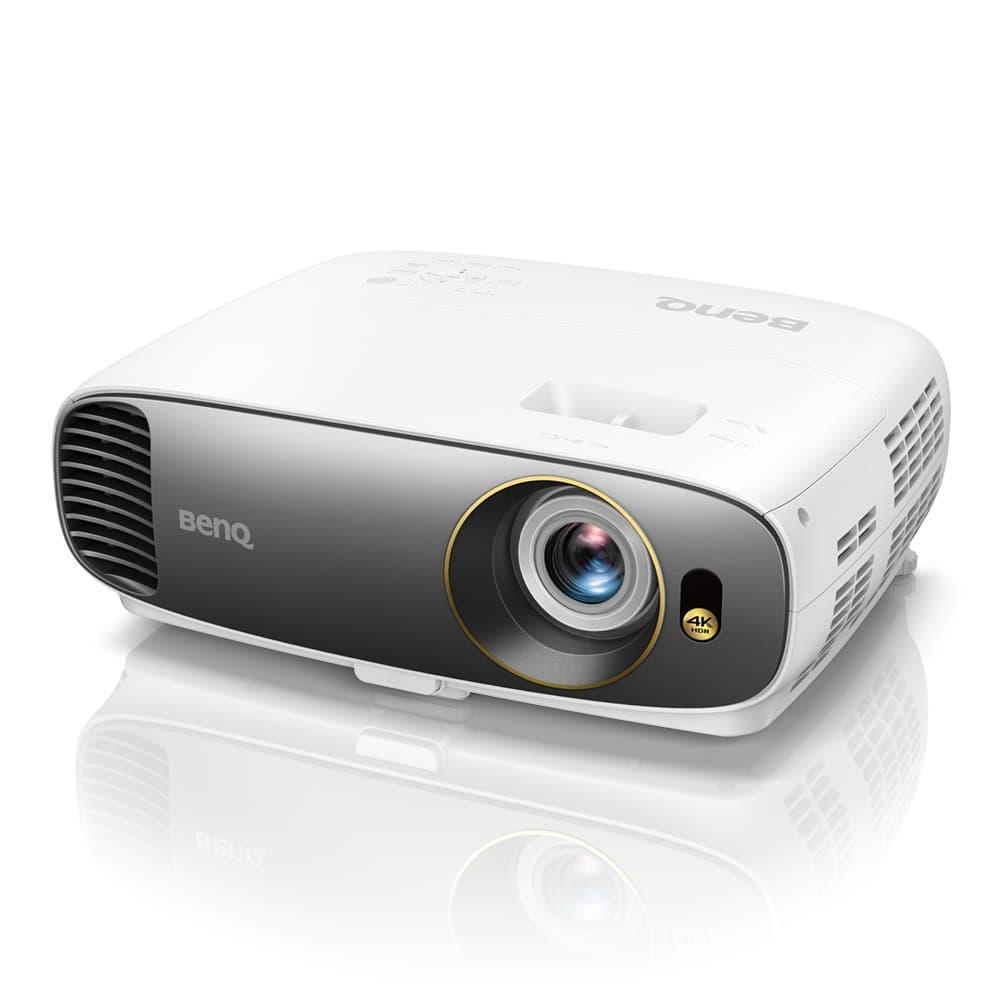
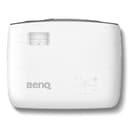
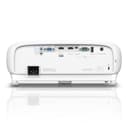

🎬 Elevate your space — bring the blockbuster experience home with BenQ HT2550!
The BenQ HT2550 is a 2017 model 4K UHD HDR home theater projector featuring 8.3 million pixels for stunning image clarity, 2200 lumens brightness for vibrant visuals, and cinematic color technology covering 96% of the Rec.709 gamut. Compact and portable, it includes advanced HDR10 support, 3D capability, and audiovisual enhancements that transform any room into a premium cinema experience. Firmware updates have improved performance and picture quality, making it a top choice for immersive 4K entertainment.


| ASIN | B077PP4S93 |
| Additional Features | Portable |
| Antenna Location | Business, Home Cinema |
| Best Sellers Rank | #6,929 in Video Projectors |
| Brand | BenQ |
| Brightness | 2200 lumen |
| Built-In Media | Benq Projector |
| Color | White |
| Compatible Devices | Television, Laptop, Gaming Console, Smartphone, Tablet |
| Connectivity Technology | HDMI |
| Contrast Ratio | 10000:1 |
| Control Method | Remote |
| Controller Type | Remote Control |
| Customer Reviews | 3.7 out of 5 stars 129 Reviews |
| Display Resolution Maximum | 3840 x 2160 |
| Display Type | DLP |
| Display resolution | 3840 x 2160 |
| Form Factor | Portable |
| Global Trade Identification Number | 00840046039516 |
| Hardware Connectivity | D-Sub, USB, VGA |
| Item Weight | 9.3 Pounds |
| Lamp Wattage | 240 Watts |
| Manufacturer | BenQ |
| Maximum Image Size | 300 Inches |
| Maximum Throw Distance | 1.5 |
| Minimum Image Size | 60 Inches |
| Minimum Throw Distance | 1.5 |
| Model Name | BenQ HT2550 |
| Model Number | HT2550 |
| Mounting Type | Tabletop Mount |
| Native Resolution | 3840 x 2160 |
| Picture Quality Enhancement Technology | HDR and enhanced color accuracy |
| Recommended Uses For Product | Business, Home Cinema |
| Special Feature | Portable |
| UPC | 840046039516 |
| Video Encoding | AVC |
| Voltage | 12 Volts |
| Warranty Description | Benq Warranty |
| Wattage | 330 watts |
C**J
1st projector, I chose this over the Optoma UHD60
I have a dedicated theater room that has a window but is covered with double black out curtains. For months I was going back and forth between the BenQ HT2550 and the Optoma UHD60. I watched just about every YouTube video on both projectors then I googled and found avs.com and read reviews from actual users/owners of both projectors. There were three selling points that led me to chose the HT2550 over the Optoma. They are: 3D, smaller projector, and Chris Majestic’s review on both projectors on YouTube and on avs.com. Although Chris owns an Optoma UHD60, he gave the HT2550 rave reviews and came away impressed. For my personal use, I use my HT2550 to watch TV almost daily like a regular TV (I’m watching Sportscenter as I type this), play my PS4 pro (4K looks AWESOME), and of course catch some movies. Again this is my first projector and I almost bought the 82 inch Samsung TV but I’m glad I didn’t!! I’m projecting the BenQ on a 120 inch Elite Screens Sable Frame B2. This projector screen has a black velvet black border which gives it a nice touch. With this being my first projector I hired a company to install the projector and projector screen for me. I’m using a Pioneer Elite receiver to control everything which does a phenomenal job and DirecTV is my cable provider. Obviously Directv only has two-three 4K channels so everything else is broadcasted in mostly 720p and 1080i. I have my HD DVR set to display 1080p but it only goes up to 1080i according to the status menu on the BenQ. I also have the Pioneer receiver set to upscale 1080p content to 4K. Again I’m only getting 720p and 1080i watching DirecTV. So all of my 4K programs are when I play games on the PS4 pro and/or run apps on it like YouTube, WatchESPN, Netflix, HBO, etc. Btw, 4k gaming on the PS4 pro looks AWESOME!! I mostly use the pre set settings on the BenQ but I made a few tweaks to Cinema mode I found on avs.com (a great reference site for video and audio tech) from folks who own the BenQ HT2550 that know a lot more about picture settings than I do. Ok let’s address what is known from reading all the other reviews: yes there is a light border HOWEVER I only notice it when I first turn the projector on and or if I’m looking for it (maybe I’m used to it). But it doesn’t bother me one bit or anyone else who’s watched a showing on my projector screen. Again I have the black velvet border around my projector screen. I’ve also seen people who put LED lights around their screen which will disguise the light border issue from the projector. As far as noise from the projector: yes there is a faint noise. I have mine ceiling mounted and I sit directly underneath the projector but it doesn’t bother me. There is a way to rid the noise I believe by turning on “silence” in the settings on the projector. However I don’t think 4K is available and your resolution is limited to 1080p. I turned on silence mode just to try it and I turned it back on. Again the faint noise from the projector does not bother me. This projector was released in January 2018 and it has a few bugs on the first batch released. BenQ has addressed these bugs by releasing two firmware updates. The first batch of HT2550s were running the firmware 1.00. The 2nd batch of HT2550s were runnning the firmware 1.0.1. And the latest firmware patch for the HT2550 is 1.0.3. I’ve unfortunately had all 3 firmware patches. You can’t update the firmware OTA (over the air) like a smart phone. BenQ has to send you a HT2550 unit with the latest firmware (1.0.3) installed. If you’re running the 1.00 firmware, you are missing out BIG TIME!! The pre set picture settings on the 1.00 firmware looks pretty bad. Also you may experience random power shut downs on the projector, the 3D doesn’t sync well, and most importantly the picture quality. Thankfully I’m running the 1.0.3 firmware and I haven’t experienced any random power shut downs, I haven’t checked the 3D yet, but the picture quality is awesome. I mainly use Vivid and Sport picture modes. Again I made a few tweaks to the Cinema mode that I found on avs.com (thankful for that site). To sum it up if you’re thinking about this projector, it’s worth it but make sure you get it with the 1.0.3 firmware. Call up BenQ and they can possibly verify you will be getting the latest firmware. Also I would like to thank Sean LeBlanc and Andy Lazar at BenQ for helping me through the process of getting me a unit with the latest firmware after experiencing the few issues I had with the units with the early firmware releases (1.00 & 1.0.1). They overnighted me a unit with the latest software (1.0.3) so I wouldn’t be without a unit had I sent mine back then have to wait to receive a new unit. Kudos to them!! I know I said I compared the HT2550 to the Optoma UHD60, I briefly and I mean BRIEFLY considered the expensive $5,000 Sony I think VW285es which is also 4K but not 3D. Yeah it may be TRUE NATIVE 4K, but I would be hard to believe it’s $3500 better than the HT2550. Again this HT2550 is phenomenal. I’m glad I went the projector route over a huge 4K TV. In my novice eyes, I don’t see anything that displeases me. So if you’re on the fence, buy it!!
B**B
Died after 3 years of use. Won't support 4k / HDR modes now, nothing past 1080p
This projector was always a value projector and not the high end. It made 4k easy cheap and accessible for my purposes. It was always a bit loud due to having to run fan speed higher due to elevation of my house, but now it won't display anything above 1080p. I tested out several cables and used the same cables on a different tv and the xbox and cables worked w/ that tv. I don't think I can get a replacement cause its 3 years old...do not buy.
S**H
Great projector. Great price. Great picture.
After reading reviews and looking at product specs for 2 weeks we finally decided on purchasing the BenQ HT2550. This projector is replacing an Epson Home Cinema 3020 which is about 5 years old. This is our 3rd projector since 2001. Each one was better and less expensive than the previous one. After reading everything we could find we were going to get the BenQ TK800. Then we found out the main differences between the two were the lumens and the DLP color wheel. The BenQ 2550 has a RGBRGB color wheel and 2200 lumens while the BenQ TK800 uses a RGBW color wheel and 3000 lumens. The lumens were not an issue since our old projector had 2300 lumens and it had plenty of brightness. The color wheel was more of a deciding factor since we have owned 2 DLP tvs in the past and "rainbows" were a concern. The RGBRGB color wheel is supposed to lessen the rainbow effect. While setting up a Roku Ultra we did see some rainbows while in some extremely contrasted setup screens. The first movie we watched was the 4k version of Deadpool 2 and we did not see any rainbows. We then checked out several scenes from Black Panther and Passengers and the picture looked awesome. Blu-ray dvds also look better . We decided to get the BenQ HT2550 over the BenQ TK800 because of the color wheel and the lumens were not an issue because our home theater is totally dark and 2200 lumens is enough. We watched Deadpool 2 before making any adjustments to the projector and it looked great. This projector is quieter than the one it replaced. You don't hear it while watching movies. you can hear the fan while the room is quiet but it's not that loud. If you're looking for an affordable 4K projector you can't go wrong with the BenQ HTR2550. It also came with a $100 Amazon gift card which brought the price down to $1399.
T**B
**UPDATED 23 April 2018** Bad experience on projector #1.
23 April 2018 -- I am downgrading my rating due to poor experience both with the projector and customer service. They continue to release new FW for the projector and the only way to take advantage of the new FW (that fixes big bugs) is to swap the unit out through BenQ. My 3rd replacement showed up and it was FW 1.0.0, two revisions behind the one it was supposed to replace. Tried calling customer service and was on hold for too long before I had to hang up and resort to email. I was initially thrilled with this projector but the bugs and issues I've had lately have diminished my enthusiasm significantly. There are still way too many of the original FW models out there and they are still being shipped to customers. March 25, 2018 update: I received a replacement unit the Monday following my original review and I can now fairly say, more than pleased with this product. I have been running it on a nightly basis for about 3 weeks, between gaming, movies and streaming i figure I've logged over 150 hours, no issues. I have a 4K TV and when i compare the image quality of this projector to my TV, it remarkable how close they really are. I'm not an A/V pro or a 4K elitist, but now that I've been able to log some time against this projector I am happy with my purchase. Also, for those considering this projector, get the 3 year replacement plan, its worth it compared to what other retailers are offering. 4K was made for large screen formats and this projector crushes the comp! Bottom line up front: It rocks, I'm more than pleased, money well spent, and I wish I had a bigger wall! upgraded to 5 stars I spent copious amounts of time researching this projector. I've been following it since last fall waited for a good month and a half before purchasing so that I could see what customers were saying...those risk takers that run out and buy on day one! Well, from what I was seeing on youtube and reading in Amazon reviews, I felt it was safe enough to go ahead and pull the trigger...boy was I wrong, so far. My projector arrived Friday evening. Upon opening the amazon shipping box, it looked as though I was getting a factory referb. The BenQ box seemed poorly packed, like it had been opened and then resealed, but not carefully. I figured it was just how BenQ packed their products so I didn't dwell on it. I had everything in place for an easy install and all went well. The projector fired up, I ran through the setup and soon I had a beautiful 100" picture. I watched a few Xbox One X 4K previews, ran the Xbox One X game/app called Insects, played some 4K games, all for a total of about 2-3 hours. Suddenly there was some freaking out flashing on my screen and the pic was gone and the amber LED was flashing on the projector and it shut down after a few minutes. I turned the projector back on and it was as if the projector reset, I had to run through the setup steps again. Following the second setup, picture came back but the same malfunction repeated. After the third attempt to figure out what was happening, I noticed the fans were not working and then the system went dark and I got a lamp malfunction LED. After repeated attempts to get the projector to turn on, it would not. The lamp is spent. I have requested a replacement through Amazon and I will update my review based on projector #2. Bottom line for those looking at buying this projector...WAIT...wait as long as you can. The demand is so high for this projector and in my humble opinion, quality control has taken a back seat to production. By this summer I suspect that the bugs will be worked out. I barely had any time to give good Pros/Cons but here is what I have so far. Pros: Amazing picture, easy setup, price. Cons: Early models are buggy; Quality control is lacking; buttons on remote are sticky; no Game mode A couple of last thoughts, the one thing that seems to drive everyone, or nearly everyone, crazy is the "light border". Well from my short time with the projector...it was a non-issue for me...didn't even notice it. I have a 100" screen with a 2" black border and the walls are dark navy blue. I was so focused on the picture and things happening on screen that I never even gave it a thought. Additionally, others have complained about fan noise. When the fans were working, again I didn't notice, or it didn't bother me. My projector is ceiling mounted above my seating area...it could be that these fans were quieter than my old projector, but no matter, it was a non-issue for me. Lastly, for those looking at viewing on 100” screen, I will point out that focusing is very, very tight and difficult to dial in. I noticed when I made the size larger, the focus adjustment was much smoother and easier to dial in. Just a thought to keep in mind. I will update this review after I’ve have much more time with a working model.
M**L
4k Projector at $1500? Consider this one.
In all honesty, I returned this projector. My first projector that I was upgrading was a Benq w1070. After my research, I opted for another Benq for my upgrade. My projector mount is set up 13 feet from my screen. Once I installed it, I realized that the throw ration and zoom wouldn't fill my 135 inch screen from that distance. I also realized how loud the projector was. How my furniture was arranged the projector was basically just above and behind my head. I returned it. And didn't have a chance to adjust the color settings. But the brief time I had, it was definitely an improvement in image clarity and sharpness. Especially considering the price. I'd consider how large a screen you have and where you plan to place the projector. I can tell you at 13 feet and 135 diagonal inch screen, this projector will not be a good fit. It would need at least to be placed 15 feet away.
J**K
Worth the Money I'd say. But whats the mechanical noise i get when switching to 4k or HDR ?
So after having an Acer 720p projector for 8 years the bulb finally bit the dust. Decided to after much internet reading to get the HT2550, which amazon had used for around 1kUSD. So projector Arrived with remote, in pristine condition, with ONLY 5 HOURS ON THE BULB , awesome right. Onto the Projector, Its quite bright even with the lights on ( though they are LED ) and the room has light control via black out curtains. Everything works fine, HDR looks amazing, 4k looks amazing, black levels are good, , this is not a 3kUSD projector so dont expect the deepest blacks, The colors are amazing to look at, after some color calibration it looks amazing also. Issues: Sometimes when i select a video to play i hear a loud mechanical noise from the projector, especially when its going to display a 4k or HDR image, it doesnt do it all the time, i am not sure if thats the mechanism for the 4k pixel shift but it is jarring , i thought the projector was gonna blow up. benq is that normal ? EDIT: so it appears the projector has issues with some audio formats on the internal speaker ( its loud) , tested by muting speaker and noise was gone, so issue is processing of sound, so id say everything is perfect on the projector.
R**.
Beautiful, bright
To me, it was very expensive. On the other hand, compared to TVs sold not very long ago, it was a bargain. Beautiful, bright, picture. I can even leave the lights on and see it clearly. No dark areas, everything in focus and even auto keystone. You just have to invest in a windowless man cave. Audio systems are dirt cheap with 5:1 A sound bar, like they sell for audio, is ridiculous. I only spent $300. for an ONKYO system and used speakers I already had. You need large speakers with adequate separation, and a good, powered sub woofer and and a bare white wall, it is just like being in a movie theater, just for watching the morning news. 60 inch LCD screens are a joke in comparison. My previous system was an optoma HD, BR, 3D, for only $500. but you can tell the difference. Someday when 4k becomes the standard, maybe it will be worth it, just like HD was years ago. Right now, I'm not sure, just depends on your budget and home theater. I converted a garage.
T**R
Issues...not quite ready for release...
Okay, here's a nice projector...but!!! It seems the throw size and distance includes the light grey border of unused mirrors. Under normal circumstances, the throw would have to be about 136" (11'-4") to shoot a 106" diameter screen. You can get the exact measurements from BenQ's website. If you subtract the grey border, you're really left with about 4-5 inches less in diameter, and this is the actual viewable picture. Include the useless, problematic grey border of unused mirrors and you have the full diameter of the throw. Very unfortunate for me, since my screen is 106" and I cannot move the projector any further back than 12 feet. Even at this distance, the viewable area does not fill a 106" diameter screen. It's about 104" plus the 4-5" of the grey border. After talking with BenQ support, future releases of this item may include a fix to the grey border to where this real estate is actually used. Nothing is definitive though. Highlights include: The picture is very bright and clear. The noise level is average, though not very quiet either. I didn't test the 3D feature, but I'm pretty certain the 3-D sync issue was not fixed. My firmware was at 1.0.1. BenQ has a fix released in revision 1.0.3 In summary, if you're looking to buy this unit, take into account of the grey border in the distance calculation. Grey felt tape will absorb it if you're looking to avoid seeing it. Also, please take into account that Amazon has a stock of these units still shipping with an older firmware release that does not support 3-D. BenQ will require you to ship the item back to them for any firmware updates. This one's going back....sad face.
Trustpilot
Hace 3 semanas
Hace 1 mes