We remain fully operational. Our teams are working around the clock to ensure your deliveries continue safely.

Descargar la aplicación


Servicios al cliente
Sobre nosotros
Copyright © 2025 Desertcart Holdings Limited
Descargar la aplicación




🚀 Elevate your network game with Cudy AX3000 — where speed meets smart connectivity!
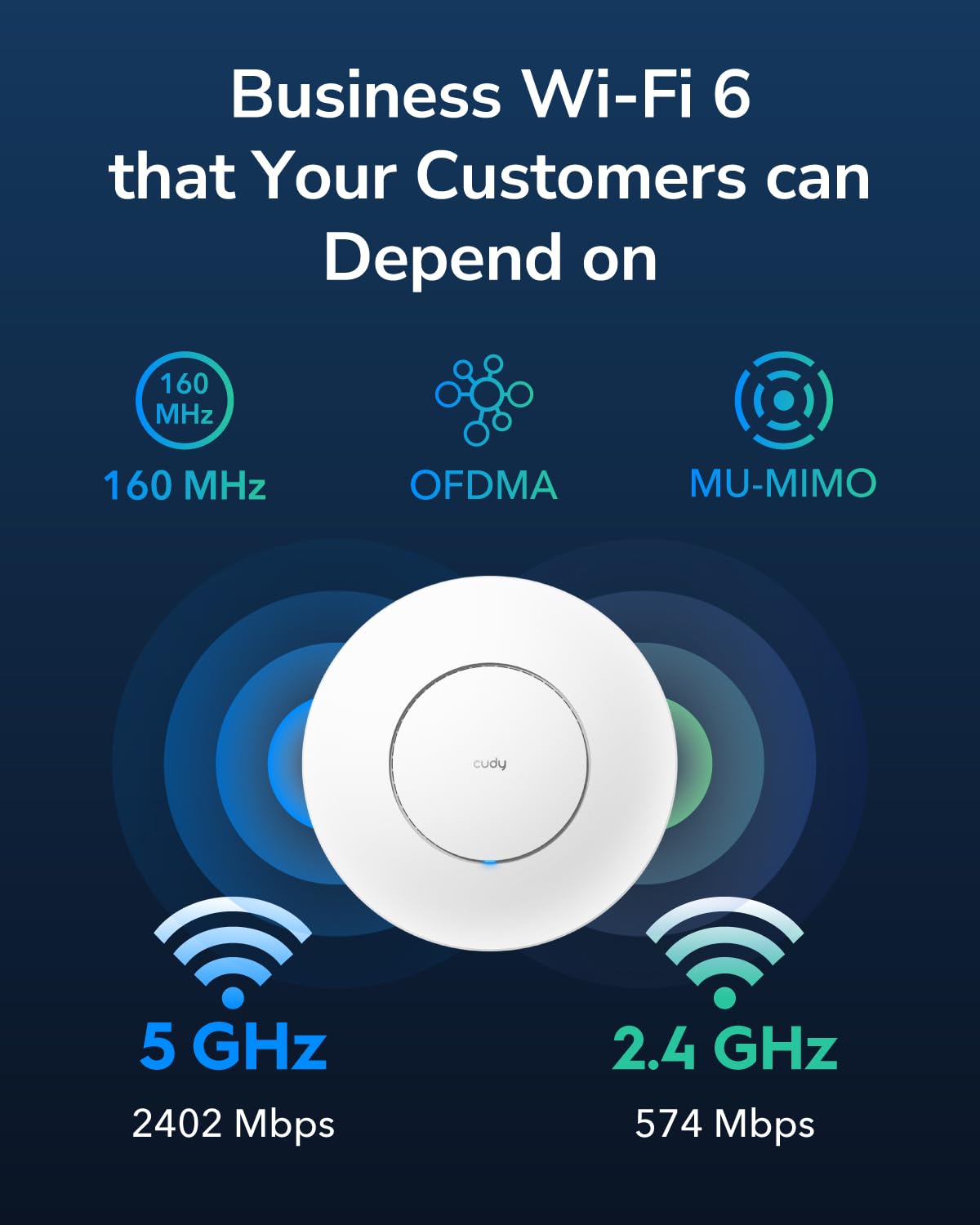
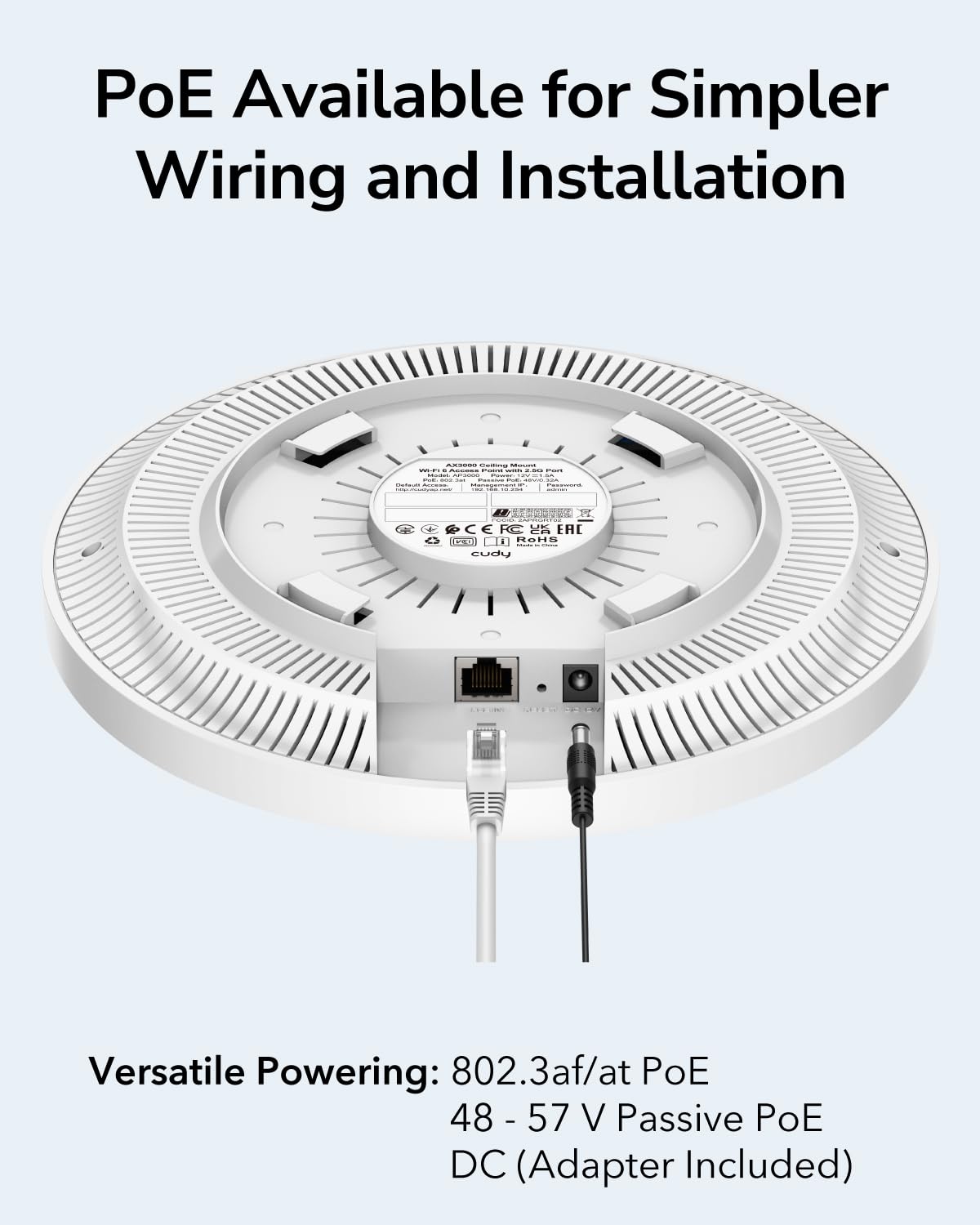
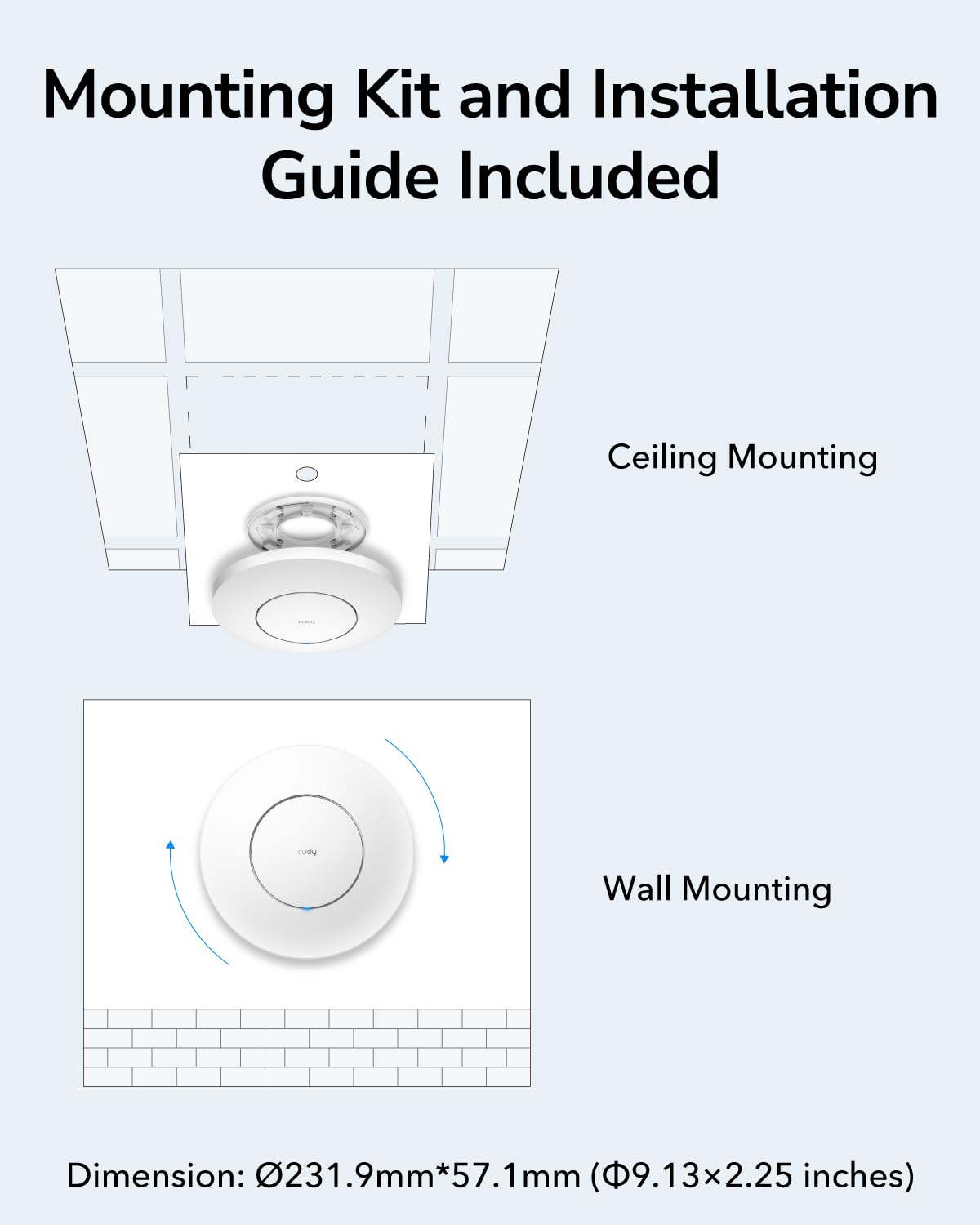
The Cudy AX3000 AP3000 is a cutting-edge WiFi 6 wireless access point delivering up to 3000Mbps combined speed with 2.5Gbps RJ45 wired support. Designed for high-density environments, it supports over 100 devices simultaneously using advanced OFDMA and MU-MIMO technologies. Flexible power options (PoE or DC) and versatile mounting kits make installation effortless. Ideal for business or smart home setups seeking ultra-fast, reliable, and scalable wireless networking.








| ASIN | B0BXNB7CC3 |
| Best Sellers Rank | #97 in Computer Networking Wireless Access Points |
| Customer Reviews | 4.2 4.2 out of 5 stars (151) |
| Date First Available | March 7, 2023 |
| Item Weight | 1.06 pounds |
| Item model number | AP3000 |
| Manufacturer | Shenzhen Cudy Technology Co., Ltd. |
| Product Dimensions | 9.13 x 2.24 x 9.13 inches |
J**H
Amazing so far And Openwrt based
Just installed this today; it was fast and easy, and setting it up online was simple with the quick startup. I recommend updating the firmware immediately to get more features. If you don't know how to do that, you shouldn't be using your own router. What sold me is that the company is a startup from ex TP-Link employees and it's not a major brand, and the second reason is that the firmware is based on OpenWRT, so I don't have to install OpenWRT.
J**R
Works great
Good access point
O**E
Needs a wire path.
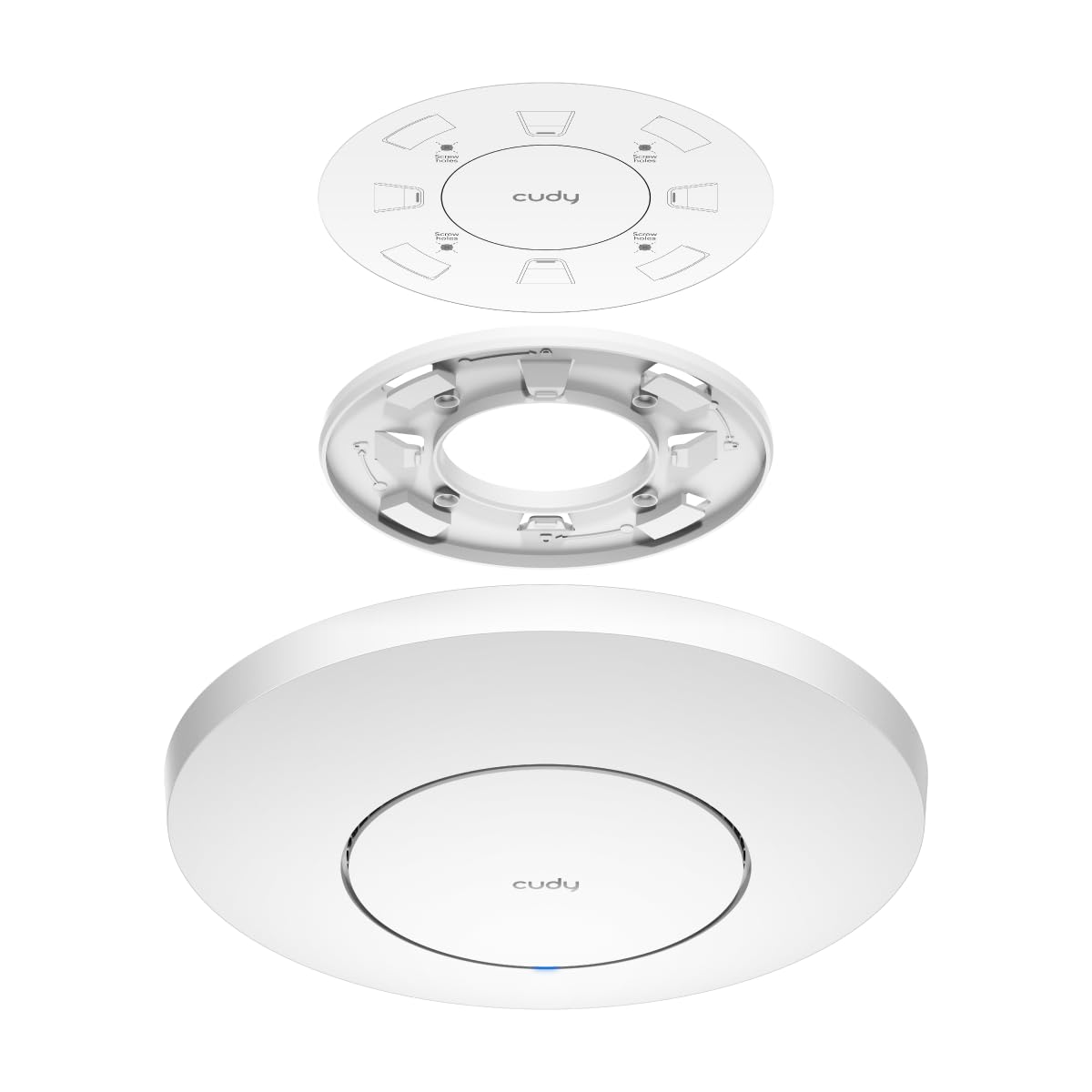
it is a good AP and provides good coverage and a reliable connection. One star removed because the design has a flaw. For many, the POE cable will come through the box and not a hole or raceway near the box. The mounting plate forms 2 perfect seals with the AP meaning any cable coming from the gang box is trapped. To remedy this, I had to remove a section of the mounting plate between a lock tab and pressure tab to allow the wire to pass through, albeit a bit compressed. I think subsequent designs should take this into account.
E**.
Cudy Wifi Access Point for the win!
Easy setup, works with standard poe+ switches. No need for extra proprietary power injectors via Ethernet. Very basic and easy to use GUI. Very consistent speeds throughout the basement, 1st floor, and 2nd floor of my house. It just works without too many bells and whistles that are not needed or overcomplicating.
A**R
Performance degrades over time and requires constant reboots.
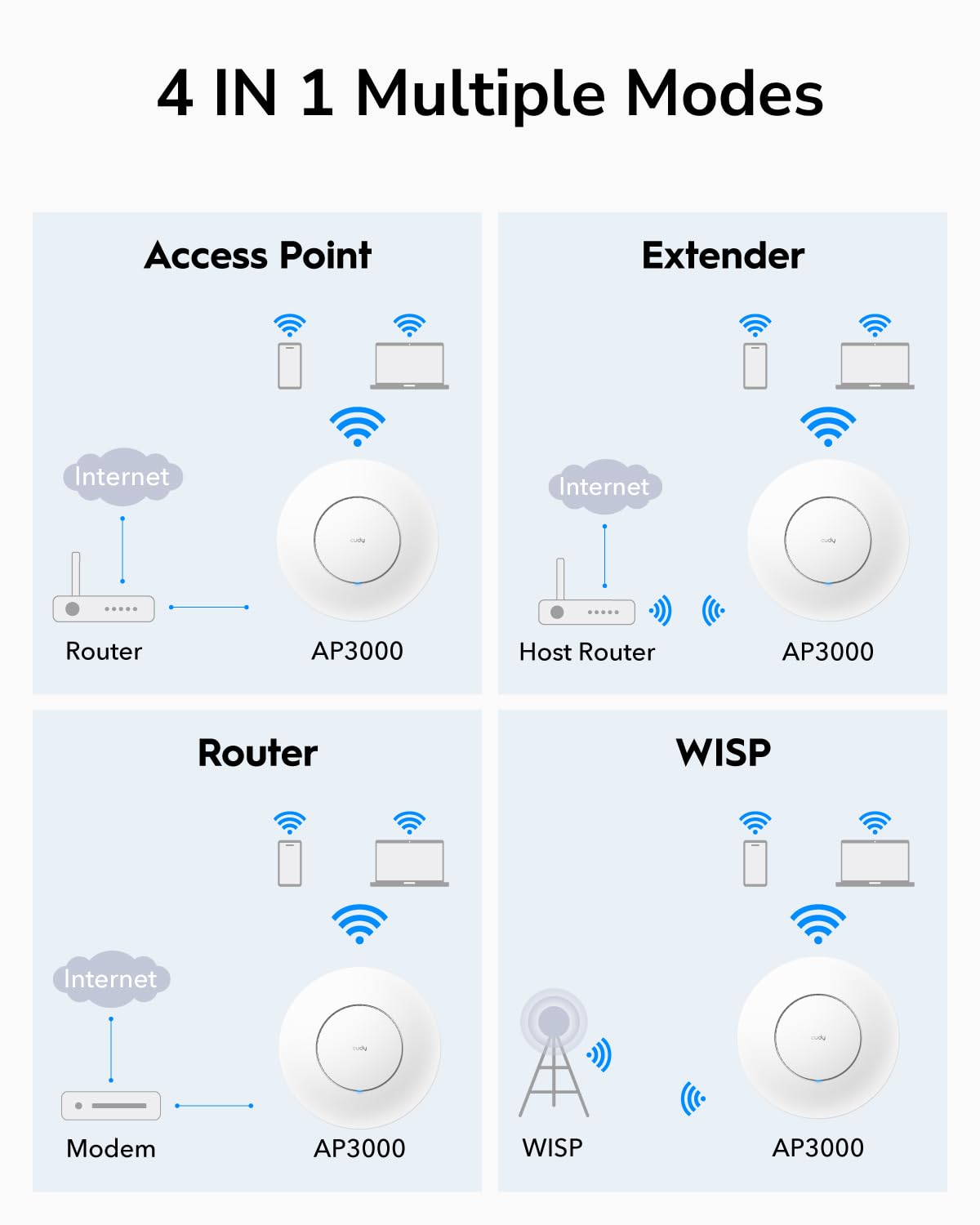
I bought this AP as part of a home network overhaul. I’m wiring as many devices as possible with Ethernet, but still need fast, reliable WiFi for handhelds, convenience, and an ever-growing list of IoT devices. My network is mostly TP-Link gear, but I wanted to branch out and give a different brand a shot. Likewise, the price for this AP was a bit better than an equivalent TP Link model but not dramatically. I think I paid $80 at the time for this Cudy unit and the same style with TP Link ranged betweeen $100-120. I knew I wouldn’t have the same native integration as with TP-Link, but I’m always rooting for the underdog. If the device is good, then I’ve still got a product I’m happy with, I get to support a competitive market, help out an up and coming brand, and save a few bucks in the process. Unfortunately, this underdog didn’t meet expectations. Setup of the Cudy unit was quick and easy, even alongside my TP-Link backbone. You connect to the Cudy’s setup SSID via smartphone, run through the wizard, and then connect it to your network via Ethernet. It offers multiple modes, like router or access point — I’m using it as an AP. Once initial setup is complete and unit is connected, you can access and adjust the settings from any device on the network through the assigned IP. I recommend setting a static IP to the AP. Functionally, it works — at first. But after a few days of uptime, WiFi reliability drops sharply. Severe packet loss. Streaming devices struggle. Multi-room Alexa audio randomly drops or goes out of sync. Speeds tank to almost nothing. A quick restart fixes everything… until it happens again. Over time, performance consistently degrades to the point of being unusable without a reboot. I’ll be replacing this with a PoE TP-Link AP and regret not getting one from the start.
F**N
Un excelente producto que cumple todas mis expectativas.
C**S
High performance, easy to use, but limited features and channel selection.
Pro: - Seems to be consistently fast; over 700Mbps with 80MHz channels, over 1G with 160MHz channels. - Supports DFS, so you can actually use 160MHz channels. - Supports WPA3 for better security. - PoE or direct DC power, your choice. - Straightforward configuration via web interface. - Good support for different roles - AP, wireless router, transparent extender, or WISP (extender with DHCP). Con: - No controller management yet (if ever), so each device must be configured separately. Ubiquiti does this bit better. - Obviously based on OpenWRT which has more features, but you can't get to stock OpenWRT to use them. GL.iNet does this bit better. - Seems to only support one SSID, as an AP at least - no guest network on a separate VLAN. This is a pretty common feature at this point, even in ISP routers. It is unfortunate to see it missing on an AP, which again is based on software which already supports this feature. - In WISP mode, does not allow any control over which channels are used. Would be OK if the auto selection were somewhat intelligent, but it chooses channel 3 in 20MHz and channel 9 in 40MHz which are both suboptimal. This is a real shame, since performance is good and I figured WISP is a great use for an AP which doesn't support central management or multiple SSIDs per radio. TL;DR - Good performance and connectivity options, as long as you're OK with a single network and few other advanced features for this price class.
B**Y
Delivers!
Easy installation. Performs great
C**N
Muy bueno, con gran velocidad y alcance. Además de configuracion sencilla con su app.
M**.
Ho risolto il problema dei LAG mentre gioco. Collegato direttamente alla porta del router TIM per il mio visore VR . Spettacolare.
K**R
Bought this AP to replace an unreliable wireless mesh system. It works great - easy setup, much stronger signal than my router and looks tidy on the wall. Possibly not quite as configurable as more expensive makes, but I think most people just want a reliable AP that sits there and does it's job.
K**R
Der Accesspoint wurde ohne Probleme in Betrieb genommen und im Anschluss mit OpenWrt 24.10.3 versehen. Die Installation ging mit der Anleitung im Git Commit ohne Probleme. Die Verarbeitung ist wertig und mit Hilfe der beiligenden Bohrschablone ist das Anbringen an Wand oder Decke kein Problem. Somit ein Accesspoint zu einen sehr guten Preis.
S**N
Branché en POe chez moi et fonctionne super bien. Étant donné que j'ai déja des CUDY chez moi il c'est configurer tout seul. Pendant les fêtes on était 20 connecté dessus pas de perte de vitesse. Je vous conseil cette AP wifi pour ceux qu'il veulent du vrai wifi chez eux.
Trustpilot
Hace 1 semana
Hace 1 mes