We remain fully operational. Our teams are working around the clock to ensure your deliveries continue safely.

Descargar la aplicación


Servicios al cliente
Sobre nosotros
Copyright © 2025 Desertcart Holdings Limited
Descargar la aplicación
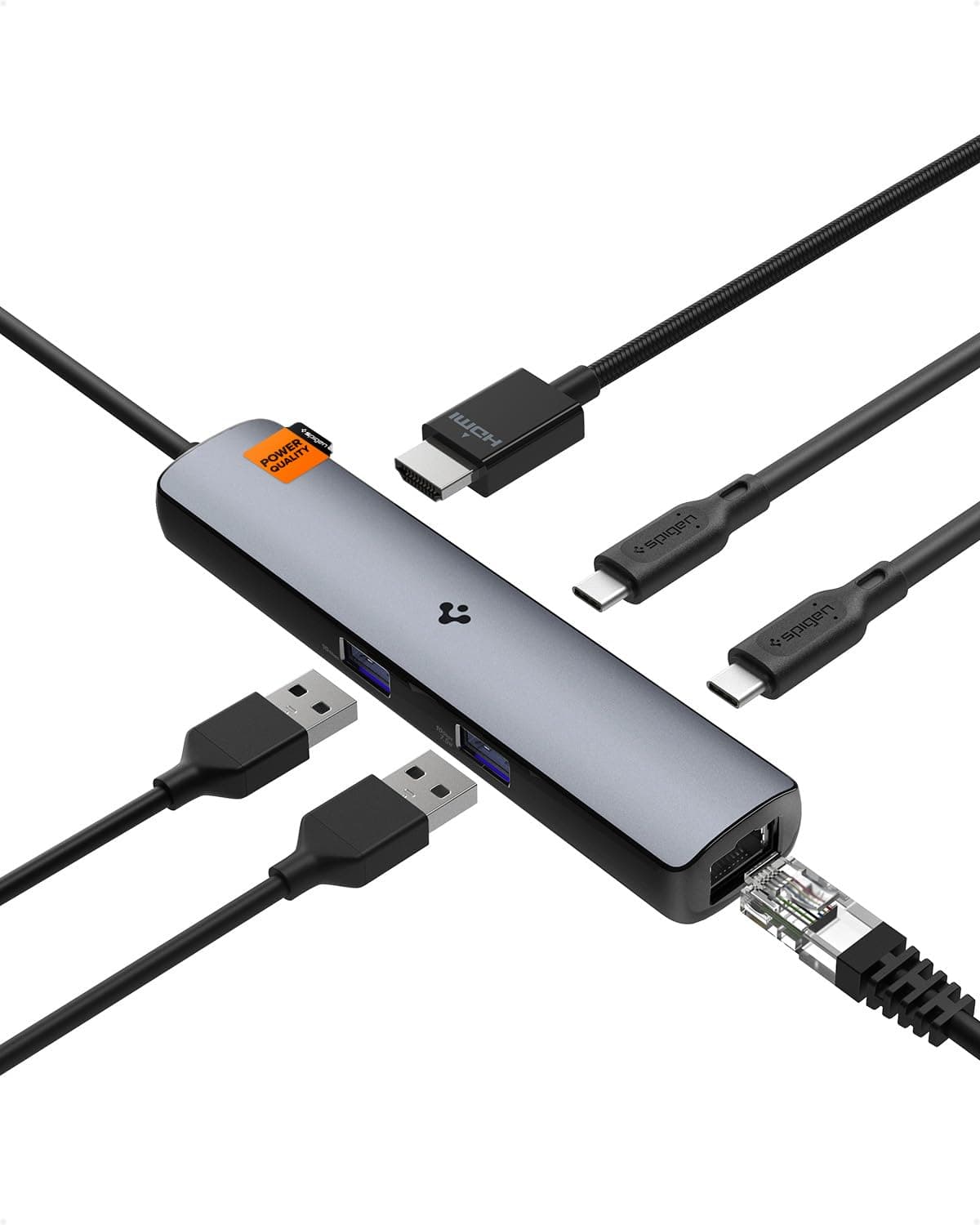
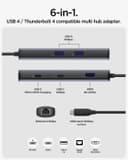
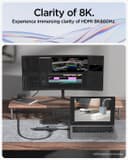
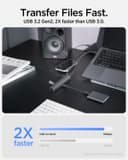
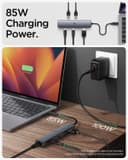

🔗 Connect to the Future with Spigen!
The Spigen ArcDock USB C Hub is a versatile 6-in-1 adapter that offers a powerful combination of connectivity options, including 100W Power Delivery, 8K@60Hz HDMI output, and a 2.5Gbps Ethernet port, making it the perfect solution for professionals seeking seamless integration of their devices.





| ASIN | B0C741CTP5 |
| Best Sellers Rank | #173,831 in Electronics ( See Top 100 in Electronics ) #1,577 in Laptop Docking Stations |
| Brand | Spigen |
| Color | Space Gray |
| Compatible Devices | Macbook M1,M2, Laptops, iPad Air/Pro/Mini,iMac,Steam Deck, Google TV, Drone, Nintendo Switch, Go Pro |
| Customer Reviews | 4.3 4.3 out of 5 stars (520) |
| Global Trade Identification Number | 08809896745376 |
| Hardware Interface | Ethernet, HDMI, Thunderbolt, USB Type C |
| Item Weight | 92.4 Grams |
| Manufacturer | Spigen |
| Number of Ports | 6 |
| Total Number of HDMI Ports | 1 |
| Total Usb Ports | 3 |
| Warranty Description | Spigen 24-Month Warranty |
G**I
No VRR support, runs very hot under load, but offers five-star value for $34.99
I got this dock new for $34.99 to replace my j5create JCD403 USB4 8K60 Ethernet Dock my girl commandeered. This USB4 peripheral matched most of the JCD403's ($54.99 on N*w*gg) capabilities for $20 less, but ultimately I had to break my trusty j5create JCH453 USB4 8K60 Slim Hub ($39.99 on N*w*gg) out of mothball instead, due to the Spigen ArcDock Pro 6-in-1 not supporting VRR. * Construction: The dock may look like a long dongle, but it's a thick boy, with quite a bit more girth than your typical RJ45 ethernet dongle. See it next to the 200g CalDigit Element 5 Hub and the 74g j5create USB4 8K60 Slim Hub with a Benjamin for scale in the attached image. The 92.4g Spigen ArcDock Pro 6-in-1 is still quite portable contrasted with the 160g SSK SC220 8K30 14-in-1 MST Dock and the 120g NewQ 8-in-1 MST Dock (see side-by-side image). The main body is plastic with two thin metallic plates glued to the top and bottom. It gets very hot with both PD and HTML under load (unlike the lighter JCH453 or the JCD403, which barely gets lukewarm), even hotter than the SSK SC220 or the NewQ 8-in-1. The port legends are printed on and may wear off with use, unlike laser-etched port legends on hubs with metallic casing around the ports. The DF USB-C 3.2 Gen 2 and one of the USB-A 3.2 Gen 2 supports 1.5A (marked 7.5W); the other USB-A 3.2 Gen 2 supports 0.9A. The host cable is about 30% longer than that of a typical bus-powered dock. * With USB4/TB4+ host: The dock gets very hot under heavy load when using PD to power host, or HDMI with a high power storage device, but otherwise functions as expected as a USB4 peripheral, with simultaneous USB 3.2 Gen 2 hub and 8K60 bandwidth for the HDMI 2.1 FRL port. * With USB 3.2 Gen 2 + DP alt mode host: When in multifunction DisplayPort mode (1 SS lane-pair to DisplayPort + 1 SS lane-pair to USB 3.2 Gen 2), this dock can output 4K120 10-bit RGB 4:4:4 with HDR paired with a display with DSC as the JCH453 can. However, the Spigen ArcDock Pro does not support VRR like the j5create and CalDigit hubs. At $34.99, this dock offers superb value for its HDMI 2.1 FRL and other capabilities, but if you want VRR for your display or are wary of your dock running too hot, then shell out more for a j5create. Other docks with VRR support are either much bulkier gaming hubs (such as the JSAUX HB1201S, JSAUX HB0705, BenQ GR10, UGREEN 9-in-1 Steam Deck DP Dock) or require power adapters (such as the CalDigit Element 5 Hub).
F**D
Wroks really well.
This is a high quality dongle that is very reliable. It can run my monitor, my synth and My hard drive which has all my samples and project files and works flawlessly for long hours. I would def recommend this dongle for people producing music on a macbook
C**P
It works with my macbook air M4 !
I have been using this dock for some time now so it is time for a review ! Pros: - relatively compact - have enough ports for plugin keyboard/mice and extra accessories -hdmi output has been working great at high resolution -it powers my macbook via the usbc port Cons: -it gets hot when the dock is used to power the laptop -Ethernet port is not a 10gb interface -Only one hdmi output After months of use, it is still going strong with no weird video glitches as encountered with some other docks. Overall very satisfied with this portable dock.
J**A
Me encantó el diseño y los materiales de construcción de este Hub USB-C. Lo compré para ver si era posible usar el puerto HDMI 2.1 con mi televisor LG OLED C2, pero lamentablemente por limitaciones de mi MacBook Pro de 16 pulgadas con chip M1, no me dio la salida de video a 4K 120Hz, pero sí la opción de HDR. Ya comprendí que es un tema de limitación por parte de Apple, pero igual el Hub USB-C es tremendo con los puertos de 10Gbps y el puerto ethernet de 2.5Gb. Totalmente recomendado comprar este hub, por que es el único hasta la fecha de la reseña que tiene el estándar USB 4 Gen 3.
T**O
Mostly Works
Picked up a new ultrathin laptop that only came with 3x USB-C ports so I picked this up in order to gain a few more USB ports as well as an HDMI port to hook up to my 27' display. For the most part, it works as advertised but found an issue after some use. Basically, the PD port (USB-C) is unusable. While it does deliver the necessary power, I found that it also caused my laptop to drop to 300 MHz. instead of a steady 3 GHz. I couldn't figure out exactly what was happening until I felt the hub and it was pretty hot to the touch. I'm guessing it overheats when plugging in the HDMI + 1G RJ-45 + 65w PD, which in turn caused my laptop to throttle down. I ended up unplugging the power and connected it directly to my laptop which fixed the overheating/throttling issue. I used Spigen exclusively for my cellphone cases. I don't know why I thought they could make hubs as well. Lesson learned and will just pick up an actual hub made by companies that specialize in it in the future.
F**O
What a little beast!
So thin, yet so mighty. I love it that it doesn't have any of those pesky (for me) card readers. Don't let the 2.5 Gbps Ethernet pass your eyes unnoticed -- this is a *Thunderbolt 4* hub after all, so your expectations should be raised. For the size this device is, it delivers so much capability.
D**Y
Overheats, Ethernet connection drops regularly, and doesn't work with MacBook Pro M1
I strongly do not recommend it. It overheats, and the Ethernet connection drops regularly, 1-2 times a day, sometimes in the middle of work meetings, or at the most inconvenient moments, and then it takes me about 5 minutes to reconnect. It's frustrating, especially considering that I bought it to improve internet stability via Ethernet. It works with my work MacBook Pro M3, but with my personal MacBook Pro M1, it doesn't - simply doesn't recognize devices connected to the USB ports and doesn't connect to Ethernet. I bought it because of the 2.5GB Ethernet port, but now I realize I could have just bought a high-quality USB hub and a separate 2.5Gb USB Ethernet adapter. The return window is closed now, so it turns out I just wasted $75.
A**R
Works as described
Works as described, cable is ~10" long
C**E
I’ve been using this hub for a week now. As a light user, I primarily use it to connect a 2.5Gb Ethernet cable and USB-C speakers. My MacBook successfully recognises the full 2.5Gb connection, although I haven’t run a speed test since my internet isn’t gigabit. So far, everything’s working smoothly. Considering the price of £34.99, I’d happily recommend this hub.
D**N
Works great, and a good price. It does get a little warm with the power passing through, and my laptop indicates that it is charging slowly, but it keeps my laptop charged. I find it convenient that the slots are all on one side. The light indicating ethernet traffic is pretty bright in a dark room, but I don't mind that.
A**S
【総評】 何故か日本人の購入者レビューが1件もなかったのでやや不安でしたが、タイトルの通りの製品であり刺さる人にとっては掘り出し物です。 もっと色んな人に見つかってほしいのでレビュー投稿します。 以下、項目毎に感想を記載します。 【気に入った点】 ・セール時で約10,500円の高コストパフォーマンス ・ホストデバイスとUSB4接続対応 ・2.5Gbps有線LANポート搭載 ・USB3.2 Gen2 10Gbps対応のUSB-C、USB-Aポート搭載 ・8K60Hzの映像出力対応HDMIポート搭載 【気に入らない点】 ・USB3.1、USB3.2用のコンパクトDock・HUBよりも割高 ・DisplayPort端子がない ・SDカードスロットがない 【映像出力】 8Kや4Kのモニターを所有していないため、HDR&144Hz対応フルHDモニタでの評価となります。 WindowsのゲーミングノートPC(ASUS ROG Zephyrus G14 GA402XI Ryzen 9 7940HS&GeforceRTX4070Laptop搭載モデル)とM1 MacBookAir(メモリ16GB&1TB SSD)へ接続した場合に144Hz&HDRでの出力を確認しました。 M1 iPad Proでは60Hz&HDRでの出力に制限。同じM1チップのMacBookAirでは144Hz対応であるため、iPadOSの制約であると思われます。 ダメ元でNintendo Switchにも使えないか試したのですが、有線LANもHDMIもやはり認識しませんでした。 8Kモニタの購入予定はありませんが、QHDまたは4Kのモニタは購入計画がありますので、環境が整い次第再評価する予定です。 【2.5Gbps有線LAN】 ローカル接続速度を計測する環境がないのでただの主観的な感想と思ってください。 1Gbps有線LAN環境での使用となるため、他の1Gbps用のLANアダプターやDock等との使用感の差はありませんでした。 今後2.5Gbpsまたは10Gbpsポートを搭載したNASやHUBを購入して計測できたらと思います。 参考までに、インターネット接続についてはダウンロードは400〜700Mbps程度、アップロードが200〜300Mbpsでした。インターネット接続最大1Gbpsのベストエフォート且つ建物内共有回線となりますため、こんな物かと思います。 【USB機器接続】 こちらもUSB3.2のGen1とGen2の差を測れるような環境が無いためあくまで主観的な感想になります。 今のところは外付SSD、Web会議用カメラ、スピーカー、USBヘッドフォン等を問題なく接続できています。 ホストとの接続がUSB4である為、SSD等の高速な機器を繋げても帯域を使い切らない安心感があります。 【その他使用感】 ・耐久性→購入してまだ1カ月となるので不明。 ・サイズ・重量→同系統のUSB-C Dock・HUBより若干大きめ。大きさの割に重量は軽く感じる。 ・質感→某A社製品の同型USB-C Dockと比較するとやや安っぽい。
J**S
RAS, fait ce qu'il faut.
M**I
- supports HDMI 1080P @144hz with HDR but make sure your laptop supports the required DP alt mode version, probably DP 1.4 - headphone jack is surprisingly good and better than the stock one on my laptop which wasn't great to begin with but nonetheless. Initially had some issues with Dolby Audio but i guess that could have been just windows being windows. - I recommend to use with a PD charger of atleast 20W just to power the Hub, without it you may disconnect hard drives that are daisy chained with other powered usb hubs. - USB C data port doesn't support DP alt mode aka cannot connect a USB C to DP cable to the monitor through USB C. (HDMI works fine even better than I expected) - HDMI port might be able to push upto 1080p @240hz and also 2k @120hz theoretically, since it had no issue with 144hz and apparently it supports 4k@60hz. - the light on the 10 gigabit ethernet port is very bright and sometimes flashes rapidly when in use. Not the most ideal for a dark room. - daisy chaining multiple powered USB A Hubs or a single non powered hub or a combination of the two works perfectly. - build quality is actually pretty good, the coating on the usb c cable is rubbery, not sure how will it age. The connection to laptop is confidence inspiring although there is no click like my last hub. - The hub itself is metal probably aluminium and should disapate heat, haven't checked how hot does it get though and honestly i didn't bother with it. Versict: Took a gamble and i was surprised, it's actually good and made my dream of one wire to dock come true and with a relatively cheaper hub.
Trustpilot
Hace 3 semanas
Hace 1 mes