🎮 Own the game with precision, power, and style — the Stealth Ultra is your ultimate wireless weapon.
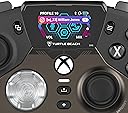
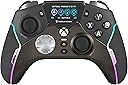
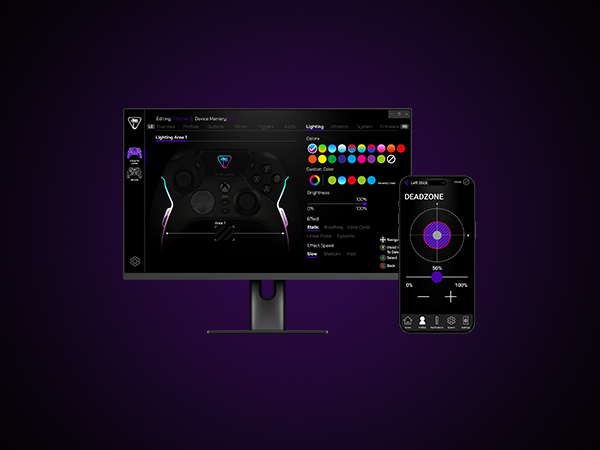
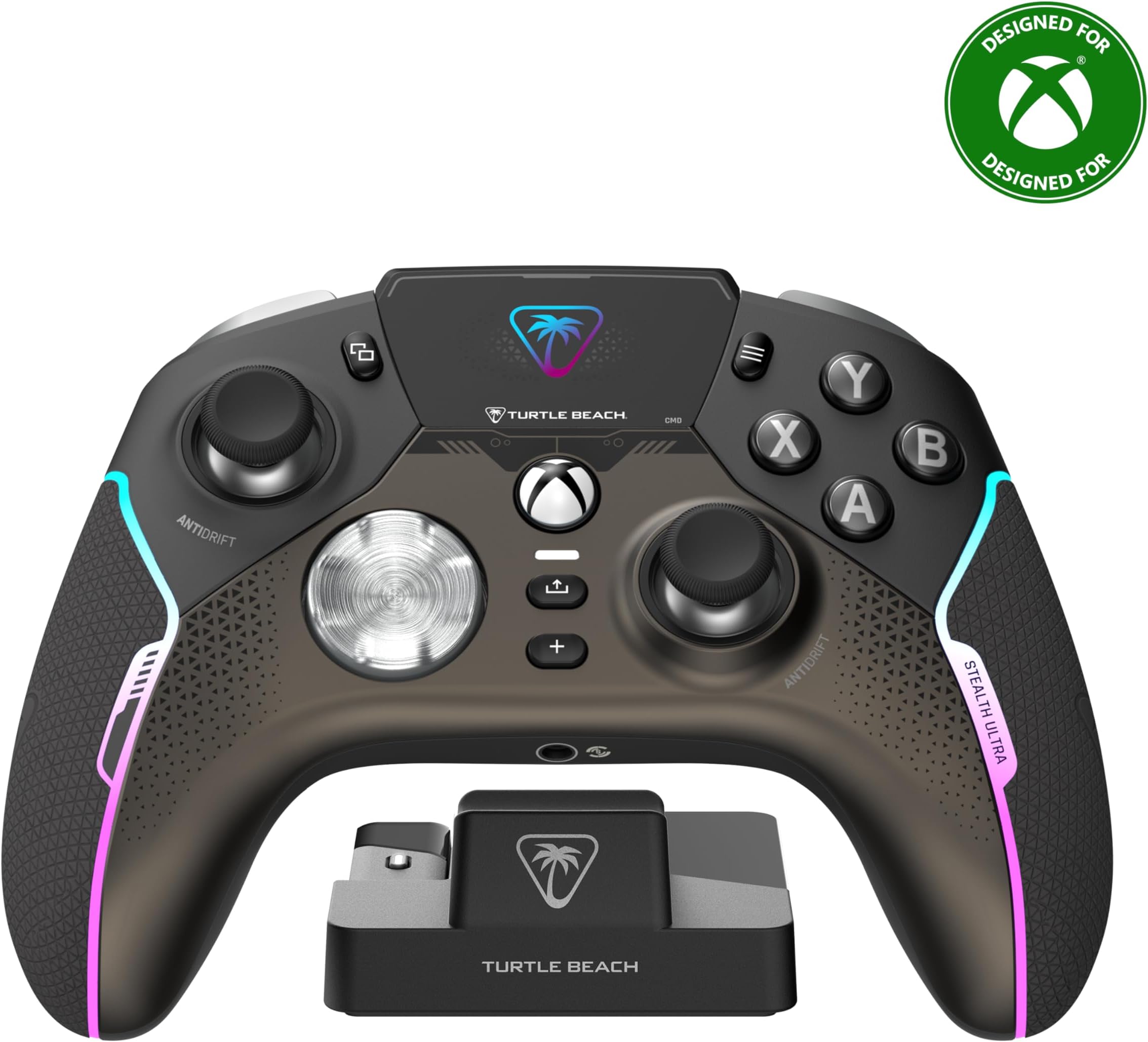
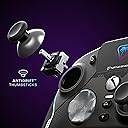
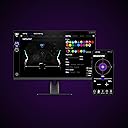
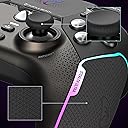
The Turtle Beach Stealth Ultra is a premium wireless gaming controller licensed for Xbox Series X|S, Xbox One, Windows PC, and Android. Featuring patented Hall-Effect thumbsticks for drift-free accuracy, a full-color Connected Command Display with social media notifications, and customizable RGB lighting with 16.8 million colors, it offers unparalleled control and personalization. With up to 20 hours of battery life in Eco mode, rapid USB 3.0 charging, and advanced audio tuning including Superhuman Hearing, it’s designed for serious gamers demanding durability, responsiveness, and seamless connectivity across multiple platforms.







| ASIN | B0CJVQFZ1S |
| Additional Features | Wireless |
| Best Sellers Rank | #728 in Video Games ( See Top 100 in Video Games ) #19 in Xbox Series X & S Controllers |
| Brand Name | Turtle Beach |
| Button Quantity | 10 |
| Color | Black |
| Compatible Devices | Android, Windows, Xbox One, Xbox Series X |
| Connectivity Technology | Bluetooth |
| Controller Type | Gamepad |
| Customer Reviews | 3.5 3.5 out of 5 stars (2,605) |
| Global Trade Identification Number | 00731855007103 |
| Hardware Platform | PC, Xbox, Xbox One, Xbox Series S, Xbox Series X |
| Item Dimensions | 6.3 x 2.53 x 4.72 inches |
| Item Weight | 0.83 Pounds |
| Manufacturer | Turtle Beach |
| Model Name | Stealth Ultra (TBS-0710-05) |
| Package Quantity | 1 |
| Power Source | Battery Powered |
| UPC | 731855007103 |
L**K
Very nice controller.
So far so good. I have no complaints. It feels great. Love the crisp buttons. No grinding sticks, no button issues, no broken triggers. Had it for almost a year. It has turned off a couple times. But so has my elite 2 and my vader 4. Charger works great. Battery isnt the greatest but ive never had a issue. Priced high yes. I got it on sale. But i have no complaints. And i play more then the average guy.
J**E
Squeaky D-Pad, Random Disconnects, Terrible Customer Support
Turtle Beach once was a brand I respected and trusted to make good quality products. I had a headset that lasted years without need of upgrade (until a new console made it "obsolete")... And then, I got this controller. First and foremost the software on the controller is tedious to use (oh but we got that amazing LCD screen!!), and some options aren't even possible on the controller leaving you to have to use the app on your PC or Xbox (such as disabling lighting entirely). The app on console is annoying to use, despite it being designed for a controller it seems like it was made with a mouse in mind. Moving on from the bad software, let's talk hardware (and maybe a little more software). Within 2 months of owning the controller (yay! out of refund eligibility!!) I started experiencing random disconnects. The controller would just decide it's no longer connected to my system anymore. Worst of all, it would stay powered on acting like it WAS connected, leaving me to hold the power button on the controller until it forcibly shut off, then I could turn it on to reconnect. There was no firmware to update to as my controller was on the latest (at the time of writing). I contacted support, who gave me the super unhelpful option of "reset the controller" and "plug the dongle directly into the xbox (instead of the charging pad", neither of which solved the issue. So they, of course, gave me a replacement for a defective controller. Not even 2 weeks into owning the supposedly new controller, the SAME ISSUE happened. I requested a refund from Turtle Beach, and all they are willing to do is to send yet another controller (so I can have the exact same problem happen, again). In addition to the controller randomly just disconnecting (it's really fun when you're playing an online pvp game!), the D-Pad makes a super irritating squeak sound when pressing the left side of it, even if not fully pressing the button in. Some fiddling with the D-Pad can make it quieter, but that just means parts are loose that shouldn't be. And then there's the other fun little issue where the controller just... does whatever it wants? That's really my best explanation. My fingers won't be near the guide button at all and all of a sudden I'm 3 menus into the guide. Oh.. And the real kicker? The "anti-stick" drift? The whole reason I got this controller in the first place? Yeah, worthless. Randomly my controller will just decide "Okay, you wanted to look to the left and upwards" even though I'll be hitting the joystick down, for example.
J**S
Good Controller for Big Hands
I have big enough hands that most controllers feel uncomfortable. For instance, I can't use the xbox elite controller, because it just feels too cramped (e.g. it's angled too far inward). The best controller that I've found in that regard in recent years is the Astro C40, but unfortunately, they don't make it anymore (and mine wore out), and it has playstation buttons, which is great when playing on playstation but annoying on PC. However, this controller from Turtle Beach comes close, and it has much better buttons. They're quite clicky, so it's always clear when they're pressed, and they feel nice to press. The tension on the sticks isn't as high as I'd like, but it's still good. The triggers are great. They not only have trigger stops, but the controller actually turns the triggers into proper buttons when they're locked instead of you having to go into the settings to change their sensitivity (which the C40 unfortunately requires). So, overall, I'd say that the controls are quite solid. The real winner though is the shape, since it feels _much_ nicer in my hands than a typical xbox controller. Ideally, it would be a bit larger than it is, but it's so much better than the other controllers that I've tried recently that I'd have to recommend it on that basis alone if your hands aren't small. Now, the fact that the controller has RGB lighting on it is just stupid and annoying IMHO. It's a waste of power and distracting. Fortunately, you can turn it off in the settings, which makes for a _much_ more pleasant experience. That being said, I did have to do custom settings, since the eco settings also make the controller turn off annoyingly quickly - the range is 1 minute to 10 minutes (or always on), and the eco mode puts it on the shortest time - whereas if you further customize the settings, you can tweak how long the controller will go before automatically shutting itself off. The controller comes with a nice charging stand that you can also plug the USB dongle into, so then it's connected through the stand instead of having the dongle connected directly to the computer. The stand will also stop charging the controller once the battery is full, so you can just leave it on the stand without worrying about wearing the battery down, which is nice. The one issue that I've run into is that occasionally, when you wake the controller up, the dongle fails to get the signal and stays asleep, so I have to unplug the stand and plug it back in again, which is annoying, but it's not the end of the world. And most of the time, it reconnects just fine. The controller also allows you to plug in a USB-C cable directly if you want to use or charge it that way. The controller has a small, simple display on it which allows you to configure some stuff (though I haven't bothered; I've just used the PC application to do it), but what is nice about it is that it shows the battery level. And the screen has a timeout similar to the controller itself, so it can be set to turn off after a minute and then not turn on again until you press the button. It would be nicer if it would also turn off with the same button rather than having a timeout, but you can't have everything, I suppose. And you can adjust how bright the screen is (or how bright the lights are if you actually want them on). So, all of the various annoyances that drain the battery can be dimmed and/or turned off. And of course, you can configure a number of things about the buttons and sticks if you so desire, though I haven't done much with that. I just wanted a controller that fit nicely in my hands, and button customization is simply a nice bonus. One potential concern with regards to the longevity of the controller is that the edge of the grips, which are rougher than the rest of the controller, feel like they were probably glued on, and IIRC, I saw some other folks say that theirs had come off. And while I haven't had any problems along those lines yet (and wouldn't expect to any time soon), that part of the controller does feel kind of cheap such that it wouldn't surprise me if they did come off eventually. My initial thought was that I would have preferred that they made the grips nicer and skipped the charging stand, but I've come to really like the charging stand. But still, if they were to make improvements, the most obvious things would be to make the grips nicer and to get rid of all of the RGB garbage (which would presumably also help with the cost), but at least the lighting can be turned off.
B**M
Not very good right now but it has potential
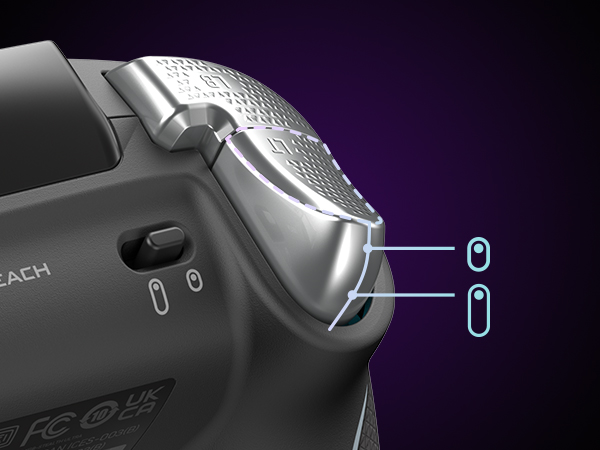
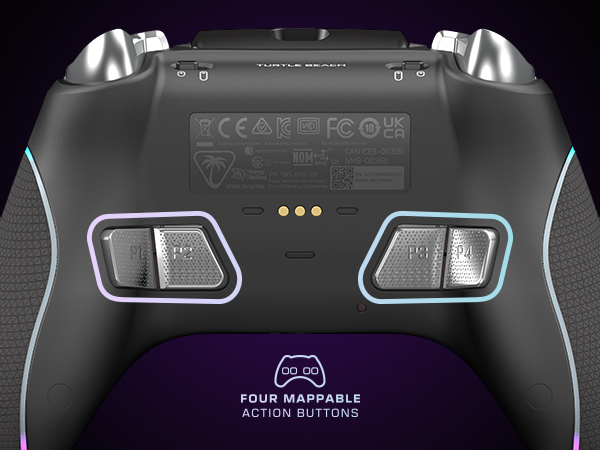
I was pretty excited to use this controller but it had many issues that just made this such a frustrating controller. The good parts about this controller is the embedded controller screen that lets you adjust your settings and mapping buttons. However, because of the screen placement hitting the view/select button was awkward. The build feels really nice and the clicky-ness of the game buttons and the bumper are very nice very similar to the feel of the Razer Wolverine Tournament Edition. So anyone who might be used to mouse/keyboard might enjoy the feel of this. You do get a charging station similar to what you'd have with an Elite 2 controller. The station has a base to plug in the Bluetooth Adapter into (vs manually plugging it into the Series X, which you could do) but it's very hard to grasp and pull the USB stick out, so it's probably better to keep it attached to the charging station and plugging it into your Xbox. Using this for FPS predominantly Call of Duty I felt that the aiming on this was weird and awkward. I spent a lot of time trying to dial the settings in but could never get it right. Either is way too loose or too rigid with aiming. I adjusted the controller internal curve mapping but just no luck getting it right. With Hall effect joysticks, these did feel nice but perhaps it's years of analog joystick it just never felt right over the two weeks I kept trying to use your controller. The biggest issue with this controller is the connectivity of the controller. I had verified the most up to date firmware at the time of writing this, it would lose connection to the series X intermittently. Sometimes I couldn't recalibrate or get it to reconnect without restarting the series X or unplugging and replugging it back into the console. The second biggest issue is that often when using the controller it right for the lack of better words, freak out. Think that you're aiming and going right and then randomly it tugs to the left or just ignores your input altogether. That was my experience with this controller and reading other reviews and reddits going similar people running into this issue with no apparent fix. The customizable back buttons are just a bit shallow and semi awkwardly placed horizontally in the controller. Meaning utilizing the entire thing is a nightmare of ergonomics, it made my hand cramp up and outside of the predominant back button being slightly easier to hit, both of the buttons towards the middle of the controller require a real stretch. As such, trying to use the buttons and joysticks feels unnatural. Battery life was very hit or miss, I would get a few hours sessions in and the battery would just get depleted. I even lowered the RGB lighting on the controller and the screen brightness and time it settings but still found the Elite 2 controller to still be the best in which I only have to recharge it every 1-2 weeks from 2-4 daily gaming sessions, on average. It does come with a nice controller case where you can keep the charging station in just like the Elite 2 controller. You also get thumbstick covers similar to Control Freaks with two texture types. I'm not much of a fan of Control Freaks but they did feel nice, so if you like them, you'll like these that are included. There are trigger stops and The button is on the top of the controller as opposed to the Elite 2. For ease of use, it felt odd to adjust on the fly vs the Elite 2. However, the build quality of the buttons are much better. With the Elite 2 controller trigger stop being wrapped by a tiny rubber piece that often falls off, in which you have to use your finger nail to get underneath to switch the stopping location for the triggers. Overall, what makes this controller have potential is the build quality, it's superior to the Elite 2 with regards to the material and having the internal system with the embedded screen is awesome. This is the only 3rd party controller that is wireless for the series X so that's a plus but the things that hold this back is: 1. Connectivity Issues 2. Awkward Placement of the back buttons and trigger stop buttons 3. Dead zone and Hall Effect feels very weird so it takes time getting used to I think with a few more revisions to the controller it can certainly be up there to rival the Elite 2 but it has kinks it has to sort out. With the price point of $199.99, it seems better to just get the Elite 2 or if you don't mind having the controller plugged in, the Razr Wolverine are just better options.
A**R
Not perfectly compatible, but still a good controller if looking for something more than standard.
Bought this to replace a Microsoft Elite Xbox Controller for my XBOX X console. This controller feels larger than the elite, and requires an additional app to be downloaded to be used. Be aware that it doesn't sync directly to the xbox's bluetooth but rather to an adaptor or dongle which sits on the charging stand, therefore it doesn't turn on the console when you press the XBOX button like the Elite controller did. It's possible that this dongle is meant for PCs or other devices that don't have bluetooth? I'll see if I can pair directly with XBOX via bluetooth, but out of the box you'll have to manually turn on the xbox before you sit down to game. The extra buttons on the Bottom are a little too well paced to align with naturally holding the controller so often trigger the programmed buttons which makes for interesting in game mistakes. While buttons are programmable using the free app, there is no ability to do combination buttons like the elite had. It's also much lighter. Note: I'm not a competitive gamer, but a casual gamer so I can't comment if this controller will give you the edge, but for me, works better than a standard controller or a broken Microsoft Elite 2. :-)
R**N
Worth it
I’ve had this controller for 9 months and have put some serious usage on it and I have to say that from the reviews I was worried about it holding up but that has not been the case. First off, what’s in the box. It comes with the controller itself, two different pairs of thumb grips that slide over the existing thumb sticks, braided USB-C cord, charging mount, wireless dongle, and a carrying case. The carrying case is nice, is a durable cloth exterior with a velvety interior, haven’t needed to use it so it’s holding up fine. The charging mount is interesting. You plug it into the device that you’ll be using the controller with and you’ll have wireless gaming on that device as the USB dongle has a spot on it to plug into. I ultimately decided to not use the mount for now, I use the braided cable it came with, which is 10 feet, to keep the controller plugged into my pc as that’s where it’s used most frequently. The dongle I took out of the mount (ended up having to wedge something in between the mount and the usb to get some leverage the first time to actually remove it) and I have that plugged into my Xbox series x in the living room so if I want to use it I just unplug the controller and walk out of the room. Works out because I don’t have to resync or move the long cord with the mount around the house. The thumb grips are nice, they’re not needed but I use them anyway so the original grip on the thumbsticks themselves are still in good condition and I can’t see any wear on the ones I decided to use. I opted for this controller for one big reason, that being the built in volume controls. Since the launch of the Xbox One I’ve been using the controllers that ship with the consoles because they just work. I didn’t like that weird headset that came with the One so I picked up a pair of XO7’s and it came with an adapter that plugs into the bottom of the controller (the weird rectangle looking port with two squares around it that I always see people asking what it is) and it always gave me freedom to increase the volume of everything going through it along with having the audio being split between console sounds(games, YouTube, Netflix) and party chat so I would be able to turn people down in those intense search and destroy matches on CoD and such if needed. I still have that adapter and still works great, so does my controller that came with my Series X, but I wanted something new. While the built in volume controls are what was the final deciding factor, what drew me to this over say, the official Xbox Elite 2, was the bottoms themselves. I was curious about the mouse click feedback and got me thinking about all the times I’ve had to take a controller apart to clean them because of a button getting stuck. These buttons don’t seem to have that issue at all and while it feels weird at first it in my option feels so much better. Yeah you’re getting mouse clicks every time you press A B X Y RB LB D-pad or any of the rear mounted buttons but if you’re using to mouse clicks then it shouldn’t be a problem. Remapping the rear buttons is easy and takes less than a minute to do, no extra apps or anything for that, with the built in screen it has its own menu to do everything you want. *There is an app you can download though if you want the notifications from your phone to show up on the screen, I used it a few times and mainly if my fiancé is out and she needs to get ahold of me it’ll pop up in the screen and the controller lights will change letting me know I got it* the controller also has trigger stops which I pretty much keep on unless I’m playing a shooter and you don’t have multiple options like the Xbox Elite 2, it’s just on and the triggers act as button presses or full on trigger. Overall the performance of this controller has been overwhelmingly positive from me and I do implore anyone wanting to change it up a bit for something new to get this controller, as long as you take care of your things I don’t see durability being an issue. I wouldn’t let younger teens or children use this, or any controller that has a bunch of functionality at that, just for the fact that they could get upset at a game and throw the controller and damage it and I’m sure it’s not as durable as the stock Xbox controller, especially with a built in screen. Oh and battery life is about 8 hours continuous play
O**S
Buggy and Unpolished. Update: Broke after a couple months of use, replacement broke too
Update 2: the replacement had the same failure in exactly 60 days. Yesterday I was playing marvel rivals and the right trigger started feeling unresponsive and would randomly stop firing. Then it started firing nonstop. After the match ended, I inspected the trigger and found it was crooked and has the same "slop" as last time. This is definitely a design flaw. I never felt or heard anything crack or snap, it seems the hinge is just weak/soft plastic. I've owned dozens of controllers in my life and used them for thousands of hours, and these are the only two I've ever had experience a failure. Update: I stopped using this controller after forgetting to return it. But unfortunately a couple months ago my Elite 2 controller had some issues and I had to send it in, so I figured I'd give this a shot again. I can say the software updates helped, though occasionally it does have issues with the thumbsticks going in the wrong direction or button clicks not registering. But it was tolerable for casual gaming. However, last week I was playing Halo and all of a sudden my right trigger stopped firing correctly. I noticed any gun I pulled out would fire full auto, and eventually the trigger stopped working all together. I also noticed the right bumper was very difficult to push. After the match I took a look and noticed the trigger was just flopping around inside the controller. I thought maybe it was just knocked out of place so I attempted to see if I could re-seat it. But it just fell out of the controller, where I could see the trigger had just snapped off right at the hinge. I was able to fill out an RMA, but unfortunately Turtle Beach will not send out a replacement until they receive my controller, and then they say it will take 10-14 business days to send a replacement. But I'm back to using my Elite 2, and although it does have minor strict drift, the back paddles are much better than the TB, and it doesn't require an external transmitter like the TB. The E2 triggers and buttons also feel dramatically better, and overall configuring the buttons is much simpler. And in general the TB feels so much cheaper, especially for the insane price tag. For 79$ it'd probably be a good buy, but at its current price it's still an absolute scam. On paper it's the ideal controller. At least currently it's the only wireless controller with hall effect sticks, back buttons/paddles, and adjustable triggers. However in reality it's just not ready for primetime. It feels like something you'd expect from a Kickstarter where it was the company's first project. My 1st main issue I came across was the absolutely atrocious app they use on Xbox to configure the controller. Just setting up a profile is incredibly clunky and intuitive compared to say the Elite 2. In app there's controller input lags, doesn't register, or registers too much (aka nonstop button clicks). I got into a game after setting everything up in my profile and the settings didn't save even though they show as saved in the app. I ended up using my standard controller to setup the turtle beach since the inputs were so inconsistent in the app it was unusable. Aside from that, I've noticed the controller will miss button clicks, even though I fully depress the trigger/button and can hear the audible click. The sticks also sometimes randomly keep moving after being recentered and you have to bump it to get it to stop. I'm not sure if this is a hardware or software issue, but it's on the latest firmware so if it's the firmware there's no fix currently. The screen is definitely a cool idea, but for me it's not something I needed, and likely a large contributor to the high cost. Also is kind of annoying you have to use a dongle and it can't connect in the same way a normal controller does. I got this controller because I had stick issues with my Elite 2 out of the box, and figured I'd try it while it was out for repairs. This will tide me over, but I'd definitely never consider keeping it at $200 with how unreliable it is. I'm sure the next batch/generation of this controller will be great, but until then I'm sticking with the Elite 2. There are other companies making hall effect controllers now, so it's just a matter of time until someone comes out with a competitor that checks all my boxes.
C**Y
10x Better than microsoft elites!
Best controller for Xbox!! I've waited several months to write this in order to include that usage in the review. That usage is at least 5 days a week with over 9hrs of use each of those days. I got this controller for the hall effect joysticks to avoid the annoying stick drift that every single microsoft controler ALWAYS gets. I've owned over 20+ controllers including the elites and they all suck and always get drift. This, does not. The only SORT OF negative thing I can even think to mention about this is the buttons (A,X,Y,B D-Pad) as they are the same kind of click as a computer mouse and not the soft button push regular controllers have. Other than that, its amazing and you'll get used to it. The wireless range is like 10x that of a regular xbox controller. I can walk to the 3rd story of my house and it stays connected in a party. I have used the text notification on the controller sceen to see that it works only once but honestly, have no use for it as my phone is always next to me. The sound equalizer built in eliminated my need to have an additional bass booster/volume control connecter which is amazing. Some people say they had connection problems with theirs, the whole 7 months of using this, I haven't once experienced that. Honestly, I want to buy another one of these to have it as a JUST in case if for some reason they ever decide to stop making them in the future. It's that good. If you need a controller to do your xbox gaming and game so much that even the most expensive microsoft controllers don't last more than 8 months, this is the one!
Trustpilot
Hace 1 semana
Hace 3 semanas