We remain fully operational. Our teams are working around the clock to ensure your deliveries continue safely.

Descargar la aplicación


Servicios al cliente
Sobre nosotros
Copyright © 2025 Desertcart Holdings Limited
Descargar la aplicación

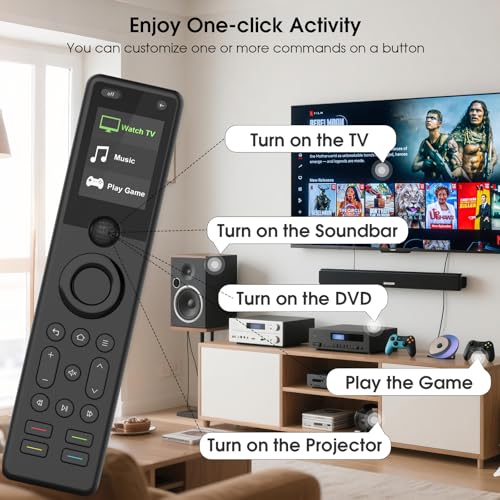
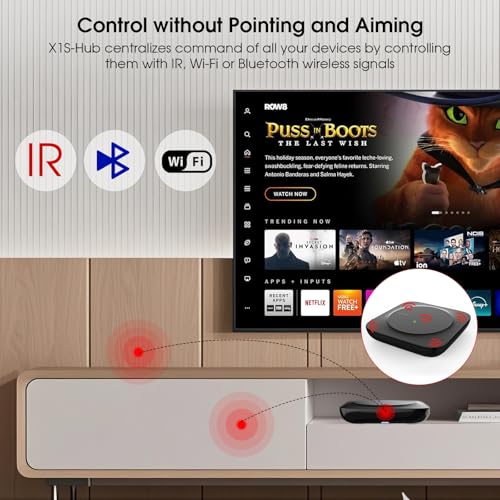


🎯 Master your media kingdom with SofaBaton X1S — the only remote you’ll ever need.
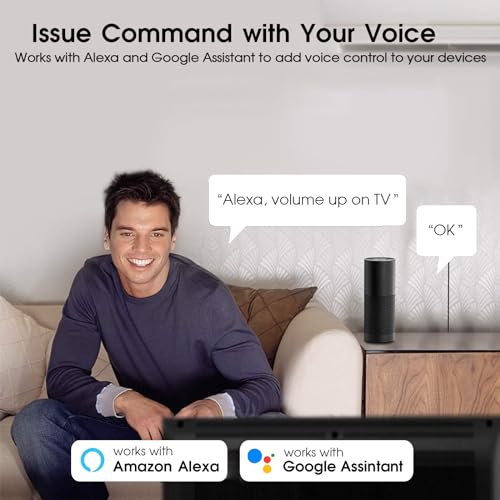
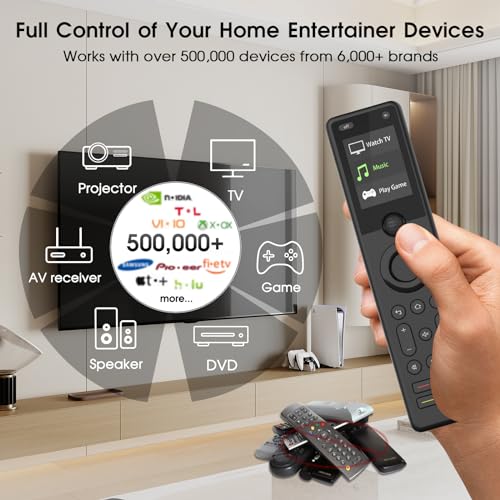
The SofaBaton X1S Universal Remote Control with Hub is a cutting-edge smart remote compatible with over 500,000 IR, Bluetooth, and WiFi devices. Featuring a powerful 40-foot infrared range with dual IR blasters, a rechargeable battery lasting up to 45 days, and customizable macro buttons supporting up to 10 commands, it streamlines multi-device management. Integrated voice control via Alexa and Google Assistant, plus an intuitive app for personalized setup and device tracking, make it the ultimate all-in-one entertainment remote for tech-savvy professionals.


| ASIN | B0CTH2DWZJ |
| Batteries | 1 Lithium Polymer batteries required. |
| Batteries Included | No |
| Batteries Required | Yes |
| Battery Description | Lithium-Ion Polymer |
| Battery cell composition | Lithium Polymer |
| Best Sellers Rank | #834,959 in Electronics ( See Top 100 in Electronics ) #24,920 in Audio & Video Remote Controls |
| Brand | SofaBaton |
| Compatible Devices | DVD/Blu-ray Player, Set Top Box, Stereo System, Television, VCR |
| Connector Type | Bluetooth, Infrared, Wi-Fi |
| Customer Reviews | 3.7 3.7 out of 5 stars (342) |
| Date First Available | 26 February 2024 |
| Display Type | LCD |
| Includes Rechargeable Battery | Yes |
| Item Weight | 599 g |
| Item model number | X1S |
| Manufacturer | SofaBaton |
| Model | X1S |
| Model Name | X1S |
| Model Year | 2024 |
| Package Dimensions | 22.71 x 14 x 6.6 cm; 599 g |
| Special Features | Backlit, Digital Display, Ergonomic, Rechargeable, Voice Search |
D**N
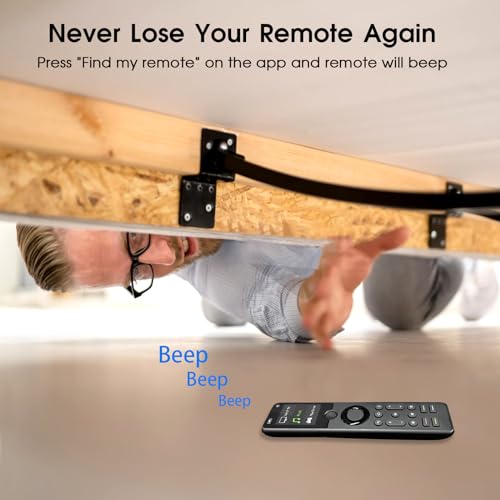
Before purchasing this Sofabaton X1S, I was a satisfied customer of their earlier U1 universal remote. Part of the reason for my satisfaction was the excellent support they provided. Some of my equipment was old, and it wasn't in the Sofabaton database. When I asked for help, they responded right away and entered the data, and it worked. They were a pleasure to work with. I was able to set my U1 control for my Samsung TV, Nakamichi receiver, and Oppo Blu-ray player. I set "activities" for playing a CD, using the Bluray and the receiver, and for watching TV with AppleTV, with the audio piped through the receiver. The one thing I couldn't do is connect to my Sonos Port. I hoped that the next version would be able to control the Sonos as well. When Sofabaton offered me a rebate on the X1S if I agreed to review it, I jumped at the chance. So far, I have had a couple small problems configuring my devices, but was able to work through them with the help built into the Sofabaton app. You do the configuring -- and also testing -- directly through the app, and then that syncs with the remote. Currently, my Sofabaton X1s has absorbed the controls for my TV, AppleTV, Nakamichi receiver, Oppo Bluray, Sangean HD radio, and (sort of) Sonos Port. The X1S works for me a little better than the U1. When I was setting it up, the default menu picks seemed to lead me straight to good settings. With the earlier U1 model, I recall having to do more customization to get things set the way I wanted, adding or changing commands for individual keys. That capability is still present, though, if I need it. I like the new version of the physical remote control better than the U1, because the more rectangular X1S seems more stable in my hand. It feels well-built, and the screen is easy to read. The only thing I would change is that the two little buttons at the very top ("off" and "<-") are slightly awkward for me to reach without shifting the remote in my hand; it would work better for me if these were on either side of the roller ball in the middle of the remote. It's really nice to be able to control several devices with one remote. This time my "Big Screen" activity just came together better than on the U1, and pressing "off" on the remote reliably turns off both TV and receiver. This time, I didn't need to configure a pause between powering the receiver and selecting the input, and it seems to just work. When I start the activity, it turns on the TV, receiver and the AppleTV, and sets the receiver's input to Video. The remote basically controls the TV (and the AppleTV through the TV), except for the volume and muting, which control the Nakamichi receiver. Then I edited the mute button to control the TV -- so I can easily swap between the TV audio and receiver audio, which is handy when I have the receiver going through my headphones. It's easy to edit the buttons in the Sofabaton app. For the Oppo Bluray, somehow I didn't get a working disc eject button, but I was able to select a button and explore a couple settings and quickly found one that works. With my TV, there were two database entries, and I wasn't sure which was correct. The first one worked great except for powering off. The Sofabaton app allowed me to troubleshoot that button, and the first or second suggestion for a change turned out to be the right one. (There are several versions of my LG TV). I found the menus mostly easy to understand. There were a couple places where I wasn't sure which way to go, but I tried a couple things and quickly worked it out. It's not perfect, but it's good, especially when considering the complexity of all the different devices and configurations available. I know that if I ever do get stuck, I can ask Sofabaton for help again, and they will quickly and cheerfully get me unstuck. My hope was to have a physical remote control for my Sonos Port, allowing me to cycle through my saved stations in the Port's app. I couldn't get that to work, but that would be a pretty tall order. The Sofabaton app lets you configure the inputs for a device in several different ways. You can work with devices that have physical buttons (like 1, 2, 3... as with my HD radio) or an "Input" button and then "Next". But the Sonos has no physical controls, and it doesn't seem to have any "hooks" into the app for selecting my stations. What I could do, though, was set the Sofabaton to control my Sonos Port (via bluetooth), and by default, the "next" button triggers the next selection in whatever channel I currently have in the Sonos app. Not bad. I think the X1S is well-designed and well-thought-out and well-executed. I would recommend it to my friends who are into tech. Looking over my comments, I would say that the X1S is not perfection, but it seems about as close as I'll find in any remote that can accommodate all the different devices and use cases that are out there -- with built-in features for fixing and customizing device profiles. I have not mentioned some of the advanced features that I don't yet use, such as integration with Alexa and Google Assistant. I just discovered the "Find my remote" feature (in the app, under Settings): I pushed the button upstairs, and followed the loud beeps to locate the remote, downstairs. I just noticed a feature in the app called "API interface". So there's more to explore, when I have time.
R**R
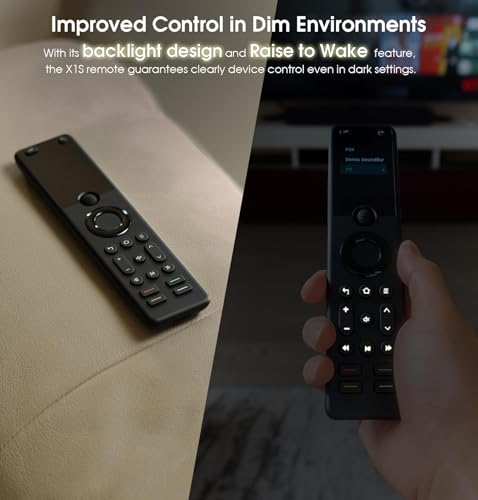
UPDATE: After a year and 1 month, the roller ball stopped working in the same way as my original X1 remote did. Unfortunately, as I was a month outside of the warranty, I was unable to get it replaced. As such, I've dropped the rating to one star. When the remote works, it works pretty well, albeit with plenty of quirks. It's sad, you'd think something with this high of a price tag would have better build quality. I believe I'm done with the Sofabaton brand now. This is my third Sofabaton remote and, so far, the best. While there are a few things holding it back from being perfect it's well on it's way to replacing the Harmony line. The X1S is a hub based remote, meaning that the remote communicates with the hub and the hub sends out the commands. First, the good: - high quality construction that feels good in the hands. - relatively intuitive setup for those that have used the Harmony line before - quick, responsive screen and buttons - backlit keys and improved font on the screen - long lasting battery and and "pickup to wake" feature (new for the X1S) Now, the not-so good: - Google assistant functionality is spotty at best - setup is only intuitive if you're familiar with setting up remotes. It can be daunting if you've never done it before. - I'm not a huge fan of the roller wheel, but it grows on you. - Philips Hue functionality is only so-so All in all, Sofabaton has been doing a really good job of making something that could take the place of the now discontinued Harmony line. There are some complaints, but overall, I really appreciate what they're trying to do and I feel they've been successful in most areas.
B**R
***8 MONTH UPDATE*** Still a really great remote. But as time has gone on, the scroll wheel is TERRIBLE. I scroll and scroll and scroll - sometimes scrolling fast, other times as slow as I can go - and the wheel doesn't move to the selections on the screen. The last couple of months it's started to drive me crazy. Also, most of the time it won't even scroll the direction I need it to go. I scroll up, it drops down; I scroll down, it goes up. It's got to the point where most of the time if I need to change from Watch TV to Play Disc or Play Games, I will just go on the app and click the activity I need. That way I don't go insane trying to scroll for 2 minutes just to move up or down one selection. That being said, everything else has been working flawlessly. I hope they fix the scroll wheel issue in the upcoming X2 being that it's a touch screen. We'll see how that turns out. Sofabaton really is the best universal remote system out there, as it so easily combines all of my devices into an incredibly easy setup. I have it connected to my TV, an Xbox, a Nintendo Switch, Sonos soundbar, 4k blu-ray player, and a Roku. It's just so easy to set up every device and customize the remote exactly how you want. I hope they fix the issues I have with the X2, but it sure looks like I'm gonna have to save up some money to get it because it seems to be about twice the price as the X1S **ORIGINAL REVIEW BELOW** I have had 3 Sofabaton remotes now, the U1, the X1 and now the X1S. The X1 was really great and definitely replaced my old Logitech nicely, however, I did have some initial setup issues and intermittent drop outs. With the X1S, I immediately see the upgrades. The setup was fast and worked exactly how it should have. The new remote is also great so far. It seems more responsive, the font is more aesthetically pleasing and the backlit keys are welcome. Sofabaton is the best system I have found since Logitech got out of the game. It is very customizable, easy to figure out and just seems to plain work. If you ever have an issue, it's easy to pop right into the app and fix it. Love these remotes and they seem to only keep getting better.
D**N
⭐️⭐️⭐️⭐️⭐️ - Handles Advanced Setups With Ease — Perfect for Multi-Device Systems I put the SofaBaton X1S to the ultimate test, and it passed with flying colors. My setup wasn’t simple — I had to control a Dell interactive touch display (non-ARC), a Sonos Arc Ultra soundbar, a Roku, a PC, and a CORSAHD HDMI switcher — all from one remote. This wasn’t a basic "plug-and-play" setup. It involved complex issues like ARC extraction, HDMI CEC, IR learning, volume control workarounds, and multi-device sync. Here’s why I think this remote is a game-changer for anyone with an advanced AV setup: What Worked Well ✅ Custom Activities (Game Changer) I created an activity called "Game Room" that controls 5 devices at once. I programmed the yellow button to instantly switch to Roku and the red button to switch to the PC. No need to scroll through multiple inputs. One button — done. This is the type of control that makes you feel like you’re running a professional AV system. ✅ IR Learning Mode My HDMI switcher’s remote wasn’t listed in the app, but thanks to the "learn IR" feature, I was able to copy the switcher’s input buttons directly into the SofaBaton. It worked perfectly. I wish more remotes had this feature. ✅ Custom Macros for Volume/Mute If you have a Sonos Arc, you know the frustration of trying to unmute it with a universal remote. Normally, "mute" works, but unmute doesn’t. I worked around it by creating a macro that adjusts the volume AND unmutes at the same time. This isn’t something a typical user would figure out, but it worked. ✅ Handles Advanced Devices (Not Just TVs) Most remotes are designed to control a TV + soundbar + streaming box, but I needed it to control a PC, server rack, Dell display, and a non-ARC soundbar. The fact that it handled this setup tells me it can handle almost anything. Room for Improvement: Sonos Arc Unmute Issue: The remote can mute the Sonos, but unmuting doesn’t work unless I press the Roku remote or manually tap the soundbar. My workaround was to create a macro that unmutes when you press volume up or down, but it would be great if SofaBaton added a feature to "unmute on volume up/down" or let the mute button work as a toggle. Pro Tip for SofaBaton: Add a feature that detects if the mute button is pressed twice (like most TV remotes do) and toggle it from mute to unmute. Power-Off Sequences (Needs a Better UI): Right now, when you turn off an activity, you have to manually program the shutdown logic for each device. For example, I had to tell the remote to turn off my switcher, then turn off the display, then shut down the PC. Pro Tip for SofaBaton: Add a "power-off sequence" feature where you can set the power-down order for each device. This would be a huge quality-of-life improvement. Final Verdict If you’re just looking for a simple "TV + soundbar" remote, this might be overkill. But if you have a complex setup like me (Dell display, Sonos Arc, Roku, PC, and switcher), this remote is a beast. It replaces up to 5 remotes and actually works the way you’d expect. It’s not a Logitech Harmony, but it’s close — and it’s half the price. If SofaBaton adds a "toggle mute" feature and a "power-off sequence" option, this could easily become the best universal remote on the market. ⭐️⭐️⭐️⭐️⭐️ - 5/5 — Advanced Setup Approved
S**R
I recently purchased this remote after coming off a Logitech Harmony Elite, which Logitech recently discontinued. I did significant research and found that this was the most comparable remote on the market. I would say I have a moderately complex setup compared to your standard user that simply has a television connected to a media device such as a Roku or Apple TV and maybe a sound bar. I'm connected to a 7.2 surround sound with stand alone receiver, connected to video game systems, media players, and a few other devices so making the jump to a new remote is typically very time consuming and not something I want to do often. Even with my previous Harmony remote, which I loved, it took me about 2 hours to get the setup right and another 2-4 weeks of fine tuning because things were turning on/off in an incorrect order leaving the receiver playing while the TV was off or vice versa under different circumstances. I am happy to say that the SofaBaton X1S, by comparison, was a breeze! There was no need for an outdated PC App that had to pair with the hub and could take some time to test and eventually use. SofaBaton uses a simple app that worked with my Android phone flawlessly. The app lets you use your phone like a remote if you would like to and has suggestions for each device you set up and use for a number of situations. Literally every device I added and every activity I added worked on the first try with the exception of my children's Nintendo, which took a little playing with. The device is light weight, easy to use, easy to reprogram if needed and feels great in your hand. The only real hiccups I ran in to were not due to the device itself but rather my physical setup. My receiver and TV are a distance apart and the IR blasters hard cords that were a bit short to cover the distance (I was about a foot short). Luckily, a quick Amazon trip and I was able to find compatible IR extenders which were fully compatible and fixed my problem with no issues. I would recommend the SofaBaton team offer their own extenders available for an additional purpose to save other users the time - but, again, this was no problem with the product itself. One surprising feature was the battery life. I would estimate my remote gets a good 5x the battery life of my old universal remote. I almost never have to think about charging it on a TV that gets moderate mixed use, daily. Occasionally, I check, thinking its been weeks since my last charge so it "must be due" only to find it has about 60-70% still left. Pretty amazing. Overall, very happy with the purchase and would highly recommend the product. Positives: Best universal remote on the market Easy to use Great battery life Great connectivity Option to use your phone as a remote Negatives: If I had to be picky, I'm not a fan of the "volume" and "channel" placement toward the bottom of the remote, which can be kind of awkward to hold/manipulate. It would be far better served toward the middle of the remote where the device is more balanced in your hand. One last thing - The device has a "blackberry-esque" scroll wheel to flip through activities. Coming from the touch screen on my old Harmony, I didn't think I would like this. I actually found it to be much easier to use, more responsive, and more accurate than the touch screen on the previous device. Also, because of this, I have never *accidentally* switched between screens or activities when I bump the remote like I used to occasionally do with my last. Like everything else, it took a little time to get used to but I find it to be a great setup once you get used to it.
Trustpilot
Hace 5 días
Hace 2 semanas