We remain fully operational. Our teams are working around the clock to ensure your deliveries continue safely.

Descargar la aplicación


Servicios al cliente
Sobre nosotros
Copyright © 2025 Desertcart Holdings Limited
Descargar la aplicación


⚡ Capture the future in 3D stereo clarity — fast, sharp, and effortlessly synced!
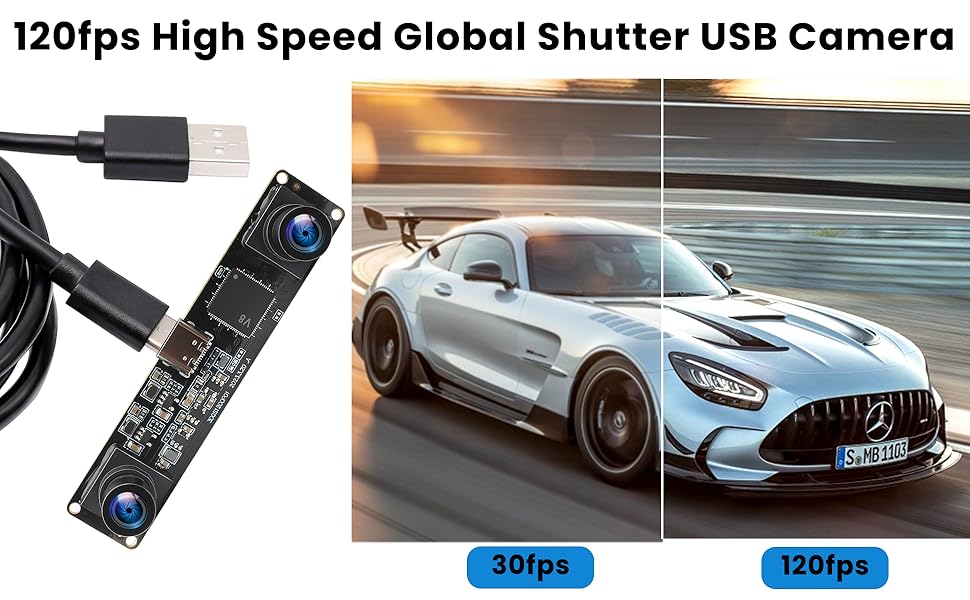
The IFWATER 120fps 3D Stereo USB Camera is a high-speed, dual-lens global shutter module delivering 1200P resolution at 120 frames per second. Featuring plug-and-play USB2.0 connectivity and a 90-degree synchronized stereo field of view, it excels in capturing fast-moving objects with minimal distortion. Designed for professional applications like robotics, AR/VR, biometric analysis, and live streaming, this compact camera module offers versatile compatibility across major operating systems and devices.




| ASIN | B0DBQDZQCK |
| Best Sellers Rank | #467 in Webcams |
| Brand Name | IFWATER |
| Color Name | black |
| Customer Reviews | 2.9 2.9 out of 5 stars (13) |
| Date First Available | July 31, 2024 |
| Item Weight | 1 pounds |
| Item model number | IF-USB3DGS1200P01-V90 |
| Package Dimensions | 4.49 x 2.83 x 2.32 inches |
| Special Features | -High speed 60FPS 1200P synchronized dual lens usb camera -Global shutter usb camera module dual lens, sutiable for shooting fast moving objects. |
S**R
Easy to use, won't work for serious computer vision
Love the form factor, plug and play was great. And I like how it outputs a single video with left and right sides, which handles all the synchronization. This is so much easier than fancier cameras like Zed. But the big problem is the picture quality and lack of adjustment. There was a major fisheye effect on the images. Images need to be rectified so a proper point cloud can be made. The ability to adjust exposure would be good, and there needs to be a way to get the camera intrinsics matrix. I'm not sure what the use cases are for others, but for serious robotics and computer vision, this won't cut it. If the manufacturer can fix the image distortion issues, ensure proper factory calibration (so important), and give sample code for getting point clouds, they would have a very attractive product that they could charge way more than $80 for
R**T
Works as expected
Camera worked as expected. It should be treated more as a dev kit than anything else. The system is bare bones so you will have to calibrate the system to generate intrinsic and extrinsic values. Once calibrated and rectified the system performed well using OpenCVs Stereo SGBM class. If your expectation is to get a system that will generate a point cloud out of the gate, this isn't for you. You'll need to understand some CV basics to get this setup working properly.
E**.
It's plug-and-play 3D... almost
First the good. You open the package, pull out the camera set which are soldered to a motherboard, plug in a USB-C plug on the top, plug the other end into your PC or Mac and launch your video capture software. The camera shows up as a source called 3D camera, you select it and there you go - it'll automatically capture side-by-side stereoscopic video. If you take said video into a video player on a headset (in my case, a Meta Quest3), you can in fact play it back in sterioscopic 3D meaning, you see it just like you would any other 3D video. The ability to do that without any fancy effort, otherwise, is pretty amazing. Having said that, there are some drawbacks which, given the price, which is close to three digits, I feel I should point out. First, low light is grainy. You can still see perfectly fine but the quality is greatly diminished. The effect is very much lower-end webcam footage when not using this in a brightly lit area. What you're getting here is the raw board. You'll need to come up with your own solution for housing and mounting this. I get that it's meant as a project camera set and might just as well be used in a robot using sterio vision for navigation as it is for a webcam or some other similar usage but for the price, some sort of optional housing or even pointing to a place where you could find a file to 3D print your own would have been nice. I'm taking measurements and am going to be designing my own to 3D print. Lastly, the port is located on the top. When taking it out of the box, you really can't tell which way is the top and which is the bottom but once plugged in, I realized I had it upside down holding it with the plug on the bottom. This is kind of a minor thing but when thinking about cable management for just about any project, can you think of a time you'd have wanted something like this jutting out of the top of things? Having said all that, it does capture fast frame-rates and the ability to combine the two video feeds onboard whatever chip this has before sending it to any computer as a single feed is impressive. Because it does all of this right from the hardware, there are no plugins or special drivers needed for it to work - it just does and that alone is an impressive feat. Again, though, just understand when ordering this that you're not getting a complete product, you're getting a motherboard with two cameras on it and a plug. It'll be up to you to figure out how to mount/house it all and what you're going to do with it.
M**S
Works out of the box with MacOS
This camera works without installing special drivers. It acts as a simple webcam and all apps that work with webcams will work with it. The camera takes the two images and puts them side by side so the software sees one camera, with the two frames on the two sides. This gives some weird aspect ratios, and some webcam software balks at the odd resolutions, for instance 640x240, which is two 320x240 images, side by side. The camera is "upright" when the USB c connector is up, and in that orientation the right camera is shown on the right, and the left camera shown on the left. This means you can't cross your eyes to view the 3D effect as that places the wrong image into the wrong eye - use the webcam utility to mirror the image and though it's backwards it does yield a decent 3D effect. The lenses are fixed focus, about 1-2 meters away, and there is no autofocus or shake compensation. The lenses are fisheyed, so you'll need to do a lot of correction in software to extract a usable 3D image. The distance between the cameras is 60mm - close enough to human distance to be useful for 3D viewing. The USB serial number is not unique, so you will not be able to identify which camera to open if multipl cameras of this type are connected. You can find them via their USB connection on the USB tree, and that's about as good as youlll get for knowing what camera you're using at a given time. Helpfully the USB descriptor is "3D USB Camera" so it's easy enough to find if you don't have more than one of this type attached. It connects at USB 2.0 speeds, and doesn't have or use USB3 support, so 480Mb/s is the maximum data rate. Sufficient for its maximum resolutions and frame rates. Here's the USB hardware report: Product ID: 0x2b10 Vendor ID: 0x32e4 Version: 2.12 Serial Number: 01.00.00 Speed: Up to 480 Mb/s Manufacturer: 3D USB Camera
S**E
This duel camera buying Utterly waste of money. Bad picture quality. Video center horizontal line. This camera can't read barcode.
Trustpilot
Hace 1 mes
Hace 1 mes