We remain fully operational. Our teams are working around the clock to ensure your deliveries continue safely.

Descargar la aplicación


Servicios al cliente
Sobre nosotros
Copyright © 2025 Desertcart Holdings Limited
Descargar la aplicación
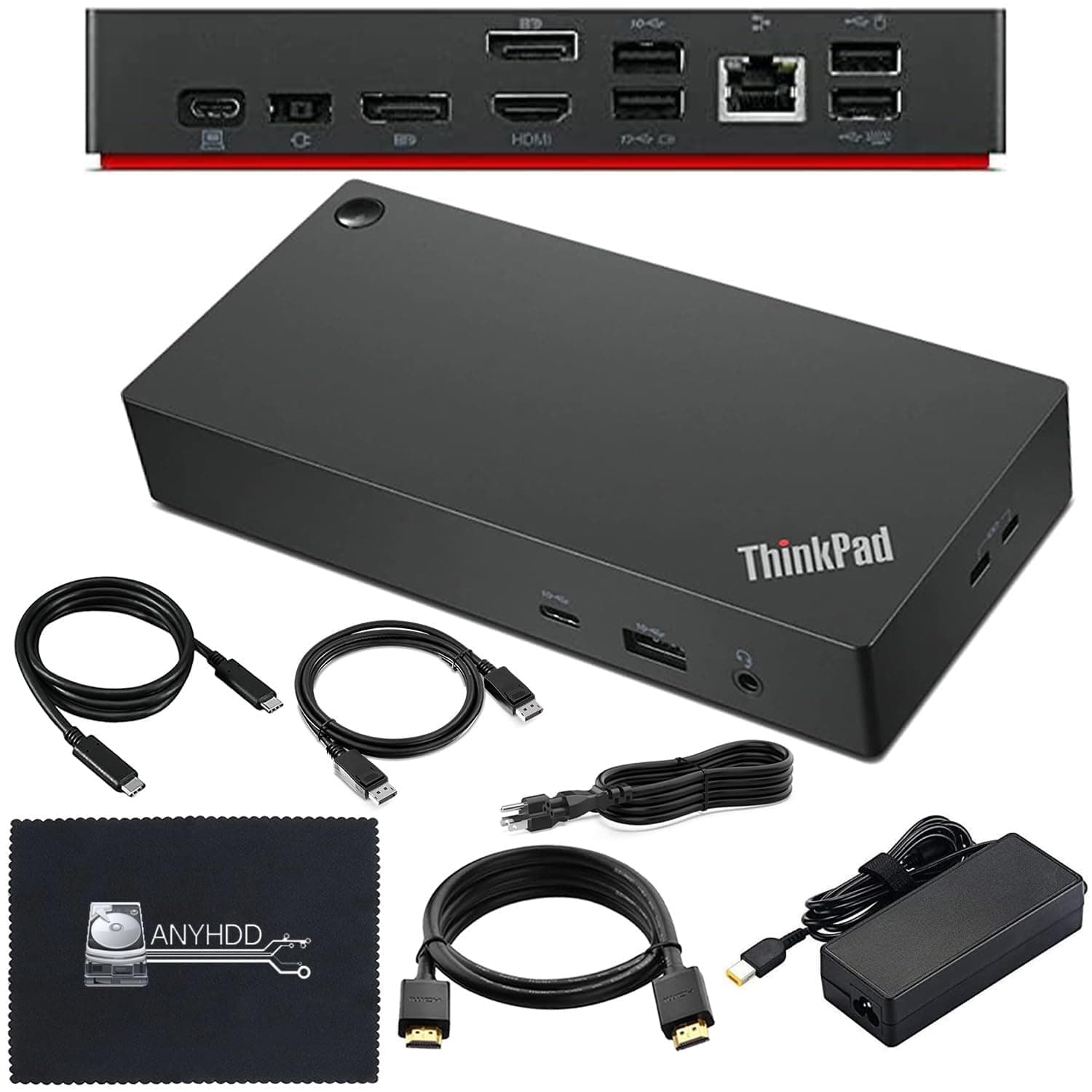
🚀 Elevate your workspace with power, clarity, and zero clutter!
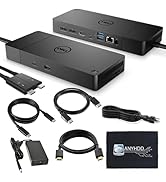
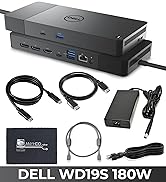
The Lenovo Thinkpad 40AY0090US Docking Station is a professional-grade hub designed for Lenovo Thinkpad users, featuring 11 ports including HDMI, DisplayPort, and USB-C. It supports dual 4K monitors for crystal-clear visuals and delivers stable power with a 90W adapter. Ideal for multitasking managers seeking a clean, efficient, and powerful workstation setup.








| ASIN | B0DJDWNTSN |
| Best Sellers Rank | #5,933 in Electronics ( See Top 100 in Electronics ) #93 in Laptop Docking Stations |
| Brand | ANYHDD |
| Color | Black |
| Compatible Devices | Lenovo Thinkpad Models : V340-17IWL , E490 , E590, L390 , P53s , T480 , T480s , T490 , T490s , T495 , T495s , T590, X270 , X1 Carbon 6th Generation , X1 Carbon 7th Generation, X1 Yoga 3rd Generation, X1 Yoga 4th Generation, X1 X270 , X1 X280, X1 X390 Yoga, X1 X395, X1 Tablet Generation 3 |
| Customer Reviews | 4.4 4.4 out of 5 stars (107) |
| Global Trade Identification Number | 00850061766779 |
| Hardware Interface | DisplayPort, Ethernet, HDMI, USB, USB 3.1 Type A, USB 3.1 Type C, USB Type C |
| Item Weight | 1 Pounds |
| Manufacturer | ANYHDD |
| Number of Ports | 11 |
| Total Number of HDMI Ports | 1 |
| Total Usb Ports | 6 |
| Warranty Description | 1 |
| Wattage | 90.00 |
K**N
Perfect for tidying up the desk and duo monitors!
Perfect Docking Station for Windows but please read below if you use MacBooks! This docking port works perfectly with my Windows setup. It really helped tidy up my desk and made cable management so much easier. In the photos I shared, you can see how I just routed all the wires through the back and tucked them neatly away—super clean and organized. It’s especially great if you have a dual-monitor setup or a lot of accessories plugged in. Everything connects smoothly, and it keeps all the cables out of sight so your workspace looks neat. It also works with Mac, but just a heads up: depending on your MacBook version, you might need an adapter. In my case, the HDMI didn’t get detected until I used one. If your MacBook has the right drivers, though, it should work straight out of the box. Overall, great build quality, solid connection, and exactly what I needed to simplify my workspace. Highly recommend!
N**N
Clean Setup and Easy One-Cable Switching
I first used this docking station at work and liked it so much that I decided to buy one for myself. It works perfectly with two monitors, keyboard, mouse, and wired headphones all connected at the same time. Very convenient for switching between laptops with just one cable. It’s a versatile, multi-function docking station and I really love it.
Z**A
Great Quality and Easy Setup
This docking station is exactly what I needed for my workstation. It supports multiple peripherals at once without lag or disconnects. The power delivery works well, and the design is compact and professional. Perfect for work-from-home or office environments.
C**R
Great docking station
Very small, doesn't take up much space on my desk. Only draw back, there was only one spot for a one monitor.
R**O
Honest review
Works great! I have 2 1440P monitors from LG and it can provide HDR at 120hz to both monitors without issues. The button on top of the docking station does not work, but I'm guessing that's because I have a non-Lenovo laptop. Very easy to set up, I downloaded drivers from Lenovo during install just so I don't have any issues.
T**4
Power Delivery & Connectivity
The included 90W power adapter is a major advantage—it charges the laptop efficiently while powering all connected devices through a single USB-C connection. Plug-and-play setup makes docking quick and seamless, especially for users who move between office and home setups.
J**X
My docking station was a lemon.
I would return it if I could. Soon after I purchased this docking station and set it up, one of the external monitors was blinking off and on. Tech support had me change my power outlet, indicating the device was particular about power sources. That was a fix for a while. I recently took the Thinkpad and dock on a trip and I had trouble powering it on. Finally, it powered up. When I returned from my trip and set it back up as my work station, the external monitor started blinking again. I followed some troubleshooting advice, unplugging power from everything, planning to reconnect power. Now, the device will not power on at all. I ordered a different docking station today and purchased the 2 year warranty.
A**R
Love the external power button
I use this dock on my work laptop so that I can keep the laptop closed and use external monitors and a keyboard. It saves so much space on my desk. With the external power button, I never have to open the laptop to power on. Love it!
Trustpilot
Hace 1 mes
Hace 4 días