We remain fully operational. Our teams are working around the clock to ensure your deliveries continue safely.

Descargar la aplicación


Servicios al cliente
Sobre nosotros
Copyright © 2025 Desertcart Holdings Limited
Descargar la aplicación
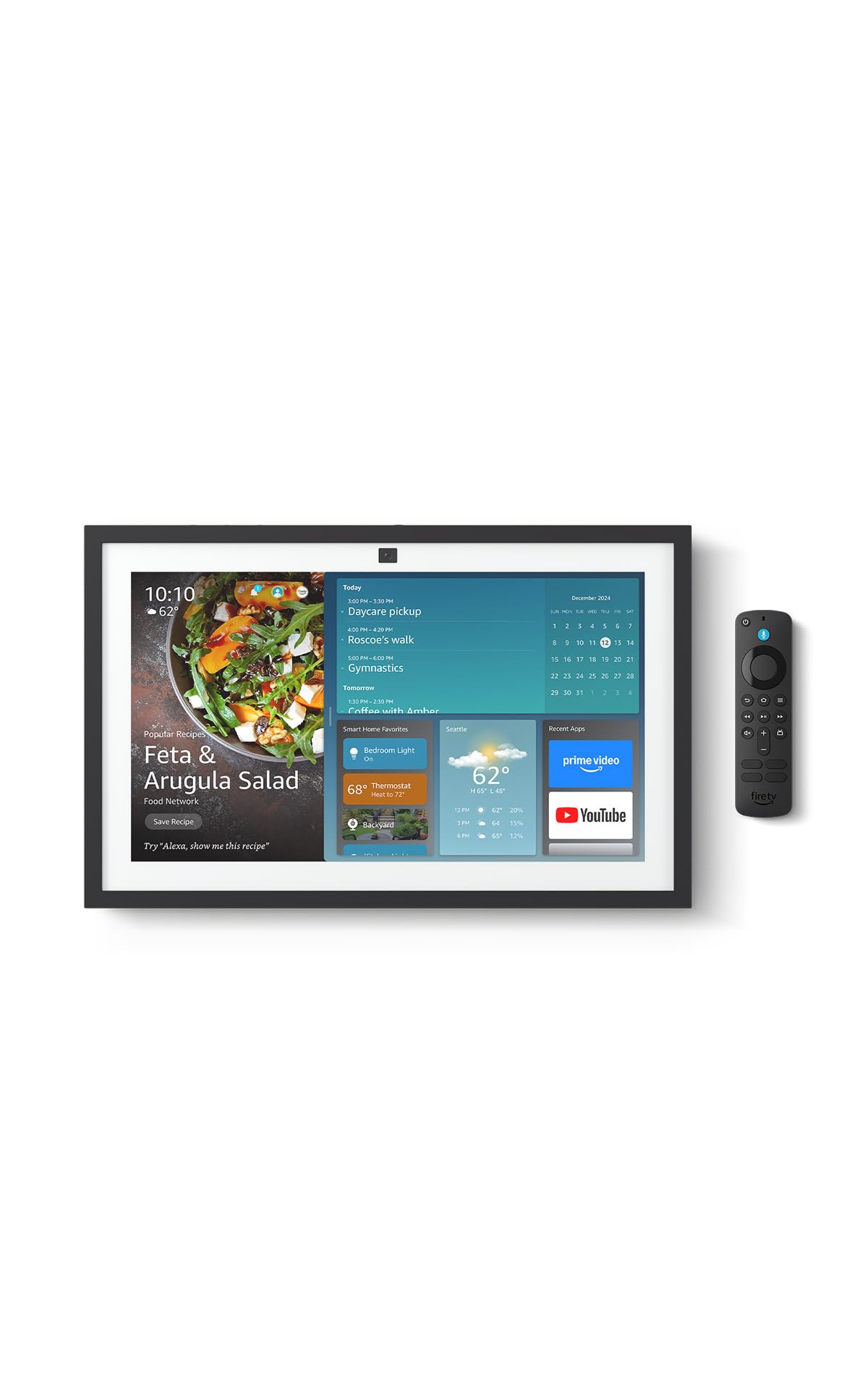
🏡 Elevate your home life with the Echo Show 15 — where smart meets stunning.
The Echo Show 15 (2nd Gen) is a 15.6-inch Full HD smart display designed as a central home hub. It features built-in Fire TV for seamless streaming, a powerful audio system, and a 13MP auto-framing camera for natural video calls. With WiFi 6E and a smart home hub supporting Zigbee, Matter, and Thread, it controls your connected devices effortlessly. Customizable widgets keep your family organized, while robust privacy features protect your data. Perfect for kitchens and shared spaces, it combines entertainment, organization, and smart home control in one sleek device.
| Size | 16.1"W x 10.1"H x 1.4” D |
| Weight | 4.96lb |
| Display | 15.6” with 1920 x 1080 resolution. Use in landscape or portrait orientation. |
| Camera | 13 MP + Shutter (Photo quality/size may vary) |
| Audio | Two 2” woofers + two 0.6” tweeters |
| Wifi Connectivity | Wifi 6E (802.1ax) is supported. Tri-band, dual-antenna wifi (MIMO). Supports 802.11a/b/g/n/ac wifi networks. Does not support connecting to ad-hoc (or IBSS) wifi networks. |
| Smart Home Hub | Zigbee + Matter + Thread Border Router |
| Amazon Sidewalk | Sidewalk uses Echo and Ring devices to securely keep other devices connected and help find lost items by reporting their approximate location to the owner. Sidewalk can enable supported devices to remain connected even when wifi is lost or the supported devices are outside the range of their home wifi. Sidewalk uses a small portion of your internet bandwidth and the approximate location of your devices to provide these benefits to you and your neighbors. Sidewalk is turned on for your device unless you have previously turned it off. You can turn off Sidewalk at any time. Learn more about Amazon Sidewalk. |
| Bluetooth connectivity | Advanced Audio Distribution Profile (A2DP) support for audio streaming from your mobile device to Echo Show 15 or from Echo Show 15 to your Bluetooth speaker. Audio/Video Remote Control Profile (AVRCP) for voice control of connected mobile devices. Hands-free voice control is not supported for Mac OS X devices. Bluetooth speakers requiring PIN codes are not supported. |
| System requirements | Echo Show 15 comes ready to connect to your wifi. The Alexa app is compatible with Fire OS, Android, and iOS devices and also accessible via your web browser. Learn more about supported operating systems. Certain skills and services may require subscription or other fees. |
| Set up requirements | Amazon wifi simple setup enables customers to connect smart devices to their wifi network in a few easy steps. Wifi simple setup is another way Alexa is always getting smarter. Learn more about frustration-free setup. |
| Processor | Octa-core SoC with Amazon AZ2 neural network engine |
| Sensor | ALS RGB + Accelerometer |
| Included in the Box | Echo Show 15 2nd Gen, Alexa Voice Remote (2024) with batteries, power adapter (30W) and 5 ft. cord (white), wall mount, anchors, screws, mounting template, and quick start guide. Setup requires wifi. Device can be wall mounted (electric drill required) or placed on a stand (sold separately). |
| Warranty and service | 1-year limited warranty and service included. Optional 1-year, 2-year, and 3-year extended warranty available for U.S. customers sold separately. Use of Echo Show 15 is subject to the terms found here. Use of Fire TV on Echo Show 15 is subject to all the terms found here. |
| Privacy features | Wake word technology, streaming indicators, microphone/camera off button, camera shutter, the ability to view and delete your voice recordings, and more. Visit the Alexa Privacy Hub to explore how Alexa and Echo devices are designed to protect your privacy. |
| Accessibility Features | To enable features that personalize Alexa to your abilities, go to Settings → Accessibility. • Tap to Alexa enables access to Alexa via touch, instead of speech, through on-screen tiles or a keyboard, including the ability to save your favorite actions. • Adaptive Listening provides customers more time to finish speaking before Alexa responds. • Preferred Speaking Rate enables customers to control how fast or slow Alexa speaks. • Alexa Captioning, Call Captioning, and Closed Captioning provide text captions in any mode for supported content. • Show and Tell helps customers who are blind or visually impaired identify products when you say “Alexa, what am I holding.” • VoiceView screen reader enables access for customers who are blind or visually impaired. • Screen Magnifier enables customers to zoom in/out, and pan around the screen. • Notify When Nearby will play notification sounds when you’re detected near your Echo device. • Kindle Read Aloud will have Alexa read your Kindle books aloud. • Real Time Text enables customers to type live text in a video call. • Alexa Accessibility features also include settings for Color Inversion, Color Correction, Request Sound and more. |
| Language | Alexa speaks English and Spanish |
| Alexa Skills & Features | Alexa makes your life easier, more meaningful, and more fun by letting you voice control your world. Alexa can help you get more out of the things you already love and discover new possibilities you've never imagined. Discover and learn what Alexa can do. |
| Software Security Updates | Learn more about these software security updates. If you already own an Amazon Echo, visit [Manage Your Content and Devices]https://www.amazon.com/hz/mycd/digital-console/contentlist/booksAll/dateDsc/) for information specific to your device. |
| Content Availability | Certain apps and services are subject to change or withdrawal at any time, may not be available in all areas and languages, and may require separate subscriptions. |
| Size | 1.5” x 5.6” x 0.7” (38.68 mm x 141.3 mm x 17.6 mm) |
| Weight | 0.1 lb (45g) (without batteries) |
| Batteries | 2 AAA (included) |
| Technology | Bluetooth |
| Compatibility | Echo Show 15, Echo Show 21, Fire TV Stick 4K (1st Gen and later), Fire TV Stick 4K Max (1st Gen and later), Fire TV Stick (3rd Gen) |
| Warranty and service | 90-Day Limited Warranty and service included. Use of Fire TV is subject to the terms found here. |
A**N
10 Stars! No issues, read for user tips
I've had so many Echos over the years, beginning with the 1st Gen, can't live without them anymore since so much of our home is Alexa connected. I originally got a refurbished 1st Gen Echo Show 15", not knowing the 2nd gen was coming out. So glad I returned it for the new 21" Echo Show, it's absolutely phenomenal! Streaming video: Easy to set up streaming (which I've done on our 5", 8", and 10" Echos). The best part of the Echo Show is that Fire TV is included. I easily logged into Hulu, Netflix, Amazon, Max, Peacock, Paramount, Disney+, and Apple TV (other Echo shows only allowed me Hulu, Netflix, and Amazon, I believe). The setup and remote is the same as FireTV. Streaming audio: Easy to connect with your Audible account, and Apple Music or Spotify. I can also stream NPR and podcasts. If you are having a problem with Echo playing the right song, try this: "Echo, play Blinding Lights by the Weeknd on Apple Music" instead just saying "Echo, play Blinding Lights." Same "Echo, play Christmas Jazz on Apple Music" instead of "Echo, play Christmas Music." The more specific you are, the better results. Calendar: I tried the Skylight and it is useless. The Echo Show will connect to your Apple Calendars. Our family does shared calendars, and everything shares over to our Echo Show, including announcing events and times to leave. Drop in: It's amazing! The camera will zoom and adjust automatically. Our Echo Show 10 does this, but it's on a swivel and always runs into things. This one is much smarter! You can drop in from another Alexa device, or simple the Alexa app on a smart phone. Photos: We have all of our Echo Shows displaying photos that I have uploaded to Amazon photos and then select which photos to show using the Alexa app. Screen is so clear and large, better than any smart frame I've ever seen. And friends/family can share photos to it. Announcements: Announcements will show on the screen and announce (I also have push notifications to my watch/phone). Echo hears them perfectly and announces them correctly (our Echo 8 has stopped properly listening and announcing). You can also announce from the Alexa app if you are not home, very convenient for parents :) Widgets: Widgets are easy to add and adjust, just be patient and go through the process. Ads: To remove (most) ads, go into settings on the screen and turn everything to off! I barely get any. If you are still getting those annoying "Wicked" ads, it's because you have on the "Theme" setting. Once I turned that off, no more "Wicked" (or other future sponsored theme movies), even though we do like the theme setting (Mario is my favorite!). Pricing: Look for a sale. I got the 21" for $350 on the Black Friday Sale. Would have cost me more than that for a TV, sound bar, and Apple TV for our kitchen (which was our old setup). I LOVE all of our Echo devices. Our Gen 1 is still working amazingly, and glad to add the Echo 21" to our home.
D**D
Much improved; delightful enhanced slideshows.
I have had several show devices over the years. This one replaced a 15 inch model. Although the 21 is huge, it can use the same stand and mount. In about a month of use, two improvements stand out. Your slideshows will be gorgeous with AI enhanced images on the giant screen. Second, the proved version of Alexa is clearly advanced. Keep in mind that the UI and the controls are work n progress, but knowing Amazon, these will be continuously improved. Highly recommend upgrading if you like your smaller Show, and space permits this big monitor.
D**B
It is so convenient.
I purchased this 21" Echo for the kitchen to view recipes and perhaps see some tv. So far it's great. I had 1 small glitch..the power button got stuck and I didn't realize it and couldn't figure out why I couldn't operate it. It is back to working 100%. Love it
A**R
great resolution and flexibility
Resolution, great. Flexibility, great. Setup instructions, not so great. Had to ask Rufus to find this how to pair the remote. Save you the trouble: These remotes are compatible with Echo devices with a screen: Alexa Voice Remote (3rd Generation) Alexa Voice Remote (2024 Release) Alexa Voice Remote Pro To pair your first remote, say "Go to Settings," and then select Get Started With Fire TV Remote. Follow on-screen instructions to pair. If you already have a remote paired with your device, use the following instructions to pair another one: Say, "Go to Settings," or go to the device settings on your Echo Show: If you're using Alexa+, select the MenuIcon on your screen, and then select Settings. If you're using the original Alexa, swipe down from the top of the screen and select Settings. Select Fire TV. Select Fire TV Remotes. On the Alexa Voice Remote, press and hold the Home Button for 10 seconds. The Echo Show tells you when it discovers the remote. Note: There are no LED indicators on the Alexa Voice Remote. Complete pairing by selecting Connect on your device's screen.
M**.
I Only Hope it Last Longer Than...
I know that I just got this thing just about an hour or so ago but I'm going to go ahead and start my review, because so far it's amazingly awesome. The ticket is though, I hope for the price this thing cost, it will outlast the original Echo Show 15 that played out on me last month (November 2024). This thing is truly beautiful, and as you guys can see in the photo I included, I had the perfect spot for it. It's very bright, just like I like. Haven't did my sound test on this device yet, as I went right straight to my Bose soundbar that is just below it. These guys are a match made only in heaven. Truly amazing sound as I enjoy my Christmas music pouring from the soundbar as you can see also in the picture. I love the weight of this thing, it tells me that the build quality is every step of the way there which is the most important part at this price range. I'll update this review accordingly. So far, this 21 inch model is most definitely a must have for any home. On top of all of this, Amazon makes it easy as cutting melted butter with monthly payments, so yes anyone can get themselves one of these. For anyone having problems closing the widget screen (like myself earlier), after you have got and installed all your updates, unplug your device for just a few seconds and then plug it back in. Swiping the widget screen to the right should close it all the way out at this point, only leaving the tab for opening it up again. I to didn't have any problems with not having enough and I installed a fair amount of apps on the device, and everything is still working smooth. Finally got a chance to give the speakers a listen, they have been improved.... However I'm still going to be using my Bose soundbar when playing music from the device most of the time for that extra punch and higher quality sound you can only get from Bose. Haven't had any problems with glare as some have reported, and I have mine facing directly towards the front door and still nothing but screen and picture. Maybe one day Amazon will partner up with Bose for the sound system inside of these devices, and take it up a notch on the display by going at least 4K UHD (though I'd love to see one of these with 8K crystal or OLED). "Update" 12-8-2024. The FireTV app on this device will not load, trying to setup my ESPN account info inside the app, all I'm getting is an sweeping "E" along with the provider selection screen in the background. I am starting to lose hope about this device already. I know one thing is very clear, it's most certainty not my internet service nor gear. Something else that I wish badly Amazon would step to the plate in on these devices, and that's. Keeping our recently played music active until we the buyer of these devices delete them from recently played lists. I want to be able to go back to recently played songs and play lists with ease, not hassle. Another thing that I hope that they get right in these devices that are becoming more and more expensive by the day, and that's fixing the bug inside these devices that is clearing some of the thumbs up 👍 on songs that I have thumbed up. This is starting to become extremely annoying and frustrating. I can manage through the thing with Fire TV not working right in the Echo Show 21, but not these issues. Another bug that needs to be addressed is the one that closes the music playing screen when going back a few songs. It closes to the home screen until the next song plays. It's not hard turning something into a 5 star device, and I am positive that Amazon can do this in these devices. They aren't cheap, their quality shouldn't be either, nor should the batteries. I haven't had this device that long, at least I don't feel like I have. I recall when I first bought my Blink camera system, the cameras came with Energizer batteries..... I just can't find it why Amazon would send a premium product out with the cheapest batteries they could find. I wasn't even really using the remote that came with my Echo Show 21 like that and already the remote has stopped responding due to dead batteries already. When I put both batteries on my multimeter tester, one is giving a reading of 1.1175 and the other 1.0930. This tells me that one battery is older than the other, or perhaps have a leak. Both are "Amazon Basics" in which should have never been sent out with a premium product in the first place. I'm not hating on this product, because I'm really trying to love it..... It's a product that is starting to earn its stripes and stay. However, at the same time I must keep this review honest and 💯. One thing is for sure, I most certainly hope that Amazon read the reviews that we the customers leave on here, because we do it so not just other customers can benefit from them, but Amazon as well to build better quality products, and to know what we their customers are looking for in the products that we buy. A product costing over 400 bucks should never ever come with less than premium batteries, and other accessories, this of course includes the parts used to create the products .... The whole nine yards. For me to bash the device it self as a whole would be selfish of me being as though it's still rather new and the updates are to flow. It's been generally getting better, however there is still more to be desired from what is said to be a premium product. As for the batteries that Amazon sent out with the Echo Show 21, I had never plan to use them anyway, as the Duracell power boost has been my go to battery since first discovered, however I was out of the trips at the time this device arrived. On to something else that I recently discovered in this device that is on a more positive note, the picture quality on the Echo Show 21 is remarkably awesome. Watching TV on this device, I was seeing details in people's clothing that I wasn't even seeing on my actual TV, which is a Samsung 4K UHD smart TV. I don't know about anyone else, but to me this was mind blowing to see such detail. Hopefully some day really soon, I'll be able to give the Echo Show 21 its stripes back (5 ⭐️ rating)..... Until then, I'll hold on to that last reminding star to see if Amazon bring the fore mentioned problems to a close with this and other Echo Show devices, not to mention.... Seeing if this one will last longer than the original Echo Show 15 that died on me (I know these things like all things don't last forever, however the life of the original 15 should have still been a lot longer than just over a year). It's not all bad people, but keep in mind while considering this device, it's not all good either. As always, happy shopping. Update 2/22/2025 I don't know what it is nor what is causing it to happen, but the remote control that came with this device for some odd reason tends to drain the batteries very fast. I was using the best Duracell batteries money can buy inside the remote and still it kills them in less than two weeks. I have since replaced the remote control with a Fire TV Remote Pro and is retiring this remote. This is not too much of a problem for me as others might find it as one. I wanted to add the pro remote to my Echo Show 21 anyway, so this has worked out for me.
T**M
Impressive, All-in-One Smart Display That Truly Feels Like a Home Command Center
The Amazon Echo Show 21 is hands down one of the most capable and useful smart displays Amazon has released. Calling it a “smart display” almost undersells what it really is. This feels like a full home hub, entertainment screen, and organization center rolled into one, and it fits especially well in a kitchen or shared living space. The 21-inch Full HD display is the star of the show. The screen is large, bright, and sharp, making it easy to see from across the room. Whether you’re following recipes, viewing calendars, watching videos, or checking camera feeds, everything is clear and readable without squinting or walking closer. In a kitchen setting, this size makes a huge difference compared to smaller Echo Show models. You can actually use it hands-free while cooking and still see what’s on the screen. The built-in Fire TV integration is excellent and surprisingly seamless. Streaming shows, news, or background content while cooking or doing chores works smoothly, and switching between Alexa features and Fire TV content feels natural. You don’t feel like you’re jumping between two separate systems. It genuinely feels integrated, not bolted on. This makes it far more useful than a standard smart display that’s limited to short clips or basic video playback. Alexa+ Early Access really shines on this device. Alexa feels faster, more conversational, and more capable here than on smaller or older Echo devices. Voice recognition is strong even from across the room, and responses feel quicker and more natural. Managing smart home devices, asking questions, setting reminders, or running routines feels fluid and dependable. The combination of voice control with such a large visual interface makes interactions more intuitive and useful. As a home organization hub, the Echo Show 21 excels. Calendars, reminders, to-do lists, shopping lists, and family schedules are easy to view and manage. This works especially well in a household where multiple people rely on shared information. It becomes a central place to see what’s going on without pulling out a phone. Photo displays and widgets also look great on the large screen and make it feel more personal and less like a piece of tech. Audio quality is solid for its role. While it’s not meant to replace a dedicated sound system, it delivers clear vocals and balanced sound for videos, music, and voice responses. It fills a kitchen or common area well without sounding thin or strained. Build quality and design are also well done. Despite its size, it looks clean and intentional, not awkward or oversized. It feels like a permanent fixture rather than a gadget you’ll want to hide. Once mounted or placed, it fits naturally into the space. Overall, the Echo Show 21 feels like a true step forward for smart displays. The large screen, Fire TV integration, improved Alexa+ experience, and strong home organization features make it incredibly useful on a daily basis. If you want a central hub for your kitchen or home that combines entertainment, smart home control, and organization into one polished device, this is an easy five-star product and one of the best Echo devices Amazon currently offers.
K**E
Alexa Echo Dot 21
The Amazon Echo Show 21 (newest model) is absolutely impressive and easily one of the best smart displays available. The massive 21-inch Full HD screen is stunning—crystal clear, vibrant, and perfect for everything from streaming shows and following recipes to video calls and displaying family photos. The size truly makes a difference, especially in shared spaces like the kitchen or living room. Alexa is fast, responsive, and more helpful than ever. Managing smart home devices, checking calendars, playing music, or getting daily updates feels seamless. Video calls are sharp and smooth, and the audio quality is rich and powerful, easily filling the room without distortion. What really stands out is how polished and premium this device feels. It works beautifully as a digital hub for the entire household while still being incredibly easy to use. If you want a large, high-quality smart display that combines entertainment, productivity, and smart home control in one device, the Echo Show 21 is an excellent investment and well worth it
M**3
Great for folks looking for a tablet with lots of useful features!
We used to have a 21" tv in our bedroom for years, but never really used it. It sat on a dresser with a cable box, essentially gathering dust, so, we eventually got rid of it. So, years later, after getting into a lot of streaming tv,courtesy of our Fire Stick, we thought this looked interesting and decided to buy it, along with the Amazon stand (more on that later) they advertised with it. So, as all the other reviewers do, time for Pros and Cons! Maestro, cue the orchestra! Pros: 1. We've been fans of the Amazon universe, for the most part. The unit came safely packed in a large box. Attaching it to the stand and setting it up was a breeze. These Echo Shows essentially set themselves up, once they're plugged in. If you know your wi-fi and streaming passwords, you're pretty well set. And when you purchase it, if you check that you're setting it up under your account, it also makes it easier. 2. It's a sturdy and well-made unit, but of course, be careful when setting it up. It's not really that heavy, either. It came with a wall mount,but as stated, we opted for the stand. I personally wouldn't wall-mount a 21" monitor to watch tv, but if you're using it more as a calendar, music player, etc., it will do fine. The Amazon Fire TV stand we purchased assembled and connected with zero issues. 3. No issues with the video, sound or connectivity. Everything looks and sounds good, too. I felt the pictures advertising it made it look a lot bigger, but it's neither tiny nor a monstrosity. 4. It comes with a Fire stick remote, but that remote doesn't control everything on the Show. You'll be using Alexa (more about her later), or sometimes using your fingers. As far as the Fire TV itself is concerned, it's really no different for those who have used the Fire stick previously. 5. I do appreciate the fact that Amazon gives you very simplified instructions,even though you might not even need them. Not a pro or a con, but since we used it in our bedroom, I turned off the camera, so, I can't speak to its video-chatting prowess. If you read up on what you can do to keep your privacy with these devices, it will behoove you, if you worry about it. CONS: (Honestly, these aren't "dreadful" drawbacks,because everyone's tastes are different. I figured that I'd mention them,with the caveats.) 1. The screen image that you see in the picture above is if you are using Alexa; the Alexa+ creates a different home screen, with 2 apps that you can't delete or change the size. I don't mind Alexa+, but we haven't really used it for its premium features (getting dinner reservations, buying tickets, etc.). Again, this didn't lessen the experience, since ultimately, it's personal preference. 2. You can make use of the widgets in the Widget store, but they're a little light. That ,I'd presume, will likely change in future builds. But some of the apps I linked on our Echo Show 5, like Spotify and Sirius XM, did get recognized to play music on this. I'm presuming the Alexa app gets credit for that. 3. The price. I would offer this advice: If you can really make good use of a decent amount of what's on here (Streaming TV, Music and Podcast player, Alarm clock, Smart home control pad, Reminders and Calendar for organization, recipes and video chat) it's worth the investment. If you're buying it ,say, only for the FireTV, just buy a Fire stick, and look for an inexpensive flat screen. I feel that I'll be making good use of its many features, and will only hope for expanded capabilities. All in all, I'm satisfied with this purchase, and hope this is a start for next-level Amazon products
Trustpilot
Hace 1 mes
Hace 1 mes