We remain fully operational. Our teams are working around the clock to ensure your deliveries continue safely.

Descargar la aplicación


Servicios al cliente
Sobre nosotros
Copyright © 2025 Desertcart Holdings Limited
Descargar la aplicación
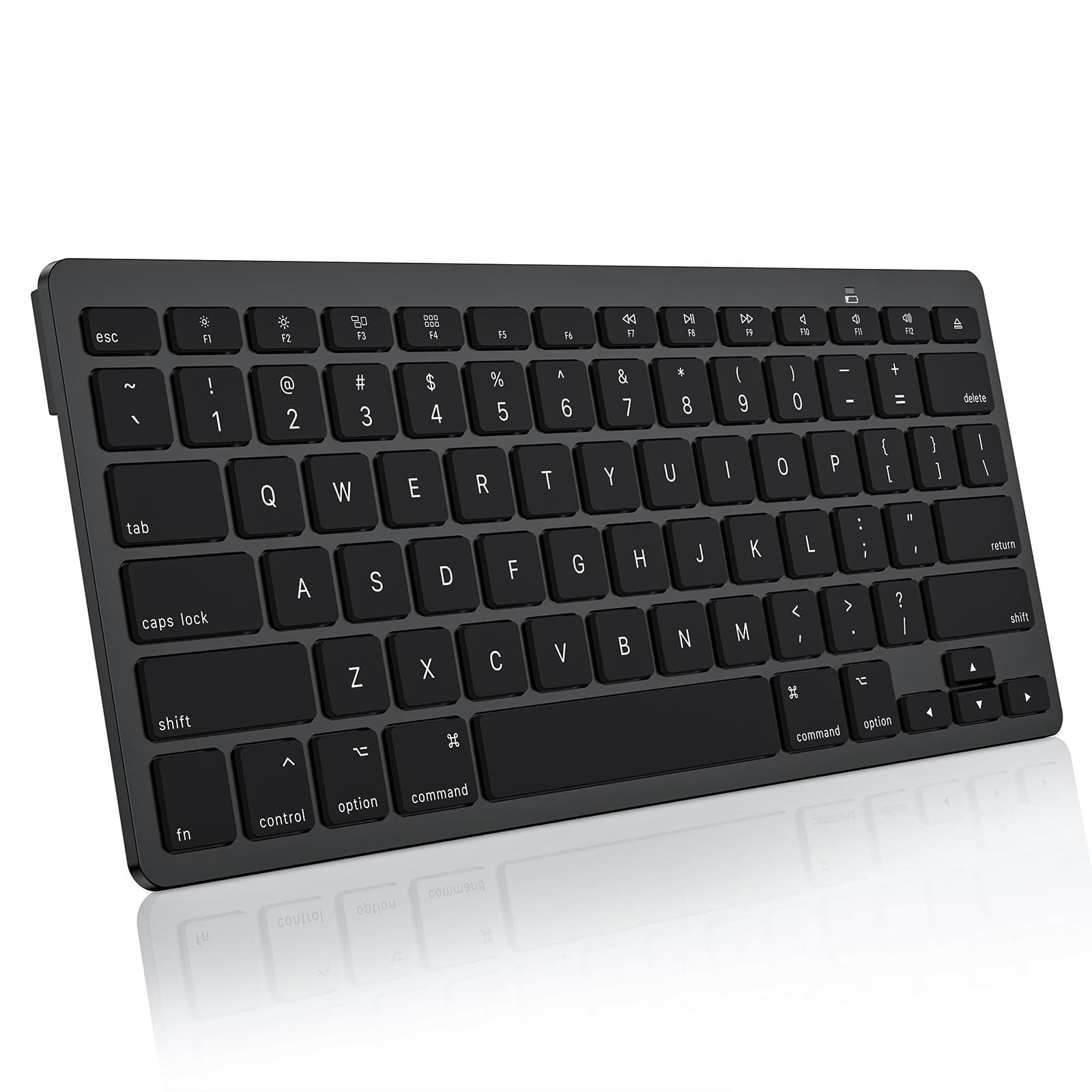

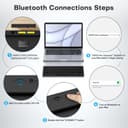


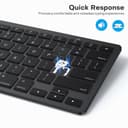
⌨️ Elevate your Mac setup with sleek, smart typing power!
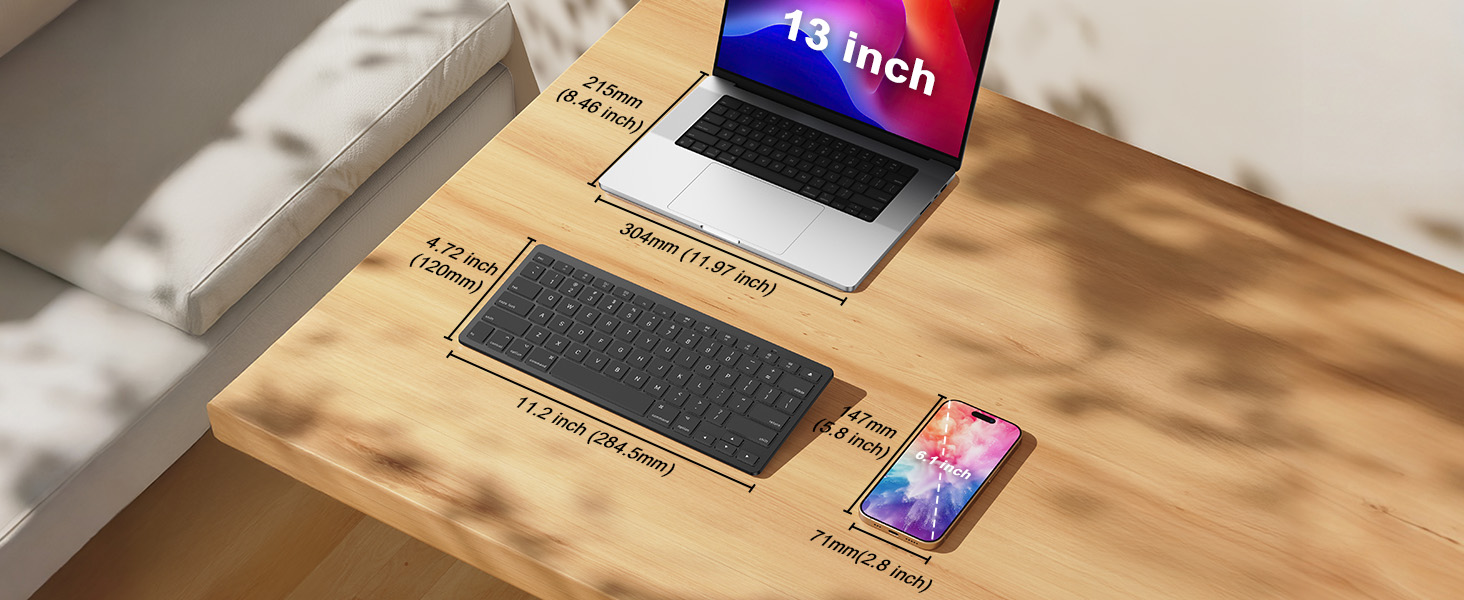
The OMOTON Bluetooth Keyboard is a compact, dark black wireless keyboard designed specifically for Mac users. Featuring 78 ergonomic scissor-switch keys, a stable Bluetooth connection up to 33ft (10m), and 12 exclusive shortcut keys, it enhances productivity while reducing typing fatigue. Powered by 2 AAA batteries with an intelligent auto-sleep mode, it offers long-lasting use in a slim, portable form factor compatible with MacBook Pro/Air, iMac, Mac mini/Pro, and PC.




| ASIN | B0D8KGSVZ2 |
| Additional Features | Ergonomic, Portable |
| Antenna Location | Office |
| Best Sellers Rank | #387 in Computer Keyboards |
| Brand | OMOTON |
| Button Quantity | 78 |
| Color | Dark Black |
| Compatible Devices | Laptop |
| Connectivity Technology | Bluetooth |
| Customer Reviews | 4.1 4.1 out of 5 stars (2,400) |
| Enclosure Material | Plastic |
| Hand Orientation | Ambidextrous |
| Keyboard Description | Ergonomic |
| Keyboard Layout | QWERTY |
| Manufacturer | OMOTON |
| Mechanical Keyboard Switch Model | Scissor Switch |
| Number of Batteries Required | 2 |
| Number of Keys | 78 |
| Power Source | Battery Powered |
| Style Name | Contemporary |
| Switch Type | scissor-switch |
| Unit Count | 1.0 Count |
| Warranty Description | 12 Months |
M**A
Worth it
I know it a cheap keyboard but legit, I’ve been using it for 6 months now with my iMac and it’s been great! It even has the controls on the F keys for volume, screen brightness and stuff which I didn’t notice at first. I don’t really have a need for a number pad so if you don’t need one either this is a great keyboard. I don’t use it to game cause I got an Apple not a PC, and I don’t type with it heavily but I have written a few papers for school and it’s holding up fine. Battery is great and it automatically turns off and reconnects very easily every time.
A**R
Best Keyboard Ever
Disclaimer, I got this product during the Prime Day sale that went on for about a week. This keyboard was an incredibly amazing value; I got this product for 18.23$ in total. The first keyboard that I received had a mechanical issue where the I key wouldn't work properly; I went ahead and started the exchange process, and I received a replacement the next day in the mail. The new keyboard works PERFECTLY. I love this keyboard so much! It's among the best products I've ever used in terms of value for money. The ergonomic style of this keyboard is actually really amazing, and the keys are super satisfying to click. I can type on this keyboard lightning fast. I own a Macbook Air M1 and I just got a laptop stand for this laptop so that I could sit properly and have good posture, meaning using the built-in keyboard is no longer an option. Honestly, I like this keyboard even more than the built-in keyboard. The buttons sound like mechanical buttons, they are nice and clicky and I love the way they feel when I press them! I don't prefer a larger keyboard that has a num-pad because it takes too much space and makes it so that I have to have my mouse way out to the side, so this product is just the perfect size. It's pretty much a replica of the keyboard I have on my Macbook Air M1, but it's better because the keys are nicer. I love the white color of it as well. For a keyboard that I got for 18$, this keyboard is literally amazing. The keys are nice and satisfying to press, I can type LIGHTNING fast on this keyboard, and there are tons of other cool features! Honestly, if I paid the money to get an apple official version of this keyboard, I'd probably be paying 10 times as much, and it wouldn't have the features that this keyboard has. I also got 40+ AAA batteries from the prime day sale, so that's going to last for an eternity. I love the fact that this keyboard is wireless ie Bluetooth, it's so amazing not having to waste a port by having to plug in the keyboard. Also, the feature that this keyboard has to shut itself off after 10 minutes of inactivity is literally genius, I can only imagine how long this keyboard can possibly run just off of 2 batteries, that's why I said these 40 batteries will probably last an eternity. All in all, this product is an incredible value for the money, and the shipping is very fast which is nice. Honestly, I doubt you could find a better deal for a mac-style keyboard, so go for this one 100% !!!! I have literally never been more impressed by any product I've ever used; this keyboard gets a 20 out of 10 rating. Oh, also, it's very beautiful looking and the function keys are very useful. I can imagine that if someone has a different MacBook, that MacBook might lack the function keys so this keyboard will be very useful for that purpose. Having function keys to control brightness/audio is literally amazing; not only that but there are tons of other useful keys like F3 shows you all available desktops, and F4 brings up all the apps that you have installed and a search bar. GET THIS PRODUCT!!!
M**.
Good, inexpensive substitute for Apple keyboard
If you're looking for a keyboard to work with your iMac or MacBook, but don't want to pay the prices associated with genuine Apple products, this Omoton compact wireless keyboard is a good substitute. It has the keys and functions you need to work with your Apple computer, including Control, Option and Command keys, and there are also function keys to use to easily access Mission Control and Launchpad. Other function keys are available to change your display brightness, to change the volume, and to move through music tracks you're listening to. I've been accustomed to using a full-sized keyboard (designed for Windows computers), so at first it took some getting used to the smaller size of this keyboard and the loss of the number pad on the right side. I also think that the Omoton keyboard might have slightly less of an incline (it sits a bit more flat) than my Logitech keyboard. I would have liked the power switch to have been at the top or side of the keyboard, instead of being on the back. The first time you pair the keyboard with your computer, you will also have to press a small black button on the back. Once it is recognized and paired with your computer, all you have to do going forward is to turn the keyboard on or off to start typing. There is a slight delay of a second or two before the keyboard inputs will be shown on screen after you first turn it on. When you look at the keyboard, you'll notice that there is a Delete key but not a Backspace key. The Delete key on this keyboard performs both functions. If you are typing and want to remove characters to the left of your cursor, just hit the delete key as many times as needed to remove the characters. Hitting the delete key will not remove characters to the right of your cursor; instead you'll have to highlight them and then hit the delete key. Lastly, there is a small green LED that comes on briefly (above the F11 key) to indicate power when you turn on the keyboard. It does not stay lit while you use the keyboard. The same LED also comes on during the bluetooth pairing process. This LED will also come on when you press the Caps Lock key, and go off when you remove the Caps Lock. The keyboard has a power saving feature that will put itself to sleep if no keystrokes are detected after a certain period of time. This works fine in my experience, as I see a "Connection Lost" notice on my screen when the keyboard goes to sleep, but to me it seems like an unnecessary feature, as the battery in my other keyboard has lasted quite a while without a similar feature. I did not rate the battery life as I have only had the keyboard for a week or two as of writing this review.
J**N
Quality Keyboard for Price -- Perfect for MAC
This keyboard gets the job done for a great price. It is the exact size of a MAC keyboard, so it is nice to have it closer to you when using a MAC on a desk hooked up to monitors. If you don't own a MAC and plan on using this for another computer, just know how small MAC keyboards are as this may surprise you upon purchasing... I have read this keyboard seems not to last with other reviewers... I can't speak to that yet as I have only had it for a few weeks. The only 2 slightly annoying issues with this keyboard is the inability to raise or lower it; it is stuck on 1 setting. And also when the keyboard goes into rest mode, it takes a few seconds to turn back on while you are sitting there clicking buttons. Both of these issues are really nitpicky and I am very satisfied with the quality of this product with how inexpensive it is (compared to Apple's version of a keyboard to be used with MAC). If this keyboard doesn't last or encounters any other issues throughout the course of the year, I will report back.
F**H
انصح بع
L**Y
Very good keyboard works well with my Mac laptop no problems for me. You just need batteries.
V**O
Que es muy similar al original. Sin embargo hay ciertas funciones en el teclado que uno tiene que buscarle para encontrar la correcta.
D**G
This wireless keyboard works well with our desk top Mac.
A**R
Nice little keyboard! Plastic and a little flimsy but it does look nice. Took a while for my Mac to accept it or identify it. Kept asking what is right of the shift key. Well the answer was nothing but it’s not an acceptable answer. It’s slow to wake up but it works great when it’s awake. Didn’t want to spend a fortune so these small issues aren’t deal breakers. Really like the smaller size and attractive design that matches my Mac. It works and that works for me.
Trustpilot
Hace 1 semana
Hace 1 mes