
Descargar la aplicación


Servicios al cliente
Sobre nosotros
Copyright © 2025 Desertcart Holdings Limited
Descargar la aplicación
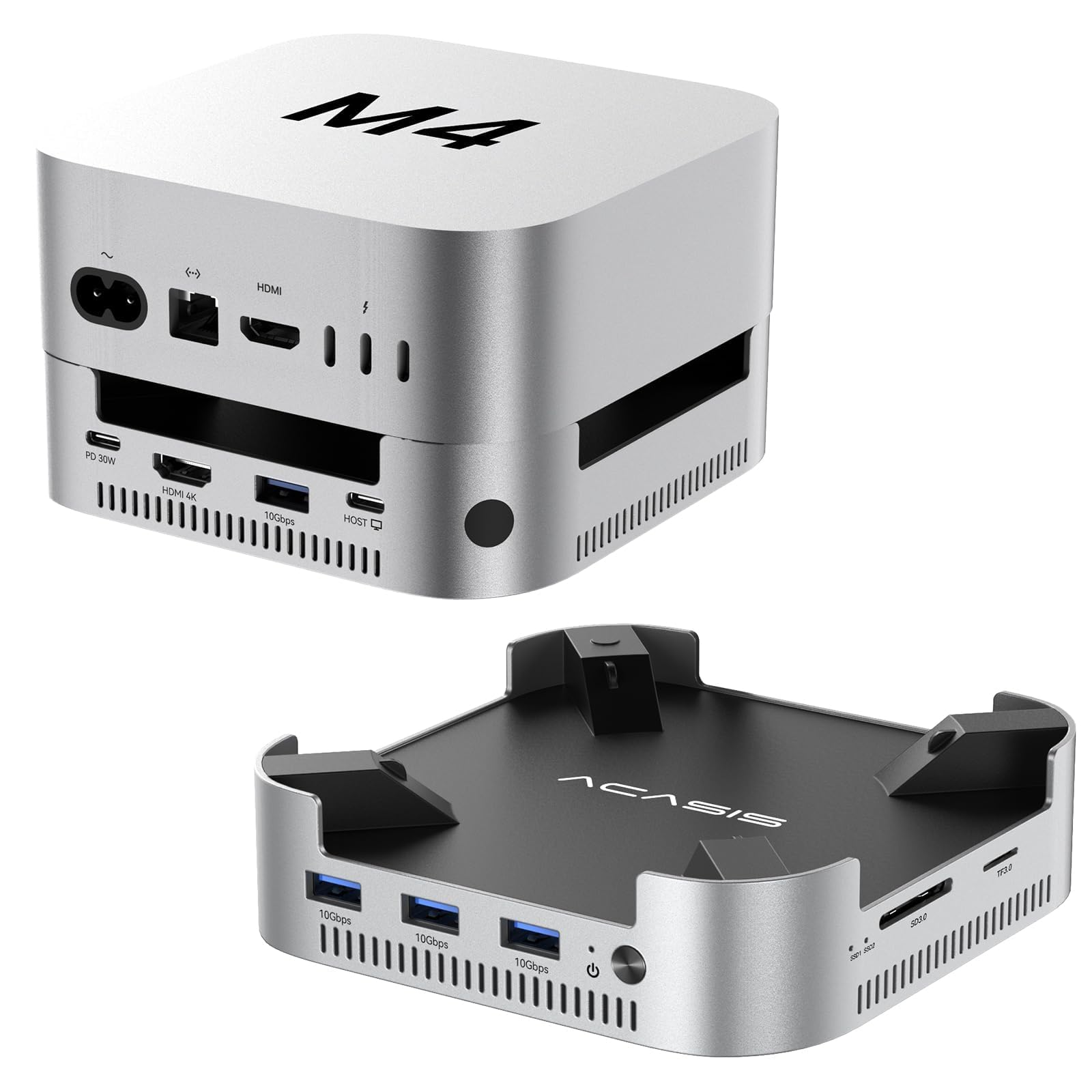
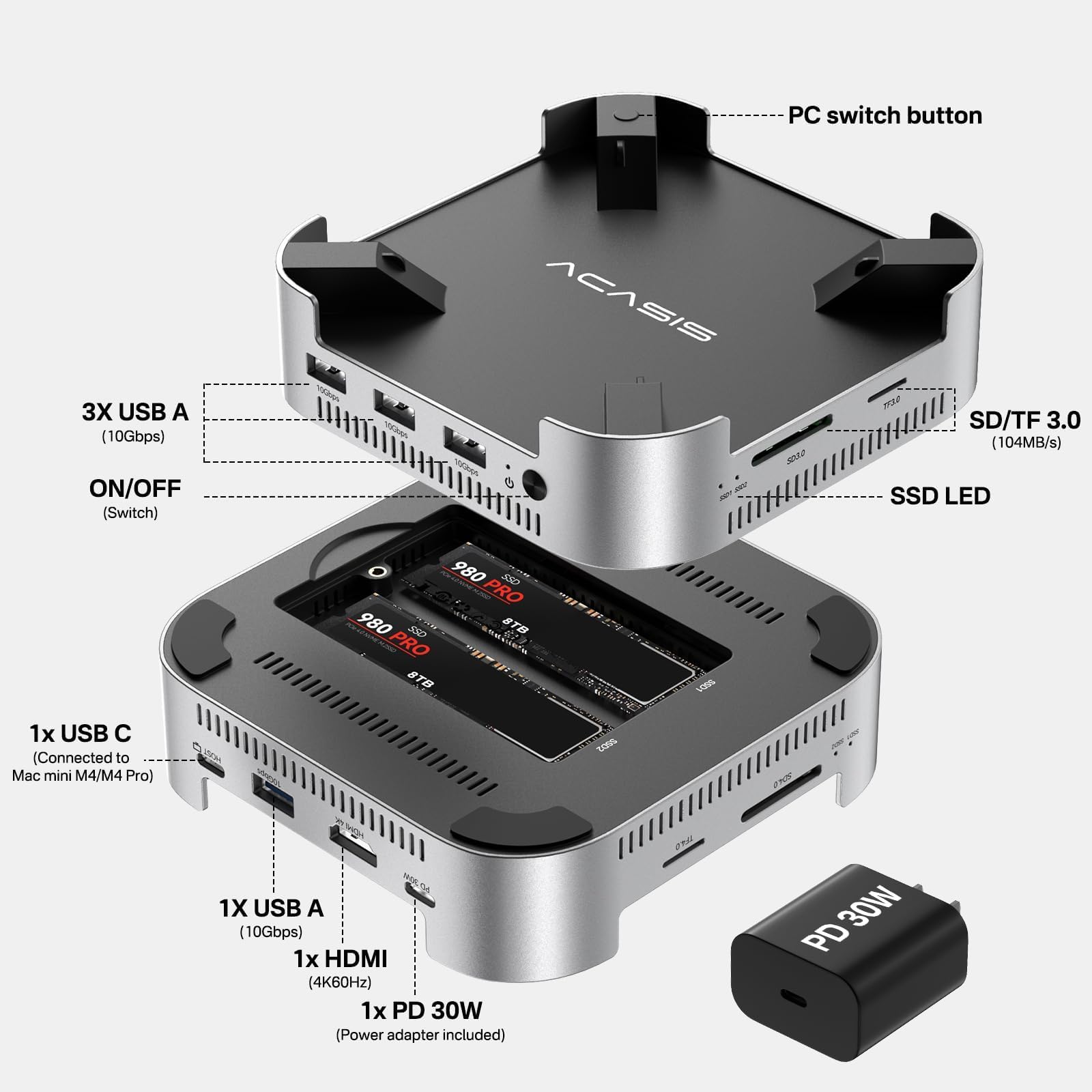
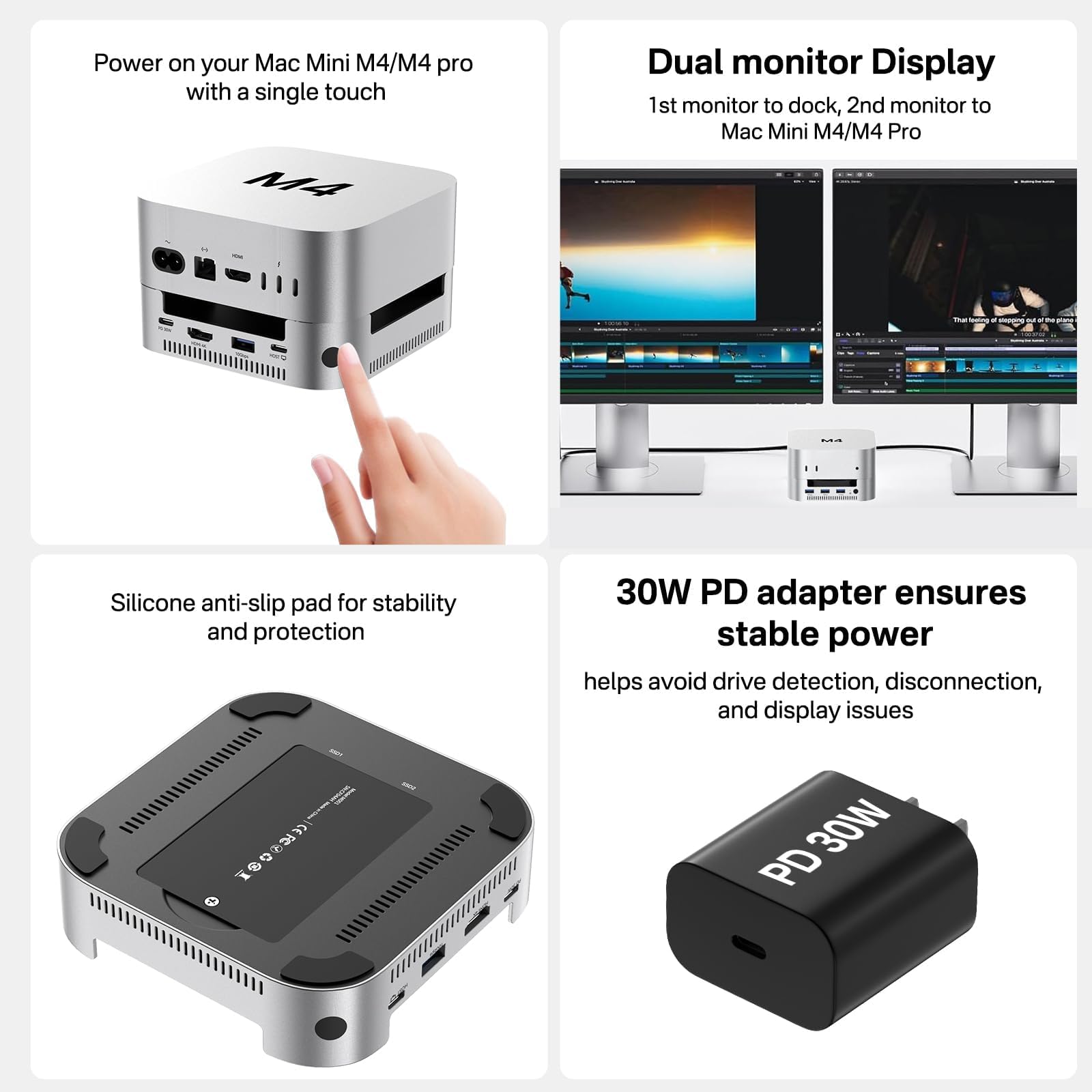
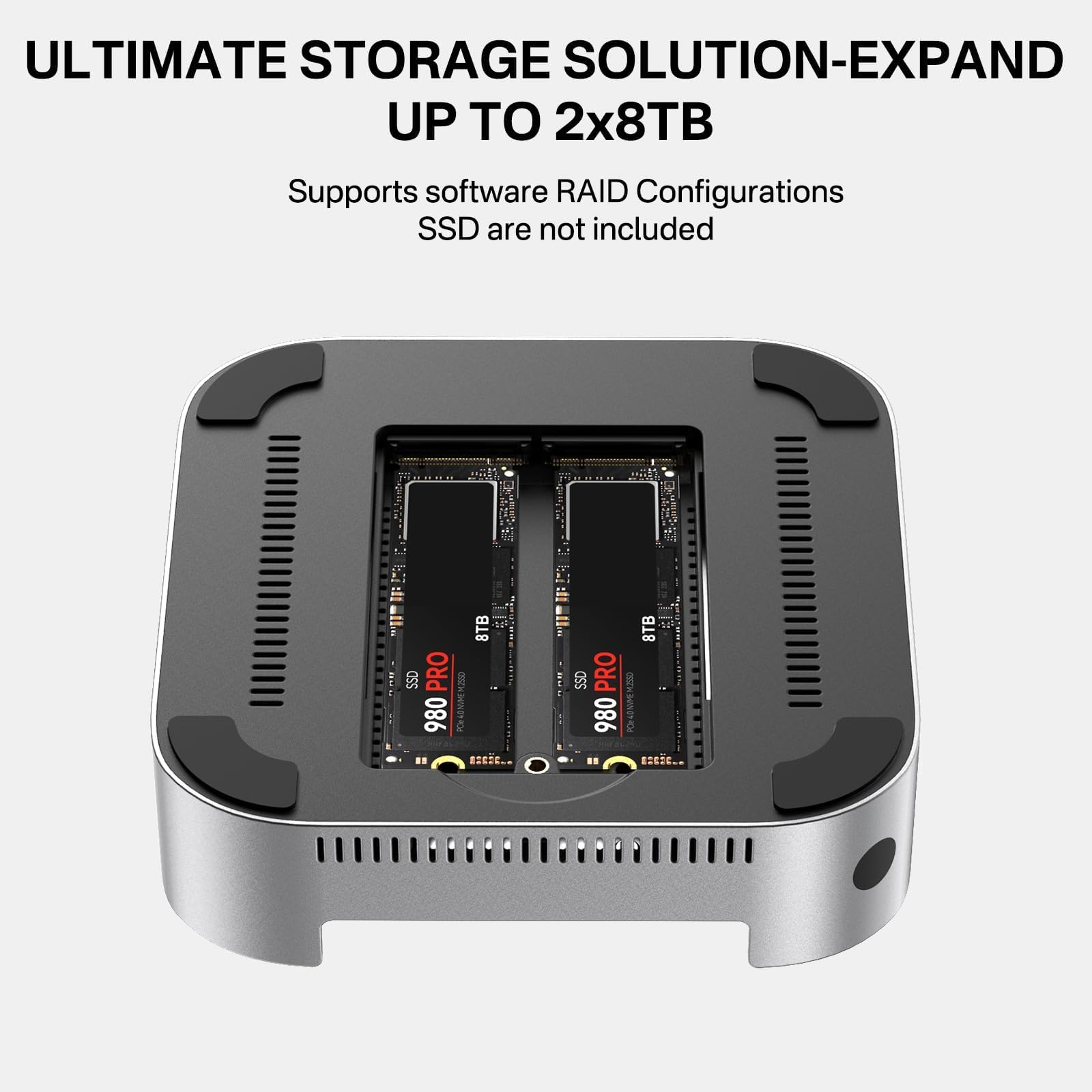

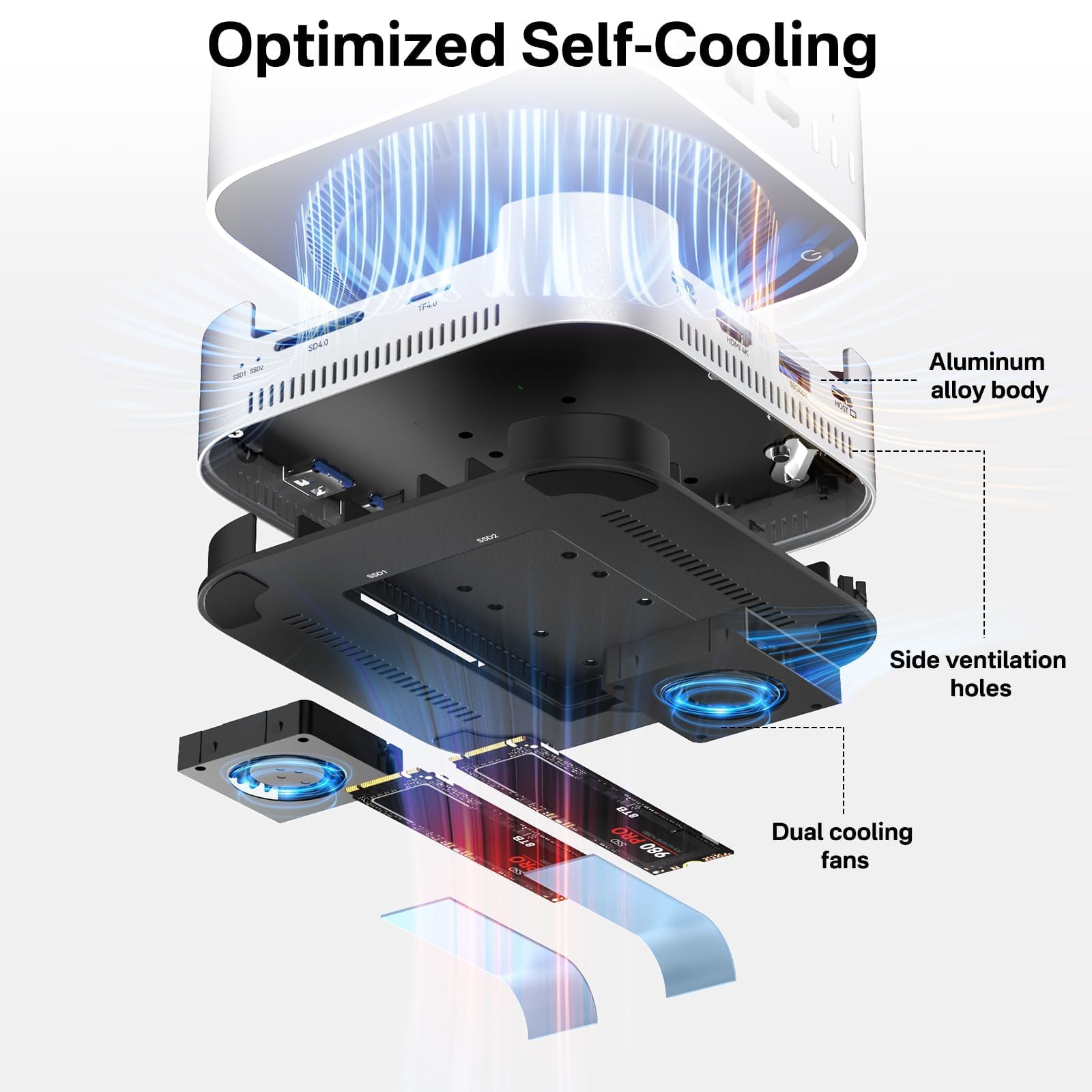
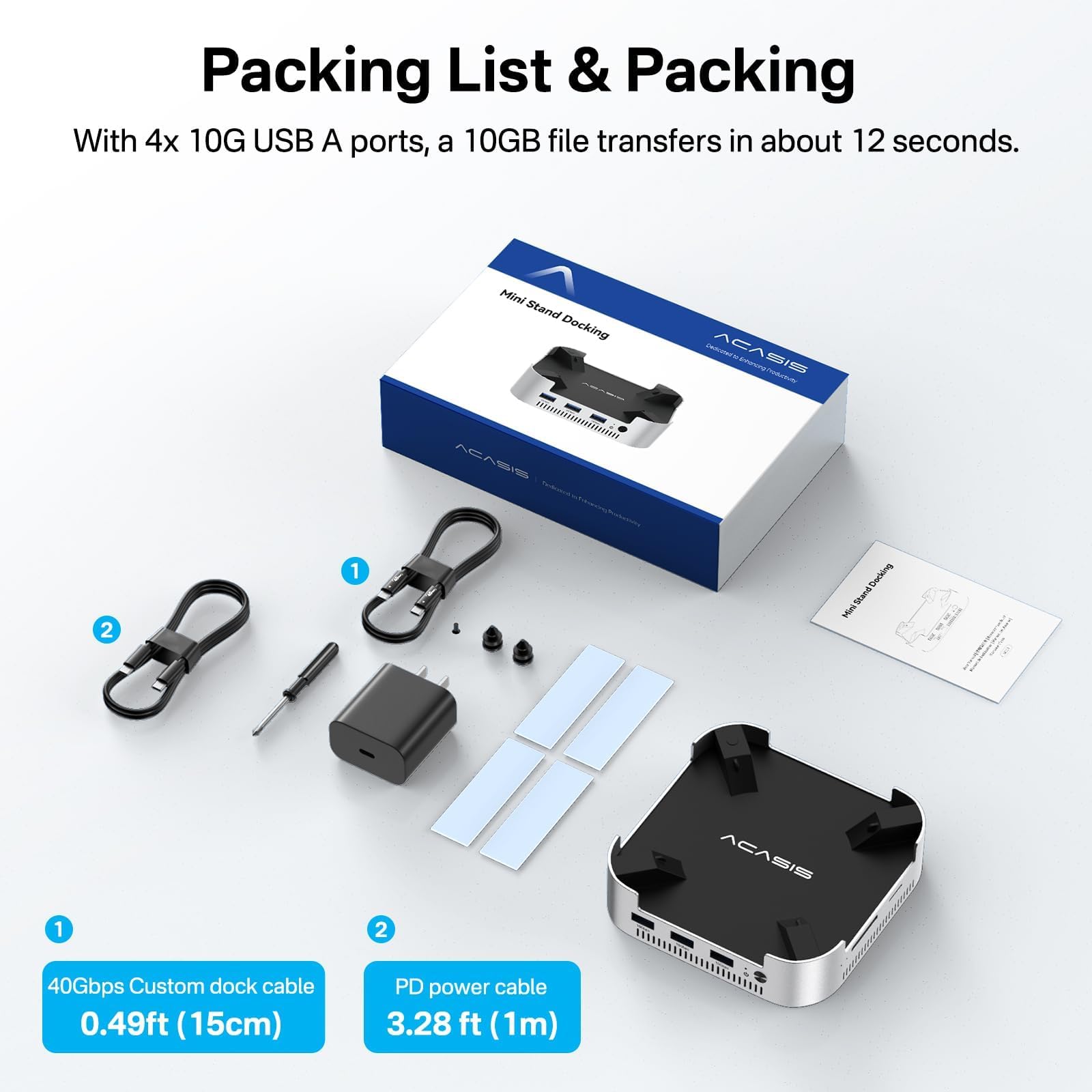
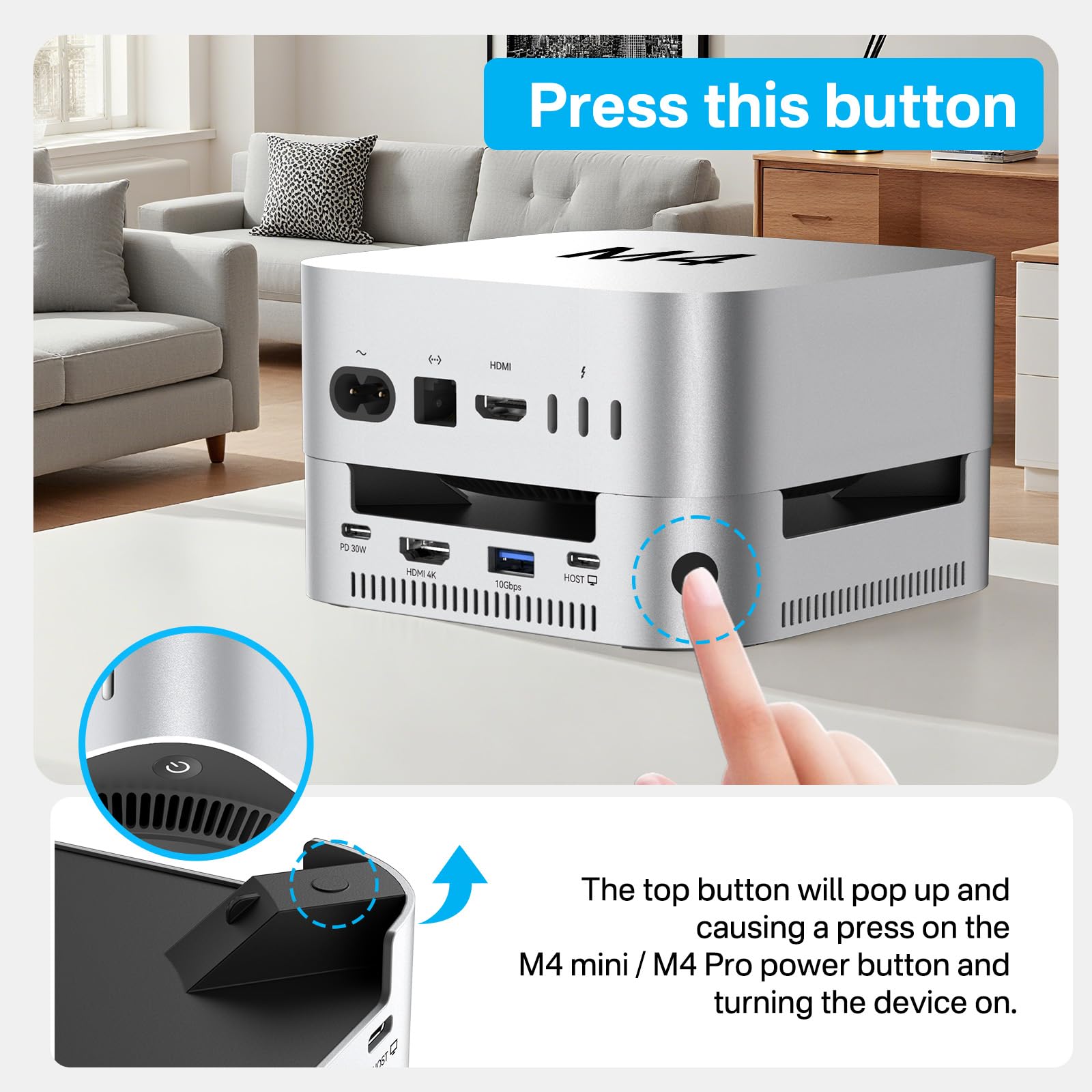
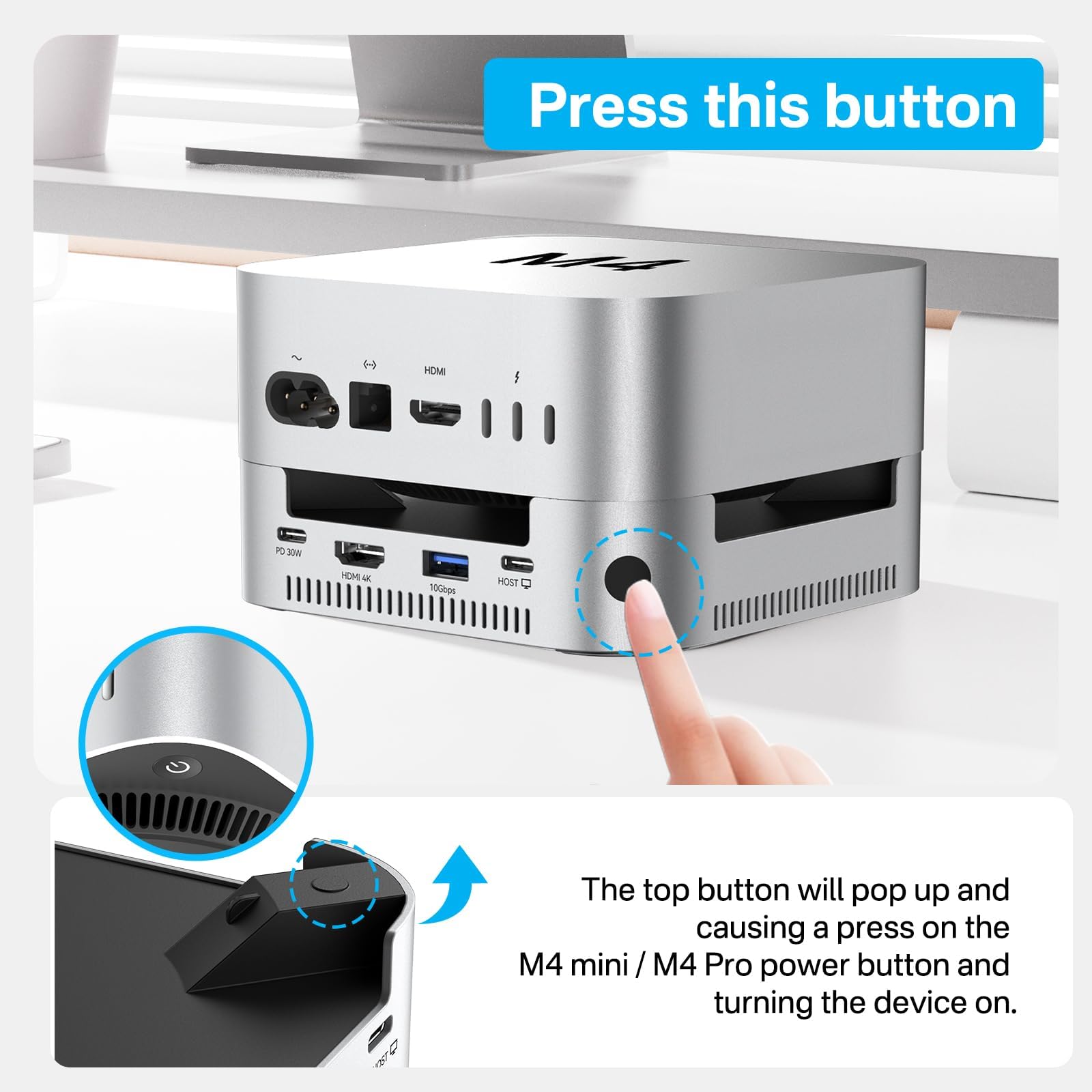
🚀 Elevate your Mac mini M4 setup to pro-level power and speed!
The ACASIS Mac mini M4 Dock & Stand is a sleek aluminum hub designed specifically for the 2024 Mac mini M4 and M4 Pro. It features dual 8TB NVMe SSD slots with RAID support, four 10Gbps USB-A ports, 4K@60Hz HDMI output, and SD/TF card readers. Its advanced cooling system with dual fans and aluminum enclosure ensures stable performance, while internal shielding minimizes Wi-Fi interference. This compact, durable dock also includes a 30W PD adapter and custom Mac mini cable, making it the ultimate expansion and storage solution for professionals seeking speed, reliability, and multi-screen productivity.


| ASIN | B0F8PZ34QN |
| Best Sellers Rank | 18,050 in Computers & Accessories ( See Top 100 in Computers & Accessories ) 182 in Docking Stations |
| Guaranteed software updates until | unknown |
| Item model number | DS1101-EU |
| Manufacturer | ACASIS |
| Product Dimensions | 21 x 13.5 x 5 cm; 500 g |
B**L
An absolute ‘Must Have’ for M4 Mac Mini
Turned my base model M4 Mac Mini into an absolute workhorse! Multiple Port expansions and twin SSD slots underneath. Absolutely top notch addition to my setup!
D**N
Plug and use great
Good design button to switch Mac mini on excellent plenty of connections top design 2 nvme slots great
B**S
Worthy hub/storage extension for silicon Minis.
Bought to go with an M4 mini, mainly to boost USBa connectivity, and add storage. The documentation has to be read with a microscope. Initially, I couldn't get it to connect with the mini. But picking it up, perhaps to throw it out the window, II accidentally pressed the easily overlooked "turn on connectivity" button, some blue lights came on, signifying connection. I had some trouble delicately installing a (single) 2TB NVMe Samsung stick, so as to format it to APFS (and boost the miserable 512G storage of the mini), but managed it eventually. So, not only can one rave (trivially) about getting a sensible way to turn on the M4 mini perched on top, but with care, accomodate a lot of USBa equipment, and expandible storage. From ACSIS, it seems one can get some "Magician Software" to RAID-ify 2 NVME sticks into something fast and safe, eg for Time Machine. One star off for the poor quality documentation. Otherwise, seems to work just fine. Easy on the eye too. I'd like to add a tip. I spent a frustrating day or two trying to set up a dual-screen setup, with two HDMI-capable HP monitors. I used good quality HDMI cables, but only the monitor connected to the M4's HDMI socket would come on. If I swapped the cables round, the other one would come on fine, but not both together. It occurred to me that it might help to make the relevant connections in a particular order: by the relevant connections I mean (one) the power connection between the 30W PD charger and the dock; (two) the connection between the M4 and the dock; (three) the little button at the front that turns on the blue lights in the dock. I left things disconnected for an hour or two (the M4 was all this time still on and working on one screen. To be honest, I'm not sure what order I reconnected things, but on my first attempt, both screens started working. I wish I understood *why* this worked (power/data appearing in the right place at the right time?). I've only a vague idea, but I'd like to pass on a hint or tip to anyone else experiencing the levels of frustration I endured battling to get two mutually extended screens going. The main impetus to get the hub was to get something that would host a large NVMe disk to store around 500G of mildly precious stuff accumulated on an late 2012 mini over 13 years, that I wanted "at hand". I used a 2TB Samsung "990 EVO plus" (seems OK), and used SuperDuper! to copy my stuff world onto it. So far as I can tell, this is even bootable if you keep the startup button pressed down until the boot-screen shows some options about what disk you want to boot from. However, I'm not sure that the NVM copy didn't disconnect half-way through the large cloning operation. So my "stuff" is stored in multiple spare SSD and HD disks, both in Time Machine and SuperDuper form till I'm sure. Getting the system working to my taste was a rather hectic and anxious experience. I'd advise any MAC enthusiast with the amount of data I wanted to keep in action to buy an M4 mini with at least 1TB of storage or more. It costs a lot, but so does buying NVMe disks, decent cables, docks, and enough whisky to fuel several late nights getting it all to cooperate.
C**H
Good but…
Specifications met all my criteria and the installed device was good to look at and solid. But when I started using the different ports for HDDs, SSDs and Flash drives to copy files to and fro the built-in Data and Time Machine SSDs disconnected. The ports kept going but the power or bandwidth or something maybe wasn’t sufficient for all at once. Could any similar device cope?
T**N
HDMI doesn't work.
Looks good, fits Mac mini well, HDMI doesn't work. I bought it to use with a dual monitor setup. I could not get it to work under any circumstances. The dual nvme slots are good, as are the I/O options. The HDMI simply doesn't work and so I sent it back and got a different one that works.
I**H
Works well.
It was the twin ssd slots that swung the purchase. Proven an excellent buy. Silent operation. Keeps cool. Sturdily built. Just works.
R**R
Past prima. Getoonde “gedraaide” dikke USB-C kabel zit er niet bij, wel een “normale” rechte korte kabel. Functioneert verder prima. Nog geen geheugenbankjes erin gedaan vanwege aanwezige NAS..
J**D
Ein Hub, der 99% der funktionellen, akustischen, optischen und kühlungstechnischen Anforderungen erfüllt. Weiß nicht, was hier einige auszusetzen haben. Das 1% betrifft das separate Ein+Ausschalten zusätzlich zum Mac. Stört aber nicht. Und die Kühlgeräusche sind wirklich völlig unkritisch. Top Teil
J**8
Double slot NVME donne une vraie capacité de stockage au Mac Mini, le deuxième écran avec l'HDMI, HUB quasi indispensable pour faire du Mac mini un super ordi.
M**N
Es lo que anuncia y funciona bien
R**N
Decían q hacía algo de ruido y para mi no suena nada. Esta genial
Trustpilot
Hace 1 mes
Hace 1 día