We remain fully operational. Our teams are working around the clock to ensure your deliveries continue safely.

Descargar la aplicación


Servicios al cliente
Sobre nosotros
Copyright © 2025 Desertcart Holdings Limited
Descargar la aplicación


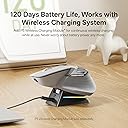


🖱️ Elevate your workspace — precision, power, and multi-device magic in one sleek mouse!
The Rapoo MT760 PRO is a cutting-edge wireless mouse featuring next-gen NearLink and Bluetooth 5.0 connectivity, supporting up to 7 devices simultaneously. It boasts a high-precision 12,000 DPI Pixart sensor with 2,000Hz polling for ultra-responsive control, ideal for professionals and gamers alike. Ergonomically designed with quiet clicks and a side-scroll wheel, it enhances comfort and productivity. With 11 programmable buttons and onboard memory, customization is seamless. Its remarkable 120-day battery life, USB-C quick charge, and wireless charging compatibility ensure uninterrupted use.


| ASIN | B0F1ZX3FQC |
| Antenna Location | Office |
| Are Batteries Included? | Yes |
| Are Batteries Required | Yes |
| Battery Average Life | 3 months |
| Best Sellers Rank | 368,155 in Computers & Accessories ( See Top 100 in Computers & Accessories ) 6,158 in Mice |
| Box Contents | 1 x USB-C Charging Cable (UsB-A to USB-C), 1 x User Manual, 1 x Wireless Mouse, 2 x NearLink USB Dongles |
| Brand Name | Rapoo |
| Button Quantity | 11 |
| Colour | Light Grey |
| Compatible Devices | Personal Computer |
| Customer Reviews | 4.2 4.2 out of 5 stars (304) |
| Hand Orientation | Right |
| Hardware Platform | PC |
| Item Dimensions L x W | 17.1L x 11.2W centimetres |
| Item Weight | 110 Grams |
| Manufacturer | Shenzhen Rapoo Technology Co., Ltd. |
| Manufacturer Part Number | OFFICE |
| Model Name | MT760 PRO |
| Model Number | MT760 PRO |
| Mouse Maximum Sensitivity | 12000 Dots per Inch |
| Movement Detection | Optical |
| Network Connectivity Technology | Bluetooth |
| Number of Batteries | 1 Lithium Polymer batteries required. (included) |
| Operating System | Windows XP/Vista/7/8/10, Mac OS 10.15 or later |
| Power Source | Battery Powered |
| Product Features | 11 Programmable Buttons with On-Board Memory, 120 Days Battery Life, NearLink Technology, Ultra-Low Latency,7 Adjustable DPI Levels, Up to 7 Devices, M+ Cross-Computer Technology |
| Range | 10 meters |
| Style Name | Modern |
D**K
Better than expected. Works great with my Mac- the side-scroll was the most important feature for me because I use it a lot on the Magic Mouse that I'm replacing with this mouse. I connected via BT with no issue at all; put the mouse into BT mode and saw it show up in my BT menu on my Mac within seconds. The left and right clicks are very quiet. The Mouse is soft-to-the-touch and fits like a glove, for me. This is also my first ever ergo mouse because it I could never find one with side scrolling. Again, that is by far, the most important feature about this mouse, for me. Closely trailing this side scrolling in the #1 spot, it the fit. My hand fits comfortably, feels natural- the side scroll wheel doesn't feel too far away from my thumb, which was a concern when I was "window-shopping". Very happy with this purchase so far and the added convenience of the page-back and page-forward buttons (literally) right at my fingertips, makes it even that much easier to enjoy this mouse. I strongly recommend it.
I**L
rubber white colour changed and weras off , but the mouse is very smooth and nice
G**O
I got this more out of curiosity than anything to simply try it but I've found that this is actually a good alternative to the more expensive brand that it emulates. I use the MX3 and 3s for both personal and work laptops and have used them since they released. I was actually looking for an alternate to the MX3 so I could leave it at work:-) For the MT760, the very first thing I noticed was that it's not near as comfortable but also very easy to get used to. It was pretty easy to set up. It's got some nice features like two dongles and 3 Bluetooth settings. One dongle is hidden via a nifty trap door thing. Though not as "well made" for feel, it is still has a very nice feel to it. It's quite light though but works for what I do. I'm an IT consultant. It came packaged quite nicely and came pretty well on time. One thing that I noticed in unpackaging it was the USB-C cable. It's a very nice cable and something one wouldn't expect in a product in this price range. From the controls point of view, the left/right click depth is longer than say the MX3s but easy to get used to. It's quite silent as well. It doesn't have that "free wheeling" scroll capability like the 3s but it is acceptable. My test for this will be when I use it for work today as I have some large datasets in Excel I need to work with :-) The left side wheel and buttons are quite close together and if you have larger hands, this may be an issue. I like to have those at the ball of my thumb and these are just slightly back of that when you first put your hand on the mouse. Just something that is easy to get used to though as well. Too early to tell on battery life. Nitpicks? Not all that many per se. From a usage standpoint, it so far works well. The manual though had very small print and I never could navigate the web page to get at the app. I may look hard at their web page once I get more time. Update- I've now used this at work for a few days, and for the most part, it works very well. The one thing that I did find was that the center scroll wheel was a little sensitive for me and it went into scroll mode a few times. Other than that, it held a charge well and overall worked good. For me, I'll keep this as a backup for work.
M**C
Great design, good quality, works as desired!
J**A
I have had an MX Master 3 for about 4 years. I thought it was dead (it wasn't) and ordered this. This knock-off begs to be compared. Negatives: Other than how it looks aesthetically and feels in the hand, this mouse is nothing like using an MX Master. The main difference is the main scroll wheel. The MX Master has an amazing wheel that can be "clicky" or can freewheel down through 300 web pages in a fraction of a second. This Rapoo main wheel though, it cannot freewheel, it also feels kind of stiff and it's easy to click middle mouse by mistake when using it. The main 2 button clicks are kind of long presses. Much farther travel than just about any mouse I've used. (mainly Logitech) Positives: Credit where it's due, this mouse looks really good. Better than the MX Master. It feels premium in the hand. I like that it came with 2 USB dongles and I dig the magnetic flip cover on the bottom that hides one. You can connect to multiple devices. The side scroll wheel feels really nice, and I even like the placement angle better than on the MX Master 3. Changing DPI on the fly is nice and this mouse feels lag free and accurate. For the $50 sale price I got it for, this doesn't really feel worth it. There are better mice in this price range and this doesn't live up to it's looks. For $60, it's really questionable. Just pony up the $100 for the real deal.
Trustpilot
Hace 4 días
Hace 3 semanas