We remain fully operational. Our teams are working around the clock to ensure your deliveries continue safely.

Descargar la aplicación


Servicios al cliente
Sobre nosotros
Copyright © 2025 Desertcart Holdings Limited
Descargar la aplicación
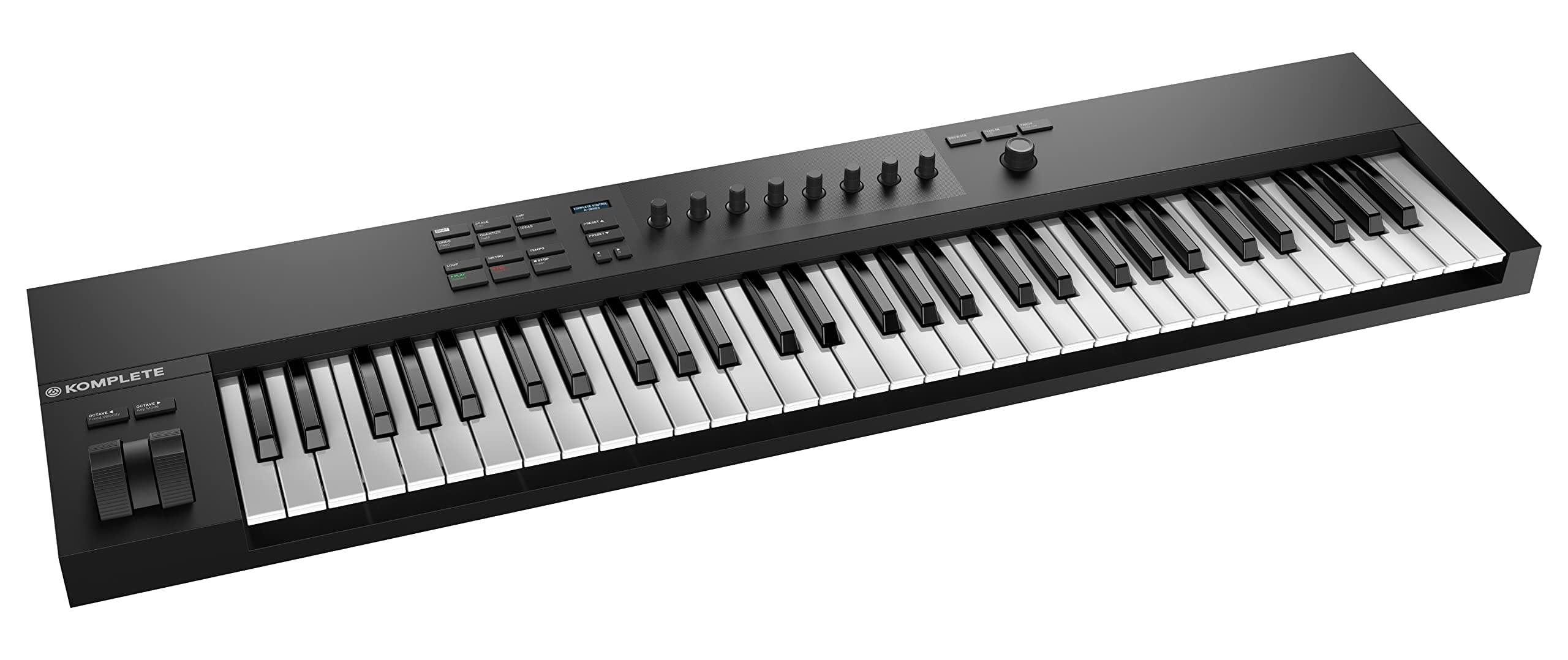



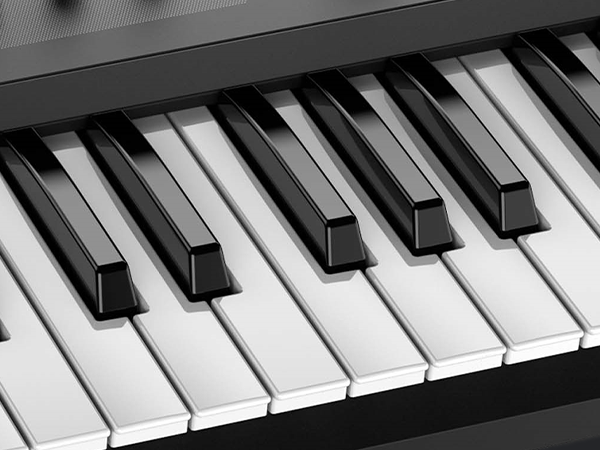
🎶 Own your sound, command your studio — the Komplete Kontrol A61 is your creative edge.
The Native Instruments Komplete Kontrol A61 is a professional-grade MIDI keyboard controller featuring 61 semi-weighted keys for authentic playability, an informative OLED display for intuitive navigation, and 8 touch-sensitive control knobs for precise sound shaping. USB 2.0 bus-powered and optimized for seamless integration with Native Instruments software, it offers a streamlined, minimalist design perfect for millennial producers seeking both performance and workflow efficiency.


| ASIN | B07GY7NQ8S |
| Additional Features | Semi Weighted Keys, Touch-Sensitive Keys |
| Best Sellers Rank | #20,716 in Musical Instruments ( See Top 100 in Musical Instruments ) #37 in Synthesizer & Workstation Keyboards #253 in Portable & Arranger Keyboards |
| Brand | Native Instruments |
| Brand Name | Native Instruments |
| Color | Black |
| Compatible Devices | Desktop, Laptop |
| Connectivity Technology | USB |
| Connector Type | USB |
| Control Method | Touch |
| Control Type | Keyboard Controller |
| Customer Reviews | 4.6 out of 5 stars 1,430 Reviews |
| Global Trade Identification Number | 04042477252441 |
| Hardware Interface | USB 2.0 |
| Hardware Platform | PC/Mac |
| Human Interface Input | Keyboard |
| Included Components | Software Suite |
| Instrument | Keyboard |
| Instrument Key | Any |
| Item Dimensions D x W x H | 10.12"D x 38.74"W x 3.5"H |
| Item Type Name | Keyboard Production Station |
| Item Weight | 10 Pounds |
| Keyboard Description | USB |
| Manufacturer | Native Instruments |
| Material Type | Plastic |
| Model Name | Komplete Kontrol A61 |
| Model Number | A61 |
| Model Year | 2018 |
| Number of Keys | 61 |
| Platform | Windows |
| Product Dimensions | 10.12"D x 38.74"W x 3.5"H |
| Product Style | A61 - 61 Keys |
| Size | 61 Keys |
| Special Feature | Semi Weighted Keys, Touch-Sensitive Keys |
| Supported Software | Logic Pro X, GarageBand, Ableton Live, Cubase, Nuendo, VST compatible DAWs |
| Unit Count | 1 Count |
| Warranty Description | 1 year warranty. |
F**L
Works Great Especially In the Native Instruments Eco System
Review for Komplete Kontrol A25 midi keyboard. I don't get to play as much as I would like. So it's a real inconvenience to have to dick with midi mappings in Ableton when all I want to do is create. I just want to touch my midi keyboard not my computer keyboard and mouse. This keyboard has went a long ways towards that goal. I had bought another midi controller, an 1mp@ct LX25, which totally frustrated me because they purposely don't support Ableton (this was my fault. I was in a hurry and just read through the reviews instead of reading up on the company. Apparently it's great if you don't use Ableton). Using this with Komplete Kontrol works great. Honestly, I didn't have to really setup anything. It just worked in Komplete Kontrol either with the standalone app or launched within Ableton 10. I've tried it out with non-native NI apps and it still seems to work pretty good. Although you still have to deal with midi mappings. Maybe, I'm a NOOB. However the previous keyboard I mentioned had the REC, PLAY, and STOP. For the longest time I couldn't get these to work until I found a script. Not this keyboard. That stuff all worked right away even without launching a NI plugin. The knobs are touch sensitive. If you just touch them the OLED display which parameter your editing. They also feel nice and sturdy. It's very minimalist looking. Usually I'm the kind of dude that likes a lot of knobs and buttons. However, I have found that my workflow if a little better because of the minimalism. The keys are synth action, they feel pretty good. The bend and modulation wheel are the best I've played on a keyboard of this price. The knobs are smooth as butter, and quiet. Cons Clicky It's kind of weird, the buttons are plastic and when pushed make an exaggerated clicking sound. Not a deal breaker for me, but if you where trying to record in a live intimate setting and find you need to push one of those buttons. Someone is going to be annoyed with you. Price This isn't Native Instruments fault. However, when I first put this on my wish list it was $139. I ended up buying the other day because a Youtube reviewer tipped me off that because of the trade war with China the price had went up. When I checked it had went up $20. So I bought it right away. Size matters. I really love this keyboard. However, I'm now wishing I could have held out for the 49 key (that one would need to be semi-weighted. I'm not sure if the A49 key comes in semi-weighted keys). This trade war isn't going to end anytime soon. I'm afraid by September A49 will be $300 instead of $220.
J**G
Review for the A61 Keyboard (Spoiler: It's amazing)
This product is a controller, and as such, you must program it for the software you're planning on using. This can be a complex step if you're unaware of how to work with the software you want to use this with (i.e. Ableton) - I bring this up because I read a 2 star review about how this doesn't work with Ableton 9, which it does, it just takes some configuring finesse. It comes with Ableton Lite, which I've enjoyed using thus far, but my primary software of choice is Maschine 2. This is an ideal companion (well, the S88 is the Ideal, but I'm a grad student with a family) for the Maschine Mk3. The two pair up well together, and I've had a lot of fun working with them. I'm not a professional musician these days. I used to DJ 20+ years ago, and I never got into the production side of things because computers weren't really ready for running controllers back then (at least, not what I could afford). But now, if you have a good system, production is a fraction of the cost to get into, especially with Native Instruments. I purchased this keyboard with the intention of learning to play the piano, and also to improve my own production abilities via Massive, Kontact Player, and Komplete Kontrol, etc. That said, I've read few comments complaining about the latency (how hard you have to press the key to make the sound) of the controller. I grew up playing with my grandparents' grand piano, and the latency is spot on to playing a real piano. In that regard, I have no complaints about this at all! I would like to have the same muscle memory when I sit down to play a real piano from learning how to play on a keyboard. I believe this product is ideal for this. If you're looking for something with a synthetic keyboard feel (i.e. you don't have to press on the keys hard to get the full tone), then you'll want something else, as I haven't found a way to modify the latency (yet). The Native Instruments forums are a phenomenal place to search out any help with your gear, the community is really amazing. If you're looking for a cheap (relatively speaking, this is a well-made device and it's definitely worth the money) keyboard controller, the A series is amazing. When paired with Kontact Player (I got player free with Maschine Mk3, so I'm not sure if it comes with the keyboard) you gain access to organ recordings as well as The Gentleman (a piano), which gives you the full sound (fully customizable as well!) of playing a piano or organ. And, because it's a controller, you can program it to play any number of instruments that come with Kontact Player. I think this is a great way to spend quarantine, learning to play! Hope this is helpful for those who are considering this device over others.
C**Y
Great controller if you're big on NI interfaces
The shopping experience: The first one I ordered came with a couple of loose screws in the bag. Upon inspecting the unit it appeared that they fell off. When I shook the unit I could hear little pieces of plastic rattling about within the enclosure. I opened the whole thing up and, as expected, the plastic standoffs had broken off so the screw holes could not be used anymore. Perhaps they had been screwed in too tightly during manufacturing. Furthermore, the keybed felt a little loose around the area with the missing screws. I quickly requested a replacement unit from Amazon and received it within a couple of days—pretty impressive on Amazon's part. The second unit I received was flawless. The controller: In any case, it's a great midi controller; however, it's important that you understand what you're buying an A61 for, as there are many other controllers on the market with seemingly better value at a similar price. Simply put, if you're using NI/NKS instruments, you're buying an A61 for the immediate plug and play functionality and parameter mappings of the knobs. You're also receiving a ton of software with the unit (it can be argued that the total price of the software you redeem is more than you'll pay for the controller itself). I use the Native Instruments ecosystem almost exclusively, so getting one of these controllers seemed to be a no-brainer for me. That said, the hardware is missing a lot of the bells and whistles that could benefit people in other use cases. For one, there are no pads on this unit. NI is assuming people that want pads will shell out for the dedicated pads found on their Maschine products—I already own a Maschine MK3 so this doesn't bother me much. Not including the main encoder, there's also only 8 knobs; again, to mirror the knob distribution found on many of their virtual instruments. You also won't be finding any fader controls on the A61. In short, if you're sold on NI interfaces and can appreciate the streamlined minimal approach NI is taking here, go ahead and buy any of the A-series controllers. Otherwise, there are certainly much better options to consider.
R**U
This controller works great with Komplete Kontrol, good as a normal MIDI controller.
I'm still figuring out how all the features work on this, but the out-of-the box experience is pretty good. I was looking for a small keyboard to go in front of my computer so I don't have to move back and forth between the full-size keyboard and my DAW. The keyboard has two modes, "MIDI mode" and "Instance mode". In MIDI mode, it just sends MIDI. In Instance mode, (or maybe Track instance mode?) it becomes a little bit more standalone. You can change presets and such using only the device, and the changes will apply to the currently selected track in your DAW. This isn't super intuitive, but it's kinda cool to be able to switch between presets on a track. The keys feel good, and the velocity-sensitivity has a nice response. The knobs at the top of the controller are bound to macros when you are running in track instance mode, and to the track faders when you're in MIDI mode. I haven't tried to rebind them to other functions. One feature I'm not totally sold on is that when you touch one of the knobs, the device announces what it is bound to. This is kinda cool, but I haven't figured out how to disable it, and I keep bumping the knobs when I reach over the keyboard, which announces "Frequency!" or "Resonance!". I'd like to be able to A) turn that off, and B) set it to go to my audio interface rather than my speakers. There are probably ways to do these things, but I haven't figured them out yet. The other thing that bothers me is the big knob at the top right. I've only used it in "browse" mode to change presets, but I keep thinking it's a volume control and trying to change the volume while I'm playing. Since the bindings to the track faders change when you are using it in track instance mode, I haven't been able to find a way to change volume in instance mode. You *could* bind the mod wheel to track volume if you weren't using it for something else. It's strange that Thickness is a dimension this produce asks to be rated on. It is rather thick. If you're looking for a slimmer MIDI controller, the Arturia Keystep 37 looks quite a bit thinner, and was one of the other controllers I was considering.
D**C
A25 Key Tension May Be An Issue For Some
A25 Review and Test ... This test is approximate not scientific but should give you some idea of the overall tension on the keys themselves thus showing you what to expect when pressing the keys on this keyboard. I did not see any real info on this and thought it could be of some use. So if your expecting a soft feel close to what other keyboards in this test have this one is dif. Unfortunately this keyboards spring tension may be a bit too high to feel just right. Hey If your used to playing on keys with a lot of tension and weight then this may be what you seek. For me its taking some getting used to as all the other keyboards and controllers I own have far less tension, the Ensoniq being my fave for feel and wight as those keys feel almost like there is a hammer even though its just a semi weighted keyboard its well engineered and feels quite good. Comparison Examples ... 13 US Nickels are 65g Komplete Kontrol A25 66g Pressure to depress key M-Audio Orig Axiom 25 50g Pressure to depress key Roland Juno 2 (Matsu) 46g Pressure to depress key Ensoniq VFX (Fatar) 40g Pressure to depress key While the A25 is indeed a semi weighted design it just feels like if there was less tension it would feel just so much better, why they decided on a higher tension spring I am not sure but might be something to think about when searching for that next keyboard or controller. The keys them selves feel solid although not perfect some of the keys on my copy are a little off by this I mean there is some inconsistency in the key-bed itself so some keys are not perfectly level with other keys (SEE PIC) its very slight but is noticeable. As many have said the keyboard build is nice otherwise and it does feel quite solid in its feel and overall build, way more so then my M-Audio Axiom 25 those keys tend to bottom out a bit on the metal base-plate when pressed harder while the A25 does not and is nicely damped at full travel as with my older much more expensive synth keyboards. So in my opin with the next gen I think NI should bring the tension down to around between 45g - 50g max which I think would be a happy medium for most as some have also mentioned there is a fair bit of key travel which I don't normally dislike as my Ensoniq is similar in this respect but coupled with the apox 66 grams of pressure it takes to press each key this may prevent some from loving this design choice made by NI. O one last thing I know some mentioned so I will touch on as well all the other buttons are ultra clicky why no idea they should really have used soft touch the virtually click-less type that just press in similar to whats found on my M-Audio controllers, those buttons feel good you know that you pressed record for example but without a loud click, really not needed other then that, some will like its mostly solid build and tight integration with other NI products def check out the keyboard if your looking for a new one ... this is replacing my very old now hap hazard M-Audio 25 and I think I will keep it, but I think it does take some getting used to the higher tension on the keys though other then that and the very clicky buttons it is quite nice. I hope my slightly dif review is helpful to most who are looking into the A25 and wondering what the keys may feel like in comparison to some classics they may have used ...
J**B
THE controller if you want a bass synth to add to your virtual instrument setup!
Short Version: If you are looking to buy a bass deck, and you live in a lot of the Native Insturments’ world of virtual synths, this is a no brainer and dare I say, better than the M32 Long Version: I bought the “Analog Dreams” synth pack from Native Instruments at the start of Quarantine, and was VERY impressed with the sounds and overall 80’s vibe. VERY impressed. But, my main controller is an Arturia. Nothing against them, but the mapping always had to be done manually, and using the stand alone control software for live playing just didn’t work. Since I was mainly looking for a bass deck, I did my research and it was down to the A25 or M32. Everyone raved about the M32, but I didn’t hear much about the A25. So, after some deliberation, I bought one. First impression- This is not a small controller when it comes to 3-octave decks. The matte plastic finish and full sized keyboard were flat out impressive feeling. The discrete label controls also made it look VERY German, and very cool. The keys are a full size “Semi Synth Weighted” affair, and feel fantastic! I have fat stubby hands and I am no concert pianist, so the large layout felt natural. It is also quite a bit taller than your average 25 key deck, but since I don’t intend to try to write anything on a plane, I didn’t care about how portable it was. In fact, the large footprint is a plus as it fit well into a spare mixer stand I had. DAW and plugin integration- While this is a very smooth controller to play, it really is best when paired with Native Instruments software and plugins. The controls are mapped out simply and well, and when running the Kontrol environment app, there is ZERO issue! Although, I found out when installing this on a Mac, make sure you disable all other MIDI devices first. I had my Arturia Keylab 49 and my mixer’s DAW controls active, and the controller wasn’t able to be read properly. So, I had to uninstall and reinstall the Kontrol app and then things worked fine. Once you do that, it works like a charm. Jumps right into ProTools and Ableton without fuss. Even tried it in Reaper (My preferred editing DAW), which is famous for working with ANYTHING, but usually you have to do some routing and mapping no matter what. All I had to do was to decide which MIDI channels to use for the I/O in Reaper, and once again, it worked like a treat! Performance- The semi weighted keys are placed naturally for any piano player, and nothing on the keyboard feels cramped. This controller also rocks the pitch and mod wheels to the left that are a decent size and don’t feel overtly plastic. All together, this just *feels* premium. It really shines as a bass synth, with everything within reach of a single left hand. The only issue is that the LED display is quite tiny, and you find yourself squinting to see what info is on it. But, given. How it performs and at the price, I can overlook that as my attention should be on the laptop if I am tweaking the settings. Speaking of price, it is more expensive than other 25-key controllers, but you are really getting your money’s worth. This is especially true with the free software that comes with it. I have paid for plugins and synths that sounded and performed worse. If you have a home studio that doesn’t need moved around constantly, this is a VERY wise companion to you main controller. As an audio engineer and a musician, I am of the mind you really only need 3 main MIDI components: A large format keyboard, a small format keyboard and a drum pad/sequencer. This is exactly the kind of 25 key that you need for that kind of setup, and would be almost perfect with their Machine pad controller for producers who are looking for a clean, integrated beat production setup. For a keyboardist like myself, this sits above my Arturia and is the best bass key controller so I can double up on multiple tracks.
C**B
Nice Quality
Overall quality is clean and nice and of course integrates beautifully with Komplete Kontrol and Kontakt. Being used to a fully weighted keybed (88 key Fantom-08) I knew a semi weighted 61 key like this would be different, but I wanted something I could use that would slide under my desk in a big keyboard tray with lighter keys. I mainly use this for synth and other instrument compositions and of course still prefer and use the Roland for actual Piano focused compositions. I wasn't a fan at first, but have finally gotten a feel for the keys and they have plenty of velocity control now, it just took some getting used to. I'd me remiss if I didn't mention I still lust for the S61 MK3 sometimes when I see them online. The big screen looks nice, but I'm in front of a massive monitor anyway and don't really look at the keyboard much aside from playing. The knobs are really all I use for control while I look at the monitor. I would like to have the Aftertouch the S series has, but I'm so used to using the modwheels for everything that I don't think I would really use it anyway. I've heard the keys are a little better on the S series, but the A series keys are still great and better than a lot of competitors still. If you're on a budget and heavy into Native Instruments libraries, this is the one to get and it doesn't feel or look like a budget keyboard. The S series is nice and I would still love one, but I can't justify the price. At around $600 *more* than the A series I just don't see $600 worth of value add.
B**P
Another Winning Purchase!
The Native Instruments Komplete Kontrol A25 is a fabulous addition for my studio. This keyboard is special because it integrates so well with the Native Instruments Komplete 13 set of plugins and allows you to control them better than any other midi controller keyboard. Its also a great value considering build quality and the feel of the keyboard. One of the most important points for me in considering the purchase of this keyboard was the actual size of the keys. So you won't have issues transitioning if you are a keyboard player since they are standard size keys, and you also won't have issues if you have big fingers since they're not mini keys. And the best part are the features. Features • 25-key semi-weighted custom Native Instruments keybed • OLED display for at-a-glance navigation • Eight touch-sensitive control knobs and 4-directional push encoder • Ergonomic pitch and mod wheels • Find sounds quickly with tag-based browsing • Stay in key with over 100 scales and modes in Smart Play • Pre-mapped control of KOMPLETE Instruments and Effects • Includes a collection of KOMPLETE instruments and effects
Trustpilot
Hace 2 meses
Hace 4 días