![Screen Protector Compatible with Surface Pro 7 Plus/Surface Pro 7/Surface Pro 6/ Surface Pro 5/Surface Pro 4 - [Tempered Glass] [High Responsivity] [Scratch Resistant] [High Definition]](https://m.media-amazon.com/images/I/714978KIsIL.jpg)

🛡️ Protect your Surface Pro like a pro — clarity, precision, and defense in one sleek shield!
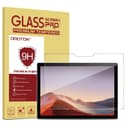
The OMOTON Screen Protector is a premium 9H tempered glass shield designed specifically for Microsoft Surface Pro 4 through 7 Plus (12.3 inch). It features a precision-cut, beveled edge design with a hydrophobic and oleophobic coating to resist fingerprints and smudges. The protector maintains HD clarity and high touch sensitivity, perfectly compatible with the Surface Pen for smooth writing and drawing. Installation is simplified with a guide frame, tools, and video instructions, ensuring a bubble-free, flawless fit that safeguards your device from scratches and everyday wear.


| ASIN | B013SZIM6W |
| Best Sellers Rank | #439 in Tablet Screen Protectors |
| Brand | OMOTON |
| Brand Name | OMOTON |
| Clarity | 10 |
| Compatible Devices | Microsoft Surface Pro 4 12.3 inch, Surface Pro 5th Gen, Surface Pro 6, Surface Pro 7, Surface Pro 7 Plus Compatible Devices Microsoft Surface Pro 4 12.3 inch, Surface Pro 5th Gen, Surface Pro 6, Surface Pro 7, Surface Pro 7 Plus See more |
| Compatible Phone Models | ['Microsoft Surface Pro 4', 'Microsoft 5', 6', 7'] |
| Customer Reviews | 4.4 out of 5 stars 9,691 Reviews |
| Finish Type | Matte |
| Item Dimensions L x W | 11.42"L x 7.83"W |
| Item Hardness | 9H |
| Item Weight | 99 Grams |
| Manufacturer | OMOTON |
| Material | Tempered Glass |
| Model Name | OMOTON |
| Model Number | c5eb8e69-f17e-41d5-b99b-df93cbe89fc6 |
| Number of Items | 1 |
| Product Dimensions | 11.42"L x 7.83"W |
| Screen Size | 12.3 Inches |
| Screen Surface Description | Glossy |
| Special Features | 9 H Surface Hardness, Anti-Fingerprint, Oil Resistant, Rounded Edge, Scratch Resistant |
| UPC | 601209547169 |
| Unit Count | 1 Count |
| Water Resistance Level | Waterproof |
S**Y
For the price and quality, this screen protector is absolutely worth it.
The OMOTON Screen Protector for the Surface Pro 7 Plus has been a great addition to my setup. I’m always using my tablet for work, planning, and the occasional movie night with my kids, so keeping the screen protected was a must. This protector went on smoothly with no bubbles at all, which is impressive since I usually struggle with that kind of thing. The clarity is excellent, and it doesn’t affect the touch sensitivity at all. I can still use my stylus with perfect accuracy, and it feels just as smooth as the original screen. The coating also helps prevent fingerprints, which is a huge bonus when my kids inevitably get their hands on it. It gives me peace of mind knowing my screen is protected from scratches or accidental bumps. For the price and quality, this screen protector is absolutely worth it. It’s clear, durable, and does exactly what it should without any hassle.
H**E
Good quality glass protector
I had to replace my Surface Pro (5th Generation) for a warranty issue, and my previous screen protector broke as I was removing it. Note - my next comments on related to a competitive product... The former screen protector was not a great quality, but fair enough. I had a client drop the Surface Pen from about 6 inches above the screen. The metal side of the pen landed right at the edge of the screen and broke away a little chip of the former screen protector. It did it's job, but the lack of a bevel on that product probably contributed to it's failure. Regardless, it lasted another year before I tried removing it. At removal, I realized how much I didn't like that product's design. Instead of a large notch like this protector from OMOTION, it had individual hole cutouts for the optical camera, infrared camera and microphone. Since the glass wasn't beveled, it was nearly impossible to remove the dust that inevitably collects at the seams created at the edge of the glass. These are all minor issues, but when you have a device as beautifully engineered as the Surface, it's disappointing when the screen protector noticeably diminishes its visual appeal. Fast forward to this week and I am now installing this new screen protector from OMOTION. The included kit to clean the screen and make a hinge to attach the new tempered glass screen protector were great. I found it helpful to clean a granite countertop and the Surface prior to placing it on the countertop to minimize the potential for dust getting onto the screen during installation. It didn't help that it's the middle of winter, it's dry and static seemed to be at an all-time high at the time, but overall, it was a VERY easy installation. It took a little time to really get the protector lined up just right before attaching the stickers to make the "hinge", but it made the next step of attaching the protector SO EASY. Inevitably, the static created by removing the protective plastic on protector managed to virtually grab an eyelash from me and trap it between the layers of glass. However, it was easy enough to peel away the protector, use the sticker to "grab" that eyelash and then replace the protector. The original installation including the eyelash was bubble-free (with the exception of the eyelash), but the second attempt left a couple of weird bubble-like impressions on the screen. They were only noticeable on screen with the power off, and the instructions said it could take a couple of days to normalize, so I went on with my day. The next morning the odd impressions had resolved themselves. The installation looks perfect. I took time to read many reviews before buying this, so I think it is important to make a couple of comments: 1. Ease of Installation... Having done several screen protectors over the years on phones and tablets, I have to say that this was one of the simplest. That was unexpected given that it was also the largest one I've attempted. Follow the instructions EXACTLY and you should have a good result. Remember to clean all sides of your tablet as well as the table where you are working with a damp cloth before starting - that will help minimize the potential for trapping dust. Some comments said that the sticker hinge didn't work. If that was the case, the person didn't do it correctly. It worked flawlessly for me. 2. Beveled Edge. I saw a couple of comments that the screen edge wasn't beveled. That is nonsense. I have had one without the bevel, and this is night and day different. This bevel is very well manufactured. 3. Loss of Pen sensitivity. I thought about giving this issue enough importance to only award 4 stars instead of 5. However, I think loss of pen sensitivity is to be expected if you place an object between the pen and the OEM screen. It still works, but it's just not as good. To me, it is a trade off. I would rather have the protection than the flawless pen. I would buy this again.
A**C
Installation is finicky, product is great, customer service is FANTASTIC!!!
UPDATE: You can see my original review below. I found installation a little challenging and one corner absolutely would not adhere. Because so many other reviewers had the same problem, I ultimately gave this a 2-star rating. However, a few days after I posted my review, the company reached out to me to apologize. They were incredibly respectful and gracious, but also pointed out some areas where I may have messed up. Specifically, they thought I may have damaged a corner during installation. I thought I was above and beyond careful, but that's kind of beside the point. Along with some tips for how to install better, they offered me a replacement at no charge...... AND a refund of my original product. When the package arrived, it was actually a 2-pack of the protectors. I'm pretty blown away that they would 1) reach out on their own and 2) go so far above and beyond to make this right. My second installation, I read their advice several times and was even MORE careful -- especially with the corners. I used an air can, rubbing alcohol, a screen cleaner, and their special "sticker dust cleaner thing," and I got someone to help me. Installation is flawless. There are no imperfections, no dust, everything adhered perfectly. Additionally, some people mentioned sensitivity. I'm having no issues. I can't tell the difference from before the protector. So I stand my my original opinion that installation is DELICATE. Take your time, be really fastidious about dust and particles. Maybe even buy two from the get go - they're really affordable to begin with! But if you can get it installed right, it's a great product. And the company is fantastic. 5/5 PREVIOUS REVIEW: First, you need to be very fastidious and careful with installation. I had their wipes and cloth, plus rubbing alcohol and an air can. I had someone helping me (which is almost necessary). It was kind of a pain. However, the package does come with good tools for cleaning, guiding installation, and then pressing out bubbles, so that's a plus. I do not seem to have any issues at all with pen sensitivity. Unfortunately, like several other reviewers, I have one stubborn corner that will not stick. There's nothing visibly wrong with it, there's nothing stuck under there... It just won't stay down. So the protector is functional, but it does have that flaw. Definitely affects that aesthetic of the device and I'm worried about the durability because of it. Probably wouldn't buy this one again.
N**T
A good protector, a couple fixes could make it great (listed below)
Regarding FUNCTION: The protection provided is excellent. It doesn't smudge like the screen does and the Surface Pen doesn't mark it at all. I'm cleaning the screen way less and usually it just takes a wipe of my sleeve. The touch sensitivity is reduced, which I expected to come along with any protector, but it's clunky at times. It's not enough of an issue to remove the cover. Regarding INSTALLATION: The installation was pretty easy and the protector came with all the cleaning wipes, and stickers to get a good installation with a little bit of effort. The provided frame is essential to a good install. I had to lift the protector twice to use stickers to grab 3 small pieces of dust, but eventually I got a good installation with no imperfections. I had to use a credit card to remove bubbles because the cardboard that came with it was too flimsy to push them out. Regarding FIT: This does fit my Surface Pro 7, but make sure you use the installation frame, because the cutout BARELY misses a microphone port and if you freehand it, you're likely to cover the port. Also, I have a UAG case and because of the tight fit, there is a tiny bit of interference (maybe a couple thou) in the corner creating a small spot where the protector won't lay down exactly. This is only a small issue, but I feel like very small tweaks to the margins would be a good thing.
A**E
Very Nice Screen Protector For Commercial Surface Pro Advanced With LTE. Easy Installation and Well Made Product
I purchased this screen protector for my new Commercial Microsoft Surface Pro with LTE Advanced. I based my purchase on the reviews. The packaging was very nice andthe installation was easy. The screen protector is slightly smaller than the actual glass of the Surface Pro, but only by about 1/32" It does not affect the viewing screen at all since there is a 1/2" black bezel around the screen. Installation was easy, but I have installed many screen protectors over the years. I clean the screen meticulously before applying the screen protector, to be sure there is not any dust or microdebris on it before application. A can of compressed air (Like for keyboard cleaning) is my preferred method of being sure the screen is clear of any dust before installation. When applying screen protector, lay it on leaving a slight 1/32" gap from the edge of the screen. After it is applied, there may be bubbles under the screen. My preferred method of removing these bubbles is to slowly lift up on a corner of the screen protector, do not force it as this is glass!!. Do this until about the middle of the screen. Then slowly lay down the glass protector using a credit card to push out the bubbles. Again, this is a delicate procedure because if too much pressure is applied the screen protector can crack. You are going very slow, lowering the screen protector toward the screen while pushing the bubbles toward the outside of the screen. Repeat this procedure for each corner if necessary, lifting up corner of screen protectorvery slowly with a fingernail until about center of the screen and pushing air out while lowering screen protector to screen. Do not bend screen protector as it is glass!. This particular screen protector adheres very well, and appears to have a wet type glue on the underside of it that adheres easily, quickly, and eliminates bubbles as long as you push them out. Do not touch the underside of the screen protector where the glue is, as this can leave a fingerprint which can be visible after installation. Always handle the edges of the screen protector only. Having a a very clean screen from the start of installation is one of the most inportant steps. Clean you hands with soap and water before installation, as well as install the screen protector on your device in a clean, dust free environment. I have the Microsoft pen, and I did not notice any loss of sensitivity with the screen protector installed, howver, I installed my screen protector immediately after purchasing Surface Pro, so I did not have much use with it before screen protector installation to notice any major difference.
A**R
(Updated) Bad installation guide/process for surface pro 7
Update: 4/18/20 I received a new screen protector and installed it after viewing new video links the rep sent via email. The rep also reached out to me a few times via email just to make sure I received the replacement and that all went well with installation. I appreciated the effort from the seller. This installation process went much better than the first time, the guid fit better and didn't leave particles on the surface. No bubbles and it works great with the surface pen. Would recommend, just be careful with installation! Update: 4/8/20 I am currently waiting on a complimentary replacement for this item. The seller sent helpful information with new video links to help with installation. Their rep who I have been in communication with has shown wonderful customer service! Upping the stars to 3 and hopefully to 5 after I install the screen protector. Again, very pleased with customer service!! Ok, I normally don't do these when it's negative but I was extremely frustrated with this product and installation process. Ichose this screen protector because of the good reviews and affordable price, but was highly disappointed with the installation for the product. It was a recipe for disaster. First, the white guide did not fit good on my surface at all. I had cleaned it perfectly to make sure there was no dust or anything, then as I struggled to get the guide on it (had to force it, and yes I put it on correctly) little plastic pieces flew everywhere. So, I had to use my 2nd dust sticker to remove those. (Both stickers were labeled for dust removal). I had even gone to YouTube and watched the video it had, which was for other tablets and phones and not the same installation process. I couldn't find one for surface pro 7. I finally had the surface cleaned again with the guide on and went to install the protector. It had one side that had to be peeled off and placed on the screen but nothing on the other side. So I'm having to hold this big piece of "glass" with one hand while I peel the sticky part off the other side and then figure out how/where to hold it to place it AND THEN I couldn't get it to fit in the guide. After trying to make it fit, I thought I had it in there good since it had started to stick so I removed the guide to find that it was too far over on the left side and not sticking. I of course tried to gently lift it and it cracked. Now I'm here whining about it and I'm sorry, I wanted to be happy with it but it was just not a smart installation idea. There should have been stickers or another piece on the front to hold it or something while placing it. Not very well thought out.
B**E
Woefully inadequate prepping materials led to the product cracking before I could even use it"
I want to be clear that my review is not based on the effectiveness of the screen protector as a screen protector, as I didn't even get a chance to use it before it broke while I was trying to apply it. First off, the version I ordered was for a Surface Pro 4, yet the instructions and all the prepping materials included are for a small smartphone (think iPhone 4). I didn't think this would matter much, so I proceeded to follow the brief steps of the instructions. First the "Guide Stickers" which I carefully placed and pressed down firmly to adhere to my Surface, only held the screen protector in place long enough for me to get to the "Dust Absorber" step. The "Dust Absorber" is the most important prepping piece in the whole package considering how critical it is to remove ALL dust from a screen in order to successfully place the screen protector. (The instructions even mention this!) And yet, the "Dust Absorber" provided is only size of small iPhone and completely ineffective after just one or uses (as it just spreads dust around after used). While I was painstakingly attempted to remove all the dust with the woefully inadequate "Dust Absorber" which was just spreading dust around at that point, the "Guide Stickers" both failed and the screen protector fell off the counter, and as I tried to step away to avoid it hitting me, I tripped and ended up stepping on it just a bit and the entire screen protector crunched/shattered (I should also note I am quite small and don't weigh much, and didn't even step with all my weight). I do not blame the manufacturer for my tripping back a little and stepping on the screen protector. However, I DO blame the manufacturer for not providing adequate prep materials. They should have AT LEAST provided several of these small "Dust Absorbers" so that I could actually use it on my whole screen, not just a small iPhone-sized portion of it. The "Dust Absorber" was the most important item provided, and yet it was the most insufficient.
S**M
Perfect Fit, High Quality, Would Buy Again....but read what can happen in my review
I'll start off saying that this is an extremely nice screen protector and it fits the SP4 perfectly. It is nicely packaged and comes with all the necessary tools required for installation. Heck, the box alone is impressive!! And as an added plus it works perfectly with the UAG protective case (see review). But.... ....this was the first glass protector I've ever attempted to install...let me say that putting on an 12.3 inch protector as a "first time" had me somewhat anxious. As such, I watched videos, read hints and tips and thought I was ready to go. Hands washed, work area clean, lots of light, etc, etc. I followed the supplied instructions as if someone's life depended on my success or failure. 1. I connected the Screen protector to the SP4 with the supplied adhesive gate hinges, taking extreme care that they and the screen protector were in perfect positions for the final act of adhering the screen protector perfectly to screen of the SP4 2. I cleaned the screen, cleaned it again, and to make sure it was really clean I cleaned it again (all using the supplied tools for cleaning) 3. With my confidence high I carefully grabbed the screen protector and started removing its protective cover so that I could then lift and apply it to the SP4.........this is where I made my mistake..... While removing the protective cover from the screen protector I inadvertently lifted the screen protector and it pulled away from one of the adhesive hinges, which has now made step one above defunct!!! Slight panic set-in, but without skipping a beat I continued removing the protective cover and then pulled the screen protector off the remaining hinges. I then proceeded to free-hand apply the screen protector to the SP4....It was "almost" perfect, but almost wasn't going to work. Slight panic again, but I then pulled the screen protector off the SP4 (I read somewhere that this was possible). Since I had tried it once I was now a professional at free-hand application.....not!! However, I was extremely careful with my second attempt and not afraid to lift/adjust/reapply the corners of the screen protector somewhat to get them correctly placed on the SP4's screen. Once I was confident with my starting corners I carefully laid the screen protector across the screen and watched it do its magic adhesion thing. I then checked that it was squarely applied to the screen (it was almost perfect again, but so close to perfect this time that I wasn't going to chance another removal and reapplication). I removed the few remaining bubbles using the supplied "bubble removal tool" and then closely inspected my work. There were only three small specks of dust between the screen protector and screen, and fortunately they were barely visible. As a matter of fact, I can't even find them now while writing this review. I attribute this to my pre-application routine of thoroughly washing my hands, cleaning my work area and cleaning...cleaning....and cleaning the screen again. That plus some good luck made this "almost" disaster a success. After about an hour I put my UAG protective case on the SP4....this was the final test of the screen protector application....it did not lift up on any corner....SUCCESS!!! Anyway, if you've never installed a glass screen protector before I highly recommend that you... 1. Watch a couple of videos, even the ones of other brands of glass protectors 2. Read other peoples tips and tricks (this is where I learned that you could remove and reapply a glass screen protector) 3. Make sure everything is set-up and clean, clean, clean. (I actually used dish soap to wash my hands because I knew it would remove the skin oils and other things that could smudge a screen) 4. And make sure your adhesive hinges are securely attached to your SP4 and the screen. I didn't and this is what started my adventure... It's been about two weeks now and I've had no problems with the screen lifting or anything. It's a quality product and I would buy another OMOTON screen protector. Ciao for now....
Trustpilot
Hace 4 días
Hace 2 semanas