We remain fully operational. Our teams are working around the clock to ensure your deliveries continue safely.

Descargar la aplicación


Servicios al cliente
Sobre nosotros
Copyright © 2025 Desertcart Holdings Limited
Descargar la aplicación



Buy anything from 5,000+ international stores. One checkout price. No surprise fees. Join 2M+ shoppers on Desertcart.
Desertcart purchases this item on your behalf and handles shipping, customs, and support to Uruguay.
🖥️ Own your network like a pro — seamless control, zero compromises.
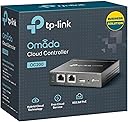
The TP-Link OC200 Hardware Controller is a professional-grade network management hub designed to centralize control of up to 100 Omada devices. Featuring dual power options (PoE and Micro USB), a durable metal chassis, and a powerful chipset, it delivers stable, real-time monitoring and maintenance through an intuitive dashboard. With free cloud access and app support, it enables remote management without licensing fees, making it ideal for small businesses and advanced home networks seeking seamless, scalable connectivity.


| ASIN | B07GX6GVB6 |
| Antenna Location | Business |
| Antenna Type | Internal |
| Best Sellers Rank | #39,529 in Tools & Home Improvement ( See Top 100 in Tools & Home Improvement ) #46 in Home Automation Hubs & Controllers |
| Brand | TP-Link |
| Built-In Media | Ethernet Cable, Omada Cloud Controller OC200, Quick Installation Guide |
| Color | Black |
| Compatible Devices | OC200 |
| Connectivity Protocol | Ethernet |
| Connectivity Technology | Ethernet |
| Control Method | Remote |
| Controller Type | Switch |
| Coverage | Up to 100 devices |
| Customer Reviews | 4.6 out of 5 stars 1,831 Reviews |
| Data Transfer Rate | 100 Megabits Per Second |
| EU Spare Part Availability Duration | 5 Years |
| Frequency | 5 GHz |
| Frequency Band Class | Single-Band |
| Global Trade Identification Number | 00845973084233 |
| Has Internet Connectivity | Yes |
| Has Security Updates | Yes |
| Is Electric | Yes |
| Is Modem Compatible | No |
| Item Dimensions L x W x H | 3.93"L x 3.86"W x 0.98"H |
| Item Type Name | TP-Link OC200 Omada Cloud Controller - Supports 802.3AF/At |
| Item Weight | 0.66 Pounds |
| LAN Port Bandwidth | 100 Mbps |
| Manufacturer | TP-Link |
| Maximum Upstream Data Transfer Rate | 1000 Megabits Per Second |
| Mfr Part Number | OC200 |
| Model Name | OC200 |
| Model Number | OC200 |
| Number of Ports | 2 |
| Operating System | TP-Link OS |
| Other Special Features of the Product | WPS |
| RAM Memory Installed | 256 MB |
| Router Network Type | Wired with Wireless |
| Security Protocol | WPS |
| Smart Home Compatibility | Not Smart Home Compatible |
| Special Feature | WPS |
| UPC | 845973084233 840030702020 840460619905 |
| Unit Count | 1.0 Count |
| Voltage | 5 Volts |
| Warranty Description | 5 Year Manufacturer |
| Wireless Communication Standard | Bluetooth |
| Wireless Compability | Bluetooth |
C**S
The brain of the Omada network – rock solid controller
TP-Link Hardware Controller (OC200) – Omada SDN Integrated Network Controller This is the brain of my entire TP-Link Omada network. While my setup is technically a home system, it’s built more like something you would normally see in a small commercial environment. The OC200 handles everything without breaking a sweat. My network currently includes multiple components including six Omada access points, a bridge, and several switches all managed through this controller. The OC200 keeps the entire system organized and easy to manage through the Omada interface. Once everything is configured, the controller makes it very simple to monitor the network, manage devices, and make adjustments when needed. Having a centralized management system for the entire network is a huge advantage compared to trying to manage each device individually. Performance has been excellent. Even with multiple access points and network devices connected, the controller runs smoothly and has remained stable. If you’re building an Omada-based network—whether for a large home or small business—the OC200 is really the piece that ties the entire system together. Overall it has been reliable, easy to manage, and a key part of keeping the network running smoothly.
J**2
Makes AEP245 access points work better
In short, I had a lot of problems with my TP-Link AEP245 access points before getting this, and now I don't. This is a better alternative to a mesh system if you have ethernet in a few spots in the house. I have a large house and a large number of smart devices. I was having a hard time getting good wireless signal in remote corners of the house and my router kept failing because of too many wifi clients. I thought about getting a mesh system, but since I have ethernet in several spots across my house, I would have used the ethernet backhaul anyway. No need to use a mesh system, which is designed to send info wirelessly from device to device at a slower speed. Instead I decided to do what is done in commercial contexts: just use several access points. I purchased three TP-link AEP 245 access points and set them up in a way that gets coverage all over the house. It worked OK, except I kept having problems with devices that roam, like cell phones. They wouldn't let go of one and go to the other. Or something. They always said they were connected but some of the time no internet would get through. The AEP245 is supposed to work in standalone mode when you do this as long as you set them all up with the same SSID, password, and settings, but on different channels. Unfortunately, I cannot recommend them for that configuration. I decided as a last ditch effort to buy this controller. It advertises the ability to use fast roaming technology to tell certain roaming devices to go from one access point to the other as you walk around. Anyway, it did actually solve my problem. You can now walk all over my house with whatever device you want and it will always work. It never goes down, the speeds are awesome, and it was easy to configure and to maintain. To be honest, I'm not actually sure whether my system is using 802.11(k/r/v) or some other technology. All I know is that I had tons of problems with my wifi before getting this, and now I don't. It's a little hard to explain what this device does and TP-Link doesn't make it obvious. It does take control of all your access points and let you configure them from a central location instead of having to connect to each individually. I don't think of that as a huge deal. It allows you to monitor all the clients on all access points and see which is downloading how much, disconnect them, and do all sorts of other stuff. Actually, besides the monitoring of bandwidth and clients and allowing central configuration, it's hard to identify what this really does that you can't do in standalone mode without any controller. However, I can tell you that the internet experience is 100% better with this controller. I don't really understand why it's necessary or exactly how it works, but I'm really glad I got it. I recommend it to anyone who is using multiple TP-Link access points
S**S
Omada Controller, UniFies your Omada APs and enables Cloud Access, to make on Ubiquitous network.
Real Title: Omada Controller, UniFies your Omada Access Points and enabled Cloud Access, to make on Ubiquitous network solution. I've set these units up for a number of families in my neighborhoods, in conjunction with EAP225 Access Points, and a PoE Switch to power it all. The Omada setup is a great discount alternative to the Ubiquiti Networks UniFi Access Points and Switches. It's cheaper and works just as well. For a residence, I'd say it's a fantastic option. And it's a breeze to configure, assuming you have enough background in the area to know the ropes. PRO: +inexpensive! Can be run on a computer instead but, at this price, just set up the hardware controller, jeez. +PoE, with Micro USB as an alternative power option. +Super tiny! my gosh, the thing is half the size of an 8-port switch (see my photo, it's on top of a TP-Link switch and router) +Super easy cabling with a PoE Switch (1 cable to do all jobs) +Supports 100 Omada Access Points, which is more than any residence could possibly need. CON (honestly none): -Not free (but there's free software that can be equivalent to this!) -uses Micro USB instead of Type-C (holy cow is that a nitpick if ever I heard of one) -doesn't include a power cable? Only includes a short patch-cable, assuming that you already have PoE or Micro USB. -doesn't include mounting hardware to bolt to a wall? -doesn't include a sandwich to enjoy while you do your configuration? -probably impossible to properly rackmount.
A**T
I'd Love To Post A Rave Review..
I was hoping this little device would solve all my problems. I bought into TP-Link Omada in a big way starting in 2023 with 4x access points and this OC200. Prior to that I had two wireless access points in my home and the signal was weak. I figured Omada has received a lot of good feedback, and it's used in hotels and businesses, so why not just take care of my wireless issues once-and-for-all. I was hoping this OC20O Controller could solve problems inherent to just having separate Omada Access Points -- either when roaming to different rooms or having them automatically be able to adjust channels, signal, etc. Not quite the night-and-day solution I expected.. I've turned off more features than I've enabled on this system in an attempt to diagnose it. I don't need anything really fancy, a few SSIDs for 2.4ghz and 5ghz -- and a desire to either have the devices pick up the strongest access point as I move around the house, or at least be able to just manually turn wifi off on my device and turn it back on to have it pick up the nearest access point. I just wanted RELIABILITY and speed. Yet somehow that wasn't in the cards. Devices sometimes want to connect to a far away access point for no particular reason, even if they're 5ft from an access point with a full signal. Or a device gets dropped all of the sudden. It's just been a frustrating experience at times, feeling you're stuck trying to diagnose what's happening by turning things off or not enabling all the fancy bells-and-whistles that are features of the Omada system -- without much for debug logs that would help steer you in the right direction. It's more trial-and-error getting anywhere, whether it's enabling/disabling features, trying other wireless channels, enabling or disabling radios, running less access points, restarting access points, upgrading firmware, etc. The 5ghz is another annoyance. 5ghz wireless sounds great, and it is great -- as long as you have a clear line of sight or aren't trying to pass through too many walls from where the access point is located. That's because of wireless regulations limiting signal strength, a relatively limited number of channels to avoid noise from neighbor's 5ghz routers and that 5ghz frequency has a harder time "going the distance" through objects compared to 2.4ghz. So just know that if you want a solid 5ghz signal around your house, you're going to need multiple access points. After a lot of fiddling -- my wireless is now "fairly reliable" -- and I say that, while knocking on wood, because I know that there are still weird things happening like devices connecting to access points further away, then losing the connection. For the most part the system has been reliable-enough, but I have certainly not used some of the features I thought I might on the OC200 due to issues and also thought the OC200 might help the system have better stability and speed. Some of the OC200 features sound great, but have issues -- for instance a single SSID for both 2.4ghz and 5ghz. Sounds great, but in practice devices will then connect to a weak 2.4ghz signals instead of a strong 5ghz signal, or some older devices won't be able to connect if 5ghz is on the same SSID or they'll randomly connect and disconnect. That's not to say it's Omada's fault if devices are dumb (as many apparently are) and can't figure out they should connect to the strongest signal. It's a problem with some other wireless routers as well because it's "up to the device to decide" when a signal is weak to enough of a degree. In that regard I'm glad the Omada system allows you to separate the 2.4ghz and 5ghz signal, as I'm aware some wireless systems don't allow you to do that. FWIW I hard-wire all my access points. I'm not asking the system to deliver fast wireless over a mesh network. But when it should theoretically be able to deliver 600-800 Mbps and yet I'm getting 200 Mbps down in the same room UNLESS I have my device a few feet from the access point where I can get closer to 400 Mbps. That's disappointing. Considering just the OC200 device itself, yes it's nice having everything controlled under one roof and a decent amount of features are now supported (as they continue pushing firmware upgrades). I've used Access Control Lists that are essentially sent out and managed by the access points since I don't have an Omada Router and that works decent too. So there are things to really like about the OC200. Yet there are a lot of features that sound great, that I've just had to turn off or not use because older devices had issues. Also the fact that depending on devices (phones, tablets, laptops) to correctly pick a strong wireless signal or the nearest access point is apparently a foolish thought as some just seem to arbitrarily pick any access point regardless of distance. And sure, you can set a cut-off on the OC200 for when to drop a client with a weak signal, but that can cause some issues of its own. Despite all of this, looking at other wireless systems, it seems other systems can also have these issues, so I have yet to attempt spending another $500-1000 to end up in a similar place. Maybe when Wifi7 gets cheaper.. I would rate the Omada system itself 3.5 stars at this point because it has been OKAY, but hasn't solved all my wireless problems or been as stable or fast as I'd like it, and has taken far longer than I expected to try to work some of the kinks out. The OC200 though, I'll rate 4 stars, simply because it makes it easier to manage all the access points under one roof and get some insight into what's happening on the system as a whole.
M**.
Makes multipl Wireless Access Points a breeze
In the attached photograph, the OC200 is the device on the left. TP-Link Omada equipment is primarily marketed to business. I am using it in a home network. I am using it to control three ceiling mounted TP-Link EAP610s (fed by the red patch cables in the PoE switch on the right) and an ER605v2 router. The OC200 is powered by PoE (it can also be powered by USB) reducing power cable management needs, and once set up, it just runs and lets you administer Omada devices without the need to have a software controller running is a 24/7 powered PC or a need for cloud management. The user interface (web based) can be a little confusing to figure out, but there is a fairly detailed PDF user manual you can download. It can do much more than I am using it for, I am using it to manage three ceiling mount EAP610s in a large house. First we just installed one to see how it went, and when it worked well we ordered the other two, importing them was literally a click of a button and they were configured to integrate with the settings used for the first. The controller makes management of the wireless network a breeze and it's designed so you can automate backup to a USB key so that if the unit ever fails, you can restore to a new unit from the backup (devices under it's control will continue to work if it fails, but you won't be able to change configurations until a new one is in place and restored) It could be argued it is too powerful and complex for a home network but if you are technically inclined, with a little help from online communities and the manual, it isn't too difficult to figure out. It's a good system.
N**L
OC200 works great with my EAP670 V2, highly recommended if you several access points to manage!
I bought the OC200 since I was so impressed with EAP670 V2 but realized I needed to manage them all and OC200 job was to specially do this at scale. So I bought it and was pleasantly surprised at the rice feature set and ability to upgrade and scale configuration out to all the access points simultaneously. I did have to upgrade the SDN software which was both feature rich and very stable, once you installed the latest version. I was equally impressed with EAP670 V2 which just worked flawlessly and kept my WiFi connections for all my wifi devices old or new, I can't stress how good that felt after coming from so many other WiFi routers from many many other brands. This just worked connected everything, was super stable with WiFi connections and devices that just stayed online without any issues - wow WiFi that just works isn't that how it supposed to be?!? I had turned on mesh so that devices would connect to strongest signal but would caution not turning on full roaming since some devices may not be compatible and fail to connect or roam properly, the defaults work just fine though. I've had this setup for over a month and things are just super stable. I've even done upgrade with OC200 and that worked flawlessly, very happy with this setup and since my EAP670 V2 supports WiFi6 I should be good for long time. Whilst WiFi7 is around the corner hardly anything uses and needs WiFi6, I suspect WiFi7 will be several years away that I'm not worried about that at all and would rather have stable WiFi for all my WiFi 4/5/6 devices right now.
D**N
A little on the slow side, but works.
The controller is an integral part of the Omada setup for Wireless control and optimization, so I added the controller. Overall it works just fine, it's a bit slow to log into and switch screens sometimes, but overall it works just fine. I think it's fantastic that TP-Link fully supports Linux/UNIX software, so if you desired you could easily build your own controller. That is one of the many reasons I love TP-Link. You get decent hardware, that functions overall very well, with some config flow problems, but overall you get good performance and hardware. I got the controller just to save time, maybe in the future I will build a raspberry pi into a slightly faster controller. Overall I'm happy.
I**R
Outdoor Georgia farm 3 access points, Great Product!
I bought these for a Wedding Venue in Rome, Georgia Proctor Farm. Total coverage is at least 800 feet from the main house with Trees and bushes blocking some views. My setup is 1 OC200 Omada Controller and 3 EAP 225 Access Points with a VERY slow (Maximum speed for our rural area) from AT&T internet of only 18mpbs. 1. Main Access point: at the house, wired with an ethernet cable, and upstairs outside on the 2nd-floor balcony, I upgraded the antennas from the stock 3dbi to (Kaunosta 2.4 GHz 22dBi WiFi Antenna) - This one access point covers the entire house and the entire outdoor ceremony area. 18 MPBS here at full speed (Up to 100 devices can connect on this access point) 2. Downlink to the Chapel about 250 feet one tall shrub is blocking the direct line of site (This 2nd access point covers the Chapel, Pavillion (eatery area) and overlaps with the outdoor ceremony area. About 17 MPBS at this distance (Up to 100 devices can connect on this access point) 3. Downlink to Saloon about 100 feet from The Chapel, not in direct sight so we went UP about 12 feet into a tree, camouflaged the power cord and POE box that runs to AC box at the saloon for power. This 3rd Access point covers the Saloon and overlaps with the Pavillion and entrance of the Venue. About 15 MBPS at this distance (Up to 100 devices can connect on this access point) It is important that you take the time and UPDATE the firmware if ANY needs to be done for any access point or controller you have. Takes about 10 - 15 min and will save you from a world of dropouts and trouble DO THIS FIRST! With the Controller we were able to add a Guest Wifi landing page to promote our business just like major hotels and restaurant chains use. We are also now able to have 5 cameras solar powered spaced through the property both indoors and outdoors thanks to this setup. We called TP-Link to get help adopting the 3rd access point and we simply needed to update the FIRMWARE and create a proper downlink system: 1. Home 2. Chapel 3. Saloon Thanks to Miraflor Salvador (Mira) who walked us through everything carefully and got us fully up and running.
Trustpilot
Hace 1 mes
Hace 1 mes