Buy anything from 5,000+ international stores. One checkout price. No surprise fees. Join 2M+ shoppers on Desertcart.
Desertcart purchases this item on your behalf and handles shipping, customs, and support to Uruguay.
โก Power your home network at lightning speedโno dead zones, just pure connectivity!
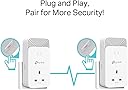
The TP-Link PG2400PKIT is a next-gen wired powerline adapter kit leveraging advanced G.hn MIMO technology to deliver up to 2400 Mbps over your homeโs electrical wiring. Featuring 2+2 Gigabit Ethernet ports and an integrated power passthrough socket, it offers plug-and-play setup with whole-home coverage up to 300 meters. Designed for professionals demanding stable, high-speed wired connections for 8K streaming, gaming, and remote work, it also includes an energy-saving mode and a 3-year warranty for peace of mind.


| ASIN | B0BNQV47WD |
| Best Sellers Rank | 895 in Computers & Accessories ( See Top 100 in Computers & Accessories ) 6 in Powerline Network Adapters |
| Box Contents | 2 ร Ethernet Cable, 2 ร G. |
| Brand | TP-Link |
| Brand Name | TP-Link |
| Color | white |
| Colour | white |
| Compatible Devices | Desktop |
| Compatible devices | Desktop |
| Customer Reviews | 3.9 out of 5 stars 287 Reviews |
| Data Link Protocol | Ethernet, Gigabit Ethernet |
| Data Transfer Rate | 2400 Megabits Per Second |
| Data link protocol | Ethernet , Gigabit Ethernet |
| Hardware Interface | Ethernet |
| Hardware interface | Ethernet |
| Item Dimensions L x W x H | 6.8L x 4.2W x 13.8H centimetres |
| Item Weight | 784 Grams |
| Manufacturer | TP-Link |
| Manufacturer Part Number | PG2400P KIT |
| Model Number | PG2400P KIT |
| Product Warranty | 3 Years |
| Product dimensions | 6.8L x 4.2W x 13.8H centimetres |
| Unit Count | 2.0 count |
R**B
Provides a wired connection to my garden office
Easy to set up. I needed a way to get an internet connection to my garden office. WIFI was not strong enough based on the location of the router and the long ethernet cables I ran through the garden was continually getting damaged. This system works well. Admittedly, the electric circuit being extended to the garage through a fuse board and the 30m of armoured cables running to the office have decreased the speed compared to the speeds achieved inside the house. I was concerned that the fuse board in the garage might stop the system working, but in my case it just halved the speed. The 190mbs in the office (from a 500mbs) at the router is more than enough. I have matched it with a travel router (already owned) to give wifi in the office. I was achieving 400mbs on the internal house circuit using the system. So this would make a good solution for a house where wifi is not consistent. Just consider impact if running through extended circuits.
J**G
Next Generation Powerline network! (UPDATE March 2023)
** UPDATE ** My latest update after a month of use didn't alter my rating, but I have seen some other buyers experienced sudden drop out signals and I did indeed experience that too myself. Upon some researches, I found out that you need to check and update the firmware of the units. This can only be done via the utility software that you need to download from TP LINK website. This is frustrating as the packaging did nothing to mention this nor has an instruction to show how to update firmware. Yes, it's plug and play but I knew that these day an age, all 'connected' device would have the ability to enhance and repair any software faults. This is totally the case. My unit came with the original firmware 1.0 and the latest is 1.0.2 (two version up since its launch late 2022). Apparently they have fixed some problems and to be frank, I've in day three after updating, and there's no drop outs. So far, it's very consistent and the speed is as fast as before. So, before returning the units, check this first. ** At time of writing this review (Feb 2023), this is TP-Link's one and only G.hn Powerline network adapter. There are other brands out there but since I owned and used the previous and older generation TP-Lnk HomePlug AV 1000, I thought I should stick with the brand as it never gave me problem in terms of reliability. For those who haven't had much experience or knowledge about power line network adapter, it's pretty cool if you want to reach to dead spots around your house that even the latest Wifi network can't penetrate (i.e. thick brick walls or even out house or garage), as it's using the power line as if they are network cables. The problem I had with the original AV1000 was speed. While it worked, the speed is at best under 30mbs, and I have a 500mbs fibre broadband (and I do get 480 in the house wired). So that's less than 10% of the speed. I won't expect full speed anyway as my own MESH network can't reach near that inside the house. But having read about the newer standard G.hn (that also replaces HomePlug AV technologies, which they also declare that the old standards will be obsolete and won't be updated as of last year!), so I took the plunge and went with the new PG2400 model instead of the other faster TP-Link HomePlug AV2, since it's reaching the end of life by the sound of it. To my surprise, the speed is almost triple (see speed test in my pictures). Now, I can run livestreams in my office outside of my house, even though it's only 80mbs up and down, but it's more than sufficient for any high quality streams and remote work, as there's only one computer and one smartphone in my small office, unlike my main house, where there are more wireless devices connected at any one time. So this is awesome and well worth upgrade. Despite TP-Link didn't mentioned anything, I believe this is Wave 2 and not the original Wave 1 that has a speed limit of 1200mbs, this has a max theoretical 1500mbs (Wave 2 can go unto 2500!). Anyway, this is an awesome product and save me time to lay network cables (may be faster but a lot of work needed to route the cable from my router, around the house and to my office, on top of all the networking needs to be done in the office!). This is a plug and play solution and that extra power outlet allows me to plug other things on top too! Great stuff.
M**E
Couldn't get them to work...
I bought these to replace some older TP-Link Home Plugs that I had for years but failed outside of warranty. These seemed a perfect replacement and a speed upgrade too! Unfortunately, they didn't work reliably. After connected at super-fast speed (~500MB/s) they stopped connecting after about five minutes. I've upgraded the firmware as suggested on previous comments but no joy. It doesn't matter if they are connected in adjacent sockets or at different ends of the house the same symptoms - failure after a few minutes. I contacted Technical Support and tried all of their suggestions (upgrade firmware, rename, try different sockets, etc. I've literally spent days and days trying to get them to work. Sadly I am returning them for a refund today and will probably order some 'normal' Home Plugs to replace them.
J**N
Works almost perfectly
I've been using this power line adapter for almost a month now and it has worked perfectly most of the time. It has eliminated lag from playing online games and my ping is greatly reduced. They were easy to set up just plugged then in and they synced up right away. If you're more technical you can also access the devices seperate control pages using their IP and configure them more if you want to change any settings. But the default should be perfect for most people. The only issue I had, which only ever occured once was the connection stopped work and a red light was flashing on the devices. However unplugging and replugging them in fixed this issue and it has not happened again since. Overall a very good product would highly recommend to anyone looking to get a more stable internet connection if they're far from their router.
I**L
It's not Gigabit, but not bad for up to 500Mbps broadband
This review is for a pair of PG2400P devices (no wifi), with alleged max speed of "up to 1428 Mbps". TLDR; Not an alternative to cat 5e/6 cabling, but actually, not bad. The TP-Link PowerLine Utility app for Windows isn't great, and uses WinPCap, which is vulnerable to dll hijacking, and hasn't been updated since 2013. So best not to use that imho. But these devices do expose a fully featured web-interface, far better than the app, allowing firmware update, reboot, rename, pairing etc. Just find your powerline devices' IP addresses from your router (they're named "pg2400pv1" by default) and pop that IP address into your web browser's address bar. IMPORTANT: Whatever else you do, do make sure you log into the web interface and SET A PASSWORD on each device. My UK 200 year old flat has fairly modern (30 years?) copper 2.5mm twin and earth ring mains, and brick walls internally. Testing real world speeds, using Ookla to measure how much of my FF500 broadband is available via this powerline pair. (Updated devices to firmware 1.1.0, all speeds are download only, in Mbits per second, not bytes). 1) Plugged directly into 25m ethernet, no PowerLine, ie theoretical max baseline: 517Mbps. 2) Via PowerLine pair both in same 2-gang socket: 497Mbps Then dragging that 25m cable and a PG2400P around the flat: 3) Via PowerLine pair one room apart, same ring main: 320Mbps 4) Via PowerLine pair different one room apart, same ring main: 460Mbps 5) Via PowerLine pair two rooms apart, same ring main: 160Mbps 6) Via PowerLine pair different two rooms apart, same ring main: 282bps 7) Via PowerLine pair three rooms apart, *separate ring main*: 76Mbps So I'm reasonably imppressed, for up to 500Mbps broadband anyway. Clearly it depends a lot on individual mains cabling. And it's not a substitute for good wifi or cat 6 cabling, but it's really not bad if you're out of other options.
B**1
Perform very well
Have used powerline for many years with different brands and houses. Never have I lived in a house with such poor powerline performance as this one so I took an expensive risk on these to see if the new g.hn protocol would improve things for my kids bedrooms. They replaced AV 2000 which were maxing out at 160mbit, and I'm now getting around 500 mbit with these. Don't let that figure be a detractor, this is performance in what is a poor powerline performing house, the AV2000 were getting well over 500 where I lived previously. If you are having a similar problem then these could be worth considering. Latency is a touch lower and more stable than the AV ones and having the pass through plug, and two RJ45 ports is useful. Hopefully they will last a long time. One tip that I discovered was that I had left the AV ones plugged in, while I knew they weren't compatible to form a network with these I didn't think there was any harm leaving them plugged in while I got these running. There must have been interference between the two sets because these would only work at 70mbit while the AV devices were plugged into the same circuit, and I thought I'd bought a lemon. As soon as I thought to disconnect the AV devices in case they were the cause of the problem, the speed improved immediately.
D**C
Underwhelming Performance and Misleading Wi-Fi Mention: Falls Short
As a tech-savvy consumer seeking to enhance my home network, I recently invested in the TP-Link G.hn2400 Passthrough Powerline Adapter Kit with hopes of experiencing a significant boost in performance. However, my experience with this product left me feeling utterly disappointed and frustrated. To begin with, the headline itself is misleading. The mention of Wi-Fi capabilities led me to believe that this powerline adapter kit would not only improve my network connection but also act as a range extender, Wi-Fi booster, or hotspot. Unfortunately, this is not the case, as the TP-Link G.hn2400 lacks any built-in Wi-Fi functionality. This miscommunication caused confusion and set unrealistic expectations from the start. Moving on to the performance, my disappointment deepened further. Despite both devices being on the same electrical circuit, directly plugged into the wall without any extension cords, and positioned a mere 18 feet apart, I experienced no noticeable improvement compared to my previous powerline adapters. It was disheartening to witness that the TP-Link G.hn2400 failed to deliver the enhanced connectivity and faster data transfer speeds that I had anticipated. Additionally, the lack of clear instructions and user-friendly setup added to my frustration. The configuration process was far from seamless, and troubleshooting the connection issues proved to be a time-consuming endeavour. I had expected a more intuitive installation process, especially considering the reputation of TP-Link as a reputable brand in the networking industry. While the TP-Link G.hn2400 Passthrough Powerline Adapter Kit offers the convenience of passthrough outlets, allowing me to still utilise the electrical socket, it ultimately failed to deliver on its primary promise of significantly improving network performance. Given the lacklustre results and the misleading Wi-Fi mention in the product description, I cannot recommend this particular powerline adapter kit for users seeking a reliable and noticeable enhancement to their home network. The TP-Link G.hn2400 Passthrough Powerline Adapter Kit left me feeling underwhelmed and dissatisfied. The absence of the promised Wi-Fi capabilities, coupled with the failure to deliver improved performance over previous powerline adapters, make it difficult to overlook the frustrations and ultimately find value in this product.
B**R
Great bit of kit, much better than the older style av systems
Ive had various powerline adapters over the years. I gave up on them until recently when my home wifi was struggling. I first tried some decent 1000mbps av style adapter. I thought 3 of those around my home would solve my issues. They actually decreased my wifi (using them as the backbone of the system). So i took a punt on these, figuring i could send them back if they were no good. After the install my wifi system is transformed, connecting the node furthest from my starting node to this adapter plug gave me full speed internet in the furthest room, 225 down speed wifi using this as the backhaul. ive had only one drop out where i turned them off and on again and even then it was still working at a decent speed just not enough for my use. To help out i have them on seperate ring mains and they still work practically flawlessly - In short i highly recommend these at least for my use case.
A**N
No good
Does not work as
Trustpilot
3 weeks ago
2 days ago