Buy anything from 5,000+ international stores. One checkout price. No surprise fees. Join 2M+ shoppers on Desertcart.
Desertcart purchases this item on your behalf and handles shipping, customs, and support to Uruguay.
🔥 Stay cool or cozy, smarter than ever! 📲
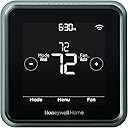
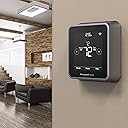
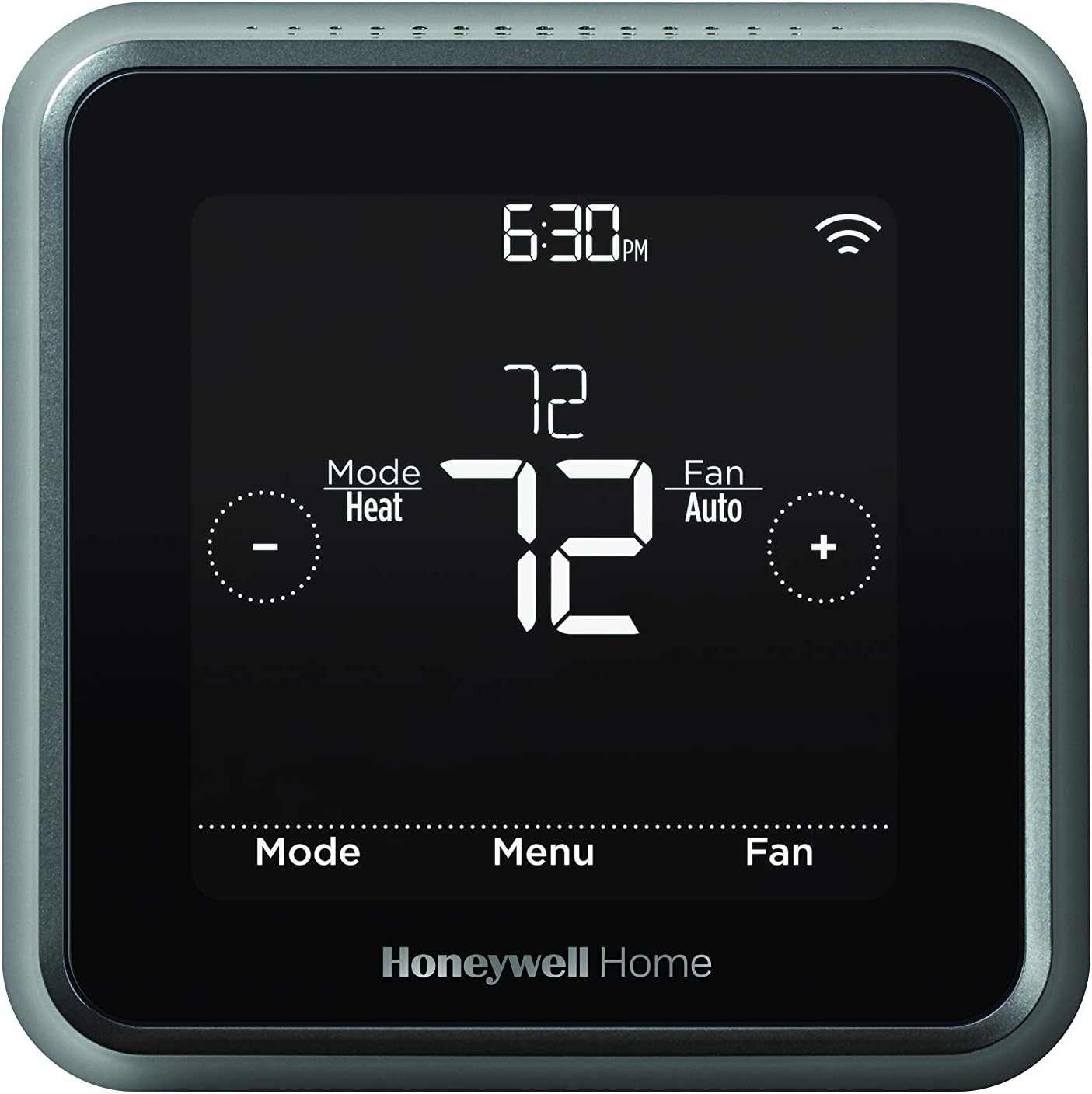
The Honeywell Home T5 Plus Smart Thermostat combines Wi-Fi connectivity, 7-day flexible scheduling, and advanced geofencing technology to deliver personalized, energy-efficient climate control. With an included C-wire adapter for easy installation, smart alerts, and compatibility with major smart home platforms, it ensures your home is always perfectly comfortable while saving energy.
| ASIN | B07DS2KZSF |
| Additional Features | Geofence Technology |
| Backlight | Yes |
| Best Sellers Rank | #328,220 in Tools & Home Improvement ( See Top 100 in Tools & Home Improvement ) #378 in Home Programmable Thermostats |
| Brand | Honeywell Home |
| Brand Name | Honeywell Home |
| Color | Black |
| Connectivity Protocol | Wi-Fi |
| Connectivity Technology | Wi-Fi |
| Control Method | App |
| Control Type | App, Touch, and Voice Control |
| Controller Type | Amazon Alexa, Apple HomeKit, SmartThings, Vera |
| Customer Reviews | 4.2 out of 5 stars 2,234 Reviews |
| Display Type | LED |
| Global Trade Identification Number | 00085267345392 |
| Included Components | C-Wire Power Adapter, Thermostat, UWP Mounting Hardware, User Manual |
| Item Dimensions D x W x H | 1.06"D x 4.06"W x 4.06"H |
| Item Type Name | T5+ Smart Wi-Fi Thermsotat with C-Wire Adapter |
| Item Weight | 1 Pounds |
| Manufacturer | Honeywell Home |
| Manufacturer Part Number | RCHT8612WF2005 |
| Material Type | Plastic |
| Model Name | T5+ Smart 7 |
| Model Number | RCHT8612WF |
| Mounting Type | Wall Mount |
| Number of Batteries | 1 AAA batteries required. |
| Power Source | Adapter-powered |
| Product Dimensions | 1.06"D x 4.06"W x 4.06"H |
| Product Style | T5+ Smart Thermostat |
| Shape | Rectangular |
| Smart Home Compatibility | Smart Home Compatible |
| Special Feature | Geofence Technology |
| Specific Uses For Product | Air Conditioner, Furnace, Heat Pump |
| Temperature Control Type | Both Heating and Cooling |
| UPC | 085267345392 |
| Voltage | 24 Volts |
C**E
Great value for wifi thermostat
This thermostat is a very good value. I had little to no problems with the install. I read alot of reviews and figured out everything I needed to do before the item arrived. I would say that HVAC systems can be wired in a number of ways and the generic instructions provided did not match what I was seeing in my HVAC. I did not have a control panel in the air controller where all the wires were connected to. I did notice four wires coming out of the air controller which were labeled W, C, R, and G. I saw 4 wires, W, G, R, and Y, connected to my old thermostat and the blue (c) wire not connected. I also saw that the blue wire on the other end at the HVAC was also not connected to anything. I saw three of the wires W, G, R connected to their corresponding labels coming out of the air controller via wire nuts. I saw the yellow wire connected to another wire going somewhere else, which I correctly deduced was the AC compressor. (I found online that the yellow wire is to tell the AC when to come on) Also going to the AC compressor was a black wire connected to the C wire coming out of the air controller. All of that is to just show the generic directions were no good to me. I am not an HVAC installer and did not know the purpose of the wires before this. I actually found a diagram online which showed me the installation I was dealing with. I decided that all that was needed for me to do was to strip both ends of the blue wire (C) and connect it to the air controller's c-wire, along with with the AC compressor's c wire. When my thermostat arrived, I connected the thermostat to the wires per the instructions. I did overlook pushing up the switch for the jumper RH RC so at first it did not work. After I pushed that switch up, I had power. After reading about putting the phone into airplane mode, I did this to start with and followed the prompts on the thermostat and phone. It connected quickly and seeminglessly. The geofencing has worked well so far. There is limited scheduling ability along with geofencing and it works for me. I have set a temperature for when I am asleep, when I am home, and when I am away. (this is pretty much all that is available when you are using geofencing) There is also a vacation setting which I will be using on my next vacation. I like that I can communicate with the thermostat outside of my home. For instance, when I am on vacation and the temperatures are very high or low, depending on the time of the year, I can turn on the air hours before I get home. It does have the auto change over setting whereby it will change from AC to Heat automatically. It works pretty good because there are two sepereate temperature settings for cool or heat. I have my heat set to 68 and cool set to 76. This prevents the ac from running in the winter and the heater from running in the summer. Of course, if you really want to waste electricty, you could set the two settings temperature close to each other and then the heat would turn on in the summer and the ac would turn on in the winter. (I thought the purpose of these things are to save electricity?) I dont have an ECHO ecosystem, I am a Google home person. I have successfully intergreted the thermostat into my google home. I am able to turn on the air or heat. The only complaint I have is that the thermostat has seperate cool and heat temperture settings but when I tell google to turn my heat, or air to a certain temperture, it turns both settings to the same temperature no matter what the verbage I use. I bought my thermostat through Amazon Warehouse so it is even more of a value buy. Many people do not realize that most of what Amazon warehouse sells is open box products. (brand new products that were sent back). It was not used at all. I always get the ones that says packaging is damaged but the product is new...
S**M
~DISABLE UPNP ON YOUR WIFI ROUTER~
First let me start with saying I have now purchased and installed two of these Honeywell Home T5 Thermostats, one for myself about a year ago and one for my Parents for Christmas 2018. Following the instructions I had mine installed and set up in about 30 minutes. I was lucky enough to have had an existing C wire so I did not need the Adapter. It was so easy I thought it would make a great gift for my parents so I purchased them one for Christmas. I took a Saturday to go up and install and set it up for them. I started by removing their old Thermostat off the wall and found out they had an old 4 wire setup with no C wire. Not a problem as this unit comes with a C Wire power Adapter. I went into the basement and following the instructions included was able to quickly install the C Wire Power Adapter between the existing tstat wire and the Furnace main board. Being that I am an IT Professional specializing in Networking Infrastructure, I assumed that was going to be the hard part. In short I was wrong. Upon getting to the part where you connect the Thermostat to the Home WIFI, my bread and butter, no matter what I did I could not get the Thermostat to connect, it would fail every time, or so I thought. I had recently upgraded their Router to a new Netgear Nighthawk AC2600 and broadcast separate 2.4ghz and 5ghz band networks. I made sure we were selecting the 2.4ghz network but it would always fail to register. The strange thing is that I noticed after it would fail, it would still look like the thermostat was on WIFI - the indicator did not have the X below it on the thermostat. I started digging into the issue and after it failed and still looked connected I decided to login to the router and see if the Thermostat showed up as a connected device. Luckily this is easy with the Nighthawk - went to attached devices and low and behold the Thermostat was listed as TSTAT-XXXXX and the MAC Address matched the thermostat. So it was in fact connected to the WIFI it was just unable to complete the registration process. I started running netstat tests to find out why the Honeywell servers were unable to register the device - I could see the thermostat reach out, but the response from Honeywell kept forwarding to different devices on their network. I immediately went to the UPnP settings on the router and to my astonishment UPnP was enabled by default on this router. So apparently Netgear for some reason feels a need to enable this protocol by default which IMO is extremely unsecure. Not only that but it will also auto configure any device on the network that has UPnP enabled as well, even if you didn't set the devices up using UPnP. In my case it was their Security Cameras. I disabled UPnP and ran through the Setup one last time and like magic, it worked without any hesitation, the same as when I set mine up. I can venture to guess that all of the other reviews on here having the same issue, if you check your UPnP settings on your router it is more than likely enabled. Takeaway - Before you start, login to your Router and make sure you do not have UPnP Enabled. If you have a setup that requires UPnP I would look for a different Thermostat. My WIFI is set up as follows Broadcasting in 2.4GHZ Security Type: WPA2 (AES) PSK Honeywell recommends the PSK be alphanumeric however I have symbols in both mine and my parents PSK and it connected without any issue. Pros - -Geofencing - I have not had any issues with it - maybe I am just lucky but running this Thermostat with GEO on for about a year and comparing my usage from last year it has definitely saved me money. -Google Home Control - breeze to setup and nice to be laying in bed and it get down a little cooler or up a little higher than expected to just ask Google to adjust. -I like the look of it and the display is definitely easy for me to read Cons - I honestly don't have any. I do not blame Honeywell for the UPnP setup issue, I blame that more on NetGear for them having an unsecure protocol enabled by default.
N**H
Good Alexa integration, decent schedule and geofencing capabilities
This is a decent smart thermostat. It has scheduling capabilities or geofencing abilities and the phone app (at least the Android version) has a straightforward, easy-to-understand interface. The change filter reminder is on the phone application. This was a change for me coming from an older "Smart Color Wifi Honeywell" thermostat, which had the change filter on the actual thermostat screen itself. The unit lacks a separate wireless room sensor for you to place in a different location, but the ability to put the fan on "circulate" allows you to keep the air temp more balanced (and less stale) around the house. I had no issues connecting the thermostat to a midgrade NetGear router and I've only had one occasion in the past year where the thermostat would not accept the temperature change from either my phone or Alexa. Hence I had to walk over to it in order to lower the temperature. The Geofencing feature on the phone was also a bit odd, at least initially. Between a combination of updates from Honeywell and also making sure my Honeywell application had access to the phone's location seems to have resolved the issue for me. Overall a solid effort by Honeywell. Competition has improved significantly in the smart thermostat arena, so it is good to see the price drop from my purchase back in 2019.
M**L
Outstanding product
I purchased two of these and received a rebate for $50 each from my utility. At less than half the price of the Nest I can't imagine what else I would need in a thermostat. It came with excellent documentation and is very well designed for easy installation. I have a two thermostat setup, one had a C wire and one did not. I called tech support to ask a question and I had a helpful tech on the phone within a minute. The included C wire kit is well thought out and comes with good documentation. Functionally, the Tstats do everything I need. I set it up using the Schedule option and also use the Geofence to turn the system down if both my wife and I are out of the house. It does have the same learning capability that Nest has, but I did not try using this option. I used the Honeywell app to quickly connect these to my wifi. The app is nice, my only wish would be that both my upstairs and downstairs thermostats appeared on the same page but that's a very minor item. The thermostats appear to be solidly built and look nice. FWIW, the units I replaced were mounted to a rectangular outlet box that was installed horizontally. The opening was too large to provide a mount for the T5 mounts so I had to fit a wood filler piece to the outlet box to provide a support for the new square mounting plate.
W**E
Need a C wire
Well if you have a five wire system with a c wire to power on this thermostat then by all means this’s looks to be a great deal, unfortunately my system is a little bit older and only had four wires a red, white, green, and yellow. The green wire is for fan control and that’s the wire they tell you to run in place of the “c” wire. I did this and the screen backlight would come on and go back off. I did a little digging and found a video from Honeywell explaining how to make the system work with 4 wires, this required a little bit of rewiring. I’m pretty handy so I took on the task. Well I got power to my unit ran the wires just like I was supposed to and the unit powered on and prompted me with using the app or continuing with out the app. Went in with out the app just to test it out, and nothing. I could not get my ac to run, my device came with a “c wire adapter” I wired that in line with my furnace and thermostat and still nothing, at this point it was getting late, I was messing with this in my hot attic when it was 110 degrees in AZ. I tried to put my old thermostat in and nothing would kick in my ac. I called an hvac specialist out after a hot night of no ac and he states that my ac system is not compatible with this thermostat, this whole situation is made even more frustrating since I went to Honeywell’s website and confirmed that this was compatible with my ac system and “easy to install”. Unfortunately this was an expensive mistake and I’m stuck with the hvac repair bill of $230 just because I wanted to save a few dollars on my monthly bill. Once again, I’m sure this works great if you have an updated ac system with 5 wires but if you do not have a “C” wire you may want to look for a thermostat that has an internal power source
P**E
ANDROID USERS BEWARE
I rated this thermostat and accompanying app 5 stars because they both do (for me) exactly what they advertise doing. However, for android users, complete setup may be impossible. Installation and thermostat configuration was a breeze -- absolutely no problems. My house did have a "C" wire so I didn't have to use the adapter. Downloaded the android app and begin configuring my thermostat (telling it all about my HVAC system). Again, no problems. Now begins my nearly 4-hour saga. After you configure the thermostat, the app attempts to pair your thermostat with you WiFi. That's where the nightmare began: When the app said "connect to the WiFi," I selected "Next." The timing circle went around for about 45 seconds and then told me the thermostat could not connect. The app then defaulted back to be very first page which appears when the app is first downloaded. So, I configured the thermostat for the second time -- same result, then a third time, then a fourth time, then a fifth time -- same result. You would think someone with a Mechanical Engineering degree would have stopped after the second time! I didn't! After the fifth time (30 minutes have passed since downloading the app), I vaguely remembered reading a review on Amazon that mentioned changing the security settings on my routers -- I have three. An hour and a half passed (and one call to CenturyLink support ) and I now have all my routers reconfigured. Revisit the app and attempt to configure the thermostat for the sixth, seventh, and eighth time -- still no success. Finally I start a chat with customer service about my problem. About 15 minutes into the chat, the representative types "what kind of phone do you have." It didn't dawn on me he was asking if I had an android or IPhone. So, I spend five minutes trying to find the technical specifications of my Verizon, Samsung, Note 8 phone. As I'm typing the technical specifications, it dawns on me he's asking about the platform I'm using -- that's what happens when you ask an engineer what kind of phone he has. As I'm typing my new response that it's an android, the light bulb comes on bright-flash. In mid-sentence, I stop and tell the representative that I will dig out an IPad I have but haven't used in at least 9 months and see if that solves the problem. It took 15 minutes to find the IPad and the power cable and plug it in and getting it on. Downloaded the app and 5 minutes later, the thermostat was fully functional. Returned to the android app and all the feature of the app (except the one I had difficulty with--pairing to WiFi) worked like a charm. Bottom line: if (as an android user) you can't get the thermostat to talk to you WiFi with the android app, attempt the IOS app before going through the android app a dozen times and changing all your router security settings. If you don't have an Apple device, find a friend who does. By the way, the technical support chat was first rate. The technician was patient and responded quickly. The only suggestion I have for the technician is don't ask "what kind of phone do you have." Ask "what platform are you using: android, IOS, or other?" I do hope this helps the next android user who's "Fun Meter" is being pegged out attempting to get this thermostat online.
T**P
Best HomeKit Thermostat!!!
HomeKit thermostat that always stays connected and works for me. I own 3 of these now, two in one house (upstairs and basement) and one in lake house. I like the ability to change the radius of the geofence, as we don’t want the ac/furnace changing drastically everyday but you can when you go to work. We like it because when we go to our other house hours away we don’t have to think about changing thermostat and both houses are perfect by the time we get there. One thermostat is connected to heat pump, and other two are on high efficiency gas hvac When setting I’ll heat pump just make sure you wire it properly otherwise your electric elements will come on every time the heat pump works. If that is happening you will know because you can hear the clicking of elements firing on and off during a heating cycle. Wife also enjoys being able to ask Siri to change temperature without going to thermostat every time. Another advantage to Honeywell is the fan options, you have your standard auto and on constantly however the third option is circulate which turns the fan on occasionally to circulate air in house, in this mode the thermostat won’t let House deviate from set temperature. Advantage if you have a humidifier connected to your furnace this allows us to keep house at set humidity.
C**E
Slick, sleek, not the easiest setup if you have an older system.
I like the compact style and sleek look, simple and fairly easy to use, once you get used to the menus. Installation was bumpy, albeit I have an older system and I had to use the additional wiring to convert my wiring scheme to one that would work with this thermostat. This is where the Tech Support shines, they got me on track quick and the app they use to video chat was perfect. They could take a picture of my wiring scheme and compare it quickly. I was impressed with the support and she was very friendly and understanding. Connecting to Siri/Home app....ugh...smh I about gave up hope on humanity when I went through this process. I’m a fairly tech savvy person and I built a mesh network, before they were cool. I have an all Apple network, so wireless connectivity in my house and yard shouldn’t be a problem. You need a 2.5 Ghz channel open on your network to set this up. If that last sentence sounds foreign to you, I suggest running this thing in manual. If you have the patience and willingness to restart, reset, reprogram, connect again and again, this could be a fun week for you. Once you get the system setup on the 2.5 GHz connection you can get rid of it and go back to 5Ghz. Why? You’ll probably get a better answer out of a fortune cookie or a Magic 8 Ball, both of which I believe are available on Amazon 😁 Thankfully, I’m bald or I would have lost a few more follicles in this challenge. My eyebrows look a little thinner though, so I’ve got that going for me. Good Luck! Once it’s running though, it works great and I haven’t had to monkey with it since and it does work with Siri. Give it a creative name, I called mine Hades.
L**S
Thermostat
We needed to hire a professional to install it. We love how easy it is to read and to use.
M**N
No para iPhone
No es compatible con iPhone al menos con xs y 8 .
L**K
When it works….if it works it is OK, but there is a better one on the market.
Bought it, fairly simple to install. The problem is that once it runs for about three or four hours it stops cooling. Tried to reset doesn’t work. Tried to re-wire. Doesn’t work. Perhaps a faulty thermostat. Also only one fan speed. Buy a different product on the market. Won't go with Honeywell again. Update guys: bought a new Ecobee and it is a massive difference in between these two. Yes location does not work in Dubai, but the thermostat actually works. This confirms that the Honeywell did not last that long.
O**E
No funciono correctamente
No funciono
Trustpilot
1 week ago
2 weeks ago