Buy anything from 5,000+ international stores. One checkout price. No surprise fees. Join 2M+ shoppers on Desertcart.
Desertcart purchases this item on your behalf and handles shipping, customs, and support to Uruguay.
🖥️ Elevate your workspace — because your ultrawide deserves the throne.
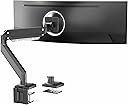
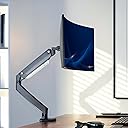
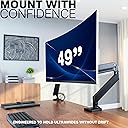
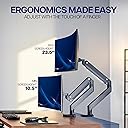
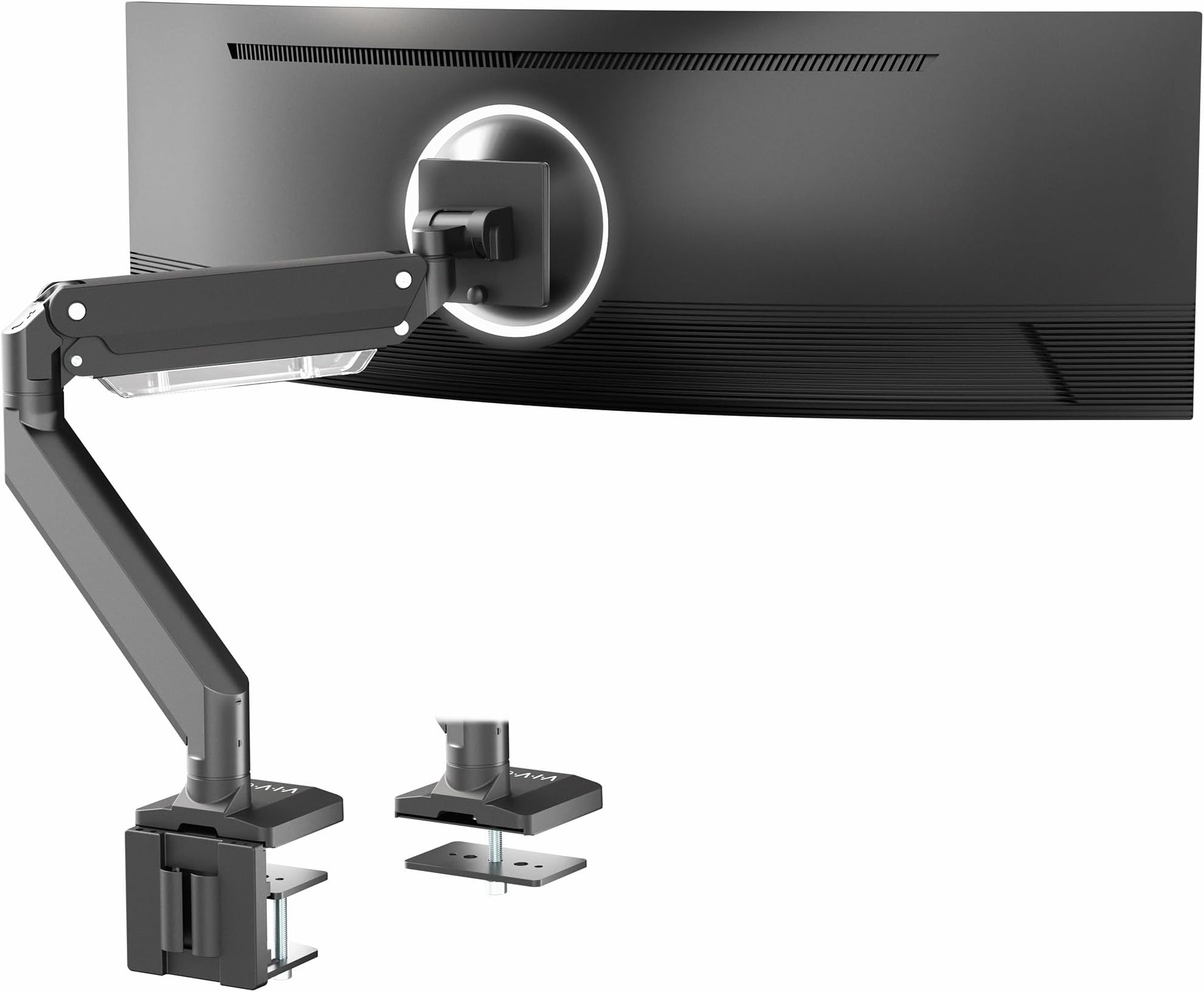
The VIVO Premium Aluminum Monitor Arm is engineered for professionals demanding flexibility and durability. It supports ultrawide monitors up to 49" and weights up to 33 lbs, featuring pneumatic height adjustment, extensive tilt and swivel range, and quick-release VESA compatibility. Its premium aluminum build and integrated cable management deliver a sleek, ergonomic setup that transforms any desk into a productivity powerhouse.


| ASIN | B07L8MLTGS |
| Best Sellers Rank | #89 in Computer Monitor Arms |
| Brand | VIVO |
| Color | Black |
| Compatible Devices | Monitor |
| Customer Reviews | 4.3 out of 5 stars 1,863 Reviews |
| Enclosure Material | Aluminum |
| Global Trade Identification Number | 00818538024173 |
| Item Weight | 12.7 Pounds |
| Manufacturer | VIVO |
| Material | Aluminum |
| Maximum Tilt Angle | 45 Degrees |
| Maximum-Supported Screen Size | 49 Inches |
| Mfr Part Number | STAND-V101G1 |
| Minimum-Supported Screen Size | 17 Inches |
| Model Number | STAND-V101G1 |
| Mounting Type | Tabletop Mount |
| Movement Type | Articulating |
| UPC | 818538024173 |
| Warranty Description | 3 Year Warranty |
G**M
Sturdy, mounts easily, holds the weight without a problem
The VIVO mount is excellent! I was concerned about mounting to my desk, but the existing clamp system is extremely sturdy and a large (2x3 inch) pressure plate for under the desk distributes the weight and has proved very effective - no wiggles or wobbles - even when adjusting the monitor! Installation took about an hour and all tools except a philips screwdriver were included (you need this to attach your monitor to the mounting plate. The only thing I needed help with was hooking the monitor to the mount - but that was just me being nervous - you can do this as a one person job without any real trouble. The system for adjusting the spring tension to the weight of your particular monitor works just as described, the tension for each different adjustment make this easy to tune just the way you like it. We used this for a 34-inch Dell monitor, and it works perfectly. My wife and I can each adjust the monitor exactly as we wish and it is not problem to set it back when needed. We are highly pleased with this and would recommend it.
B**S
Easy and Sturdy
Big fan of these stands. They are easy to set up, I really like the adjustments it provides. The base connects to the desk well and I like the large plate which helps provide a stronger base. The height adjustment can take a minute or two to dial in but they seem like they will work out well. I have two 35 inch monitors side by side and they haven't moved since I adjusted them. The range of motion is really nice and lets me set things exactly how I want them angled. My only gripe is that I wish I did this sooner!
D**.
Great monitor, especially for the price (+49" Odyssey G93SC & Magnus Pro XL Desk info)
The monitor I am using is the SAMSUNG 49" Odyssey G93SC Series OLED (27.80 lbs). There are different versions of this type of monitor, with minor variations in the back mount. I read all of the reviews where people said this monitor arm would fit the G9, and during installation, those statements came into question. If you take the factory monitor mount off of this monitor, you cannot directly connect this VIVO Premium Monitor Arm straight to the monitor as is. You will need the black metal wall/VESA mount that comes with the Odyssey monitor. I received my monitor about a month ago and, luckily, held on to it. With this part in hand, installation is rather easy. As others have noted, there is some sagging taking place with this monitor once installed. I've tightened (greatly, as it seemed to have too much torque) the specific bolt that manages this articulation, and the sagging is no longer present. We will see how this holds over time. I will update this review if I have future issues with sagging. I live rather close to a railroad, so the slight vibrations will really put this bolt to the test. We will see. The movement of the arm could be better, but for the price, this is great. To any who has purchased or plans to purchase the SecretLab Magnus Pro XL Desk, this monitor arm definitely fits this desk. During the extensive research of building my office, this was a concern I saw all over the internet. I bit the bullet and purchased this monitor arm without knowing for sure if it would fit or not, a sacrifice for my fellow computer nerds that paid off. Currently, SecretLab does not have a monitor arm for sale that can support a monitor of this weight, but that is supposed to change soon, according to their website. Please do note that you will come across some installation issues when installing this monitor arm to the Magnus Pro XL; luckily, I am here to walk you through that process. *kiss face emoji* The cable management tray is not too shallow to initially place the monitor arm, but it is too shallow to tighten the bolts on the bottom of the clamp to ensure your arm doesn't slide around. There are at least two ways to tighten the bolts; I know this because I mounted the arm in the center of the desk, fastened the bolts through a rigamarole process, and then realized that the monitor arm needs to sit several inches to the left to properly center the monitor on the desk. The second go around, I found a quicker way that involved tools that didn't come included. Below are both of the methods I used. How to tighten the clamp on a Magnus Pro XL Desk WITHOUT extra tools:: - You will need to remove the two screws on each side of the desk that hold the cable management tray in place (4 screws total). Then you make your way to the remaining four screws on the bottom of the desk that hold the cable management tray in place. You DO NOT need to completely remove these screws; only loosen each screw a couple of turns, and the tray will sag enough to allow you to get the Allen wrench inside to tighten the monitor arm clamp bolts. Don't make my mistake; ensure that your monitor is positioned on the desk where you want it before tightening these bolts. You don't want to have to do this again. I moved mine 5-6 inches to the left of the center. The center can be found by looking at screw placements on the inside of the cable management tray. Once the bolts are tightened, tighten the 4 screws on the bottom, and reconnect the 4 screws that go on each side. How to tighten the clamp on a Magnus Pro XL Desk WITH extra tools:: - Take a Dremel tool or any other saw/torch/etc., and cut the Allen wrench to a shorter length. I've included a picture of how short I cut my Allen wrench. This method is 100 times easier than the first. I gave this monitor arm an overall rating of 5 stars, mostly because of the price. As for Sturdiness, I gave this monitor arm 4 stars due to some crucial parts being plastic, Easy to assemble got 4 stars, and Range of motion got 4 stars. I would recommend buying this monitor arm, though if you have the patience, the SecretLab Ultrawide Monitor Arm should be available soon; that one will likely be a better quality and also look better.
C**N
Hard to work with but will do the job
I use this with a 32inch ASUS monitor that weighs about 15 pounds. Using an Allen wrench, you control the angle of the mount for the monitor by having to hold and twist the tightness of it at the same time - I highly reccomend not doing that with the monitor attached. Additionally, you have to tighten a screw for the arm of the desk mount while also holding the arm as well. This takes some effort and carefulness. However, after figuring this out, the arm is strong and easily supports my 15 pound monitor. The arm moves very well and functions flawlessly. Pros: Quick assembly Fluid movement Good variety of angles for monitor Decent build quality Cons: Tightening screws is very hard on the hands Metal plate used to help keep arm with desk flush easily falls off
M**R
Rock-Solid Monitor Arm – Perfect for Ultrawide Screens
I purchased this VIVO Premium Aluminum Monitor Arm to support my 49-inch ultrawide monitor, and I couldn’t be happier with the results. The build quality is outstanding — heavy-duty aluminum that feels incredibly sturdy and reliable. Even with a large, heavy monitor, the arm holds everything securely with zero sagging or wobbling. The pneumatic height adjustment is smooth and easy to use, allowing me to fine-tune the monitor position with minimal effort. Tilt, swivel, and rotation are all precise and stable, making it simple to adjust for both productivity and gaming setups. Installation was straightforward. The instructions were clear, and the included hardware worked perfectly with my desk. The cable management system is also a nice touch, keeping everything clean and organized. After weeks of daily use, the arm continues to perform flawlessly. It has freed up a huge amount of desk space and has improved my posture by allowing me to position the monitor exactly where I need it. If you have a large or ultrawide monitor and want a heavy-duty solution that combines strength, flexibility, and professional design, this is an excellent investment. Highly recommended.
R**M
False Tilt Numbers, not +/- 45 and doesn't hold a 23lb! monitor without tilt sag.
Why lie about your basic specs! I got this arm specifically because of +/-45 tilt, but that's not the real numbers, not even close. +53 / -27 those are the actual tilt numbers, they even only add up to 80 total degrees of tilt, not the 90 advertised. Add in the fact that you have to tightening down the tilt so much to stop it from sagging forward, that it locks the screen in place, completely negating the spring assisted tilt adjustment. I have to get the allen wrench out every time I want to adjust the tilt, which is fairly often for me. Viewing angle with glasses and glare reasons. I am using a 49" super ultra wide but it only weights 23lbs, lighter than a lot of other 49" screens, and is specifically list as compatible with this stand. For the price it would be a perfectly fine stand IF! they didn't lie all over the listing and misrepresent the product. It may not have worked for my case but then I would know what I was getting, and not have to go through the trouble of boxing this back up and returning it. The actual gas spring assist of the arm height is the only thing that works as shown, but that could be because my screen weights 70% the rated strength of the arm. Seeing as they lied about the tilt numbers, I have seriously doubt it would hold even close to the full weight they suggest. Just stop lying in your product listings! How hard is that?
V**O
⭐️⭐️⭐️⭐️⭐️ | Transform Your Workspace with This Game-Changer!
I can’t believe I waited this long to upgrade my setup with this Heavy Duty Monitor Arm — it’s a total game-changer! 💻✨ If you’re someone who spends hours at your desk, whether for work, gaming, or content creation, you NEED this in your life. The build quality is phenomenal—sturdy enough to hold even my heaviest monitor with zero wobble. 💪 No more stacking books or messing with wobbly stands. The range of motion is incredible too! I can effortlessly adjust the height, tilt, and even rotate the screen for portrait mode. It’s like my monitor is floating in mid-air! 🖥️🎈 One of the best things? My desk is now clutter-free. It’s crazy how much space I gained just by getting rid of the bulky stand. Plus, the cable management system keeps everything looking sleek and tidy. 🙌 Installation was surprisingly easy. I was worried it might be complicated, but the instructions were clear, and all the necessary tools were included. In less than 15 minutes, I had my monitor mounted and was back to work. Not only does this arm improve your posture, but it also adds a modern, professional look to your workspace. Trust me, your neck and back will thank you. And if you’re like me, you might even find yourself being more productive because everything just feels so much better! If you’re on the fence, go for it! This is one of those purchases where you immediately wonder, “Why didn’t I do this sooner?” 🕒💡
H**R
Solid product
Before I start whining, let me be clear - I very happy with this purchase and 100% recommend it. I would definitely buy it again. It's very well built, firmly, securely and adjustably supports my 40" monitor, instructions are clear for English speakers. Note 1: If you want your monitor to be positioned near the rear of your desk (where the mounting base attaches) you will want to install it such that the base is either to the left or the right of where you want the center of the monitor to be. The top section of the arm is a bit longer than the bottom section, when you account for the bracket assembly that connects to the monitor. This means that if you want to push the monitor all the way back as far as it will go it will not be centered over the mounting plate, and so you need to compensate for this when you install it. It's no big deal, but recognizing this before you install will help you determine where you want to clamp the base and potentially prevent you from having to do it twice. Note 2: There is a bright yellow sticker near the elbow that clearly indicates which direction you need to turn the screw to adjust the spring tension to suit the weight of your monitor. I appreciate this as it's not necessarily obvious which way you need to turn the screw. However, the sticker is bright yellow and ugly, you might want to remove it like I did. Unfortunately, it's one of those paper stickers that's a total pain to remove, you know the kind. Note to manufacturer: Make a sticker that you can pull off easily. You know its ugly and people will want to take it off.
R**R
Amazing mount for the price, though installation was a bit tricky.
Its an amazing mount for the price - not many in the 100usd range that are rated to hold up ultrawide monitors. This was the only option I could find that was heavy duty enough to hold my 38 inch monitor. While the monitor weight was much lower than the capacity of this one, I didn't want to risk going cheap, given the monitor is already expensive and this is going to be the only thing holding it up. Installation was a bit tricky, as the manual was limited in illustration and surprisingly no videos online for installation tutorials. While getting the thing together was easy enough, it was only after I mounted the whole thing did I realize that the base is slightly offset from the center (the monitor mount and base do not align in a fully pushed back position). It can align, but that brings the monitor forward which is not ideal. I didn't want to have the base offset or the monitor misaligned to my desk, so decided to move the base to one side completely (It actually ended up looking better that way). Outside of the installation, everything else seems to be good quality, solid metallic arms and good cable management using the trays under the arms. There is also slots available to store the keys to adjust tension in the arms. The only thing I couldn't figure out was if it is supposed to be easy to move the monitor around, as I had to tighten the tension quite a bit to keep the monitor in place and to stop it from dropping down (tension has to be greater than the weight). I suspect a bit more adjustment would have made it more movable (can move but needs a bit of effort and 2 hands). I dont move the monitor, so this doesn't affect me too much.
A**N
Supports the Samsung CRG49 Super Ultrawide with no issues.
Bought this since it was a LOT cheaper than the typically recommended ErgoTron HX arm, and was pleasantly surprised to find that it can hold up my Samsung 49" display with no issue. Been using this arm since June 2021, no sagging or droop issues. Had to crank the tightness on the swivel head where it connects to the monitor though, but after tightening it, the arm holds up with no sag over time. The in-built cable management is also pretty okay, but the bottom piece is a slide-on cover instead of being screwed on like the top piece is. Can be a bit of a pain in the ass to slide back on if you have a lot of cables running through it.
S**M
Good, but some manufacturing porblem
Good arm and sturdy for a 9kg monitor. Good mounting. The only problem is the the thing that sits between arm and monitor needs to be screwed in but it was poorly manufactured wich made the install take 3hours to fix the screw hole. If there where no manufacturing problem i would put 5/5
A**N
Parfait pour G9 !
Super pratique et solide, il tient parfaitement le Samsung G9 !
M**O
Solido e pesante e graffiato
Il prodotto si presenta bene, pesante e solido, l'ho ritirato in pausa pranzo ma ancora non ho avuto tempo di montarlo, detto ciò sono rimasto un po' deluso da alcuni difetti estetici. Essendo un prodotto " premium " non mi aspettavo tutte queste imperfezioni. Stasera ci monterò sopra il mio odissey g9, spero lo regga bene come detto in alcune recensioni.
Trustpilot
5 days ago
2 weeks ago