We remain fully operational. Our teams are working around the clock to ensure your deliveries continue safely.

DOWNLOAD THE APP


Copyright © 2025 Desertcart Holdings Limited
DOWNLOAD THE APP


Buy anything from 5,000+ international stores. One checkout price. No surprise fees. Join 2M+ shoppers on Desertcart.
Desertcart purchases this item on your behalf and handles shipping, customs, and support to Uruguay.
🚀 Flip Your Workflow: Power, Style & Flexibility in One Sleek Chromebook
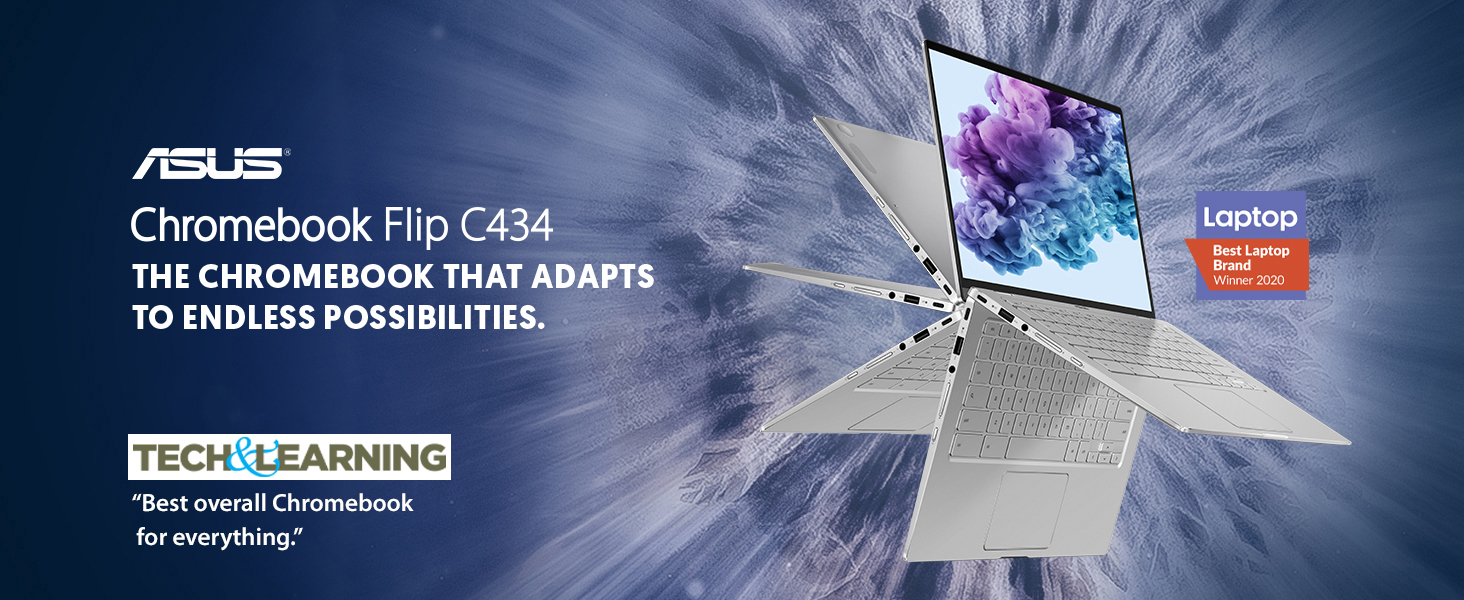
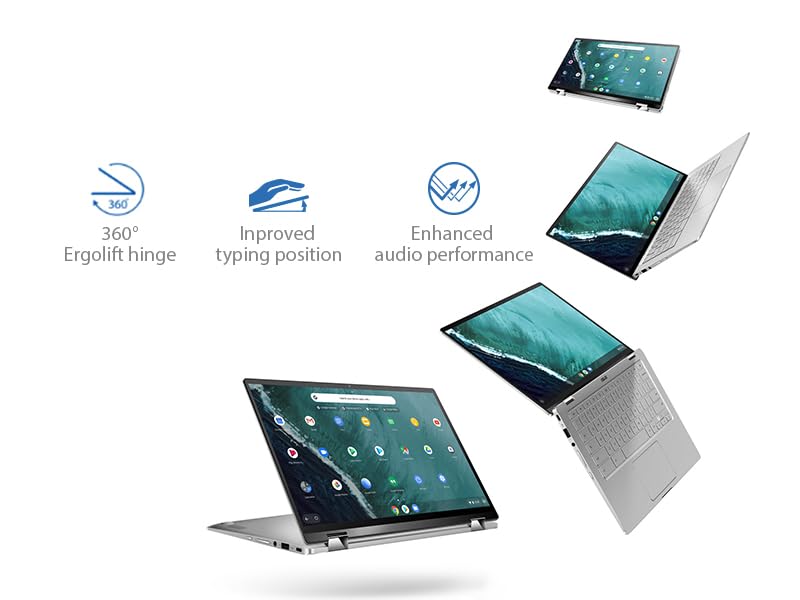
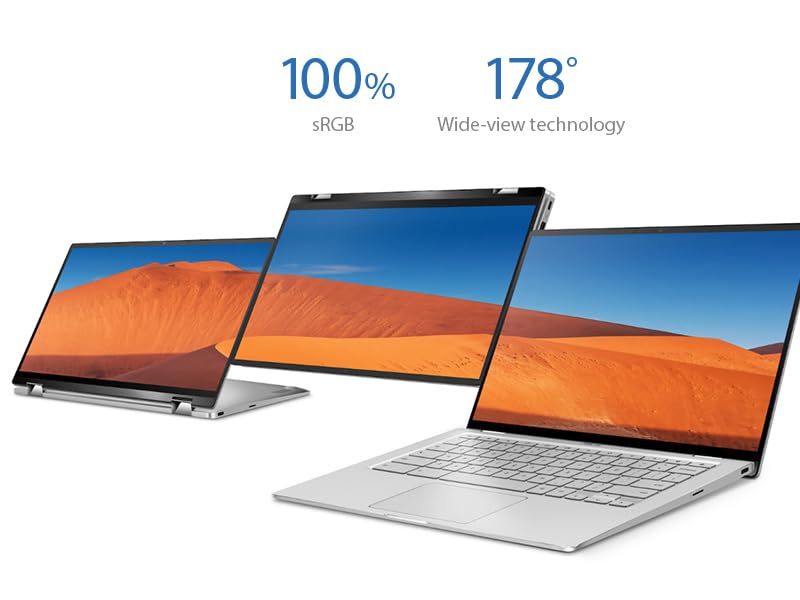
The ASUS Chromebook Flip C434 is a premium 2-in-1 laptop featuring a 14-inch Full HD touchscreen with ultra-narrow bezels, powered by an Intel Core m3-8100Y processor and 4GB RAM. Its all-metal body weighs just 3 pounds and offers a versatile 360-degree hinge for multiple usage modes. With up to 10 hours of battery life, backlit keyboard, and modern USB-C/USB-A ports, it’s designed for professionals seeking a stylish, portable, and efficient Chrome OS device.





| ASIN | B07Q2RB6BY |
| Audio Output Type | Headphone/Microphone Combo Jack |
| Audio Recording | No |
| Automatic Backup Software Included | 1-Year Free Google 100GB Cloud Storage |
| Battery Cell Type | Lithium Ion |
| Battery Life | 10 Hours |
| Best Sellers Rank | #11,977 in Computers & Accessories ( See Top 100 in Computers & Accessories ) #776 in 2 in 1 Laptop Computers |
| Bluetooth Version | 4 |
| Bluetooth support? | Yes |
| Brand | ASUS |
| Built-In Media | C434TA-DSM4T Chromebook Laptop, Power Adapter & Cord, User Guide, Warranty Card |
| CPU L3 Cache | 4 MB |
| CPU Model Generation | 8th Gen |
| CPU Model Number | m3-8100Y |
| CPU Model Speed Maximum | 3.4 GHz |
| Cache Memory Installed Size | 4 |
| Camera Description | Front |
| Color | Silver |
| Compatible Devices | External displays, mice, keyboards, storage devices, printers, headphones, speakers, and other Bluetooth-enabled accessories |
| Connectivity Technology | Bluetooth |
| Control Method | Touch |
| Customer Reviews | 4.2 4.2 out of 5 stars (1,675) |
| Display Resolution Maximum | 1920x1080 Pixels |
| Display Technology | IPS LCD |
| Display Type | LED |
| Form Factor | Convertible |
| Global Trade Identification Number | 00192876215647 |
| Graphics Card Ram | 1 GB |
| Graphics Coprocessor | Intel HD Graphics 615 |
| Graphics Description | Integrated |
| Graphics Ram Type | Shared |
| Hard Disk Description | Emmc |
| Hard Disk Interface | Solid State |
| Hard Disk Rotational Speed | 10000 RPM |
| Hard-Drive Size | 64 GB |
| Hardware Interface | USB |
| Has Color Screen | Yes |
| Human-Interface Input | Touchscreen |
| Item Dimensions L x W x Thickness | 12.6"L x 8.2"W x 0.7"Th |
| Item Type Name | Chromebook Flip |
| Item Weight | 2.9 Pounds |
| Keyboard Description | Premium flagship keyboard |
| Lithium-Battery Energy Content | 48 Watt Hours |
| Manufacturer | ASUS |
| Memory Clock Speed | 1 GHz |
| Memory Slots Available | 1 |
| Memory Speed | 1 MHz |
| Model Name | ASUS Chromebook Flip C434 |
| Model Number | C434TA-DSM4T |
| Model Year | 2019 |
| Native Resolution | 1920 x 1080 pixels |
| Number Of Cells | 3 |
| Number of Ports | 6 |
| Operating System | Chrome OS |
| Optical Storage Device | No Optical Drive |
| Other Special Features of the Product | Backlit Keyboard |
| Power Device | 45-watt AC Adapter |
| Processor Brand | Intel |
| Processor Count | 2 |
| Processor Series | Core M Family |
| Processor Speed | 3.4 GHz |
| RAM Memory Installed | 4 GB |
| RAM Memory Technology | DDR3L |
| RAM Type | DDR3 SDRAM |
| Ram Memory Maximum Size | 4 GB |
| Resolution | 1080p |
| Screen Size | 14 Inches |
| Series Number | 434 |
| Specific Uses For Product | Business, Multimedia, Personal |
| Total Usb Ports | 3 |
| Touch Screen Type | capacitive |
| UPC | 192876215647 |
| Unit Count | 1.0 Count |
| Video Output | USB-C |
| Video Processor | Intel |
| Voltage | 7.7 Volts |
| Warranty Description | 1year |
| Warranty Type | Limited |
| Webcam Capability | Yes |
| Wireless Compability | 802.11b/n/ac |
| Wireless Technology | Bluetooth, Wi-Fi |
M**C
Sleep is wonderful all over again! Amazon Tech, Read this!
Update May 30, 2020 You must read comments regarding Auto Screen Rotate. If you use a Bluetooth Mouse vs USB, the screen will autorotate in tent mode. A Bluetooth keyboard can also be used. Neat Trick!!! Up Date I have only used this Chromebook for 2 days now and it is nothing short of awesome! It is a joy to use and it handles like a new Corvette. such a joy! This device is awesome. Great industrial design, Great screen with itsy bitsy teeny weeny bezels. Fast like a Tesla. One issue is the choice of gray letters on the aluminum keys? White would have made for much better reading. This is my second C434. The first would not auto-rotate the screen into tent mode. I first contacted Amazon tech support who had Asus tech support online in moments. I spent at least 45 minutes speaking with Asus. He had me run a Power Wash among other searches. Finally, throwing in the towel he issued a case number for my return to Asus for repair which as the device was just days old was unacceptable to me. Contacting Amazon once again it was finally determined that the device be replaced. Thank you Amazon. When the new device was in transit I packed and returned the defective. Upon receiving the new Chromebook the first test was to check for auto-rotate into tent mode and it DID NOT ROTATE! Having worked in QC I found this hard to accept that 2 would be defective. After mucho internet searching I found, (AMAZON MUST READ THIS) that the Chromebook WILL NOT AUTO-ROTATE WITH A MOUSE BLUETOOTH RECEIVER INSTALLED! Pull the plug, so to speak and auto-rotate is awesome! To me this is a really silly issue that should be easy to solve. While touch screen is nice a mouse is more precise. By the way this also solved the same problem on my older Acer R11 that I thought to be defective. Sadly Amazon and I went through a lot of trouble and Amazons time and money for no reason! AMAZON? ALWAYS AMAZING! Thank you! Jeff should send me a thank you card. Ha Ha Ha. AMAZON MUST ADVISE ALL TECH SUPPORT OF THIS ISSUE AS IT EFFECTS ALL CHROMEBOOKS.
B**O
Great replacement for my 2015 Chromebook Pixel
Afte purchasing the Chromebook Pixel in 2015 for years I did not feel any urge to replace it; it just did everything fine, no complaints up till today, at all. However, when I read the reviews over the C434 I have convinced myself to upgrade; keywords are for me: fast laptop, enlighted keyboard (not many chromebooks have it!), good design. One more feature to move me to buy this laptop was the tablet modus -something I have always missed with my Chromebook, especially at work, when I sometimes need to use the laptop in tablet modus, doing my rounds in the clinic. My 11 inch Asus chromebook flip did the trick -but was too small, too slow to get my primary PC. The C434 delivers all the expectations; tablet mode is a bit heavy, I have found myself using it as a tablet, but in landscape mode. C343 is a bit less snappy, than my Chromebook Pixel 2015 -maybe due to less memory? However, addition of Linux apps is a great bonus; I have installed Thunderbird (as my daily mail program, also for my Exchange accounts!), Libre Office (for offline text editing and presentations) and NixNote 2 as my Evernote program (much better, than the corresponding Android apps). On the minus side: illuminated keyboard (as many time written here): too little contrast between key and enlighted space, hard to read; turning down illumination in bright spaces helps - but this is definitevely worse, than on the Chromebook Pixel 2015. All together: I have found a good replacement for my Chromebook Pixel 2015, stylish, real workhorse, tablet mode -and at an very exceptable price.
M**R
A great Chromebook, with few downsides.
I'm not completely new to Chromebooks, my Children both use them for school and I've messed around with them off and on for a couple of years. Recently my 10 year old Macbook's battery finally gave up and I found myself in the market for a new laptop. I grabbed my son's Asus 302 and started messing with it to see what I could get it to do, and very soon realized that a Chromebook could meet the vast majority, if not all, of my day to day needs: Since my Son's 302 has held up so well for over two school years of daily use... I decided to give this 434 a try. I'm really glad I did. The Great: The screen and itty-bitty bezel gives a whole lot of extra screen space in a size only a fraction larger than my Boy's 302. It's a 14 inch screen in what is basically a 13 inch body. The resolution, color fidelity and brightness are 100% fine for me. In strong sunlight the screen struggles - but - really... I can't see how I could ding it for that. I ride a shuttle bus to work with tinted windows. If full sun is shining through the windows directly on the screen it gets washed out. For the price I do not think you could expect much more. If the light is not shining directly on the screen I've found it fairly easy to adjust brightness to compensate. Size wise it is 100% perfect for me - maybe a little tight on that shuttle, but I'll take the extra screen any day. Processing power and memory: Well - I have to say I wish I could have gotten a model with 8G or more memory... That being said - I have no real regrets with the base model. So far I can open as many tabs as I ever wanted to have open while also running a android app or two - sometimes even a Linux app or two, and I have not yet encountered a situation where I felt the machine was struggling. The battery - OMG the battery! I'm coming from a 10 year old Macbook - so needless to say I was shocked on my first full day of using this thing... In the morning I got on the Shuttle (free shuttle WiFi - FTW!) for my hour long ride to the office - check my e-mail and then signed in to my desktop at work via Citrix/Chrome and started my workday. Once at the office I spend another few hours working from a couch in the atrium instead of at my desk just enjoying that I can do this without worrying about where the nearest outlet is anymore. Back on the shuttle and on the way home some last second work tasks and then streaming some YouTube and surfing. Back at home - more web surfing, streaming some TV shows to catch up. Some genealogy research, played with a python script for awhile, and finally off to bed around 11. The dang battery was still at 58%. A month of day to day use says the battery life advertised is true in real life. Cant praise the battery enough. "Tent" configuration works awesome for streaming video in bed and the speaker placement works well like this to give really good audio. What's kinda great: "Tablet" configuration... It works and the speaker placement complements this setup as well - the only downside is this thing - for my taste -is really just toooooo big for really comfortable use as a tablet - except "flipping" it so the keyboard lays in your lap or on a surface with the screen angled works well in that use case... Overall on this point - I'm still glad I paid extra to have a device with this flexibility. I have encountered situations where I have used each of the set-ups. Android apps... Sadly and I hope this gets better with time - many Android apps I'd like to use are not working on my Chromebook. I see the "Not compatible with your device" message on the Play Store - or install the app and find it does not work properly. Overall - The Android app on Chrome experience is Great-ish and I hope it continues to improve. Linux(!) Linux support is BETA. But - Great-ish. LOL. I've installed "Gramps" for some Family Tree research... LibreOffice Suite for a offline MS Office like set of tools, and PyCharm IDE for working with Python. All of these tools are working so far with little difficulties that I will not "complain" about at all - these tools work for me perfectly most of the time and perform well on the device. It is not a perfect world and I remind you that Linux support is "Beta". Set expectations accordingly and if you like Linux - I think you will like it on a Chromebook! What's OK: The keyboard... Key travel, placement, "click-y" feel are awesome for me. The OK part is the odd-ish design decision to color the keys silver with translucent white letters... In certain lighting situations the letters on the keys - sort of vanish... In nearly every case I've been able to work around this issue by adjusting the keyboard backlight - actually most of the time I have the key backlight turned off completely. This makes the letters look almost black in color - unless there is strong light on the keyboard... That's when the white color of the letters make them nearly vanish against the silver background of the keys. In any other lighting situation you can adjust the keyboard backlight to get at least a very workable if not 100% perfect experience - IMHO. In a dark setting the backlight works fine and makes working in very dim or dark conditions easy. The trackpad... For me. It is 100% OK... Not something I'd call awesome - and not anything that is bothering me after a month of daily use. So this is where my list ends. I actually can not think of a single thing I'd say is bad or sucks. I imagine if I got into really compute/io heavy video or graphics editing, or the giant pivot table from hell , or maybe the dreaded 100 page Powerpoint - I could make the thing struggle... Note I am NOT a gamer either... I just have to say that for at least 95% of what I do daily... This is all I need. I keep waiting on it to disappoint me - and it has not yet - quite the opposite. One final-final note: I dismissed Chrome OS for years thinking it was only good with a always on and fast internet connection. That might have once been true but I think not anymore. Getting offline work (or playing) done without a always on internet connection is entirely possible with minimal planning in advance. In my humble opinion using a Chromebook without the internet connection is just as doable as working with any Windows or Mac based product when you are offline.
D**D
Have had this now for a few weeks and hasn't disappointed! Once the initial charge was done that took 3hrs as recommended it was ready to use, no extra set up required. Couple minor issues-no number keypad, and its smaller size takes some getting use to the keyboard. Battery lasts me about 3 days, very light user, don't play games or stream music so that may vary with the usage. It starts up quick as well as opening webpages. Touch pad is very sensitive, however, I like using a mouse so purchased one; do use both. Had some difficulty setting up to print though, unless you have a cloud ready printer that will pick up automatically it still is possible. I found some helpful videos and use our current laptop as a printer server, very easy to set up. Overall very happy with it.
M**4
I purchased this laptop through Amazon Australia, and it shipped from the US with a US power adapter, which is useless in Australia. This should be on the listing somewhere to state that it is a US power adapter only, or there should be an adapter included with the unit.
Y**I
This is a high quality laptop and works great. Much simpler to maintain than a windows based laptop for simple web browsing, email, streaming/casting. Its a great tablet replacement and you get the keyboard included. Though the keys are very hard to read when backlit in daylight as they are silver. I have to turn the backlight off all the time. The screen is good quality and has nice resolution for the price. Would be great if it supported the Asus pen too.
J**S
This is my first chromebook. I read a few negative reviews online but decided to buy it anyway. I love this chromebook and it's exactly what I needed! The keyboard backlighting may be the only down side I have to mention but if you're comfortable with typing without looking at the keys, you won't have much trouble. Battery life and screen are the major selling points. It's hard to describe the impact of having such thin bezels until you boot it up and see for yourself. Some say it's a bit expensive, but the aluminum body makes this feel like a very high quality laptop. Like anything else, you have to do your research beforehand. If you don't want aluminum, look for another laptop, but for me, this was everything I expected and more. Don't take my word for it though, look up more reviews online and do more research before deciding. I did, and I'm not dissapointed with my purchase at all.
S**T
This is an awesome laptop/notebook. Works as expected. The weight was a big surprise. The sound sounds great too! I bought this one so I could bring it along with me where ever I go plus watch movies from Netflix/Amazon without the "black" bars I was getting with my nexus 9. I thought it was a good time to buy one of these as the price dropped from approx $800+ down to $699. I'm a little miffed/hurt though as it continued to drop an additional $150. Sad :( I wish there was a price drop policy I could take advantage of this time. I'm ok with $30-50 etc type drops but $150 price drop so shortly after me buying it has me a little miffed. It is too much of a bite off my buy price that its too hard to chew on, if ya get what I mean.
Trustpilot
3 weeks ago
3 weeks ago