Desertcart purchases this item on your behalf and handles shipping, customs, and support to Uruguay.
🎬 Elevate your movie nights with Panasonic’s 4K Blu-ray brilliance — don’t just watch, experience!
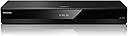
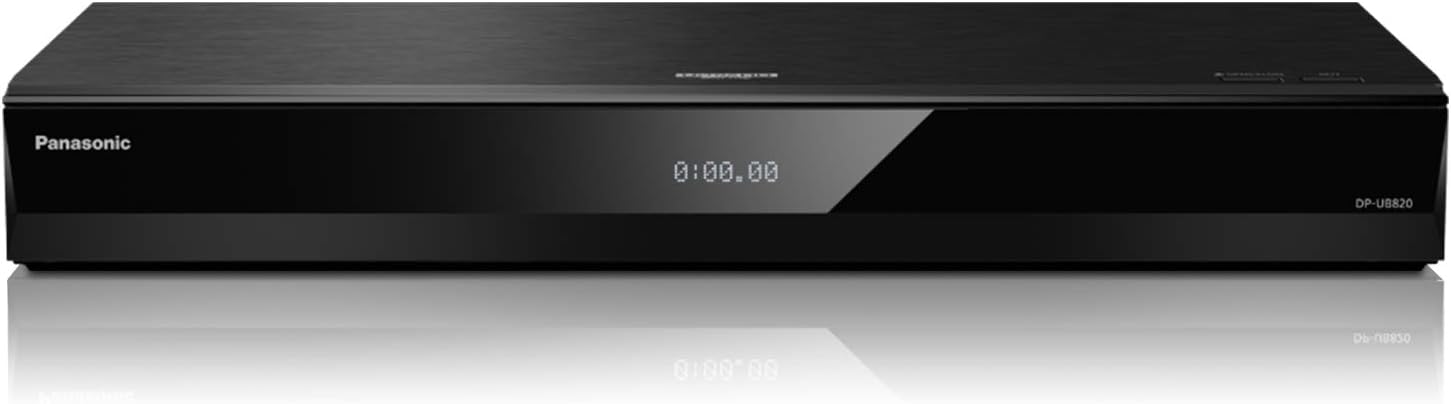
The Panasonic DP-UB820-K is a premium 4K Ultra HD Blu-ray player featuring Dolby Vision, HDR10+, and Hybrid Log-Gamma support for cinema-grade picture quality. It delivers studio master 7.1 channel Hi-Res audio via twin HDMI outputs, enhanced by exclusive Hollywood Cinema Experience (HCX) technology for superior color and detail. Designed for home theater enthusiasts, it supports streaming, voice control, and plays Region A Blu-ray discs, making it a top-tier choice for immersive entertainment.


| ASIN | B07N3PQM5N |
| Analog Video Format | NTSC |
| Audio Output Mode | Surround |
| Best Sellers Rank | #3,843 in Electronics ( See Top 100 in Electronics ) #4 in Blu-Ray Disc Players |
| Brand | Panasonic |
| Built-In Media | Blu-Ray |
| Color | Black |
| Compatible Devices | Television |
| Connectivity Technology | ['HDMI (HDCP 2.2)'] |
| Connector Type | HDMI |
| Controller Type | Remote Control |
| Customer Reviews | 4.3 4.3 out of 5 stars (2,104) |
| File Format | AAC, AVI, FLAC, H.264, JPEG, M2TS, M4A, MKV, MP3, MP4, WMA |
| Global Trade Identification Number | 00885170334618 |
| Item Dimensions L x W x H | 16.9"L x 8.06"W x 2.5"H |
| Item Type Name | 4K Blu Ray Disc Player |
| Item Weight | 5.3 pounds |
| Manufacturer | Panasonic |
| Media Type | Blu-Ray Disc |
| Mfr Part Number | DP-UB820-K |
| Model Name | DP-UB820-K |
| Model Number | DP-UB820-K |
| Number of Channels | 7 |
| Number of Items | 1 |
| Other Special Features of the Product | Streaming 4K Video on Demand, Voice Assist |
| Resolution | 3840x2160 |
| Supported Audio Format | WAV, WMA, AAC, AIFF, MP3, FLAC, DSD, ALAC |
| Surround Sound Channel Configuration | 7.1 |
| Total Number of HDMI Ports | 2 |
| UPC | 885170334618 |
| Unit Count | 1 Count |
| Video Encoding | HEVC |
| Video Output Resolution | 4K UHD (3840x2160) |
| Warranty Description | 1 year manufacturer warranty |
A**N
A must have!
5/5 Stars – Outstanding 4K Blu-ray Player That Delivers Flagship Performance The Panasonic DP-UB820-K has been an exceptional addition to my home theater setup. After extensive use, I can confidently say that it has performed flawlessly. Disc playback is fast and reliable, picture quality is outstanding, and I've experienced no significant issues with the player since purchasing it. One of the biggest strengths of the DP-UB820 is that it shares the exact same HCX (Hollywood Cinema Experience) video processor found in Panasonic's flagship DP-UB9000. As a result, 4K Ultra HD Blu-rays, Dolby Vision content, HDR10+, and streaming services all look absolutely phenomenal. Colors are vibrant, detail is razor-sharp, and Panasonic's renowned HDR Optimizer does an excellent job of maximizing picture quality across a wide range of displays. For anyone considering the much more expensive DP-UB9000, it's important to understand that when using HDMI with an AV receiver, processor, or soundbar, the actual video performance is virtually identical. The UB9000's premium price is largely justified by its audiophile-focused features, including a substantially heavier all-aluminum chassis, superior DACs, balanced XLR outputs, dedicated stereo analog connections, and a specialized HDR mode designed specifically for high-end projectors. The UB9000 is undeniably a beautiful piece of equipment, but for the vast majority of home theater enthusiasts, the UB820 delivers the same incredible picture quality at a fraction of the cost. Unless you require analog hi-fi audio connections or have a dedicated projector setup that would benefit from the additional tone-mapping options, the UB820 is the smarter value. The only minor drawback I've noticed is that Panasonic doesn't release firmware updates very frequently. That said, the player has remained extremely stable, and the lack of regular updates has not affected performance or usability in my experience. Overall, the Panasonic DP-UB820-K offers flagship-level video performance, excellent HDR processing, broad format support, and rock-solid reliability. If the DP-UB9000 is beyond your budget, this player is the perfect alternative and one of the best values available in the 4K Blu-ray market today. Highly recommended.
P**O
Outstanding player
Amazing player for 4k and regular blu rays. Good picture quiality with HDR and DV, supports all audio formats. Love the additional hdmi output for audio. It is very silent, never had issues reading any of my discs. It is not multi-region, although not a problem for 4k movies but will only read region A regular blu rays. Not multi-voltage. Using power transformer for 220v. Build quality does not feel very premium but isn't bad either. There is a more expensive model for premium feeling. Remote control is not bad for me but it has that dyabolical Netflix button just next to the menu arrows. Very annoying.
M**S
Best 4k Blu-Ray Player you can get (Please Read the in-Depth Review & Settings)
Key Features: 4K UHD Playback via HDMI HDR10+, Dolby Vision & HLG Compatibility Full HD to Near-4K Upscaling Wi-Fi and Ethernet Network Connectivity 3D Playback Mobile Device Mirroring 7.1-Channel RCA, HDMI Audio Outputs Voice-Controllable via Smart Speakers Dual USB Ports Dolby TrueHD & DTS-HD Master Audio This is one of the best 4k players you can buy. Works best if you have a 4k TV with Dolby Vision! Now if you don't have a Dolby Vision TV, then cheaper Panasonic UB420 might be a better option. HDR Support for HDR10/HDR10+/Dolby Vision/Hybrid Log Gamma. Supports Discs: Ultra HD Blu-ray, 3D Blu-ray, BD-R, BD-R DL, BD-RE, BD-RE DL, DVD+R, DVD+R DL, DVD+RW, DVD-R, DVD-R DL, DVD-RW, DVD-Video. Audio format it supports: AAC, AVCHD, FLAC, H.264, JPEG, M2TS, M4A, MKV, MP3, MP4, MPEG2, MPG, MPO, MTS, PCM, WAV, WMA. Output ports: 1x HDMI 1x HDMI (Digital Audio) 1x RCA (Analog Audio) 1x TOSLINK Optical (Digital Audio) USB I/O: 1x USB-A 2.0, 1x USB-A 3.0 / 3.1/3.2 Gen 1 The Panasonic UB820 is one of Panasonic’s best 4K Blu-ray players that offers a strong suite of features and supports a lot of audio and video formats including Dolby Vision and HDR10+ for video, Dolby Atmos and DTS:X for audio, and can even support up to 7.1 channels of audio directly with audio analogue output options. Performance wise, the Panasonic UB820 offers fantastic 4K image reproduction with vivid colors, deep black levels and stunning contrast, particularly when it comes to Dolby Vision – it’s up there with the best 4K Blu-ray players. Its 4K upscaling is effective, giving regular (non-4K) Blu-ray a whole new level of detail. Even DVDs are given a new lease on life thanks to the UB820’s upscaling efforts, though you’ll notice far more that it was a lower-quality source. Audio performance is also superb, with Dolby Atmos effects coming through clear and adding that extra layer of immersion to any movie. Paired with one of the best TVs and best soundbars, the Panasonic UB820 completes the home theater experience beautifully. The Panasonic UB820’s software (and all models) are outdated and feel a little cumbersome at times, but it still gives plenty of options and settings for people to adjust to get the picture and audio of their movies to just how they like it. Streaming with the UB820....Don't count on this player or any other Panasonic players for Streaming Netflix, Apple, Prime etc. The software is outdated, and you won't get the high quality 4k video vs using other devices like your TV's software, Roku 4k device, or the Amazon Fire Stick 4k device! Design-wise, the Panasonic UB820 may not be the most remarkable design, but it’s still a solid player that keeps things simple. Whilst its front panel that covers the whole device keeps things a little neater, it does mean people will have to think about where the hinged panel will open and close with the disc tray, meaning those with TV stands with no shelves may have to do some Tetris-esque moving around to find a spot for this unit. Value, the Panasonic UB820 is one of the best Blu-ray players to buy today. Priced at around $400 this really is a well-featured and high-performing player for the price. You can find this player on sale for $350 (during December) to $380 at times. Thanks to some personal history with this player, I can also confirm this will work until it can’t give anymore; it’s a solid investment. But if you don't have a Dolby Vision TV (adds the Best vivid colors and contrast), then I'd probably get the Panasonic UB420 player. Best settings setup IMO for the Panasonic UB820, UB420, and other models. This is for your 4K TV to get the best output for your 4K movies and Blu Ray Discs. 1. Turn on your player with No Disc inside. Then goto "setup", and then "player settings". 2. Go into "HDMI" settings, and "Resolution" set "4K" to "4K/60p(4:4:4)" 3. Now back out and go into "Advanced Settings", and select "Color Mode" and change to "YCbCr (4:4:4)" 4. Back out and go into "HDR TV Type" and select your TV type. Best TVs will be "OLED" 5. Now go back the main menu "player setting and select "Audio" and select "Digital Audio Output" and select "BD-Video Secondary Audio" to "Off". 6. Now put a 4k Disc in and play the movie. Now once the movie is playing hit "Video Setting" on your Remote. Then select "Optimum HDR Adjustment" and select "HDR Optimizer" to "On". That's it now you'll have the best possible setting IMO. Why Dolby Vision and about Dolby Vision: Dolby Vision is an advanced HDR format developed by Dolby Laboratories that empowers visual creatives to add greater depth, incredible contrast, and more colors to your favorite movies, TV shows, and games. It is renowned for its superior brightness, contrast, and color accuracy, which offer you a fully immersive cinematic experience at home. The key behind its excellent results is the use of dynamic metadata, which allows it to optimize every frame of content for the best possible display on a compatible screen. This means that Dolby Vision automatically adjusts the brightness, contrast, and color accuracy scene by scene as you watch your favorite movies, allowing each scene to be vividly portrayed in its truest form. It also dynamically optimizes the image quality based on your service or device to deliver mesmerizing visuals every time. Dolby Vision Enhanced Brightness and Contrast: The best aspect of Dolby Vision is its impressive ability to achieve higher brightness in highlights, making scenes appear more vivid. Similarly, it works wonders in dark scenes by improving black levels by providing more depth and making shadows come true to life. This impeccable contrast between high brightness and deep blackness makes Dolby Vision superior to other formats. Dolby Vision Superior Color Accuracy: When it comes to color accuracy, Dolby Vision takes the lead by providing a wider color gamut, making the colors come to life with intensity. It also gives colors more vibrancy, presenting them in varying hues and shades. Also, Dolby Vision significantly reduces banding and artifacts in color gradients, offering a smooth transition between different shades and eliminating blurry lines between scenes. Dolby Vision Immersive Viewing Experience: Dolby Vision is the future of home entertainment. It offers an outstanding combination of high brightness, contrast, and color accuracy, creating a more immersive and realistic viewing experience. With Dolby Vision, every scene comes to life. Moreover, Dolby Vision offers consistent visual quality across different types of screens, whether you are using a TV, a projector, or a mobile device. This allows you to watch your favorite movies at an impressive visual quality, regardless of the device. Dolby Vision is a game-changer in home entertainment as it offers superior visual quality with its high brightness, stark contrast ratio, and impressive color accuracy. It allows viewers to indulge in a fully immersive cinematic experience in their homes.
J**N
Good player amongst limited choices in this price range
It's not a great time to be a physical media lover when it comes to available players. Before streaming dominated the marketplace, I feel this would have been dubbed an "ok" player; above average but nothing spectacular. My frame of reference is the far superior Oppo UDB-203 which was only $500 when it was available (I bought this Panasonic at $350; at it's current price of $549 at the time of posting, it's really not worth that much IMO). Unfortunately, though, with fewer players being manufactured, most of the available units are either really cheap or really expensive. The Panasonic does a lot of things well (the picture quality is good), but it lacks some nice features (such as file playback of, for example .MP4s from disc - this can be done via USB only) and hardly feels like a premium player (it's very plastic). Then again, if you don't want to pay over $1,000 for a premium machine, this Panasonic is quickly becoming the only player in town. I guess it's a case of "don't hate the player, hate the game", but I can't help but think if there were more options available these days, this unit wouldn't be priced as high as it currently is. The video quality upon playback is very good, however, so I suppose that's really the main point in the end.
R**S
Is it worth it?
Movies load pretty quick and I did not struggle to navigate the settings to configure the player to my setup. It plays and upscales Blu-ray better than dvd but still not bad for dvd, and it's size is about what I would have expected and not heavy. All in all, I think this was a good purchase for Dolby Vision, upscaling, Dolby Atmos, and all the technical advantages of a dedicated movie player. The price might be a little heavy but I don't regret it.
C**N
Broken After Less Than 1 Year, Panasonic Refuses to Help
When I first received this player, I thought it was pretty good. After less than a year, however, the problems started. The tray got stuck in the closed position. I would push the eject button and the display would indicating it was opening, but it wouldn't actually open and a couple of seconds later the display would say "reading" and it would act as if the tray had been opened and closed again, reading the disc and playing it. I searched online for a solution. I found suggestions for various button presses, power cycling, etc. None of it worked. Finally, I found a video talking about how old DVD players can get in a state where they are stuck like this. According to the video, it was because the drive motor has dead spots, and just shifting where on the belt the dead spot is will fix the problem. It was a different brand and model, but the video showed the person opening up the box and manually moving a piece to move the motor off the dead spot. The video said it was a common issue with older players. So I opened up the box of my player and removed the drive unit. I found a plastic slider and manually slid it a bit. It worked! When I re-assembled everything, my player was working again! For a while, all was well. But then it happened again. And again. Sometimes it would freeze up in the open position and sometimes in the closed position. When it would freeze up in the open position, it was super easy to fix -- just a slight nudge on the tray would cause it to catch and close. But whenever it froze up in the closed position, I'd have to disassemble the unit to get to the slider to nudge it. It started out being weeks between times I'd have to disassemble it. Now it happens every few days. Before posting a review here, I wanted to give Panasonic a chance to make things right. I filed an official complaint on their web portal on May 17, 2023. My report was assigned issue #30570. They claimed they would respond quickly, but I heard nothing back until today, June 12, 2023. In my complaint to Panasonic, I described my issue and proposed that they send me a replacement drive assembly. I would then send back the defective drive assembly to them, so they could verify the issue and hopefully improve future hardware. This was their reply: "Regarding your inquiry, we cannot send you a replacement for that part as the procedure can only be made at the service center. Also, we cannot cover the warranty costs for the repairs as you have tampered with the unit, voiding the warranty." I don't really want to have to send my unit in to a service center to be without it for an unknown length of time. I use it all the time. I thought if I could fix it myself (which I did successfully do), it was a win for everyone -- Panasonic doesn't have to pay for a warranty fix and I'm not without a player for weeks. But they punish me for doing that by saying my warranty is void and refusing to fix what is clearly a faulty player. I bought this player from Amazon on June 28, 2022. Today, June 12, 2023, it's very seriously broken and getting steadily worse, none of which is the fault of anything I did. And Panasonic is refusing to help. Don't buy this player. Don't buy from Panasonic. Find a manufacturer that that will give good customer service and not try to weasel out of responsibility for its own problems.
W**.
Are Blu-ray Players coming to an end?
Panasonic is a well-established, highly respected name in electronics, a Japanese multinational electronics company headquartered in Kadoma, Osaka, Japan. It was founded in 1918 as Matsushita Electric Housewares Manufacturing Works in Fukushima, Osaka, by Kōnosuke Matsushita, and incorporated its principal subsidiary in the United States as Matsushita Electric Corporation of America in New York City in September 1959. It began producing television sets for the U.S. market under the "Panasonic" brand name in 1961 and changed its corporate name to conform with its global "Panasonic" brand name, which comes from the root words "Pan," meaning universal, and "Sonic," referring to sound. The "Panasonic Corporation of North America" division is headquartered in Newark, New Jersey, since 2013, after being previously headquartered in Secaucus, New Jersey, since the 1980s. I have a new Samsung Neo QLED Q95 TV, and, with the advent of Dolby Vision and Dolby Atmos, I needed a new 4K Ultra HD Blu-ray Player to take advantage of this television's advanced graphics and sound capabilities and its HDCP requirements. HDCP stands for High-Bandwidth Digital Content Protection. It is a form of digital copy protection developed by Intel Corporation to prevent the unauthorized copying of digital audio and video content as it travels across HDMI connections for digital devices like Blu-ray players, cable boxes, and streaming devices. HDCP 2.2 is essential for 4K content delivery. I am a movie enthusiast. Old-fashioned, I prefer movie theaters over streaming video services. Streaming video is not equal to and is not a satisfactory substitute for the cinema theater-quality visual and sound experience. The next best visual and sound experience is found only in Blu-ray and 4K discs. I collect DVDs, Blu-rays, and 4K discs. As streaming video platforms increase their dominance, Blu-ray Player manufacturing is being discontinued. In December 2024, LG announced that it ceased production of Blu-ray players, joining Samsung and Oppo. While PlayStation 5 and Xbox Series X consoles also play Blu-ray 4K Ultra HD discs, the feature adds complexities. This means that only Sony and Panasonic are the remaining major brands that are still manufacturing Blu-ray players. Get your Blu-ray player while they are still being manufactured. When comparing Sony and Panasonic Blu-ray players with Ultra HDR, HDR10+, and Dolby Vision with Dolby Atmos capabilities, I found information advising that the Panasonic automatically detects and switches between Dolby Vision and HDR10, and that the Sony requires manual selection. For me, this eliminated Sony as an option. I chose an upper-end Panasonic, the DP-UB820, because it supports Dolby Vision and HDR10+ formats and includes a proprietary HDR Optimizer function that adjusts to the TV’s brightness capabilities through its exclusive "HCX" technology for 4K high-precision chroma processing; it also supports Dolby Atmos and DTS:X soundtracks. I do not appreciate streaming movies. Streaming subscriptions are expensive. You cannot have just one or a few. There are so many competitors with exclusive libraries and video streaming rights that you must have many streaming subscriptions to view the latest and greatest movie choices. As I said before, this is expensive. Too, streaming video presents other problems. Not all streaming video platforms are equal, particularly when it comes to 4K. Notably, Netflix streams 4K at a compressed 15–25 Mbps bitrate; Disney+ is at 16 Mbps; Apple TV+ is at 25 Mbps; and Amazon Prime Video is at 18 Mbps. Moreover, your experience depends on your internet speed, the number of actively connected internet devices, overall internet traffic, and interference in general, as well as the subscription tier level of your streaming video service and settings within the service's app, over and above the year, make, model, caliber, and calibration of your television. Even so, viewing requires the right equipment more than anything else. If you watched "The Rings of Power," you may have experienced scenes that were too dark to see what was happening. This result is from so-called "Dark Cinematography," a style of filmmaking that utilizes minimal light sources to create a visually ominous and stirring atmosphere, often associated with suspense genres; it prioritizes mood and tension over bright, clear visuals, aiming to immerse the viewer in a sense of mystery and darkness. Viewing can be extremely difficult and frustrating in streaming videos. In viewing the Denis Villeneuve 2021 ~ 2024 "Dune: Part One and Part Two," here too, there were a number of scenes that were too dark to see what was happening. "Dune" was partially filmed in 4.5K resolution, which is higher than Dune's more prevalent 4K resolution, with the 4.5K resolution being 4480 x 2520 pixels and the 4K digital resolution being 3840 x 2160 pixels. 4.5K offers more pixels and sharper detail than standard 4K. The "Dune" movie shown in the IMAX Digital Cinema Package (DCP) format has a 4K resolution with a high picture bitrate reaching up to 500 Mbps. Streaming video services cannot accommodate the large file size of movies, so they compress the file. In doing so, there is a loss in visual and acoustic fidelity. Bitrate compression is essential to streaming videos, for uncompressed content would require massive bandwidth and be cost prohibitive. Imagine the visual fidelity loss through the streaming video bitrate compression to 25 Mbps or less. Since 4K Ultra HD Blu-ray discs have a maximum video bitrate of 128 Mbps, albeit compressed but less so than streaming, such discs are able to present the sharpest visuals, richest colors, and a more cinematic viewing experience outside a theater above that presented in streaming video platforms. When it comes to dark cinematography, the Panasonic 4K Blu-ray player's Dolby Vision's dynamic metadata plays a crucial role by allowing for precise adjustments in the darkest areas of a scene, ensuring details are visible even in scenes with very low-light situations while still maintaining the intended contrast and color accuracy.
F**D
Outstanding
High price tag but well worth the money. I have an LG Oled 65 inch, and the picture is REALLY good. Clear as a bell. Can't imagine it any better. I have it hooked up to an LG soundbar which enhances the sound. If you're on the fence, hop over. You won't regret it.
Trustpilot
2 weeks ago
3 weeks ago