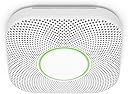
๐ Stay ahead of danger with Nest Protect โ your home's smartest guardian.
Google Nest Protect is a battery-operated smoke and carbon monoxide detector featuring a Split-Spectrum Sensor for fast and slow fire detection, voice alerts specifying the hazard location, and seamless smartphone connectivity for real-time notifications and remote silencing. With a 10-year sensor lifespan and self-testing batteries, it ensures reliable, maintenance-free protection while adding smart lighting convenience with its Pathlight feature.


| ASIN | B00XV1RCRY |
| Alarm | Audible |
| Best Sellers Rank | #95,590 in Tools & Home Improvement ( See Top 100 in Tools & Home Improvement ) #68 in Smoke & Carbon Monoxide Alarms |
| Brand | |
| Built-In Media | "Six long-life batteries (Energizerยฎ Ultimate Lithium โL91โ AA) |
| Color | White |
| Compatible Devices | Smartphone, Tablet |
| Customer Reviews | 4.5 out of 5 stars 7,516 Reviews |
| Enclosure Material | Plastic,Stainless Steel |
| Global Trade Identification Number | 00854448003679 |
| Item Dimensions D x W x H | 1.5"D x 5.3"W x 5.3"H |
| Item Type Name | Google Nest Protect, 2nd Generation, White, Battery |
| Item Weight | 1 Pounds |
| Manufacturer | Google Nest |
| Mfr Part Number | S3000BWES |
| Model Number | A11 |
| Number of Items | 1 |
| Power Source | Battery Powered |
| Product Dimensions | 1.5"D x 5.3"W x 5.3"H |
| Product Style | Battery |
| Sensor Type | Split-Spectrum Sensor |
| Style | Battery |
| UPC | 854448003679 |
| Unit Count | 1.0 Count |
| Upper Temperature Rating | 100 Degrees Fahrenheit |
J**N
Easy installation, absolutely SPECTACULAR user interface!
A year ago, I purchased a first generation Nest protect (battery only), but didn't install it because one of its features was disabled by the company (waving to silence alarms) and all the detectors in my home were integrated by a/c current. Two weeks ago, just as we were preparing for a trip away, the smoke alarm near the entry way began chirping and beeping (two different sounds). We were able to silence the chirp with a new 9 volt battery, but the only thing that would stop the beeping was to turn off the power to the a/c circuit to which it was connected. Even totally removing the malfunctioning unit didn't silence the beeps! Descriptions of our dilemma provided us no clues, but eventually, we contacted telephone support for the unit's manufacturer. A REAL LIVE PERSON with concern and humor answered, listened to me describe our problem, then responded, "honey, the ceiling can't beep! Do you have a CO monitor close by?" We did. She then told us that the beeping was the "end-of-life" signal coming from the CO monitor plugged in at ground level 10 feet away. Sure enough, unplugging it silenced the beeping. Then she told us that our other CO alarms and all of our smoke detectors were well beyond their intended lifespan (all manufactured in 1992) and all of them must be removed, even though they all displayed their "AOK" green LEDs and passed their aural tests). (We purchased this home 2 years ago, paid several hundred dollars for a home inspection, and nothing in the inspector's report mentioned that our detectors were beyond their expected usable lifetime). Clearly, we needed protection that gave us more feedback about their normal and abnormal performance. Extraordinarily satisfied with our Nest thermostat, I decided to purchase Nest Protects for the rest of the house. I installed the 1st generation unit to replace the one I'd already removed. To do so, I needed to drill some holes into the ceiling because the holes for its mounting plate didn't line up with the junction box in the ceiling, and two of them required a power drill in order to penetrate the 2 x 4 ceiling framing. We left on our short trip knowing that we had at least one working device and several more to install when we returned home. When we returned, we unpacked the new, a/c powered units, lined them all up within 20 feet of the 1st generation battery operated unit, and began the ID/registration process. The thought that's gone in to the user interface for this device immediately became obvious, when a quick routine of scanning the code on the back of each device led to prompt addition of it to our existing network of Nest thermostat and an increasing number of registered Nest Protects. Physical installation went just as quickly, as did an initial "checkup" initiated from my iPhone. I did spend a few minutes reading the manual, and learned that 10 years from now, when units require replacement, they'll alert me both verbally when I'm in their proximity, and by sending me emails that they're in need of replacement! Another plus: the thermostat in our 2 story home is located in a small blind corridor where it cannot "see" traffic through the rest of the home. Consequently, when we're asleep at night, our Nest Thermostat decides we're away, and the temperature drops to the "auto away" setting during the night. We save big on our power bills but it gets a bit cool in the house! Now, with the Nest Protects "talking" to the thermostat, we awake to more comfortable temperatures. I have only two concerns about these devices. One is that, in a very large home, the "checkup" testing of individual devices may overlap others in time. That's not a problem in our relatively small 2 story house, but in a large home the overlaps could make it difficult for one person to confirm that all the units are working. Even that's not a real issue, because the units test THEMSELVES when we're not present and send us email confirmation that they're all functioning. The other concern is that these products were born in the minds of people who worked at Apple, who clearly learned their lessons well while there. They are attractive, communicate clearly to their owners, and guide their owners with an outstanding user interface. Unfortunately, the company has been purchased by Google, and it's entirely possible that the business goals of these two no-longer-friendly companies will deprecated their future as anchors of a "connected home" where "works with Google" will mean "won't work with Apple."
S**E
Great product, easy setup and management, excellent tech support
Awesome product. Easy to set up and easy to access through the app or the Nest website. One caveat, when I first installed, it asks you to select a language and cycles between English and Spanish. I accidentally pressed the center button on the device during "Spanish" and there was no option in the app to change the language. I had to call their tech support, which was very good. I was initially very irritated at having to call them over such a small issue that I should have been able to fix myself, but the hold time was very short, the guy was clearly based in the US, and was very helpful, walking me through a reset. The UPS guy showed up with my second Nest unit while I was on the phone, and I told the tech guy "well my second Nest just showed up so now I know what to do", and he answered by asking me if I wanted him to stay on the phone to help get that one set up too. I was impressed. Very much opposite what tech support experiences are usually like these days. After everything was set up, updates downloaded, etc, the option to change language was there in the app, if you're wondering :-) Pros: 1. Great tech support with native English speakers and short hold times. 2. When you set up your second, third Nest smoke detectors, the unit reads your settings from the first one so you don't have to re-enter your wifi info, etc. The app walks you through the steps and is easy to follow. They couldn't have made it easier short of coming to your house and doing it for you. 3. You don't have to line up the base bracket perfectly when screwing it into your ceiling, since the smoke detector rotates on the base to make adjustments in being flush with your walls, etc. 4. You can test the units in a minute or so on your phone's app from anywhere....and it tests all of them sequentially. It has both an alarm and a voice, as well as a red light ring on the unit. 5. Night light is pretty cool, that comes on when you walk under it in the dark. 6. The Nest app shows all your Nest devices, including thermostat, etc. Cons (very small ones): 1. Takes 6 Lithium AA batteries (included) - though they do last a long time, like several years, replacements are somewhat expensive. 2. Option was not present to change language after selecting a language during initial setup, short of a full reset. 3. Resetting and then setting up again requires you to remove the unit as the QR code you need to scan with your phone is on the detector's backside. However, it just does twist off the base.
M**S
one for fast fires and one for smoldering made me look closer at my choices and I really didn't like the idea of having to pick
I chose to spend $99 a pop for 5 of these. I bought my fixer-upper house about a year ago and had the roof replaced and all ceilings repaired as soon as I took possession. I took down all the existing and probably aging smoke detectors at that time thinking I'd install all new ones as soon as the work was done. However, l completely forgot about it until my co-worker lost her home and possessions to a fire this summer! Dreading the prospect of remembering to change batteries when daylight savings rolled around and then tracking down the obnoxious chirp in the middle of the night because, of course, I'd forget, probably didn't help my memory. I considered getting 10 year battery type smoke detectors, but it's still not a set it and forget it situation. You have to test them once in a while and I was likely to forget that too. Then learning there were two types of smoke detectors, one for fast fires and one for smoldering made me look closer at my choices and I really didn't like the idea of having to pick my poison. Then the thought of my cat perishing in fire because I was away at work sickened me-- how's a smoke detector going to help my cat- it'd just add to his fright. Finally, having to get CO detectors and dealing with their batteries and the confusion about placing them high or low led me to look into the expensive "smart" smoke detectors. The Protect's managing its own batteries, being able to detect both kinds of fires, having a built in CO detector, having the gentle early warning feature come to my phone so I could run home to check things out so my cat at least has a chance in a bad situation, sending a monthly email report of what's been checked and when, and having immediate access on my phone to check the detector when I happen to think of it instead of fruitlessly trying to remember when I got home all made spending the money a no-brainer. They're very easy to install. They communicate with men in plain language or simple color codes instead of cryptic chirps and tiny flashing LED sequences. Each detector knows where in the house it is, so there's no more removing batteries waiting for no-chirp in hopes you got the right one. The app is super easy and always at hand. You don't have to worry about stuff like "smart hubs" or "works with nest" unless you have want to. Though, I don't think it's absolutely necessary, you need a WiFi home network and a smart phone to use the best features of the product. For me, since I had those things, it was just crazy not to somehow get installing these into my budget, and I'm glad I did.
A**S
Great smoke/CO detector, beware amazon inventory age
The Nest Protect smoke detectors are great. They warn you before they alarm, giving kids and pets time to clear the area before loud noises and parents time to silence the alarm or deal with the issue. We've experienced far fewer false alarms from our kitchen Nest Protect than the (much cheaper) first alert it replaced. The smart app features are handy if you travel or are out of the house often. I love the Protects and since my older house is not wired having the Protects linked by wifi/bluetooth is a major safety factor for me. I'm replacing expiring detectors in my basement and second floor with Protects and feel like it's worth the extra cost. The major caveat is the age of the Protect you are sent. Be very aware that the inventory Amazon has may be old. I bought two Protects from Woot for $30 off MSRP (amazon subsidiary) and both were manufactured in 2018. This means they are 6 years old and only have 4 years of service life left. Almost all CO detectors have the 10 year lifespan limitation. Google disables the Protect after the replace by day. You get an audible โNEST PROTECT HAS EXPIRED. REPLACE IT NOW.โ message. Given that I can buy Protects locally for MSRP and that they were made in the last year or so, I should get 8-9 years of life from a $150 Protect. So a Nest Protect with only 4 years of active life is only worth $60-$70, far less than what woot/amazon was selling these old stock units for. It may be worth buying locally so you can return them easily if you get given very old stock. That is what I'm going to do after returning these.
B**.
Gives me peace of mind
We had a scary incident where our toaster oven caught fire in the middle of the night. Our old smoke alarm did not go off. We got very lucky because I am a light sleeper and woke up and smelled something funny. The kitchen was full of smoke but the fire was still contained inside the toaster oven. We used the extinguisher to put it out. Turns out the smoke alarm was dead (probably just due to being so old) and I kick myself for never testing it like I'm supposed to. I immediately started researching smoke alarms and was intrigued by the Nest Protect due to it being a "smart" alarm and had an app that would notify me on my phone. It also tests itself regularly to ensure everything is working which is great for those of us that forget to. I have 3 dogs that are often home alone and I started thinking if there is a fire or carbon monoxide alarm, I won't know if I'm not home. After reading lots of reviews, I decided to try it out. Installation and app set up took less than 5 minutes. Today, my son was making bacon in the kitchen. I was at work and we were actually texting as I got a notification of an emergency, smoke detected. As I got that notification my son texted me that he set off the alarm. This means that the notification came immediately to my phone. I was able to silence it on my phone since I knew it wasn't a true fire. Then as you can see in the pictures, it tells me the smoke is clearing. The peace of mind I get from this makes it worth every penny. If you are contemplating purchasing it, just do it. Highly recommend!
Y**I
Improperly engineered. Won't work with any actual 1.5V AA batteries. Marketing is dis-informative
TLDR Basically Google/Nest made some kind of big mistake on the design and they found a higher voltage AA battery that bumps the voltage up high enough to make it function. They say you need these special batteries because other batteries will drain too fast which isnโt really honest. AA battery standards are to operate in the range of 1.65v to 1.2v. The batteries the recommend start at 1.8v. When my batteries died they still had 1.65v. So any battery that starts at less than that this smoke alarm will read as dead and needing to be replaced even if it is fully charged. So yeah you need a battery like the one they recommend or something that starts at 1.8v or more just to get any life out of it. Also save your โdeadโ batteries and use them in other devices because they still have what would normally be considered a full charge. Throw them in another device and they should still last longer than a brand new typical battery. Google has you throwing away perfectly good expensive batteries just because their engineering department completely failed to properly design the product. Full review and rant because Google get your S together! It is rare I can be bothered to write a review for something and there has to be pretty good reason for me to do so. This Nest smoke detector has got to be one of the worst stains on Googleโs deteriorating reputation in their history. Even worse than their line of mediocre earbuds that they sell at a premium price. Being an Android user it is convenient to get pulled into the Google ecosystem. We have Nest thermostats, Pixel phones, and somewhat regrettably two generations of Pixel Buds. I decided it would be worth spending a little extra on a Google Smoke alarm that presumably would tie right into Google home right? Right? Wrong. Found out after the purchase that the alarm can only be accessed through the nest app and cannot be tied into Google Home in any way. Canโt see it on the app, let alone interact with it. Other household members wonโt get alarm notifications through home, etc. The main thing inspiring me to write this is the battery issue which I now understand better and am primarily pissed because of how dis informative and misleading their marketing is. Of course this is just common practice for companies. Why be honest and have informed consumers when you can spin things to try to protect your companies reputation? We have had our S3000BWES for 9 months now. 9 months of wondering why we spent so much on such an annoying device. I will admit the big button on the face that can easily silence it when it is going off is a nice feature and even more valuable since it goes off if you are boiling water for spaghetti or taking a shower with the bathroom door open. This is with itโs steam false alarm mode or whatever it is called enabled. But back to the battery issue. So Googleโs marketing in many places using different wording says things along the lines of โBoth battery and wired Protect require Energizer Ultimate Lithium AA (L91) batteries. Donโt use rechargeable or alkaline batteries. If you do, they will quickly drain and will need to be replaced soon after installing them.โ Now it does make sense if this device is a high draw device that lasts say 9 months on 3000 mah lithium batteries you probably donโt want to throw in your old worn out 1000 mah nicad rechargeable batteries because you will be replacing them all the time and your smoke alarm might just die while you are at work. Being the tree hugging environmentalist I am I have good modern rechargeable batteries. Both Ni-MH with 2800 MAH and an acceptable 1.45v fully charged and 2400MAH lithium that put out a solid 1.5v fully charged. When deciding to order the Nest I figure if I have to replace the batteries twice as often so be it but in reality these should last almost as long. This warning they give must be exaggerated to get you to buy the safest, longest lasting option right? So yesterday morning while I am sleeping the smoke alarm starts beeping loud and like once a minute. Not like old smoke alarms that just go off every once in a while. This thing is so persistent that I got out of bed, ripped out the batteries, and went back to sleep which is definitely safer than having a smoke alarm with low batteries right? You might think a company that specialized in โsmartโ devices might have say a notification on your phone that the batteries are getting low. Then maybe start with a quiet and rare beep, then ramping up slowly as it gets more urgent. But no it is the most annoying and constant low battery warning I have ever seen in a smoke detector. So I replace the batteries with freshly charged 2400 MAH lithium rechargeables. The other batteries lasted 9 months. If these last 3 Iโll be happy. Heck if I have to replace them once a month whatever. 3 hours later the smoke alarm starts beeping a low battery alert again. So I start digging and I find out that the Energizer L91 batteries have a higher than typical starting voltage of something like 1.8 volts. After a little more digging I realize that Google designed the alarm around 5V presumably to tie into USB standards. They could have engineered it to run on 1.5v x 4 in series to get 6 volts but no instead from info I can find they designed it to run on x3 in series which at 1.5v only hits 4.5v and at 1.2 which is typically considered the low end for a AA is 3.6v. Now many electronics can run a wide range like say 3.6v to 6v to have good safety margin so not being able to do this seems like a failure to spec acceptable components for the design. But as mentioned above they could have just run x4 in series and if necessary just stepped voltage down. But again that shouldnโt be necessary because electronics are designed with headroom. AA batteries have standards and any AA device should be designed to operate with a battery ranging from around 1.65v to 1.2 v. And apparently with a little high end headroom for batteries like the Energizer. Any AA powered device that canโt operate on 1.2v is just bad engineering and a failed design. Google effed up somehow and found these batteries as a band-aid. I tested the โdeadโ L91 batteries I took out of the smoke detector and they are still at 1.65V. They still have more charge and more life than a typical AA battery. I can put these in some other device and get a whole other life out of them. If you do get one of these smoke detectors save your old dead batteries and run them in other devices because they are still practically new. With that said why buy this smoke alarm? It doesnโt tie into Google home. There is very little functionality through the Nest app. It is expensive. It needs expensive batteries that need to be replaced all the time because of the high power draw to connect to wifi even though you canโt do much with it. You will get notifications if the alarm goes off but plenty of other newer smart smoke detectors can do that as well. It really seems like Google is just coasting on brand recognition and people wanting to stay in an ecosystem even if that ecosystem kind of sucks. The only positive thing I can say about this smoke detector is the big easy to bop button on the front. Every other aspect has just been frustrating, annoying, and disappointing. I did just figure out however that the USB port on the back (I wondered why it was there) does actually power the device so Iโm going to set it up to use that as a primary power source and see how the rechargeables hold up hopefully just acting as a backup. I wish Google would start making some effort again. They are a horrible corporation but so are the alternative options. It would be nice if I could stay in their product ecosystem and not constantly regret it. It would be nice if customer service, technical support, etc, were easily accessible. Reality is however that next time I go to buy earbuds, a smoke alarm, maybe even a phone I will be much more actively looking at alternative options and this smoke alarm has been a big push in that direction.
F**M
Nice aesthetics and monitoring options, but limited verbal room names
I purchased six of these to replace expired non-interconnected battery units from another manufacturer. While I was not necessarily looking for Wi-Fi enabled units with web portal and mobile app support, the criteria I did have narrowed my options down a lot. The criteria were: Battery powered, CO and Smoke detection, and wireless interconnection (wireless multi-station, not to be confused with Wi-Fi). Of this limited group I decided to spend the considerable extra money for the latest Nest Protect in order to also get less disruptive yet more specific low battery notifications. It also helped that the aesthetics of the Nest were better, blending into the interior the way all such devices should. I definitely had and still have reservations about spending so much money for something that will need to be replaced in 10 years, but hopefully when that times comes there will be a less expensive yet fully suitable option. Setup was relatively easy, although dependent on the mobile app. I do wish there was a method for making the interconnection links without a smartphone or even the web portal (also currently not an option). However, my biggest complaint is that the list of verbal room names is very limited. Sure you can assign โcustomโ names, but as the app makes clear, the custom names are only used for display purposes in the app and web portal. When the units verbally announce the location of an alert or notification they can only do so from the limited predefined list from which you must select even with a custom name set. Technically speaking I understand that the units donโt have full voice synthetization capability, but there should be more prerecorded names and maybe even the option of appending a prerecorded number, say 1-6, to the name. This would really help distinguish multiple rooms of the same type. While one might say this is a minor thing when it comes to notifications for a low battery, etc. as you can simply login to the web portal or mobile app to see the text label of the offending unit, this could be a safety issue for actual smoke and CO alerts. The web portal and mobile app allow you to review the status of the units, including the details of each functionโs last automatic or manual check, along with an event log. The monthly report email, which can be turned on or off as desired, is a nice touch for those that would like a little extra assurance and/or canโt be bothered to login to the web portal or mobile app regularly. Of course if there are any issues, such as a low battery, failed sensor, or failed horn, the units are supposed to physically indicate this via the LED ring and voice announcement. The Userโs Guide has a good breakdown of all the LED and voice indications for people that are curious how the units should respond. I really donโt have much else to say as once these things are up and running there isnโt much to do but sit back and hope they do their job in an actual emergency. I am hoping that the โSplit Spectrumโ photo sensor does what is advertised in terms of detecting both slow smoldering fires and fast burning fires, but I also hope I never actually need to find out.
R**.
Great product! Just need to follow directions closely.
This Smoke/Co detector has a very modern look. Love the pathway light that comes on in the hallway at night. It's just bright enough to light my way, the light brightness is also adjustable. Only took 5 to 8 minutes to connect it to the Nest App and screw it in to the wall. As far as mounting, it's no longer a problem (as with the 1st generation) to level the square detector since once it's on the mounting plate you have a lot of play to move the detector in a circular motion to a level position with it staying securely on the wall. So I have seen complaints about people having trouble installing these Nest Protects especially multiple. This actually isn't a problem if done right. The Nest App walks you right through it. The biggest tip is don't mount it on the wall until you register it with the Nest App. And the set up is done. The reason for this is that one of the first things you are asked to do in the Nest App is to take a picture of the QR code ( square bar code) on the back of the device. You need to do this even before you pull the tab out for the batteries. The App then leads you through entering your Wifi password etc. another issue for some people. You need to make sure you have a 2.4ghz band of your router up and running. The Nest protect won't connect to the 5ghz band. If you have a dual band router like I have( runs both 2.4 and 5ghz) the Nest Protect should seek out and connect to the 2.4ghz automatically. The next issue people seem to be having is connecting a second or subsequent Nest Protects, especially if they add them at a later time. The reason this is a problem for some is because every Nest Protect installed after the 1st one has to be very close to the original ( just during setup) the reason for this is that the 2nd Nest and the 1st. one talk during the install process. The 1st Nest Protect copies over all the Wifi password info to the 2nd one so you don't have to do enter it all over again. So your phone that is running the Nest App, the original Nest Protect ( 1st one installed) and the second one you are trying to install should all be with in a couple feet of each other as well as in range of your wifi until the install process is done. If you install like above it installs flawlessly. Once the second Nest connect is installed it will then be linked to the Internet and to all other Nest protects previously installed. The nice thing about this is that if a Nest Protect goes off across the house they all will go off and identify which one has the fire near it. Pretty cool. Hope all this info helps.
B**Y
Peace of mind
For the sake of the dogs, I wanted to upgrade the old school detectors so that I could be notified immediately by app if there was a fire. They were easy to setup and work well, I particularly enjoy the nightlight effect. One thing is to be careful when the batteries die, which unfortunately happened suddenly only months after purchase...there was no app warning about the batteries getting low, and when removing them from the device, they were incredibly hot to the touch.
J**H
Comforting to have
It's comforting to know I'll be alerted if anything happens when I'm not home. It does self-checks, alerts when the batteries need to be changed, and acts as an automatic night light for those middle-of-the-night bathroom trips. I bought a second one for the basement. Apparently they can be synced up and if one alarms, they'll both alarm.
M**.
Slow shipping but good product
I ran into some hurdles buying this product, the order got cancelled over and over, and it would happen a week after placing it too. Anyhow, the product is actually of great build quality and sensitivity. I even ran into a situation where I burned something while cooking and the nest alarm upstairs went off BEFORE the old style traditional alarm on the same floor. So I really liked that sensitivity of it. Plus the nightlight is nice to see as well.
J**K
Beware of being sold old stock. Check date on back of unit and return if not within last 12 months
I bought three of these. It was a struggle getting the first one installed. For the second and third one I was on the phone with Google support for hours to get it set up. There is a problem with connecting to WiFi. After they were installed one of them shown it is offline after a few days. I have to call support and got it back after factory reset. Comparing with others I bought for $30, the software is not even near the cheaper one. 1) The unit does not show up in Google home. When you try to add it to Google home it ask you to go to Nest. The cheaper unit appears in Google home and Alexa. 2) It takes no time to add the cheaper unit to Smart Life and it automatically appears in Alexa and Google home. This Nest unit took me and the support hours to factory reset, remove battery etc and finally got it connected to Nest. 3) On one of them I was not quick enough to select English and it went to French. I have to work with support and they told me to press it five times to reset. There is no documentation of what to do when the language is wrong. 4) I am placing one of these in the Garage but Nest only have bedroom kitchen etc but no garage. You can use custom name but in case of a fire they will not tell you it is from the garage as garage is not in their recorded vocabulary!! The cheaper unit has garage. 5) No clear instruction on setup for multiple units. If you bought a single unit and need to add a second one you must remove the first one from the ceiling and put them side by side for software setup. 6) I bought three of these recently in 2025 . Two of them are manufactured in 2023 and one in 2022. It supposed to last ten year but I loss two years already. The market does not have a lot of choices for smart smoke detectors. I thought it is important to protect my home so I bought the one that is supposed to be compatible with Google home. It seems that this unit needs a lot more fixes on its software at this point. I am sure it can be done if they have the will.
Q**T
Not compatible with 4th generation Nest Thermostat!
We had several of these Protect devices in our last home along with a 2nd generation Nest Thermostat. If the Protect device detected CO2 levels it would automatically shut off the furnace. Unfortunately the Protect device has not been updated to work with the 4th generation Nest thermostat so it basically is a standalone smoke/CO2 detector that doesn't even work with the Google Home app. You have to use the old Nest app to set it up and to access any of the functions within it. Great device, just needs to be updated to work with current thermostat!
Trustpilot
2 weeks ago
1 week ago