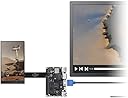
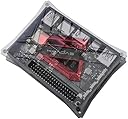
🚀 Power your projects with the VIM3 — where cutting-edge meets limitless potential!
The Khadas VIM3 is a premium single board computer featuring a 6-core Amlogic A311D processor, delivering up to 5.0 TOPS AI performance via its Neural Processing Unit. It offers flexible connectivity with switchable PCIe and USB 3.0 ports, dual-band AC Wi-Fi with RSDB, Bluetooth 5.0, and Gigabit Ethernet with Wake-on-LAN. Designed for professionals and developers, it supports multiple OS options including Android, Ubuntu, and LibreELEC, and boasts a stackable form factor with extensive GPIO and multimedia interfaces. Ideal for advanced AI, multimedia, and IoT applications, the VIM3 balances high performance with energy efficiency and robust community support.


| ASIN | B07WCS4Z6V |
| Best Sellers Rank | #2,324 in Single Board Computers (Computers & Accessories) |
| Brand | Khadas |
| Built-In Media | WiFi Antenna*2 |
| CPU Model | Cortex |
| CPU Speed | 2.2 GHz |
| Compatible Devices | Devices with HDMI, Wi-Fi, Bluetooth, or Gigabit Ethernet connectivity |
| Connectivity Technology | HDMI |
| Customer Reviews | 4.1 out of 5 stars 63 Reviews |
| Manufacturer | Shenzhen Wesion Technology Co., Ltd. |
| Memory Storage Capacity | 32 GB |
| Model Name | VIM3 Pro |
| Operating System | Android/LibreELEC/Ubuntu |
| Processor Brand | Amlogic |
| Processor Count | 6 |
| Processor Speed | 2.2 GHz |
| RAM Memory Installed | 4 GB |
| RAM Memory Technology | LPDDR4 |
| Ram Memory Installed Size | 4 GB |
| Total Usb Ports | 5 |
| UPC | 724873165276 |
| Warranty Description | 1 |
| Wireless Compability | 802.11a/g/n/ac |
V**D
Powerful SBC with features worthy of the premium price
This is a very powerful and energy-efficient SBC, with features that well justify the premium price. I'm using this for an SDR project. It's perfectly capable of running gqrx and moderately complex GNURadio flows, and with a little tweaking can handle SDRTrunk P25 decoding, using an RTLSDR or even a hackrf at 10 Msps. It's typically compared to Raspberry Pi 4 and some of the ODROID boards, but this one sort of defines its own class. It's perhaps less "user-friendly" than the RPi, but as with most things in this world, if you want to live on the bleeding edge, you have to work for it. The board is based on the Amlogic A311D, an ARM64 SOC intended for TV boxes. Its architecture features four high-performance cores and two power-efficient cores. This arrangement is perhaps better than the more common arrangement of many little cores and few big ones (or equal numbers), as it lets you have your device always active handling background tasks with minimal power drain, and summon massive power on demand. There's also a suspend-to-RAM mode that drops power consumption to near zero, with several wakeup options available. Out of the box, you can power it up and it'll boot a perfectly usable version of Android from eMMC. Or you can put a Linux image on an SD card and boot that, then install it to the eMMC, or not. They've engineered this to be fairly difficult to hard-brick, it has a ROM loader that can be summoned by pushing buttons at power-on, and Khadas provides a "rescue" SD image that can fix the bootloader, backup/restore/erase/upgrade the eMMC, etc. On the Linux side, it can be a little rough around the edges, but there's a very active team of open source developers supporting it, and it's possible to run latest or nearly-latest Linux kernels on it. Khadas has active forums on their site where you can get support from the devs and other users. Best features: Low (!) power draw: With the ondemand CPU governor, and without making any special efforts like disabling cores, this thing idles around 2.2W, connected to 5GHz WiFi and Bluetooth, and sitting at the GNOME desktop. Power usage can be dropped even lower by tweaking CPU governor settings, disabling cores, disabling WiFi/BT, putting the HDMI to sleep, etc. I've seen it idle down around 1.3W, but with most of the goodies turned off. On the other end of the spectrum, it can surge over 10W under heavy load, and deliver the sort of performance you'd expect from an ARM at that wattage. Onboard power regulator: You provide a fairly clean source of 5-20VDC, it takes care of itself. If you're on the lower end of that range, you have to allow for brief spikes of high current, which is why they recommend a 4A adapter. You can use a USB-C Power Delivery adapter, the VIM3 will request what it wants, or you can provide suitable voltage through the USB port or through the header behind it. If powering externally from more than 5V, do NOT plug your computer or anything else you want to keep into the USB-C port, the power rails are common. The two USB-A ports provide regulated 5V regardless of supply voltage, and with a little poking around in the kernel device trees, you can even turn the power to them on and off under software control. Power & reset buttons, and a Function button that's used at bootup to enter recovery mode, and also can be read in software. There's an onboard IR receiver too, for use with Khadas's remote, or other ones with a bit of hacking. USB in abundance: The two Type-A connectors are standard USB. One is USB2, the other is USB3 (unless you enable the PCIe port, then it falls back to USB2). The Type-C carries a USB2 OTG port, and there are two others available with a little work: one hiding on the PCIe/M2 connector (?) and one on the GPIO connector. That PCIe/M2 port: You can turn that on instead of USB3, and use a pretty good variety of one-lane M2 PCIe cards or SSDs (not SATA ones though!). Support for most of the basic functionality is in the mainline Linux kernel, and the open-source dev team provide a bunch of patches to add more. The vendor provided kernel-4.9 based Ubuntu image is a bit long in the tooth, but does work fairly well and has support for all the bells and whistles. And... Full schematics and IC datasheets on Khadas web site. If you want to know how something works, how you can hack it to do something else, or what its voltage limits are, it's there. And the website and forums are full of useful info on how to use most of the board's features. Some caveats: You need a heatsink. The Khadas passive one is fine for light load and engineered to fit nicely without bulking up a very slim board. If you're going to run sustained heavy load you need more, or you'll hit thermal throttling and core shutdowns. Khadas has a heatsink-with-fan option, or you can roll your own, and there's a PCB header for a PWM variable fan. The white "heartbeat" LED speeds up as temps rise, a nice touch. Clean power is a must, especially if you're using 5V since there's very little headroom for the regulators to work with. The RMS current is quite low, but it can surge over 10W under load. If your VIM3 appears to be booting but has no video, check your power first, the HDMI really doesn't like power sags. Some of the I/O pins are 3.3V and some are 1.8V, and the docs aren't super clear on which. The schematic appears to be the ultimate authority on this matter. The forums are helpful too. Some of the advanced stuff (notably the NPU) doesn't work well (or at all) with the closer-to-mainline Linux kernels, you need to use the vendor-provided 4.9 kernel or do a lot of hacking to get it going. I didn't try out the NPU, since I don't need it for my project. The vendor 4.9 kernel didn't support my (third party) touchscreen for some weird reason, but the newer 5.12 does, so I didn't put a lot of effort into figuring out why. Overall, I'm duly impressed with this board, will probably buy another to experiment with after I finish my project (I kind of want to see that NPU do something), and will be keeping an eye out for new products from Khadas.
A**R
Very good quality, worked right out of the box.
I bought the Vim3 because of its flop speed, wanted to use it for thermal imaging, but so using Android it won’t completely interface. But the board itself worked great right out of the box and passed all other tests. Just need to write code for the interface to app configuration.
D**E
It's ok, this is truly a "hobbyist" board.
The hardware is sound, however, software/operating system is very "Beta". This is geared more towards to the "hobbyist" market - it's for guys/gals who want to tinker with operating systems, hardware - in particular NPU, etc. If you are into tinkering at the hardware/API level, this is a board for you.
B**Y
Great Performance but at a HIGH Price
These are very powerful (for their size) SBCs. They are tiny compared to anything else you will find with this level of power. They are priced on the high side compared to their competition but also much smaller in size. If you buy one, do yourself a favor and put it in a slimline KKSB machined and anodized aluminum case. It will look better and run cooler than in the Khadas case. The KKSB case retains the tiny footprint as well. It's an expensive SBC. It deserves a case that makes it look expensive as well. This little SBC and the KKSB machined case makes a great Android TV Box. You can buy a functional Android TV box for a fraction of the cost but you get what you pay for.
M**V
Outstanding SBC
Outstanding performance for its price. Runs AI algorithms as the promised 5 TOPS. Beats Odroids and Google Corals, among many others. Well engineered all around, including its (optional) heat sink and fan. Has all the right ports, conveniently placed. One of the first boards with the relatively new Amlogic processor. The design is open-sourced, with comprehensive documentation is on the Khadas website. The standard Khadas 5" display is 4-lane MIPI and for my taste it has a bit too high resolution at the expense of brightness. The company is Chinese with Western people in the team who provide excellent support for large quantity buyers.
M**S
Plagues with outdated documentation and broken links.
This board seemed like a very neat idea. I particularly liked the form factor and the potential of using the NPU for my ML apps. But I could not any of the popular ML frameworks to use the NPU onboard. I could not get the board use a NVME reliably. The documentation on KHADAS is outdate with many broken links. Best to avoid KHADAS line of products until they step up their game.
C**R
Works fine, some issues.
Easy to install and set up with Ubuntu on eMMC, or works fine out of the box with the pre-installed Android image. Excellent documentation can be found at the manufacturer's website. HDMI and USB-C power ports are too close together so the width of your cable plugs must conform. Boots fine with a Pi4 power supply, but Apple power supplies do not work. "Total Installed RAM" is being falsely advertised as 32GB. Note this is a 4GB board with 32GB onboard eMMC.
S**.
Could be a winner, but has many marks against it.
With the current chip shortage, I have been looking for a replacement for or an addition to my Raspberry Pi's. From the description one would think the Khdas would have been a great runner up. It says it supports Linux, speciifically tested with Ubuntu, and has some AI chips which I believe is what is running the AI off of the EMMC memory, There were some other bonuses that seem to make this a good option, you could flah the EMMC to run your Linux direct from there as opposed to the SD Card, it has only 4GB Ram, but such a board really doesn't need a ton of RAM so I was OK with that. You can add an m.2 drive, which I have not tried but read it could be done. Over all the power of this board and it's features which include the 40 pin GPIO makes one think it would make a great replacement for Raspberry, if not a worthy competitor. However, the issues that concern me are the same with many of these engineering boards, very little support, no manual, no good documentation, and nothing to help you support the use of this board. Also, this is supposed to be a High Performance: Amlogic A311D - x4 2.2Ghz Cortex A73, x2 1.8Ghz Cortex A53 12nm SoC however, once I figured out that this could not run Linux, atleast not any standard flavor of linux, and found that it has only been tested by the manufacturer with a flavor compiled just for this board, I found that the video out (via HDMI) was stuck in monochrome orange. So I reimaged the SD card with an earlier compiled Ubuntu version on Khadas's website and that seem to fix the color issue, however, the board is extremely slow. This is definitely not running at 1.8Ghz, or rhwe 2.2Ghz one should be getting. I contacted Khadas via their website with some questions, as well as via their message us on Facebook, and each time even after explaining I had been to the forums and read the documents online, I was continually redirect back to those same resources. So there is no support by the maker for this board. Now, to clear one thing up. I am not saying that this is a POS, and you should avoid it. In fact, what I will say is that if you know your intentions and this board supports those intentions, then for the price, this is an excellent board. However, if your a maker who has a specific project in mine and need some hardware flexibility where you are not locked to 1 specific OS, and only 1 specific precompiled OS with no other options and you (like me) are not able to compile your own OS, then you will wont to consider something else. This board is going to be for the more senior of the makers, coders, and those who's bag of tricks would not fit in a pickup truck. For me, I am not stuck with the question as to whether I return this as it's not as described since it says it supports Ubuntu but it doesn't, it supports only their compiled verion of Ubuntu with no other OS's compiled. Or do I keep it, and use it as a NAS freeing up one of my other Raspberries. Right now, that seems like the logical thing to do, just do to the costs savings as these boards compared to Raspberries are pretty cheap. So that is my take on the Khadas. I am not basing it, nor am I giving it a glowing review. I am simply telling you that you need to know what you goal is with this board and if you feel you can achieve that. If not, then this board is not for you. If you can, then this is a great board for the money, and right now, it's the cheapest option on the market, and its a solid board from my experience thus far. I just wish I understood why it is so slow compared to my Raspberry which is a 1.5Quad Core. The Khadas should be much faster but it definitely doesn't appear to be, and that is likely do to the singular OS, Best to all. I would love to hear about others thoughts on this board. Thanks
Trustpilot
2 weeks ago
4 days ago