We remain fully operational. Our teams are working around the clock to ensure your deliveries continue safely.

DOWNLOAD THE APP


Copyright © 2025 Desertcart Holdings Limited
DOWNLOAD THE APP


🚀 Elevate Your Digital Experience!
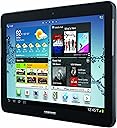
The Samsung Galaxy Tab 2 (10.1-Inch, Wi-Fi) 2012 Model combines a vibrant 720p HD display with a powerful dual-core processor, making it an ideal tablet for both work and play. With 16GB of internal storage and the option to expand via microSD, this tablet ensures you have ample space for apps, media, and more. Its lightweight design and long battery life make it perfect for on-the-go professionals.
| ASIN | B007M50PTM |
| Age Range Description | Adult |
| Aspect Ratio | 16:9 |
| Battery Average Life | 7 Hours |
| Battery Cell Type | Lithium Ion |
| Best Sellers Rank | #873,700 in Electronics ( See Top 100 in Electronics ) #7,408 in Computer Tablets |
| Brand | Samsung |
| Camera Description | Front, Rear |
| Cellular Technology | 3G |
| Color | Black |
| Compatible Devices | Samsung GT-P5113 tablet |
| Connectivity Technology | Wireless |
| Customer Reviews | 4.3 4.3 out of 5 stars (2,469) |
| Display Resolution Maximum | 1280 x 800 Pixels |
| Display Type | LCD |
| Front Photo Sensor Resolution | 0.3 MP |
| Generation | Android 4 |
| Global Trade Identification Number | 00635753498493 |
| Graphics Coprocessor | 1500 |
| Graphics Description | Integrated |
| Hardware Interface | MicroSD |
| Headphones Jack | 3.5 mm x 1 |
| Human-Interface Input | Touchscreen with Stylus Support |
| Item Weight | 1.28 Pounds |
| Lithium-Battery Energy Content | 7000 Milliamp Hours (mAh) |
| Manufacturer | ???? |
| Memory Slots Available | 1 |
| Memory Storage Capacity | 16 GB |
| Model Name | Galaxy Tab 2 |
| Model Number | GT-P5113TSYXAR |
| Model Year | 2012 |
| Native Resolution | 1280 x 800 |
| Operating System | Android 4.2 Jelly Bean |
| Photo Sensor Resolution | 3.15 MP |
| Processor Brand | Samsung |
| Processor Description | ARM Cortex A53 |
| Processor Speed | 1 GHz |
| RAM Memory Installed | 1000 MB |
| Screen Size | 10.1 Inches |
| Specific Uses For Product | personal |
| Total Usb Ports | 1 |
| UPC | 635753498493 813774017767 635753499308 |
| Video Capture Resolution | HD 720p |
| Warranty Type | Manufacturer's Warranty |
| Wireless Compability | 802.11bgn |
| Wireless Technology | Bluetooth, Wi-Fi |
D**S
Samsung Tab 2 10.1 WiFi - Very Detailed Review On The Many Excellent Features Of This Tablet.
Updated Review: April 23, 2014 - For getting close to 1 3/4 years now, I have been totally enjoying this excellent Tab 2 10.1 WiFi tablet and I continue use this very dependable tablet for hours each day---it has never failed me and still runs like a champ! Since I am a techie, I tested this tablet thoroughly and I have found it to be excellent for my everyday basic computer functions at home and on the road. And it is much easier to travel with than my heavy laptop. For you the reader, my goal here is to give you everyday and practical uses regarding the Tab 2 10.1 WiFi model. Last August, 2013, I updated to 4.2.2 as it has many improvements and my tablet is running perfectly and it is up to date. The update did remove the screenshot, however, I use the Power Key and Volume key and this takes a screenshot when needed. * Update sent by Samsung today December 14, 2013 - Just updated today my Tab 2 10.1 via the OTA (Over the Air) directly on the Tab itself. The update is not that large at 65MB and just took about 15 minutes from the downloading of the update to the re-booting and installing the updates into the tablet. Samsung is rolling out this update now to improve stability and improve the features on the Tab as it updates the 4.2.2 original update. Result I found after this update 12.14.13: WiFi working great, Amazon Videos loading and playing wonderfully. (I just double click the center of the Amazon Video for full screen). Also tried the camera and several apps and so happy to report that the Tab 2 is running smoother and faster since this update. PROS: - EXTERNAL SLOT FOR MICRO SD CARD - What a great feature! It is set to accept up to 32g SD, however, you can add a 64gb SD card, however, you will have to format it inside the Tab 2 and it will then be ready to add files. For me, I placed a 32g in mine for music, files etc. Note that this was one of the deciding factors that sold me on this tablet. *Keep in mind where External SD cards are concerned: They are JUST for your personal files: music, videos, photos, and other files. When you install apps from the Playstore or other sources, they store either in INTERNAL SD Card area or the main internal area. - WiFi Connecting/Speed of WiFi - This I tested using my home router and on the go at many hotspots with WiFi. What I discovered: The Tab 2 connected very quickly to my home router and has a high rate of speed no matter where I am located in my home (of course the closer to the router, the faster). Other hotspots: No problems at all connecting and staying connected on these. And I found the speed still high at home with several devices connected to the router, no loss in speed. **Note that I had other tablets before this one and for me, none gave me the quick connect and overall speed over WiFi as the Tab 2. **Newest observation--Today, I tested ALL my WiFi devices (phones and Tablets) and discovered this: Using my home router I noticed that the Tab 2's that I own (7 inch and 10.1 ones), connected faster and have far greater distance to my router than even my Android phone did as it seems to have the HIGHEST signal strength and longest WiFi distance). Then I took the Tab 2 outside and even in my back yard (furthest from router), still got a signal, moved in to back porch and got a very good signal. The same holds true when I travel, I am able to connect to many free WiFi hotspots, easily with great signal strength. - Internet & Webpage & Video Viewing - The stock browser does a great job, however, I use Maxthon Browser and installed archived flash so I have great internet flash video viewing results and it renders webpages quite fast for me. And I suggest the free app called Pocket from the Playstore so you can read internet articles later offline. Even TODAY after almost ten months of ownership, I still enjoy using this tablet for viewing internet pages, videos and more. - Reading/Creating/Editing Word, Excel, Text Files and much more on this tablet: This comes with a OK app for reading Office documents, however, I prefer Kingsoft Office which is a free app from Playstore. It is the best I have ever tried and I am very picky about so called Office programs. It is very compatible with MS Office as it reads, edits and creates Office files and reads PDF files, and it has more features of any other Android Office program that I tried. This app is a MUST have for tablet owners in my opinion. - Printing Using the Tab 2 - Yes, even with my older home printer, I print documents, photos, etc that are on my Tab 2 using the app Cloud Print and PrinterShare Mobile (both free from Playstore. In addition, there are many apps in the Playstore that will allow you to print using the Tab 2. (If you have questions about printing using the Tab 2 or any question, please ask in the comment section and I will answer). - Watching Online Flash Videos Directly From Maxthon Browser (regular one not the tablet one is best) - If archived flash is installed and Maxthon Browser or other good browsers, I can play videos online. All videos I have tried have played just fine. ***Please ask me in the comments if you need more details regarding watching online videos of any kind on the Tab 2 and also instructions on archived flash,etc... - Home Videos - The stock video player is OK and plays MOST home videos, however, may I suggest QQ Player (Free App from Playstore and the ONLY one I recommend as it plays every home video I tried). - Music Player/Sound Quality - Stock player has clear sound through the outside "speakers" and very clear using headphones. To sync easily with Windows Media Player may I suggest the Playstore app free) WinAmp for the tablet as it is very highly rated and the sound is SUPERB! **** SUGGESTION: If love watching videos and listening to music, may I suggest that you invest in a Bluetooth Speaker. There are many out there on Amazon most are OK and many low it cost. However, for me I use the EasyAcc Second Gen Bluetooth that Amazon sells and the sound is SUPERB! Also, it plays stand alone SD card music and Flash Drive music as it has the ports for that (the Flash drive and LARGE STANDARD SD cards play directly from the ports the music as stored on the Flash drive of SD CARD). - Battery Life- Excellent! This is what I have found: When I am on WiFi, I go to the websites I need and then as soon as I am done (reasonable time), I exit the browser (or YouTube, etc) and TURN OFF WiFi. However, I run my brightness at 100%. So on an average day, I get at least 8-12 hours using the tablet before I charge it (depending on how long my WiFi is connected). - OTG USB Compatible - You can add an optional OTG (On the Go adapter cable to the Micro port for copying files to your flash drive and from your flash drive to the Tab 2). You can also plug in a mouse, I tried it and it worked. *Note that portable external hard drives and portable DVD/CD drives will not work using OTG in the Tab 2 because these both require a lot of power to be compatible with the Tab 2 and most tablets that have the OTG. However, it is still good to know that you can easily plug in your flash drive and copy files to the Tab 2 and from Tab 2 to PC--what a time-saver. - On-Screen Keyboard - For me, I prefer to use the large keys on the on-screen keyboard so this one is PERFECT for me to type on. However, there are many great Bluetooth keyboards out there for the Tab2. - The tablet is very well constructed, however, to secure it better, I bought from Amazon a MoKo adjustable stand/case that I set it up in landscape mode and it has 3 positions. - Bluetooth Speed and Performance - The Bluetooth paired quickly with several devices and copied files at a great rate of speed. Speaking of Bluetooth: Also there are many great Bluetooth keyboards out for the Tab2. (Just make sure you purchase one for JUST THE TAB2 10.1). - SPECIAL FREE OUTSTANDING APPS I SUGGEST FROM THE PLAYSTORE: * Pocket App (This is a must app you can "save to" Pocket and read text later when offline so you can read text articles (you must be online to watch videos or view pictures however). * Cloud Print and PrinterShare Mobile (both free lets you print right from your tablet). * TV SHOW APP (free) is US TV & Radio Free and also get TV Guide app to go with this. This is an app that lets you watch many TV shows (but they are live so you will need TV Guide app to see what is on). These apps I have tried and the tablet plays the shows wonderfully in full screen. This app also has great radio stations on it. (Note that this app is HUGE almost 33MB but you can watch most cable TV shows on it LIVE). * Netflix (free in Playstore), You really need this app if you plan on watching Netflix using this tablet. * Hulu Plus, I recommend for movies and more. * TV.COM - gets SOME TV shows and some networks, but you can watch pre-recorded shows. Also great FREE apps: WiFi Analyzer (lets you know how strong your WiFi is), QQ Player, QuickPic (better than the Gallery), Maxthon Browser, AVG Antivirus Free, and I list more in comment section. - Wonderful Kindle Android App is pre-installed, and I downloaded several Kindle books with no problems. Kindle loads fast and this Tablet is a joy to read a book on either Kindle or any eBook or PDF booklet. CONS: (Just one con I found, however, this con is NOT the fault of Samsung) - New Adobe Flash is not supported, however, I found that archived flash gets the online videos to play. So I downloaded the older archived flash which gives me the ability to view many internet videos. *****Update August 30, 2013 ***** There is an AUTO UPDATE for the new OS that will be starting up the next time you turn on WiFi or very soon. It is best that you are aware that you MUST has at least 60% battery, or better yet 100% battery as this update takes up LOTS of space and take a long time to complete. (You can also turn off the auto update to prevent this from happening). Note that the update removes your soft key for the Screenshot and moves the soft keys into the center and lots of other changes. So you may want to take a look at the comment section as there is quite a bit posted these on this)... Bottom line: Would I buy this WiFi only model over again? Yes I certainly would, in a heartbeat! So if you are looking for a superb Samsung 10.1 inch tablet and you have great access to WiFi, this is the one to buy. Also, since I am somewhat of a techie person, I will be happy to answer any questions you may have through the comment section. Hope this review has assisted you and thank you for reading it. And also, we have a great discussion going in the comments. Should you have any questions, ask anytime and I will answer right away.
A**G
The Samsung Galaxy Tab 2 is a great tablet!
I have been using this tablet for just over a month now. I wanted to wait a while before writing this review to be sure I had tested it out thoroughly. I must say that I am extremely pleased with the performance of this tablet. I researched for months before I bought a tablet because I wanted one that wasn't restricted, had good reviews, but most of all, was affordable. I didn't want to drop $500+ into a tablet or an i-pad. I got this tablet and a leather case with a removable/rechargeable/bluetooth keyboard for under $350. That was one heck of a deal to me. Another good thing about this tablet is that it comes the the android 4.1.1 operating system. From what I read, the previous OS was somewhat restricted. I got this tablet from Amazon, so I wouldn't worry about getting an older version. (Update 5-25-13) Loved this tablet so much that my girlfriend couldn't resist getting her own. She too is very satisfied with the tablet. In fact, she likes this tablet over her I-pad Mini that she got from her job. (Update 8-26-13) Now my girlfriends mother got this tablet. Again, all three of us love it! I am now in my second semester using it. Still very satisfied. In fact, Samsung has updated the way the tablet works with external keyboards so now it is even more easy to use. It is much more like a laptop with control v,c,x etc. working better. Before,the tab button would set your cursor off the page instead of the next box down the list (if you were filling out a form like address info etc). Now it all works! One disappointment I still have is that the copy and paste problem still has not been addressed. It's too bad, that is really the only real complaint I have with this tablet. (Update 10-2-13) There was a new software update for this tablet that in my opinion, is an improvement from the previous layout. I have had a few weeks to use it and have enjoyed the update. The best part about this update is that the COPY AND PASTE WORKS!!! Finally, the only huge complaint I had with this tablet has been addressed! My tablet hasn't crashed using copy and paste since the recent software update! (Update 12-12-14) After countless hours of hard work, this tablet is still running. I will say, that my tablet started to run slow and had "choppy" internet browsing the last month or so. I finally had to move all of my important data to my SD card and factory reset my tablet. It now is running better, but not as it did when I first bought it. Keep in mind, I thoroughly used this tablet heavily for school among various other things. I can't believe that it has held up this long. It still works great, the only problem is that browsing the internet is a little "choppy" at times. I have just finished my degree and owe a lot of studying, written papers, and good grades to this wonderful tablet. Battery Life/Portability Every single day that I go to school I put this tablet through its paces. I take hours of notes, study/read books on it, watch videos, listen to music, I use everything daily on it. It's so nice to have the portability of a tablet. Especially in a crowded area with little space like a train. Unlike a computer, I can pull the tablet out and turn it on and off without waiting for it to boot up or shut down. It's also very nice to not have to deal with a permanent keyboard for situations like that. Battery life is amazing too. I start using it on the train at 7 am, go through the entire day at college, and continue to use it until I am back from my train ride which is around 4:30 pm. That's 9 and a half hours of near constant use with the wifi on and it still has around 25% battery life left. Note Taking It's very convenient for note taking because unlike an i-pad, Microsoft word, power point, and excel work on it for FREE! It comes with software that will run all of this, however, I prefer kingsoft office which was also free. It's just more user friendly. During note taking, I often get on Google and insert pictures into my notes. I must admit that it isn't quite as easy to do as a computer because you can't simultaneously have a word program up at the same time as the internet browser. But it does save your spot in the word program and in the internet browser so it's very easy to jump back and fourth. I have typed many papers and taken many notes for hours at a time and felt comfortable doing so. This is why I got the 10.1" vs the 7". I wanted to be comfortable because I knew I would be using this for long periods of time. I even typed this review on my tablet. However, keep in mind that I don't use the touchscreen keyboard for my typing. I got a leather case with a removable keyboard. GSAstore (tm) - 10.1 Inch Protfolio Case with Removable Bluetooth ® Keyboard for Samsung GALAXY Note 10.1 (N8000/N8010/N8013). Black I am very happy with this product and recommend checking it out. The touchscreen keyboard isn't bad, just not efficient enough for long periods of typing in my opinion. There is one thing I discovered that can be annoying. When copying and pasting, it can cause the tablet to reboot. This doesn't happen every time you copy and paste, but either way, it's a pain. I did research online and apparently this has nothing to do with the tablet but with all newer Android operating systems. Phones and tablets are included. I am sure Android will fix this with an update in the future. This is one of the only problems I have found with this tablet. Update 5-9-13 (Note Taking) I recently found out that this tablet can have trouble with documents that are big. I mean VERY big. I have an anatomy notes document that is literally 160+ pages with loads of pictures that I inserted into it. The tablet takes a while to load it to begin with, but the larger problem resides with scrolling through the document. It's large enough to where the scrolling is no longer smooth but "jittery". Also, changes take a while to save. This is a HUGE document though. It's probably unlikely that most people will run into this issue with normal sized documents! Reading I know that some people as well as myself were concerned about this being strenuous on the eyes after long duration's of reading. I have not found this to be the case. The screen can be easily dimmed down while reading your book. You can pick what background color you want behind the text to help (kindle store). Another cool feature (amazon kindle store) is that while reading a book, if you see a word you don't know, you can select that word and the program provides you with a definition of that word. Web Browsing Browsing the web is crisp and smooth, so is watching videos via websites like Youtube or forums that don't have apps. The streaming for the apps works wonderfully too (most of my experience is with Netflix and IGN). The screen is amazing and clear, especially when watching a movie or show in HD. Memory The 16 GB of stock memory actually lasts a pretty long time. I have put all of my music (about 8 GB) on it, and have a whole lot of documents and apps installed with plenty of room to spare. You can always buy the micro SD card to extend the memory another 32 GB. You can connect this tablet to your computer via the cable provided and get anything you want from your computer. I simply drag/dropped my music into my tablet. Its very simple. Most of my music is in i-tunes, this tablet automatically converts the i-tunes files so they can be used. Email It is very easy to sync multiple emails to this tablet and also very easy to navigate those emails. You can attach any file just as if you were on your computer. Sound/Speakers The speakers on this tablet are in fact surprisingly loud. I would say they are about as loud as most laptop speakers. Obviously they don't make the music sound "full" with bass and other variations in tone but that isn't really a problem for me. I am impressed with the speakers sound quality. Video Chat My girlfriend and I use our tablets to video chat. It works very well, the picture quality isn't HD, but neither is my $1700 laptop. They look about the same to tell the truth. The system is very easy to use and is much more convenient through a tablet versus a computer! Update 6-18-13 (Screen) I have had this tablet for quite some time now and have no problems to report. I still use it every day even when I am not in school. It is just so convenient to have around the house for various reasons. I wanted to talk some about how well the glass for the screen has held up. I didn't buy a clear screen cover because I read that Samsung used "their own version of gorilla glass". I have had it in a case the entire time that I have owned the tablet. I have yet to see any permanent marks/scratches of any kind. I simply use glass cleaner and a microfiber cloth every now and then to clean the screen. So with that being said, I would say that if you have a decent case, you don't need to waste money on a clear screen protector. I will continue to update this review as I learn more about the tablet or if I run into anything problematic. So far, this has exceeded my expectations. It works so well and is very convenient on various levels. If anyone has any questions about this tablet, I would be more than happy to answer to the best of my knowledge.
Trustpilot
1 week ago
1 day ago