We remain fully operational. Our teams are working around the clock to ensure your deliveries continue safely.

DOWNLOAD THE APP


Copyright © 2025 Desertcart Holdings Limited
DOWNLOAD THE APP
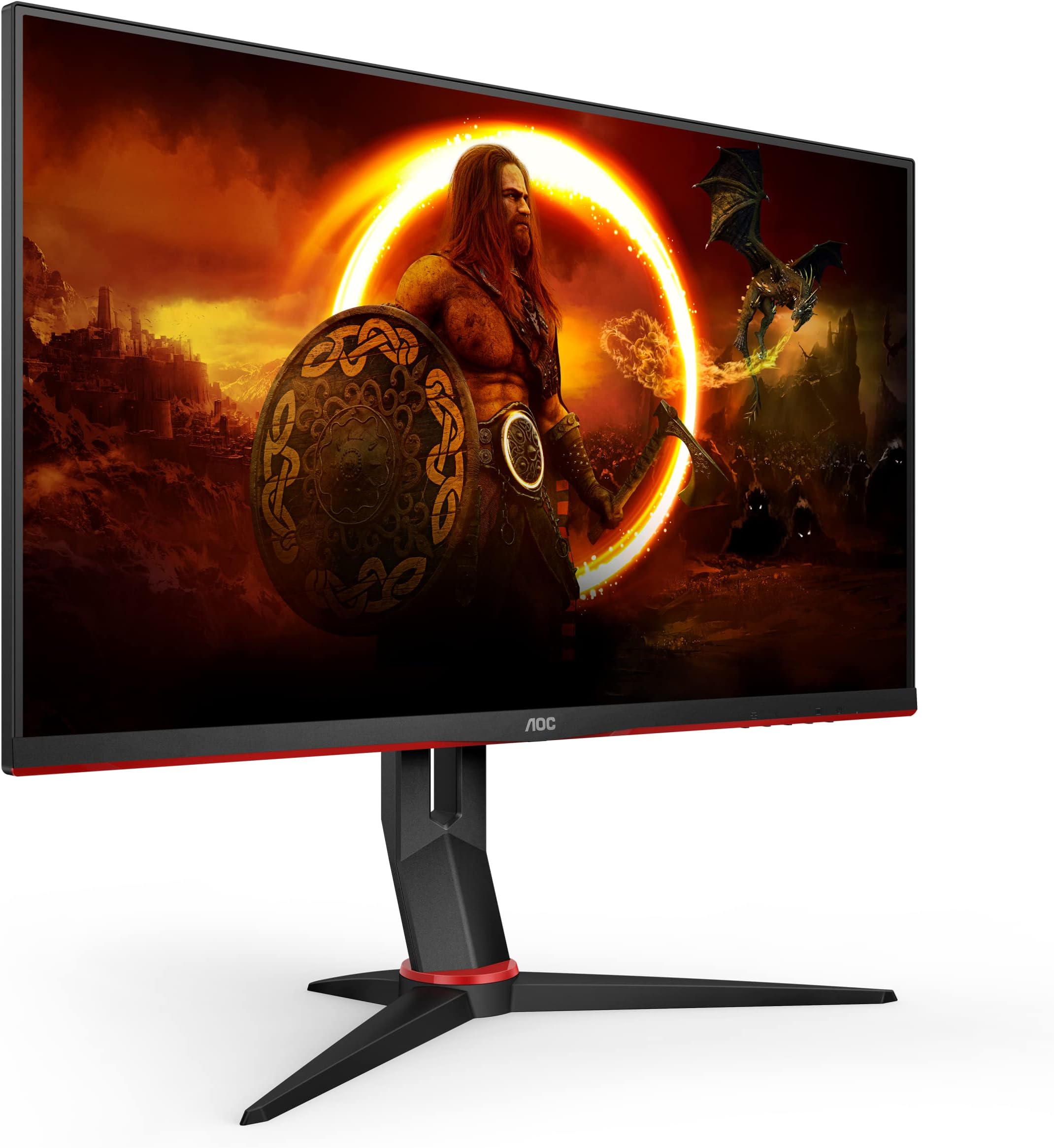



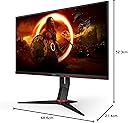
⚡ Dominate your desk with speed, clarity, and style!
The AOC Gaming Q27G2U is a 27-inch QHD VA panel monitor delivering 2560x1440 resolution at a blazing 144Hz refresh rate and 1ms MPRT response time. Equipped with AMD FreeSync Premium, height adjustability, and a USB 3.0 hub, it’s designed for professionals and gamers seeking smooth visuals, ergonomic comfort, and versatile connectivity.


| ASIN | B083QQ6V1N |
| Adaptive Sync | FreeSync Premium |
| Aspect Ratio | 16:9 |
| Best Sellers Rank | 21,377 in Computers & Accessories ( See Top 100 in Computers & Accessories ) 367 in Monitors |
| Box Contents | 1 year technical support, AOC Q27G2U/BK - WLED 27"" AMD FreeSync |
| Brand Name | AOC |
| Colour | Height Adjust - USB hub |
| Compatible Devices | Computer |
| Contrast Ratio | 3000:1 |
| Customer Reviews | 4.4 4.4 out of 5 stars (1,317) |
| Display Technology | VA |
| Display Type | LED |
| Global Trade Identification Number | 04038986187121 |
| Hardware Connectivity | DisplayPort, HDMI, USB |
| Has Color Screen | Yes |
| Image Brightness | 250 cd/m² |
| Item Dimensions D x W x H | 21.4D x 68.6W x 52.3H centimetres |
| Item Weight | 7.5 kg |
| Manufacturer | AOC |
| Maximum Display Resolution | 2560 x 1440 Pixels |
| Model Name | Q27G2U |
| Model Number | Q27G2U/BK |
| Mounting Type | Wall Mount |
| Native Resolution | 2560x1440 |
| Network Connectivity Technology | DisplayPort, HDMI |
| Picture Quality Enhancement Technology | FreeSync |
| Pixel Pitch | 0.233 |
| Processor Count | 1 |
| Product Features | Height Adjustment, USB Hub |
| Product Warranty | 3 Year warranty |
| Refresh Rate | 144 Hz |
| Resolution | QHD Wide 1440p |
| Response Time | 1 Milliseconds |
| Screen Finish Type | Flat |
| Screen Size | 27 Inches |
| Shape | Flat |
| Specific Uses For Product | Gaming |
| Total HDMI Port | 2 |
| Total USB 3.0 Ports | 4 |
| Total USB Ports | 4 |
| Total Video Out Ports | 3 |
| Unit Count | 1.0 count |
| Viewing Angle | 178 Degrees |
| Warranty Type | Full Warranty |
A**R
Fantastic product..!
I own the g9 Odyssey and a few other cheap monitors from work - prior to getting this master piece, I got Samsung's garbage monitor (G5) which I couldn't stand for more than an hour. I was trully disapointed and returned the garbage monitor and got this one (a much cheaper option) and honestly, it's mind-boggling, the monitor is 100% spot on - I'm pairing it with a ps5. Brightness : 80% - wish it was a tiny bit brighter Colors : 90% Screen quality: 90%
J**J
Perfect step up
Perfect for a first gaming monitor especially when purchased on a deal. Visually this monitor is fantastic and does exactly what I needed an more. So many features and settings which can be very fiddily and tricky to navigate using the buttons on the bottom however with an online guide or video directions which you can find for whatever you desire or want, it can be done easily.
J**S
great quality for the price
i got this to replace an aging monitor and i am glad i did! buttery smooth crisp games and videos, the design is really nice with barely any visible bezels. setup was a breeze as i mounted mine to a monitor arm, the usb hub is a great feature thats included, OSD is easy to navigate and setup to how you like it. one piece of advice i would give is to switch off adaptive sync as it causes backlight flicker and turning it off solves the issue. i would highly recommend this for anyone looking to refresh their monitor for a decent price.
�**�
Good quality product however I do notice screen flickering
The product is good overall with its resolution price and size however the monitor stand is un necessarily big and the screen does flicker on the edges sometimes
M**D
Does not work properly with g-sync
I bought this as part of a new rig I built for 1440 gaming - Ryzen 7 7700X, RTX 4070. This is a nice enough monitor but is NOT g-sync compatible - you can certainly enable g-sync on it but buyer beware: when playing games which are heavy on the graphics card causing framerate fluctuations, you get a momentary change in brightness level when the screen syncs to the new framerate - it looks like blinking. On a game like Starfield you get a LOT of framerate changes which means a lot of blinking. After much research the bottom line is that this monitor is NOT g-sync endorsed by Nvidia, but that does not prevent you from enabling it. So buyer beware - while g-sync can be enabled, it is virtually unusable with this monitor. For this reason, I have marked "Brightness" down to 3 stars, as gsync causes rapidly fluctuating brightness levels. Another gripe is that the picture area does not extend to the bezel - you can clearly see the pixelised area of the screen stops with about 5mm of un-pixelised screen to spare before the inside edge of the bezel. I have no idea why this was done, it kind of defeats the object of the exercise of having minimalist bezels. Perhaps its so they can market it as 27 inch when in fact it is slightly less. Perhaps they just bung a cheaper screen on an existing 27 inch bezel production line to save costs. It just looks a bit odd with the pc running - my older 24 inch 1080 Acer monitor has minimalist bezels with the pixelised screen extending right up to the bezel. The on-screen menu is fiddly, the buttons are offset from their bezel labels and learning their layout and function takes time. The offset is annoying as initially I was frequently turning the monitor off in error when trying to adjust the screen. The downloadable software is not great - it is quite dated and definitely pre-dates Win 11. I uninstalled it after a brief trial. There are 3 discreet pieces of software. One would did not work at all - it was supposed to be some sort of productivity tool but it did not seem to do anything. One lets you share screen settings with other users (cannot see the point of that - screen settings are so subjective) and the third seems to let you make the same screen adjustments that the physical monitor buttons do, and is therefore of minimal use once you have got to grips with the buttons layout. Gripes aside, the screen is bright and detailed with nice colour and contrast levels. It plays nicely - with g-sync disabled - on slower games. Just don't buy this if you specifically want g-sync (if you already have an AMD graphics card you can use freesync, but I cannot review that).
R**N
Great value for those looking for a cheaper 1440p 144hz monitor.
Upgraded from 2 1080p monitors to 2 of these. Picture quality is excellent. Minimal tweaking of settings to get them to run at 144hz. Great for gaming or just generally having things look better and smoother. Initially had an issue with one of the screen's going black for a second or so every now and then, this was most likely due to me using HDMI and Displayport inputs at the same time, (one for each monitor) after switching to Displayport for both screen's this issue has not returned.
D**D
Not even 4 years old and outlasted by the 10 year old basic Philips monitor
These monitors seem amazing at first, a decent stand, good colour, great screen to frame ratio, all the things you expect from a 1440p gaming monitor. Until one day 3 or so years later the screen fails to turn on fully until after several attempts, or fails to turn on at all. Then, you'll go looking online to see what the problem is to find threads upon threads of other AOC users having the same issue at exactly the same amount of time after purchase. AOC offer a warranty, but you'll be just past that. This will leave you with a plastic box full of components that won't make it to the 4 year mark. Back i go to the 10 year old screen that I bought this AOC monitor to replace. I'll try ASUS next i think.
M**.
Well worth the price tag!
Whilst this isn't the absolute best monitor for 1440p gaming, the price tag is very inviting. This is the best sub £300 1440p monitor to get you away from 1080p. Well worth the price and is quite pleasant to look at with the aesthetics.
M**A
Good item
K**N
Je viens de passer d'un écran 1080p 60Hz qui datait d'il y a 5 ans à ceci. La différence est vraiment génial. Il affiche du 155 Hz! Et la qualité 1440p est vraiment magnifique. Je ne peux pas voir les pixels, meme en me collant à l'écran.
J**D
Très beau écran pour son prix, ma chérie est ravis de passer d'un vielle écran 24" a un 27" en VA. Les couleurs sont belles dessus
A**R
Ich habe diesen Monitor für meine Gaming-Setup gekauft und bin sehr beeindruckt von der Leistung und Qualität dieses Monitors. Die Bildqualität ist sehr gut und die Farben sind sehr satt und lebendig. Die Auflösung von 2560 x 1440 Pixeln ist perfekt für meine Bedürfnisse (vor allem Gaming) und die 27-Zoll-Größe ist ideal für Gaming und Streaming. Die Bildwiederholrate von 144Hz sorgt für eine sehr flüssige Darstellung und ich kann jetzt schnelle Bewegungen ohne Verzögerung genießen. Der Monitor unterstützt auch FreeSync, was ein großes Plus für Gaming ist. Die Reaktionszeit von 1ms ist sehr beeindruckend und ich habe bisher kein Ghosting oder Schlieren festgestellt. Das Design des Monitors ist sehr ansprechend und modern. Der Rahmen ist sehr schlank und das gebogene Display sorgt für ein immersives Erlebnis beim Spielen oder Streamen. Die Einstellungen des Monitors können sehr einfach über das OSD-Menü eingestellt werden. Insgesamt bin ich sehr zufrieden mit dem AOC Gaming Q27G2U und würde ihn jedem empfehlen, der einen qualitativ hochwertigen Gaming-Monitor sucht.
A**A
In periodi migliori il prezzo dovrebbe tendere ai 250€, apprezzabile a livello estetico e composto di materiali di buona qualità. Rimane un monitor di fascia economica, la staffa in plastica è comunque ottima sia nell'aspetto sia per le funzionalità, le impostazioni del pannello possono essere gestite tramite sw proprietario AOC. Pannello VA QHD 144Hz, Freesync e G-sync compatibile certificato...davvero un ottimo monitor. Nota negativa: personalmente arrivando da un pannello ips è doveroso dire che i colori risultano poco fedeli su questo monitor AOC, tende a saturare molto il colore...nulla di trascendentale e comunque tramite sw AOC si possono salvare le configurazioni personali e gestire più profili per passare velocemente a settaggi ottimali per il gaming, per l'utilizzo lavorativo, per godersi un film e/o altro.
Trustpilot
1 month ago
1 week ago