Buy anything from 5,000+ international stores. One checkout price. No surprise fees. Join 2M+ shoppers on Desertcart.
Desertcart purchases this item on your behalf and handles shipping, customs, and support to Uruguay.
๐ผ Elevate your workspace with storage that works as hard as you do.
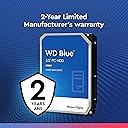
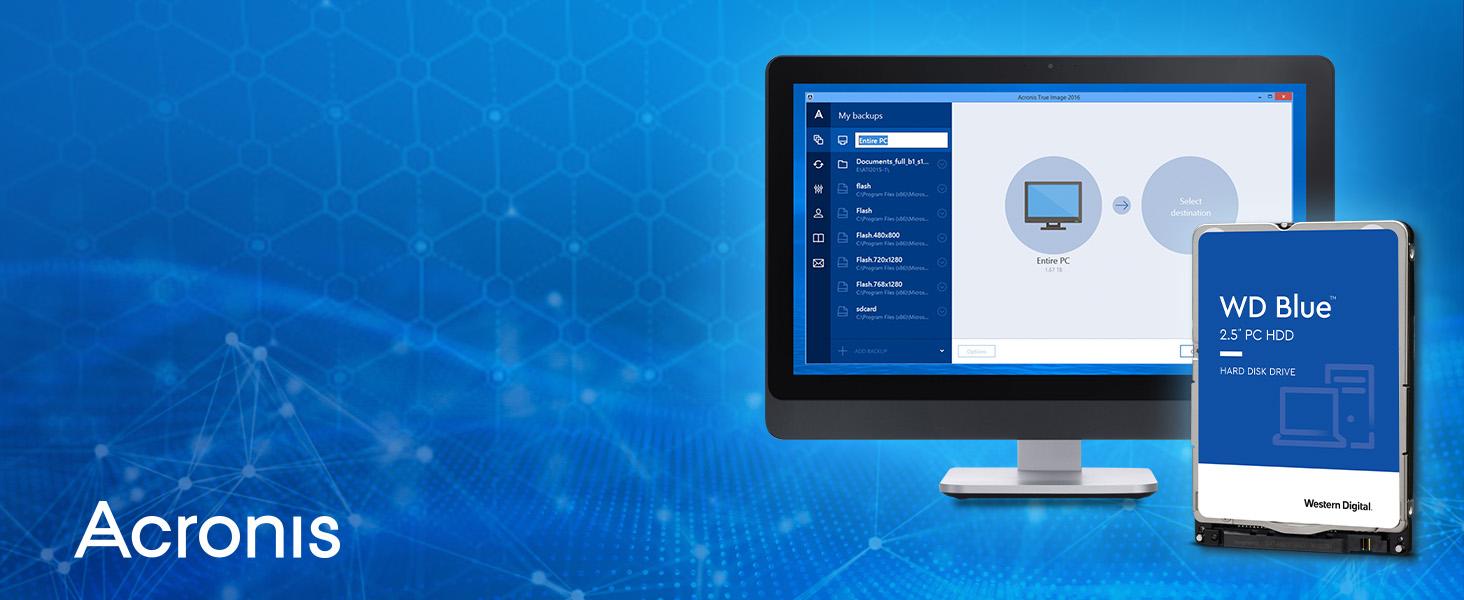
The Western Digital 6TB WD Blue internal hard drive combines massive storage capacity with a fast SATA 6 Gb/s interface and a 64MB cache to deliver reliable, high-performance desktop computing. Engineered with advanced features like IntelliSeek and NoTouch ramp load technology, it ensures durability and quiet operation. Perfect for professionals seeking dependable storage for office and web applications, it also includes free cloning software and a 2-year warranty for added confidence.


| ASIN | B013HNYVCE |
| Additional Features | Advanced Format technology, Data Lifeguard, IntelliSeek, NoTouch ramp load technology |
| Best Sellers Rank | #180 in Internal Hard Drives |
| Brand | Western Digital |
| Cache Memory Installed Size | 64 |
| Color | Blue |
| Compatible Devices | Desktop |
| Connectivity Technology | SATA |
| Customer Package Type | Standard Packaging |
| Customer Reviews | 4.6 4.6 out of 5 stars (11,839) |
| Data Transfer Rate | 600 Megabits Per Second |
| Digital Storage Capacity | 6 TB |
| Enclosure Material | Aluminum |
| Form Factor | 3.5-inch |
| Global Trade Identification Number | 00718037840192, 07180378401920, 08809321843745 |
| Hard Disk Description | 1x6TB |
| Hard Disk Form Factor | 3.5 Inches |
| Hard Disk Interface | Serial ATA-600 |
| Hard Disk Rotational Speed | 7200 RPM |
| Hard-Drive Size | 6 TB |
| Hardware Connectivity | SATA 6.0 Gb/s |
| Hardware Platform | PC |
| Installation Type | Internal Hard Drive |
| Item Part Number | WD60EZRZ |
| Item Weight | 15.84 ounces |
| Manufacturer | Western Digital |
| Media Speed | โค 600 MB/s |
| Mfr Part Number | WD60EZRZ |
| Model Name | Blue |
| Model Number | WD60EZRZ |
| Number of Items | 1 |
| Read Speed | 6 Gigabytes Per Second |
| Specific Uses For Product | Personal |
| UPC | 792745492102 718037840192 779184221654 677891174266 858420005804 |
| Unit Count | 1.0 Count |
| Warranty Description | Western Digital ("WD") values your business and always attempts to provide you the very best of service. No limited warranty is provided by WD unless your WD Product ("Product") was purchased from an authorized distributor or authorized reseller. Distributors may sell Products to resellers who then sell Products to end users. Please see below for warranty information or obtaining service. No warraโฆ |
****
ALWAYS TEST YOUR NEW HARD DRIVES - PSA
What I'm about to tell you will potentially save you from future catastrophic failures including loss of data. Nothing beats having multiple good backup copies.; however, the following information will instruct you on how to test your new drive to make sure it's free from defects. Imagine, you have a spinning disk rotating thousands of times per minute separated by its recording/reading head by less thickness of a human hair. Just one wrong thing and .. "click..click..click". You don't want that. Generally speaking a bad hard drive will make itself known sooner vs later when it's tested fully. Not always. What YOU can do is put the hard drive through its paces to really give it a good solid work out and make sure every space designated by the drive as available/writeable space, is in fact GOOD. Its magnetic/electrical properties strong. This test is a LONG test. What it does is write all 01010101s,10101010s,11111111s,and 00000000s, binary, to the disk.--filling it. It does this in 4 passes (i.e. writes the disk fully) 4 times. After each write it will read what was just written beginning to end to ensure all bits were written exactly right. If they wern't, the drive's detection mechanism for errors (SMART) will notice (i.e. a bit was not written to a sector correctly) and flag the SMART COUNTER. For example, uncorrectable or reallocated sector count would show a non-0 value. During operation, if the drive encounters a fault with a sector it will swap that sector with another known good sector the drive has in reserve and will log it via SMART. A PERFECTLY WORKING HARD DRIVE WILL SHOW '0' for 'Reallocated Sector Count','Reported Uncorrectable Errors','Current Pending Sector Count','Uncorrectable Sector Count'.IF ANY OF THESE VALUES SHOWS ANYTHING OTHER THAN A 0 (zero), THEN YOU HAVE A FAILING HDD AND SHOULD REPLACE IT ASAP. DO NOT TRUST YOUR DATA ON IT. This command will erase everything on the disk if there is data already on there when you run this test. For this 2TB it would have taken about 30 hours, but I stopped it at the start of the final pass since I was confident--4 passes are better but do at least 2. But I am confident the data will be safe because it worked out the drive hard and pictures above show good numbers. Boot up your computer using a linux distribution boot usb/cd. Debian Ubuntu, any one will do--it doesn't matter. In a terminal type: sudo fdisk -l *Identiy which /dev is your HDD you wish to test. Also note if it says 512 or 4096 where it says "Sector size (logical/physical)". For example, if it's /dev/sde and says 4096 Sector Size (such as this 2tb drive) then type the following command: sudo badblocks -wsv -b 4096 -c 131072 /dev/sde This will 0101,1010,1111,and 0000 write and read/verify the drive back-to-back in 4 passes. On my slow computer this took around 24-30 hours to complete or 2tb. The ' -b ' option is the Block Size. This should match the drive. 512 or 4096. The '-c' option tells badblocks how many blocks to test at time. Changing this number will alter the speed and will either make the process go along faster or slower (dependant on Drive Interface, Ram/Cpu speed, etc.). Instead of '-c 131072' ,try '-c 65536 if it seems the test is taking too long to increment the %'s. In fact try it with '-c 65536' option. Let it run or 30 sec then CTRL-C to cancel it. Then run the command again but with '-c 131072' instead. Run it for 30 sec then CTRL-C to cancel. Compare the 2 and whichever command that had the higher % when you CTRL-C'd would be the number you would choose since that one ran a little bit faster. Google or man page 'badblocks' for more information. Whenever you buy a new hard drive get into the mindset/habit that you will NOT use them for awhile because you have to test them out first. Trust me on this and it's totally worth it. I'd like to think I avoid catastrophic failures because I did this test and it would have presented itself (or at least more likelihood) then vs months/years down the road. That's not a given--any drive can fail anytime or any reason but this is just an additional layer. Like a "shakedown cruise' if you will. Regarding this drive: Western Digital 2TB WD Blue PC Internal Hard Drive HDD - 5400 RPM, SATA 6 Gb/s, 256 MB Cache,, I can say that I am pleased it tested clean and I look forward to using this drive.And I'm confident it will keep my data intact. You are welcome!
B**.
Great
Awesome and great for the price
D**R
What can you say, it's a 2TB SATA 5400 RPM mechanical drive with a fair cache at a decent price
I broke the SATA connector on the 2TB boot drive in a work computer I use at home. Rather than tape the cable in place I spent about $50 on a replacement drive that has no problems performing the same task with equivalent capacity to the one I broke. I had no problem restoring the linux boot by recovering from the drive I broke the connector on. This drive is 4 inches wide and the doesn't need a mounting tray to fit my workstation. I replaced, the drive I broke the connector on, so all is well. I don't use it for gaming so that vote is an assumption that top performance games would benefit from something at least faster and probably higher capacity. Not concerns for this linux boot disk. As usual for disks it's capacity is about 2 decimal power TB rather than 2 binary power TiB, so the binary power capacity is about 1.82 TiB. Same as the drive it replaced but kind of annoying in the present day, though that's not really much of a case. The drive is fine, cheap, decent capacity and a trusted brand for my use.
C**R
Still Working after all these years
Still working 3 years after purchase. Western Digital is solid.
J**N
This is not an external hard drive.
I really needed more space for my computer and this was a life saver. My drive that I got was able to run at 500MB/s for both read and write, though to be fair that was only a 1 time thing. But when this drive is under load you can really hear that disc going off. If it bothers you you might as well end up just buying an SSD as those emit almost no sound at all. But back to the product I bought here, it isn't the easiest thing to install if you know very little or next to nothing about installing new computer hardware. But it is also not as hard as something like a CPU or a M.2 SSD. So my advice if you are looking for storage update is to do a little bit of research to see if you laptop or PC will be able to fit/run properly with this hard drive.
K**.
Excellent service, excellent product.
Product arrived in excellent condition from ALL4COMPUTERS. I use these mega TB Western Digital drives for backups, video and photo storage and emergency work. ALL4 was also very responsive in providing some after purchase information about installation. I'll definitely buy from them here again.
M**C
great storage drive for the money
Got this for extra storage on my gaming PC and it has been running great since the day I installed it. Three terabytes is honestly a ton of space and I have not come close to filling it up even after dumping a bunch of games and files on it. Western Digital drives have always been reliable in my experience and this one keeps that streak going no problem.
B**S
Reliable
No idea how long it's been since I bought this, but it's still working great and storing files to this day.
T**N
Ich nutze einen Win 10 Computer, fรผr Internet, Bilder gucken, Dokumente bearbeiten, Sicherung. Dafรผr ist die Platte schnell genug und ausgesprochen leise. Da in meinem Gehรคuse nur die CPU von einem leisen Lรผfter versehen ist, ist alles andere Absolut still. Damit hรถre ich ein sehr leises, kaum wahrnehmbares Laufgerรคuch (Ohne Vibration und ohne Stรถhrende Nebengerรคusche), dass aber nicht stรถrt. Beim Virenscan, Defragmentieren ist ein sehr leises helles Zugriffsgerรคuch wahrnehmbar. Man muss sich allerdings darauf konzentrieren um die Platte arbeiten zu hรถren, im normalen Win 10 Betrieb als Internet Computer fรคllt die Platte kaum bis gar nicht auf. Also da ist das Tippen auf meiner Tastatur deutlich lauter! :D Davor nutzte ich eine 4 Jahre alte Black 640 GB und eine 2 Jahre alte Raptor 1 GB Platte. Diese sind lauter, sowohl Leerlauf, als auch Zugriffe, besonders die Raptor hat laute Zugriffsgerรคuche, nur zum Vergleich. Allerdings sind diese zwei Platten, besonders beim Windowsstart gewinnt die Raptor haushoch, dass selbe gilt beim Defragmentieren... Aber fรผr den ganz normalen Office PC Reicht eine WD Blue wirklich vollkommen aus. Dafรผr waren mir die High End Speed Platten viel zu laut. Deswegen habe ich mich nach einer Ruhigen, leise, Aktuelle Platte umgesehen. Die behalte ich auch! :-) Nachtrag: Mein Computer steht 1-2 Meter vom Bett entfernt und lieร den Computer Nachts laufen. Es ist fรผr mich mit Abstand die Ruhigste Platte, die ich bisher im Einsatz hatte. Es ist wirklich ein minimal sehr sehr leises Laufen hรถrbar, kann aber auch der Netzteillรผfter, CPU Lรผfter sein. Vibrationen, oder einen Unterton der Sich bis in ins Kopfkissen Bohrt, so wie ich das bei den anderen Platten her kenne, gibt es bei dieser hier nicht. Auch die Zugriffsgerรคuche sind so gut wie gar nicht wahrnehmbar, diese sind absolut flรผsterleise. Nun muss sich nur noch zeigen, wie lange die Festplatte hรคlt! :-)
D**M
Funciona.
K**K
Needed to increase computer storage. Went from 2TB drives to this. Well worth it. Highly recommend having a SSD for your primary and have good space for your secondary storage. Storage is more important than ever with most items being digital download. I placed my order and received the item within two days. Package was in great condition. Transferred the contents of my 2TB drive no problem. Western Digital has always been my go to since every Seagate drive I've ever had died on me within months or a year. WD has yet to fail me outside of a single external drive, which I was able to recover by removing the external package and installing the drive directly to the PC. Still running great years later.
J**E
Brilliant, super easy to install and so far I'm very satisfied with the performance of this hard drive.
K**0
ู ู ุชุงุฒ ูุนู ู ุจููุงุฆู ุนุงููู ุณุนุฑ ู ูุงุณุจ ุฌุฏุง ููุณูู
Trustpilot
2 weeks ago
2 months ago