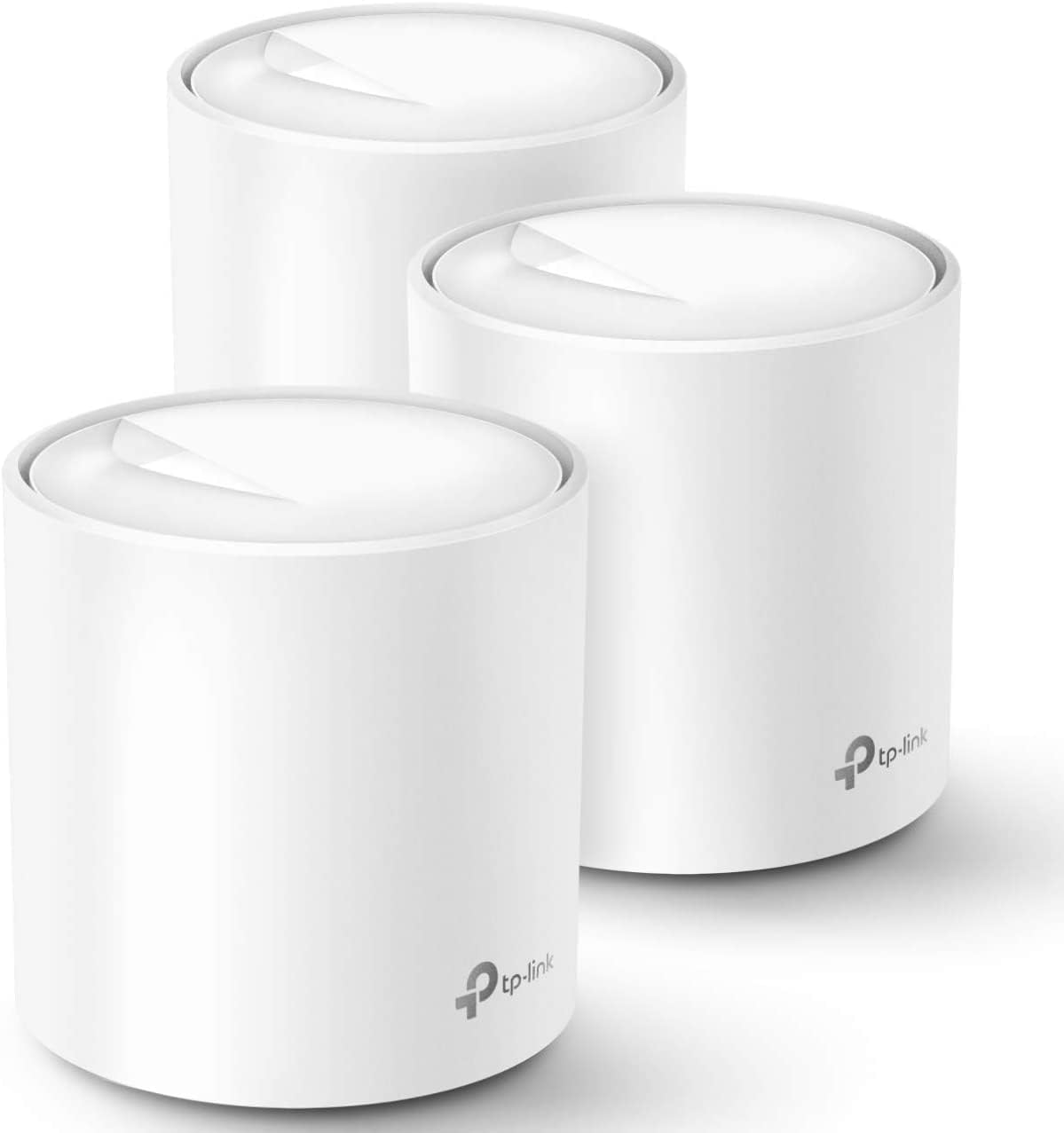
🚀 Elevate your home Wi-Fi game—because buffering is so last decade!
The TP-Link Deco X20 Mesh System delivers next-level Wi-Fi 6 performance with AX1800 dual-band speeds, covering up to 5800 sq.ft seamlessly. Its 3-pack setup supports wired backhaul and 6 Gigabit Ethernet ports, connecting over 150 devices with stable, lag-free internet. Designed for easy app-based management and enhanced security, it’s the ultimate upgrade for professionals craving reliable, future-proof home connectivity.


| ASIN | B085Z35GY6 |
| Best Sellers Rank | #1,516 in Electronics ( See Top 100 in Electronics ) #11 in Whole Home & Mesh Wi-Fi Systems |
| Customer Reviews | 4.5 4.5 out of 5 stars (14,823) |
| Date First Available | March 26, 2020 |
| Item Weight | 4.71 pounds |
| Item model number | Deco X20(3-pack) |
| Manufacturer | TP-Link |
| Product Dimensions | 4.33 x 4.33 x 4.49 inches |
I**N
Decos x20
So far I’ve been using them for 2 years. Pros: they are very easy to set up, great quality, they do not drop connection, very stable internet as long as you set them up right, the app allows you to label them, they work fine for connection up to 1Gb. Make sure you connect your main to your modern near an open space centralized and with an Ethernet cable cat 5 or higher. Each has a duel Internet port in case you want to hardwire into a device instead of wife. Cons: the app sometimes prevents them from working properly so sometimes you simply have to open up the app so it can reboot itself, after a reboot sometimes they don’t automatically start working (so you must unplug the power of those showing red, will quickly reboot and show green), my biggest issue, the app displays usually the wrong speed, sometimes showing mbps or kbps, speed fluctuates a lot, even when you perform a 3rd party speed test, not exactly sure why. Location is a must, you must make sure they are set as close to each other as possible while getting a strong signal ( must play round to find the sweet spot). Over all they are great if you set them up properly, they provide great internet, very easy to use and set up, requires no maintenance but updates, so far I’ve had no issues for the last 2 years. I would recommend the Decos.
R**S
Whole House Coverage That Actually Means Whole House
Dead zones are a special kind of frustration. That one corner of the house where your video call freezes, the back bedroom where streaming buffers every few minutes, the garage where your phone gives up entirely. The Deco X20 exists to solve exactly that problem and it does so with a minimum of fuss. Setup is where this system immediately earns goodwill. The Deco app walks you through everything in plain language and the whole network was up and running in under fifteen minutes, which for networking hardware is practically unheard of. No cryptic router menus, no digging through settings pages that look like they were designed in 2003. Just a clean app experience that gets out of your way fast. WiFi 6 makes a tangible difference in a busy household. Multiple people streaming, gaming and on video calls simultaneously without anyone complaining about lag is the real world benchmark that matters, and the X20 handles it comfortably across 4000 square feet without breaking a sweat. Coverage is genuinely seamless as you move between rooms, with devices handing off between nodes so smoothly you never notice it happening. The units themselves are compact and understated enough to sit on a shelf or counter without looking like networking equipment someone forgot to hide. That sounds minor but in a living space it genuinely matters. For very large properties or extremely demanding multi gigabit needs there are more powerful options out there, but for the overwhelming majority of homes this system hits a sweet spot of performance, simplicity and value that is difficult to argue against.
D**L
Simple to setup and use, great coverage. A good buy.
To understand why we changed out our old system for TP-Link Deco WiFi 6 Mesh WiFi System will help. TLDR: Even with a two-year-old AC WiFi router, we had spotty coverage, dropped signals, added an internet extender, changed channels, and it still was irritating. Bought the Deco X20 system and it has been great with full, fast WiFi everywhere. We had a decent, two-year-old, brand name, AC WiFi router before these TP-Link mesh routers, but it could not cover the whole house in WiFi. Working from home or wanting to use a tablet in a bedroom or the basement just accented the existing issues. In our new home, we had placed our modem and router in our office as working from home was the priority. The office is a addition to our 1950s brick home and the interior walls in the rest of the house are plaster, likely having a wire lath creating a faraday cage, all of which makes WiFi spotty at best. I did not want to have our Internet company come out to rerun wires and have an ugly bunch of tech mounted high on our walls (especially the living room, kitchen, or dining room). There are rules in technology: Don't cover or hide it as it needs air for cooling; put it antennas up high for a better signal; it needs several dangling, twisted cords to make it work; it has to be black so it stands out against everything; and every device must have at least two bright LED search lights and at least one or more of those have to blink in crazy non-sequential patterns. At night, these lights must be able to be seen from space (I am looking at you, Oral-B toothbrushes and charging cables with tiny LED bulbs). Flashing bright lights on a prisoner is a form of torture. We do it willingly. I purchased a band name $50 mesh extender that would randomly disconnect glowing red, there were still dead zones, and the basement and back bedrooms were constantly having connection issues. WiFi is a bit like drifting air currents that flow in and out of an area, not the strong concentric rings radiating out as you see in diagrams. Our neighbor's WiFi could have been causing problems, so I downloaded software to measure my signal and channels. I watched my signals go from great to noting and back up again for no clear reason. Spectrum kept telling us that their modem and lines were great and it was our setup after their modem that made us get 6 Mbps (dial up speeds) to 65 Mbps rather than 100 Mbps, even when the computer was near the router. This all changed with this TP-Link Deco WiFi 6 Mesh WiFi System (Deco X20). The three white mesh towers are exactly the same; each are 4" in diameter and almost 5" tall, about the size of a 32 oz can, and they are attractive so it isn't a problem to have them out where they can be seen. If you buy the set, they are already configured to each other, so you plug in the power cord to the mesh towers (repeaters) where you want them and it is done. There are no dead zones in our house now and we get speeds of 60 Mbps (old phone) to 112 Mbps everywhere. I didn't rate the tech support as I haven't needed it. I have an older laptop at the far end of the house, to upgrade it, I bought a new USB mesh networking antenna, and even being in the same room didn't help my signal too much. I moved the TP-Link Deco mesh tower (wireless, not network wired) near my computer and used a network cable to connect it to my laptop. I just ran a speed test and I am getting 114 Mbps on a 100 Mbps internet connection. I can even set the times that the mesh towers show their LED lights, so one of these can even be in your bed room and not light up the night. Is TP-Link reliable? I know that was my concern. My brother was the Technology Director for a nationally known company. He used TP-Link equipment regularly, expecting it to last a short while, but they tended to outlast and perform as well as the far more expensive, bigger brand names. I am glad that I bought these. The fact they do not have google assistant or other verbal interface integration was a plus to me, as I do not want systems always listening. I think we are going to find these types of "servant" technologies being hacked or not working towards our best interests. The IOT is useful, but more often it is shorthand for idIOT.
S**H
I have not had any issues with this mesh since initial set up. The set up is easy to follow and straight forward. I did have a minor issue, but that was on my end and my service provider was able to give me the correct information needed to set up. It has been running now for about 4 months and we have had steady connection across all devices - computers, TVs, gaming systems, smart home and surveillance systems. The back room that was often a dead zone now gets a good strong signal. I like that I am able to hard wire certain devices into each unit if I want to. We currently have the main home computer connected to the second unit, and the Xbox and smart TV on the third unit. Not that any of these devices were experiencing any lag or connection issues on wifi. It also has the option to set specific devices to priority on wifi or to set a device to only connect to one unit rather than the mesh to maintain a steady connection on items that are stationary. The parental controls are also a great feature. You do need to pay to unlock everything, but the free features are enough for my needs. It allows to filter content, block websites, and set up screen limits. The only inconvenience on the free side is that you cant set multiple time limits for differentdays of the week. While I can set a bed time daily, if I want to give extra time on the weekend I do need to manually reset it every week. However, it is not a big deal with the app. Wifi to all devices you set to your child's profile will be turned off at the time you set, and not turn back on until a time you set. Bedtime routines have gotten smoother as they quickly learned there is no "just a minute". They now take note of the time and hurry to finish, save their progress and say goodbye to friends before the time runs out.
A**K
I had a simple setup, which most of us have in our home a ISP router with a Wifi AP point installed in a central location. As I started adding more and more devices I started to have issues with the ISP setup and started looking for options. TP link was on sale and had read good things about the Mesh WiFi. No more dead spots and consistently get good speeds all around. Initially had a lot of trouble with the setup, contacted TP link support which I believe is still out of China. I had to undergo a lot of Troubleshooting with the TP link engineer which took two weeks and the final outcome was to RMA the devices. I have read forums and looks like some of these devices do have issues. TP link RMA policy is to ship the units back before they send a replacement. They do not pay for shipping. So if you have issues contact Amazon for replacements immediately. Pros:- 1.) Easy to setup. Deco app guides through the process of installation and also is less buggy. 2.) Homecare which comes by default for lifetime on the these devices is a good selling point 3.) Parental controls are good, at least I found them to be good for my purpose 4.) Have tested a 3 device setup with almost 60 devices turned on at a given time and it has worked as expected 5.) Have not had issues with smart devices which only use 2.4Ghz Cons :- 1.) Some of the new devices are plagues by issues which results in replacement of the entire unit. I had to replace 3 of my units 2.) TP link should be open about hardware revisions and what changes they bring in with such revisions 3.) RMA policy requires owners to bear shipping cost, not like Amazon return 4.) Turn around time to get a senior engineer at TP link to work on troubleshooting could take 2 weeks, since I believe engineers are in China.
O**H
Im using it in addition to a huwawei modem that has internet connection from a 4G sim card. I connected router to this device with the included wire and spread the 3 connection points between two floors. Now I have very strong coverage in every room!
S**N
Product is sleek, setup is easy, good user interface for the mobile app. Speed is decent. WIFI/internet keeps dropping especially during video calls, watching netflix, etc. Reached out to TP link support...need to remind them multiple times. You cant get them on the phone....only through chat. This hasnt helped and I have wasted my time for over a month expecting they will fix it. Now I am stuck with a router that I just paid decent money for that is worse than my 5 year old router. Stay away!!!
L**E
Let me start by saying that the TP-Link Deco AX1800 WiFi 6 Mesh System has completely transformed my home network experience. As someone deeply immersed in the world of digital content creation and online connectivity, having a reliable and high-speed internet connection is paramount to my work and leisure activities. The Deco X20 mesh system has exceeded my expectations in every way possible. First and foremost, the coverage provided by this system is truly impressive. With its ability to cover up to 5,800 square feet, I no longer have to worry about dead zones or weak signals in remote corners of my home or office space. Whether I'm streaming high-definition content, engaging in bandwidth-intensive gaming sessions, or conducting virtual meetings, the Deco X20 ensures that I have a strong and stable connection wherever I go. Moreover, the transition between individual Deco units is seamless, thanks to the mesh networking technology. I can move from room to room without experiencing any drop in signal strength or performance—a feature that has greatly enhanced my productivity and workflow efficiency. One of the standout features of the Deco X20 is its support for WiFi 6 technology. This cutting-edge standard delivers faster speeds, increased capacity, and reduced latency, providing an unparalleled online experience for all connected devices. Whether I'm uploading high-resolution videos, downloading large files, or streaming content on multiple devices simultaneously, the Deco X20 handles it all with ease. Additionally, the built-in parental controls offer peace of mind for families, allowing them to manage and monitor their children's internet usage with ease. With customizable filters, time limits, and usage reports, parents can ensure that their kids are safe and responsible online. In conclusion, the TP-Link Deco AX1800 WiFi 6 Mesh System has truly raised the bar for home networking solutions. Its expansive coverage, seamless connectivity, and advanced features make it the ideal choice for anyone looking to elevate their online experience. Whether you're a content creator, gamer, or simply someone who values a fast and reliable internet connection, the Deco X20 delivers on all fronts.
Trustpilot
5 days ago
3 weeks ago