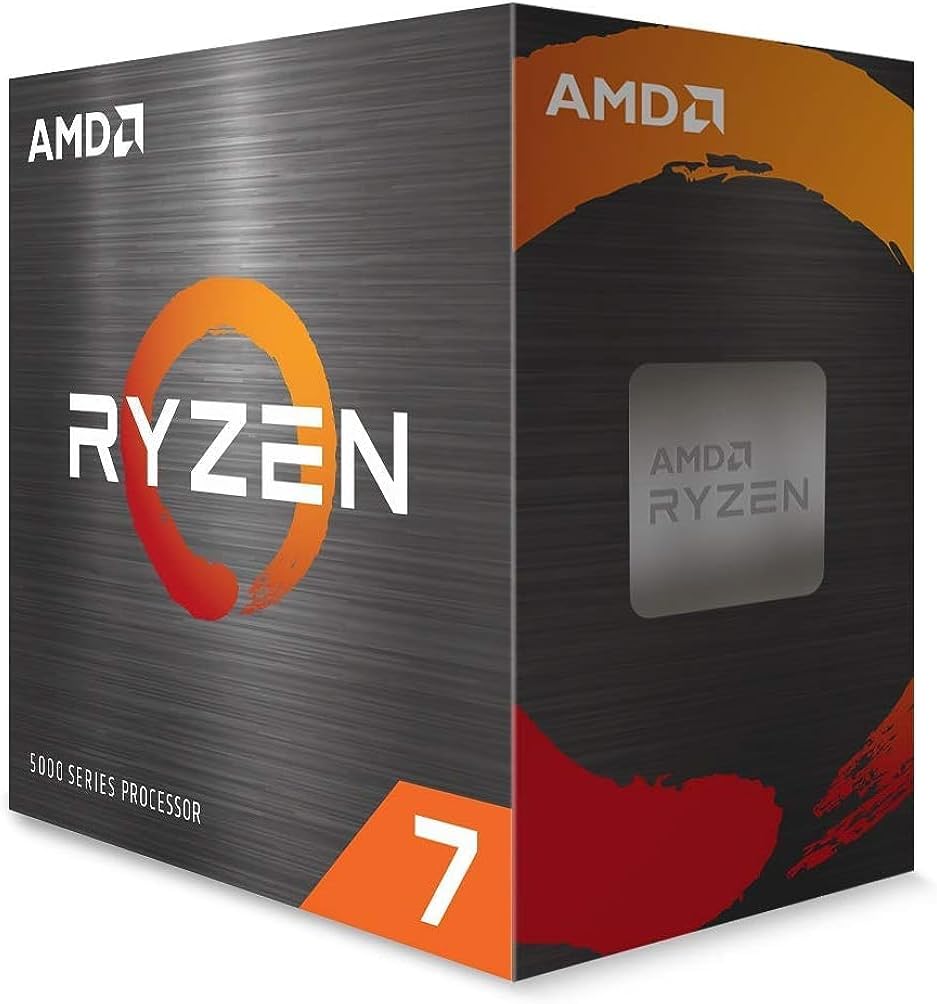
🚀 Ryzen 7 5800X — Power your productivity and play like a pro!
The AMD Ryzen 7 5800X is a high-performance unlocked desktop processor featuring 8 cores and 16 threads, a 4.7 GHz max boost clock, and 36MB cache. Built on the advanced Zen 3 architecture, it delivers exceptional gaming and multitasking performance with PCIe 4.0 support on AM4 platforms. Ideal for professionals and gamers seeking future-proof speed and efficiency.


| ASIN | B0815XFSGK |
| Best Sellers Rank | #26 in Computer CPU Processors |
| Brand | AMD |
| Cache Memory Installed Size | 36 |
| Customer Reviews | 4.8 4.8 out of 5 stars (23,685) |
| Global Trade Identification Number | 00730143312714 |
| Item Dimensions L x W | 1.57"L x 1.57"W |
| Item Type Name | Desktop Processor |
| Item Weight | 2.8 Ounces |
| Manufacturer | AMD |
| Model Number | AMD Ryzen 7 5800X |
| Platform | Linux, Windows |
| Processor Brand | AMD |
| Processor Core Count | 8 |
| Processor Count | 8 |
| Processor Number of Concurrent Threads | 16 |
| Processor Series | AMD Ryzen 7 |
| Processor Socket | Socket AM4 |
| Processor Speed | 4.7 GHz |
| Secondary Cache | 4 MB |
| UPC | 730143312714 |
| Unit Count | 1.0 Count |
| Warranty Description | 3 year manufacturer |
| Wattage | 105 watts |
D**S
Amazing CPU for Gaming!
I have had this CPU for around exactly one year now. Normally I do all my tech reviews fairly early but I wanted to really use this chip, overclock it, game, and do lighting editing as well. To start off my full system is a Ryzen 5800X, Asus X570-Pro board, 32GB of 3600mhz G.Skill CL16 memory (4x8GB), EVGA G3 Supernova 850 watt 80+ Gold PSU, EVGA RTX 2070 Super GPU, Cooler Master NR600 Case, Noctua NH-D15 Chromax Black Edition CPU cooler. I have two Gen 4 NVMe drives and 4 normal sata SSD drives. My case is filled with all Cooler Master Masterpro ARGB high CFM airflow fans. I’m also using an internal wireless card as well as my particular x570 board doesn’t come with onboard WiFi. My reason for stating all this is the airflow and cooling in my case is exceptional. I have one of the highest airflow cases, with some of the best fans, one of the best CPU coolers, and I’m using Thermal Grizzly Kryonaunt paste which is hands down the best CPU test for overclocking and temps in general imo. Stating all this because YOUR temps may be different than mine as well as your results. To start of with the chip I’ve not had ONE single issue with it so far after a year of use. ALL I have done to it after installing it in place of the Ryzen 3600 that it replaced was I enabled DOCP on my memory which is AMDs version of XMP and I enabled PBO on my chip with the max limit set at 200mhz. That it all I touched. This chip boosts to 5.1ghz when using 2-3 cores or less easily and even if under full load will still stay around 4.75ghz on all 8 cores at 100% load. In a more realistic load like gaming it runs around 4.75-4.95ghz. Under full load like Prime95 my temps top out around 74C. Idle is around low 30s and while gaming it bounces around 55-65C. It runs super fast and super cool. This is all on air cooling too. When going from the 3600 to the 5800X while every single other aspect of my system remained the same I gained anywhere from 10 fps to over 20 fps on some games. I play at 1440P as well. If you play at 1080P your results will be even better. This is the best chip I’ve ever used and owned. My RTX 2070 Super is overclocked 1100mhz on the memory and 140mhz on the core. On benchmarks my scores beat all stock and even factory OC 2080 Supers. They also beat almost all RTX 3060 ti results as well. I’ve never played a single game where this chip bottlenecks my card ever. Whereas with the 3600 it did from time to time. Especially in games using DLSS which renders the game at a much lower resolution then upscales it. That makes the game way more CPU demanding and in titles with DLSS my fps increase was huge. Absolutely amazing cpu for gaming and you don’t have to do anything other than enable PBO. Gone are the days of manual overclocking to get all the performance you paid for. The chips auto boost themselfs as high as they can go basically all by themselves now. If you have any Zen + or Zen 2 chip and wanna upgrade to Zen 3 aka Ryzen 5000 I say it’s well worth it for gaming. The IPC increase on Ryzen 5000 over 3000 series is huge. Over 30% faster. I’ve included pictures of my setup, CPUz info, benchmark results, MSI Afterburner temperature info after playing Witcher 3 at 1440P on Ultra settings for hours, and many other others. The chip boosts high, runs cool, requires basically no knowledge to get max performance from it outside of TWO toggles in the bios, and at its current price is an amazing value imo. Fast enough to pair any GPU on the market with it if you can find one. I’ve been wanting a 3080 forever now but just no luck. I paid the MSRP of 450 for this chip and don’t regret it at all. No crashes, no issues ever, never breaks 70C while daily use/gaming no matter how long, boosts over 5ghz, and has enough cores/threads if you wanna stream and multitask while gaming you’re good to go. I think AMD did an amazing job with Zen 3 and if you’re interested in the 5800X for gaming/streaming you won’t go wrong. Hope this review helped and if it does please leave a like. Enjoy the pics and thanks for reading.
N**K
please read the first paragraph at least!!
so, i was one of the (statistically few) who hit the silicon lottery and struck dirt. basically, my 5800x was defective. this is just a PSA, if you encounter BSODs/crashes to reboot/fatal hardware errors after installing your new CPU, it is likely defective. i was getting WHEA_UNCORRECTABLE_ERROR at random times, event IDs WHEA-18 and 46. no combination of the CPU with a new motherboard, different ram, 1 stick of ram, XMP profiles off, PBO disabled, bios updates, windows reinstalls, chipset driver updates, or other device driver updates resolved the issue for me. it would occur under any load at any temperature. it's also worth mentioning that it worked fine for about 5 days before issues started to happen. if your PC is producing errors you simply cannot resolve and it started with the new CPU, please return it ASAP!! i have ordered a new one already and shipped the defective unit back. i used my old ryzen 2600 to isolate the 5800x as the issue, and my system runs completely stable as long as i keep it on. i'm sad it was defective, but ultimately, i'm not going to let it damage my opinion of the CPU, as defective products are guaranteed to slip through here and there, and amazon is extremely good about their return policy in my experience. anyway, with that out of the way, let's talk about the CPU itself. when mine was functioning normally, it was awesome. coming from an old ryzen 5 2600, the performance gain of the 5800x is a night and day difference. it's 3 years old now, but its price and still-relevant performance make it an immensely good value. it squeezed new fps gains out of my gtx 1080, and was far more than enough for my new rtx 4070. the gains in performance are even more obvious now that i'm back on the 2600 while i wait for my replacement to arrive. it was as easy to install as any other AM3/AM4 CPU. i will give a heads up however that it does run hot and is known to do so. however, AMD has explicitly stated that even 90°C is safe at full load. a high quality air cooler will be enough if you don't plan on doing serious overclocking, like me. a thermalright peerless assassin or scythe fuma should be more than enough for stock clocks with PBO left on auto. i paired this with 32gb of gskill ripjaws V with 3600mhz XMP profile, and the two paired wonderfully. the motherboard i ended up with is an MSI MAG B550 tomahawk max wifi, but the CPU will work just fine on most B450/X470 motherboards as long as your bios is up to date!!!! please do not let my disclaimer dissuade you from buying this amazing CPU, it can happen to anyone who buys any CPU, from Intel too! i can't wait for my replacement to arrive and complete my system, i wholeheartedly recommend this CPU for great performance per dollar.
O**N
Awesome CPU I cannot even max it out with my workload
Just built a new rig after my gaming laptop began stuttering and dying under the workload I put it through. I spent about $1300 for my new machine. I Trade stocks, upscale videos in Topaz to 4k takes about 30 minutes for a 5 minute video. I also use premiere pro. I have had premiere pro rendering a H264 high quality video and Topaz upscaling a video to 4k and temps have gotten at max 68c. I normally idle around 39c. I included a screenshot of the maxed out cpu and temps. Despite all this I can still watch YouTube, trade, browse with no lag or issues even with the cpu loaded with intensive programs. My laptop processor doing the same task would get up to 95c and begin glitching and stuttering all over the place. I got this processor work horse at $153 dollars. I plan to use it for many years to come. I recently returned to the pc building scene and saved a lot of money compared to buying from the big box stores yet again. First off it was cheaper than a gaming laptop, more future proof as I can re use parts if I ever want to upgrade. It also can handle every task I through at it and keep going. I literally do not have the ability to max it out lol. I have it paired with a Asus RTX 4060 8 gig OC edition graphics card. 32 gigs of ram. For cooling I went with thermal grisly paste and a 240mm Dracaena water cooler $54. Radiator mounted to the top of the case. The graphics card is working hard that’s for sure but I spent $349 on it so I fine with it. There is no bottleneck. AMD has really impressed me, last desktop one I had was a vishera 8350 power hog. After that all my builds were Intel. Do I game? not so much. I game in the stock market that’s it. Rendering however is just as intensive. If you don’t want to break the bank and want an outstanding processor get this cpu it is awesome. I actually paid for the computer with just stock option scalping.
K**A
Awesome cpu. Use it for heavy gaming, 3d 2d production, video editing. Handles multi tasking and VR well. Paired with arctic liquid freezer 2 for cooling. 3070ti in the system. Still handles everything well.
F**O
⭐️⭐️⭐️⭐️⭐️ (5 su 5) Dopo anni con un Ryzen 5 2600X, sono passato a questo 5800X e il salto di prestazioni si nota eccome. È un processore di fascia alta per la piattaforma AM4, ideale sia per il gaming che per il lavoro pesante, e dopo più di un mese di utilizzo sono pienamente soddisfatto. ✅ Pro: Prestazioni eccellenti: Gli 8 core e 16 thread offrono una potenza davvero notevole. In gaming spinge al massimo la mia RTX 3060, e in produttività (editing, multitasking, compiti pesanti) non si scompone mai. Compatibilità AM4: Uno dei punti forti di AMD è la longevità della piattaforma. L’ho montato su una B550 senza alcun problema, BIOS già aggiornato. Temperature sotto controllo (con buon dissipatore): Con un dissipatore aftermarket (Noctua NH-U12S Redux), le temperature restano sui 35-40°C in idle e 70-75°C sotto stress. Occhio: non ha dissipatore incluso, ma lo sapevo prima dell’acquisto. Rapporto prezzo/prestazioni ottimo nel 2025: Acquistato a 186€, rappresenta un best buy considerando quanto offre. Super competitivo. ❌ Contro: Scalda parecchio con dissipatori stock (che però non sono inclusi): È noto per essere uno dei Ryzen più caldi della serie 5000. Se usi un raffreddamento economico o inadatto, le temperature possono impennarsi. Consumi più alti rispetto ad altri Ryzen 5000: Nulla di eccessivo, ma si fa notare sotto carico rispetto ad esempio al 5700X. Il Ryzen 7 5800X è una scelta eccellente se cerchi un processore potente per AM4. Ancora nel 2025, regge perfettamente ogni tipo di carico. Serve solo abbinarlo a un buon dissipatore e sei a posto per anni. Nessun problema di compatibilità, prestazioni super, e prezzo ormai molto accessibile. Voto finale: 5/5
G**Z
Impresionante, un salto abismal del ryzen 7 5700G al ryzen 7 5800x, igual de temperatura recomiendo una liquida para este procesador. Llego sin daños y a buen precio, fue enviado desde Alemania y todo vino muy bien.
P**H
5800x best processor for am4 kit run every latest game support upto 4k good boost in FPS, used with cooler mater 240mm AIO and tempertaures under 50 to 55 degree. Go for it👍
N**O
Default şekilde 80 dereceye çıkıyor sıcaklık; pbo negatif olacak şekilde biosta curve optimizer yapıldığında 70'lere düşüyor. 195wattlık kule tipi hava soğutma değerleri bunlar. İşlemci yer yer 130watt enerji çekiyor. Güç kaynağınızı buna göre kontrol edin.
Trustpilot
1 month ago
2 weeks ago