We remain fully operational. Our teams are working around the clock to ensure your deliveries continue safely.

DOWNLOAD THE APP


Copyright © 2025 Desertcart Holdings Limited
DOWNLOAD THE APP
Buy anything from 5,000+ international stores. One checkout price. No surprise fees. Join 2M+ shoppers on Desertcart.
Desertcart purchases this item on your behalf and handles shipping, customs, and support to Uruguay.
🎨 Unlock your creative edge with VEIKK A15 – where precision meets portability!
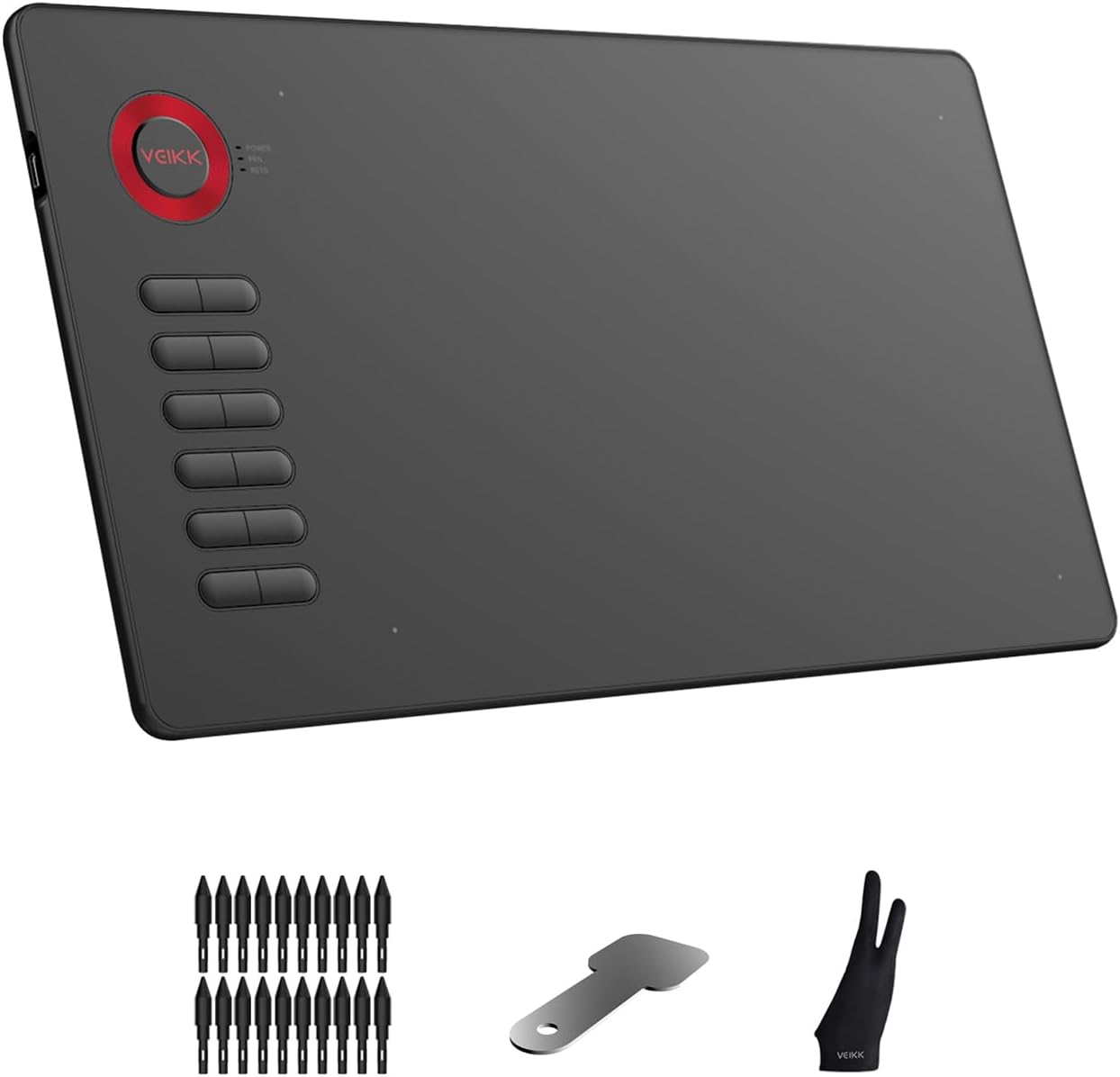
The VEIKK Drawing Tablet A15 features a spacious 10x6 inch active area and a battery-free stylus with 8192 pressure sensitivity levels, delivering smooth, precise input without interruptions. Its 12 customizable shortcut keys enhance productivity by adapting to your preferred software commands. Designed for both right and left-handed users, this ultra-thin (9mm) and lightweight tablet offers portability and ergonomic convenience. Compatible with Mac, Windows, Linux, and major design applications, the A15 is backed by a one-year warranty and lifetime technical support, making it a reliable tool for professional digital artists and designers.



| ASIN | B07NYQDZZL |
| Active Surface Area | 10 inches x 6 inches |
| Additional Features | Durable |
| Best Sellers Rank | #14,741 in Computers ( See Top 100 in Computers ) #61 in Graphic Tablets |
| Brand | VEIKK |
| Built-In Media | Digital Pen, Quick Start Guide |
| Color | Black |
| Compatible Devices | Personal Computer |
| Connectivity Technology | USB |
| Customer Reviews | 4.4 4.4 out of 5 stars (5,641) |
| Display Type | digital |
| Item Weight | 547 Grams |
| Manufacturer | VEIKK |
| Model Name | A15 |
| Model Number | A15 |
| Operating System | Linux,Android |
| Pressure Sensitivity | 8192 Levels |
| Screen Size | 6 Inches |
| Specific Uses For Product | Designing, Drawing |
| Target Audience | Teacher |
| UPC | 601707034543 601707035083 |
S**R
Highly recommended
I love this tablet, easy to manage, pen sensitivity is impressive given the price, as a digital artist i find it handy and efficient.
M**I
worthy
Easy and worthy
J**S
Buen producto
V**O
Das war das erste was ich mir fürs zeichnen und Malen für den PC geholt habe. Für den Preis macht es was es soll. Die Steuerung links hab ich nie wirklich benutzt. Ist aber ziemlich sinnvoll sich damit auseinander zu setzen. Ein paar kleine Shortcuts kann man damit machen. Für den Preis vollkommen solide.
T**M
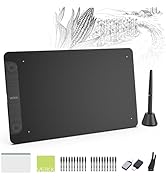
As someone who had been using Wacom tablets for over 15 years, I finally got frustrated enough with their constant driver issues and decided to try out a new type of tablet. The VEIKK A15 tablet stood out to me because of it's affordable price and sleek design. Of course I was hesitant to try out a new brand, but to my surprise I'm really enjoying it. Just as the description stated, the product came with the tablet, tablet pen (and sleeve for it), an artist glove, replacement nibs, nib remover, usb cable, and installation guide. Packaging was compact and no fuss to get to the product. We all have experienced receiving a product and it's just packaged with a ton of unnecessary filler. The VEIKK A15 had none of that. The first thing you see is the tablet and glove laid out in front of you and then the rest of the items underneath supported with a carboard piece. The installation process was actually fairly simple. I downloaded the driver, plugged in my new tablet, and it was ready to go! I had expected to run into driver complications, since I had issues with my Wacom Intuos Art on multiple occasions but so far nothing. Unfortunately I am unsure if others, who had other art tablet drivers installed, would have the same smooth experience as I did (I recently got a new computer so I didn't have my Wacom driver installed anymore), but the recommendation of uninstalling any previous tablet drivers is a fairly simple process so others shouldn't have much difficulties with that. Onto the tablet itself! So far I'm loving it. It's actually extremely light for it's size and I can comfortably carry it with one hand if needed. Since this tablet is a much larger size than my old one and it takes up a lot more space on my desk I have to move my keyboard around and therefore don't have access to my ctrl+z... and as you know as an artist having that undo is essential! Well, that's no problem since I can simply assign the undo to one of the 12 buttons to the left. It's super easy to customize your buttons too! Just open the VEIKK tablet settings and it's under the 'function' tab. Super easy. The pen is also very lightweight and has two buttons which you can also assign to any shortcut you want. I know most people would probably want to shortcut it to their undo, but since I'm used to an intuos pen I kept the first button as it's default right click. The texture of the tablet is very similar to my intuos art and so it gives a slight sense of you drawing on paper vs a glass screen like some other tablets have. I prefer the slight texture since that's what I'm used to so it works out perfectly for me. Overall? This tablet is a good for anyone, whether you're an artist who had been drawing for years or are just starting out. I would highly recommend this tablet to someone who is looking for a cheap, but good tablet to use.
D**E
Buen producto fácil de manejar, trae un guante unitaria y varias puntas de repuesto. Fácil de usar
C**K
This was my first drawing tablet and it seems to be a great value for the money.
Trustpilot
5 days ago
4 days ago