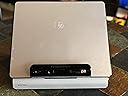
๐ Elevate your workspace, connect effortlessly, and never miss a beat!
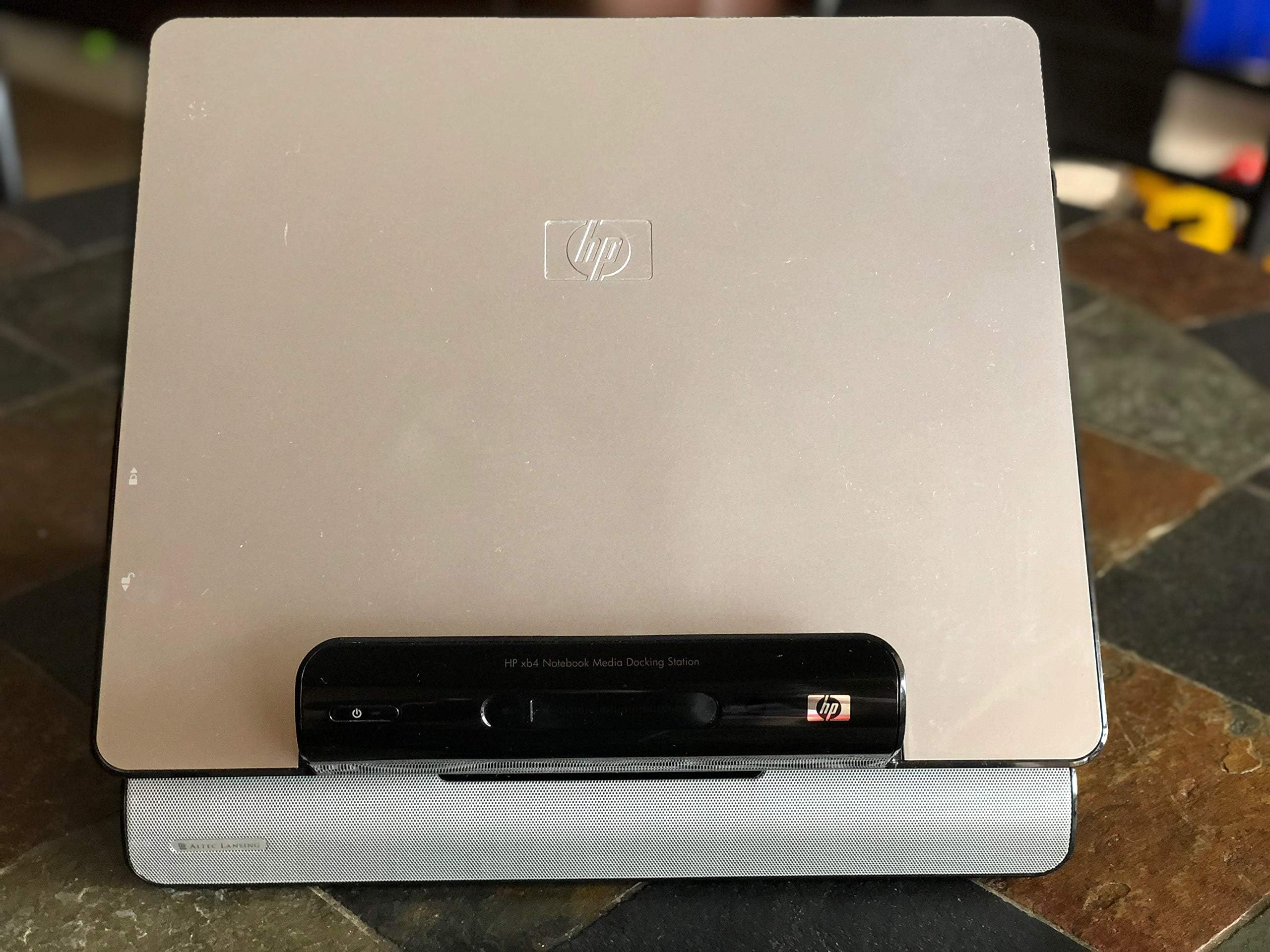
The HP xb4 Notebook Media Docking Station transforms your laptop into a full desktop setup with a single connection. Featuring 6 USB 2.0 ports, RJ-45 network jack, audio inputs, and integrated Altec Lansing 2.1 speakers, it maximizes connectivity and sound quality. Its adjustable platform enhances ergonomics, while a hidden media drive bay offers neat backup options. Ideal for HP Pavilion and Presario notebooks, this docking station streamlines your workspace and boosts productivity.
| ASIN | B001D8NMJ4 |
| Brand | HP |
| Color | red |
| Customer Reviews | 3.8 out of 5 stars 55 Reviews |
| Global Trade Identification Number | 00883585653348, 00883585653355 |
| Hardware Interface | USB 2.0 |
| Item Weight | 13 Pounds |
| Manufacturer | HP |
| Mfr Part Number | KG461AA#ABA |
| Model Number | KG461AA#ABA |
| Number of Ports | 2 |
| Total USB Ports | 6 |
| Total Usb Ports | 6 |
| UPC | 883585653362 883585653386 008835856533 883585653355 883585653379 883585653348 |
A**R
An Excellent Accessory
Easy to use, good speakers, decent keyboard and mouse, saves space, and particularly convenient for tablet notebooks. Main points: * simple setup and easy to connect/disconnect (though I'm not sure if non-HP laptops have the Quickconnect port) * allows you to adjust and lock the height and angle of the laptop platform * clear and powerful speakers, though somewhat lacking in bass range * the keyboard and mouse are okay, conveniently wireless but otherwise nothing special; they are quite acceptable if you buy this docking station on sale (I got mine under $100) * 6 built-in USB ports, but the wireless keyboard-and-mouse transmitter take up one port, so you're left with 5 extra ports * the dock's power button puts your laptop into and out of hibernation * if you buy a power supply (not included) for the docking station, then you can keep your laptop's power supply ready for travel * a hidden bay for a HP Personal Media Drive (not included), which let me reclaim deskspace from my previous external drive * when everything is set up, it looks impressive sitting on your desk Other notes: * The drive cover for the hidden bay was difficult for me to take off. I was afraid I was going to break the plastic, but once I finally got it off, the drive in, and the cover back on, I haven't had anything to worry about. * The touch volume controls on the front of the dock are a little irksome. The mute button is convenient, but the volume up and down controls sometimes lag. I would have loved if HP used a volume knob instead. * My favorite thing about this dock is how it allows me to use my laptop (HP tx2) to do word processing in portrait orientation. (Previously, portrait orientation was only convenient in tablet mode, which made the laptop's keyboard inaccessible.) Unfortunately, when I'm using my tablet in portrait orientation on this dock, the placement of the Quickconnect port makes it so that the fingerprint reader and orientation button are covered by the dock piece that holds the laptop in place. However I'm still glad for the added versatility this docking station allows me. * I stuck on felt circles on my dock's rubber feet so that I can slide it around easily across my glass desk. The heaviness of the dock, in my case partially due to the external drive, makes the overall setup feel solid and secure. Conclusion: I'm very pleased with this purchase. I highly recommend this docking station, an extra power supply, and a HP Personal Media Drive, especially for other tablet users.
A**K
THIS IS A GOTTA HAVE ITEM!
This docking station is great! Hook-up was easy right out of the box, just plugged in power supply cord from my HP laptop, plugged in my printer and scanner into USB ports, everything working great. My HP Pavillion dv6000 recognized the docking station right away. I watch a lot of Netflix movies on my laptop and the sound system is great, but still if you want killer surround sound you will have to plug in extra speakers with sub-woofer. Being able to raise and lower the height of my laptop screen via the docking station is great for watching movies so you can eliminate the neck strain! I hardly ever take my laptop out of the docking station that's why I didn't buy the an extra power supply cord for the docking station, but it would be a convenience to have the extra power supply cord so you could just disconnect the laptop from the docking station and leave all of printer, scanner, etc. plugged in all of the time. The docking station is quite heavy, but it's definatley manageable, and you don't have to worry about it moving around on you desk. I would definately recommend this docking station!
L**A
Great idea, but issues with HP dv7 laptops
I was so excited to finally have a docking station for my HP Pavilion DV7 laptop. I got it in the mail today, set it all up, and turned on the dock. It successfully turned on at first, but I soon realized that it was flickering on and off with the power charger. About 2 or 3 seconds of every half minute, the screen dims and the mouse / keyboard stop working (i.e. as if you pulled out the charger). I'm not sure why this is happening; however, I am very disappointed to not be able to use it that way. Now, it is pretty much just a stand for the laptop! I'll update my review after hearing back from the support forum in case there is a solution for the problem. Basic conclusion - great idea for the product. It may work well with other models - but be cautious when buying it for the HP Pavilion DV7 model!
D**N
HP Dock
I bought this for my new HP DV-7 17" Laptop. The design is nice but it has flaws. 1. A ton of jacks but no HDMI jack so no hooking up to external HD monitor except by using the jack on the laptop. It justs adds 1 more plug to disconnect when removing from dock. 2.It also picks up a background sound noise from laptop and transmits thru the speakers. But it works the keyboard and mouse work good.
E**N
HP delivers a solid product
We have had many a Dell in this home and my office. I have had good to great results with Dell products in the past. HP has caught and passed Dell in sales and now they seem to have a solid grasp on the needs of the home/office consumer as well. The unit is well built and sounds extraordinary. The wireless keyboard and mouse work well and seem to be made well. The ability to place a HP back up hard drive (not included) inside is a real plus. I did have two minor complaints. First, you need to purchase another power converter to capitalize on the portability and ease that a docking station is to provide. Secondly I'm disappointed that the power must be plugged in from the back of the unit that prevents from pushing the station back against the wall or back splash on my counter. This keeps the unit another 1.5" from the wall and on a traditional 24" deep counter, add the keyboard and you get crowded towards the front edge of the work surface. If you have a deeper work space this will be a non issue. I have tried to locate a 90 deg. adapter but alas to no avail. Still, this unit can be purchased for only 99.00 USD with free shipping from HP, via Amazon. I also purchased an additional power converter at Amazon for <25.00 USD, but not from HP direct as they want 65 bucks + shipping? The sound is impressive, add a nice monitor and you'll get more desktop out of your laptop than you expect!
G**K
Terrible quality
I have had 3 units in 1 year and now the warranty period is over. All 3 units eventually had the sound quit working. One unit I received as a replacement was worse than the one it was replacing. Not only did the sound not work but it also made a loud buzzing noise. HP makes a fine laptop but this docking station stinks.
M**N
One plug, need I say more.
Before buying this docking station I owned a Logitech Alto with no real complaints it functioned as stated but nothing to praise either. At the time this docking solution from HP was [...] while the Alto was only [...] after a rebate. Having just spent [...] on the laptop I could not justify the extra cost but when I got it for Xmas 2009 it was just over [...]. I love this docking station because when I return home all I have to do is connect ONE PLUG. Instead of having to plug in a card reader{for my camera), an external monitor cable(for my 22" 2ms Samsung), a 320GB USB-powered harddrive(for back-up), a 500GB USB-powered harddrive(with all my cds), an ethernet cable, a wireless mouse/keyboard dongle and a power connector, those SEVEN PLUGGGGGGGS stay plugged in and all I have to do is connect ONE PLUG. Fan freakin' tastic!!! Oh yeah, I forgot to mention the powered speakers I don't have to plug in because there is a pair of great sounding speakers built in. My Presario V6000 came with only TWO USB ports and now I have SIX thanks to this base station. The laptops' speakers were barely audible over the sound of my heater and now I can wake my neighbors thanks to this media docking station. I can continue to use my 2.2ghz dualcore, 4gb ram, laptop as a home computer for years to come. Well done HP, well done. PS. the volume controls(mute, down, and up) on the wireless keyboard come in very handy when watching a DVD from the couch.
R**I
Excellent docking station
This is exactly what a docking station should be... A lot of the cheap generic docking stations out there these days work via a USB connection to your laptop...it is handy but then you have to also plug in your power supply...plus they usually are limited in the number of USB connections you can have... Not this puppy...literally one connection to your laptop and you're hooked in to do everything you want...a complete breeze to use and unhook when you want to move your laptop somewhere else in the house. Pro's: -True one-plug solution for your notebook -6 USB ports -Included in the price is a wireless keyboard/mouse combo --> Uses one of the USB jacks though -The unit also includes 2.1 speakers -Power button to put notebook into sleep mode on dock Con's: -Would be nice if the keyboard/mouse was bluetooth or the dongle was built into device instead of using a USB port -Minor, but the plug to connect to your notebook sticks out a bit on the side... Overall: A DEFINITE BUY! If you have a compatible HP laptop this is really a no brainer...
Trustpilot
1 month ago
3 days ago