Buy anything from 5,000+ international stores. One checkout price. No surprise fees. Join 2M+ shoppers on Desertcart.
Desertcart purchases this item on your behalf and handles shipping, customs, and support to Uruguay.
🚀 Boost Your WiFi, Boost Your Life — Stay Connected Everywhere!
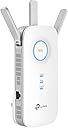
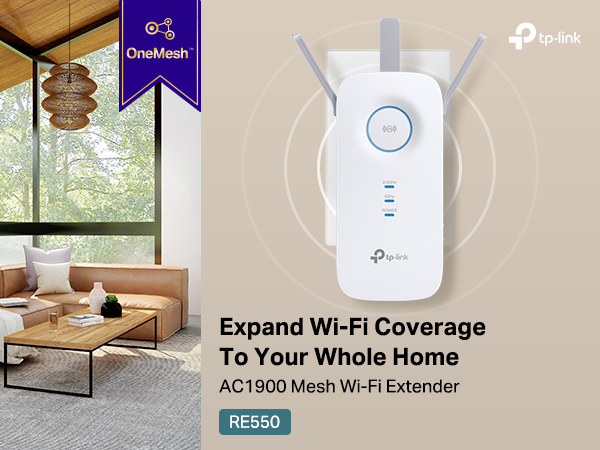
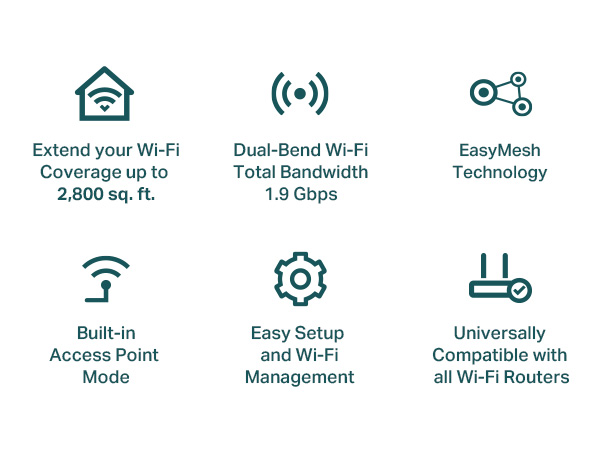
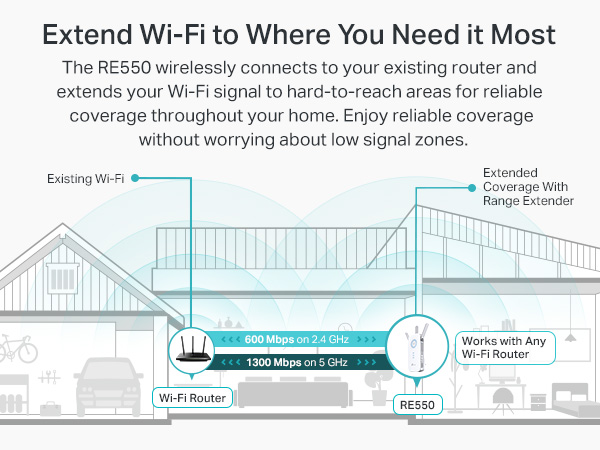
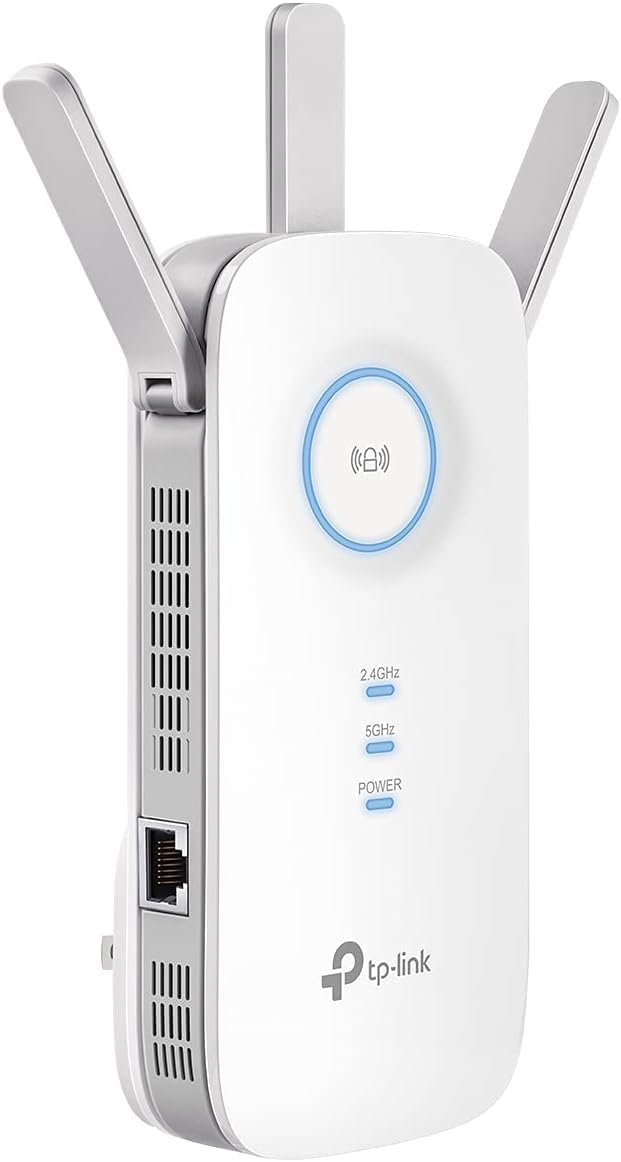
The TP-Link AC1900 WiFi Range Extender RE550 is a powerful dual-band wireless repeater designed to eliminate dead zones and extend your home network coverage up to 2800 sq. ft. Supporting speeds up to 1.9 Gbps and connectivity for 32 devices, it features three adjustable antennas, a gigabit Ethernet port for wired devices, and EasyMesh compatibility for seamless whole-home WiFi. With smart roaming and app-based setup, it ensures reliable, secure, and easy-to-manage internet access throughout your space.


| ASIN | B08TLT65WM |
| Best Sellers Rank | #2 in Repeaters |
| Brand | TP-Link |
| Built-In Media | AC1900 Wi-Fi Range Extender RE550, Quick Installation Guide |
| Color | White |
| Compatible Devices | Gaming Console, Laptop, Personal Computer, Smartphone, Tablet |
| Connector Type | RJ45 |
| Customer Reviews | 4.3 out of 5 stars 20,479 Reviews |
| Data Transfer Rate | 1900 Megabits Per Second |
| Frequency | 5 GHz |
| Frequency Band Class | Dual-Band |
| Frequency Bands Supported | 2.4 GHz, 5 GHz |
| Item Dimensions D x W x H | 4.9"D x 7.9"W x 3.4"H |
| Item Type Name | WiFi Extender |
| Item Weight | 0.51 Pounds |
| Manufacturer | TP-Link |
| Mfr Part Number | RE550 |
| Model Number | RE550 |
| Range | 2800 Square Feet |
| Special Feature | Access Point Mode |
| Special Features | Access Point Mode |
| UPC | 840030701504 |
| Unit Count | 1.0 Count |
| Warranty Description | 2 year manufacturer |
| Wireless Communication Standard | 802.11a, 802.11ac, 802.11b, 802.11g, 802.11n |
| Wireless Compability | 802.11a, 802.11ac, 802.11b, 802.11g, 802.11n |
A**R
Good Product
This range extender works well and helped improve the WiFi coverage in areas where the signal was weak. Setup was straightforward, and once connected it stayed reliable. It’s a good option for extending internet to another room, garage, or spot farther from the router.
J**4
This extender worked wonders for our lagging devices!
We have struggled with a weak wifi signal at the rear of our home for several years. I have tried the XPods and another extender type device with no luck. Lagging streaming television and weak wifi on cell phones at the further most point from our router were a constant issue until I purchased this device. My intention was to try the TP-Link AC 1900 as a wireless extender first to see if I could get the signal to improve. Setup was fairly easy after I downloaded the app and followed the guidance. This device feels well constructed and booted up quickly. Once I got it up and running, I checked the download speeds in the dead spots of my home and it did boost them... not significantly but a noticeable boost. Basically, from 1-2 Mbps to 12-15Mbps. I then decided to use the AC1900 as an access point due to the fact that it has an ethernet port. Once I figured out how to change the settings to access point, I plugged it in to a hard line that I had run prior at the rear of the house and then checked the speeds again. To my delight, the speeds were now in the 300-400 Mbps range repeatedly. This was a huge win for us as we have struggled with low internet speeds in portions of our home for years. Setup was a little confusing as I had to figure out how to name the network and set passwords so that we could access it. After reading some additional info and watching a few youtube videos, I was able to get it all up and running. The nice part was that I was able to name the new network the same as our existing network with the suffix ext to identify that it is the extended network. Same password and for the most part, our phones would recognize the stronger signal and switch almost automatically. Our streaming TV's and my son's headset gaming system are now booming with wifi thanks to the TP-Link Extender. I believe this is a real upgrade and solution to low wifi signals in the home. Well worth the modest investment for the increased speed and reliability of you home network.
J**.
Should've got this one to begin with.
This extender works great. I've read a lot in the reviews that it was difficult to set up. That wasn't the case at all, at least for me. If you download the app, it makes connecting it so simple. My wifi used to drop out in my room all the time along with my tv. Since installing, it hasn't dropped once. Even where I have it which is decently away from the router and up a flight of stairs and around a corner, it is in its "perfect" range from the router. The app will tell you how the connection to the router is, and also the device. If it is blue, it is in good range. If it turns red, it is to far from the router. I am more than happy with my purchase. I previously ordered another TP link extender but I had to return it due to it not connecting. This one connected almost immediately. You also do not need to use the app to connect it to wifi, but the app in my opinion is the way to go. It shows you everything you need and you can customize things. My download speeds connected to this extender is 190mb/s download and upload is 40mb/s with 19 ping. That seems pretty good to me.
J**N
Capable Extender, But Not Sure It's for Everyone – Younger Tech Users May Appreciate It More
Capable Extender, But Not Sure It's for Everyone – Younger Tech Users May Appreciate It More I'd put this TP-Link AX1800 WiFi 6 extender at about 4 stars, though I'll be upfront—I'm not entirely sure I'm a fan of this product personally. The specs are genuinely impressive on paper: WiFi 6 support, dual band, coverage up to 1500 sq. ft., Gigabit ethernet port, AP mode, and OneMesh compatibility all sound great and deliver for the right user. Once it's fully set up and running, the signal boost and coverage improvement are noticeable and perform well. My hesitation comes down to the setup process—there's a fair amount of prep work and configuration involved before you're up and running, and for someone who just wants to plug it in and go, it can feel like more effort than expected. I think a younger, more tech-savvy user would probably appreciate all the advanced features and get more out of it than I have. If you're comfortable with network configuration and want a capable, feature-rich WiFi 6 extender, this one delivers solid performance. Just be prepared to invest some time in the setup to get the most out of it.
A**Y
This one works and is easy to connect
This is the second WiFi Extender I have purchased this spring. The other one was impossible to start up. Be careful purchasing one of these devices. There is a big difference in how hard they are to set-up and to get them working. This TP-Link AC1900 WiFi Range extender was a breeze to start and hook to my wifi system. My new sprinkler set-up is now working because of this little device. I live in the country, and this has connect my house wifi to my very large garage outside. It is "communicating" with three sprinkler boxes running 12 zones on my lawn.
D**S
Solid wifi extender
I am well versed with Wifi technologies. This is a great little extender that I used in an home ASUS mesh environment. While this does not connect to AImesh it does connect easily to the environment and is compatible. I use this for a covered patio outside during the warm months of the year. I access the GUI through a web browser interface....not an app so I can't speak to that (just old). It is a dual band extender. I usually use 5ghz for the backhaul and 2.4 for the extension channel. At max performance this device easily reaches my shed with strong signal about 100 ft away. I choose a more limited performance due to wifi interference at the 2.4 level. This works extremely well on covering the patio areas and not bleeding over into the house. This device replaces much more expensive devices (Nighthawk extenders) and works far better. At the $40 deal price that I purchased this on it can be offered up outside under the patio and is affordable to replace unlike the Nighthawks. I've had problems with the GUI in the past with TP Link but this web interface was straightforward and easy to follow. Its easy to plug it in and then unplug it when necessary. The boot time is long but that is the case with most network devices. The connections are solid to multiple devices and the throughput and download speeds are acceptable for 4k streaming from the internet and internal network. A worthy purchase at the price point for my use.
T**C
Easy to install
outstanding product at an affordable price. Constantly rated in top 5 category by reputable professional reviewers. There seems to be a number of people who have frustration spending a lot of time making this work. Maybe Im just lucky but I found it super easy. Just download the app and follow a few easy steps. This is a mesh extender meaning that you don’t have to disconnect from your router and reconnect to the extender while moving into the former dead zone. Moving about my home is seamless. No more dead zone. No noticeable speed or other communication issues.
G**X
Strong Coverage Boost With a Few Setup Hiccups | Fox Den Reviews
After dealing with stubborn Wi-Fi dead zones in the upstairs bedrooms and on the patio, I picked up the TP-Link RE550 — and I’m happy to report it delivered a noticeable upgrade. Streaming is smoother, smart home devices stop dropping offline, and pages load without that frustrating “spinning wheel” delay. Once connected, performance has been stable and speeds remain impressively close to my main network. I especially like the signal strength indicator LEDs on the unit — super handy for finding the ideal placement. The Gigabit Ethernet port is also a great bonus for devices that benefit from a hard-wired connection like a TV or gaming console. And being EasyMesh compatible gives me room to expand in the future, which is a nice plus. Where it fell just short of 5 stars: • The setup wasn’t as smooth as advertised — the app froze once and I had to reset and retry pairing • It’s a bit bulky, so depending on your outlet placement, it may be a tight fit Once everything was sorted, though, it’s been rock-solid. Great range, strong speeds, and no more Wi-Fi “dead zone frustration.” A solid upgrade for anyone wanting to extend reliable coverage without jumping fully into a mesh system just yet. 🦊📡 Fox Den Reviews Approved — Reliable Performance With Minor Quirks
C**M
Facil de instalar y tener un extensor de red rapidamente. Baja estabilidad de red y baja velocidad
Es un equipo que compre para sustituir a otro modelo de TP link el RE650. Este equipo tiene la opcion de onemesh, que te permite unificar tu red con diversos extensores y que tus equipos se conecten al mas potente para ellos. Es muy facil instalarlo, en cuestion de 10 minutos ya esta listo y funcionando. Desgraciadamente el onemesh no funciona tan bien y los equipos se conectan indiscriminadamente a cualquiera de los extensores y al router principal. Con esto a veces la conexion se realiza al extensor mas lejano, bajando el rendimiento. Ademas de lo anterior, la potencia de estos equipos es mas baja que el RE650, estando pegado a ellos, no logran sobrepasar 200Mbps de conexion, cuando el RE650 alcanza los 500Mbps en mismas condiciones. Si la veloidad de tu red de internet es menor a 200Mbps, tal vez te funcione sin mermas en velocidad, pero si es superior a eso, jamas lo alcanzaras con este equipo. Ademas es mas caro que el RE650.
B**L
Eccellente copertura WiFi – Addio ai punti morti!
Ho recentemente aggiunto il TP-Link RE700X WiFi Repeater 6 alla mia rete e ha fatto davvero la differenza. Lo uso come punto di accesso dalla mia camera da letto per estendere il segnale WiFi, e ora ho una connessione internet stabile e veloce in tutta la casa, senza più alcun punto morto! Il processo di configurazione è stato estremamente semplice. L’ho collegato, ho seguito le istruzioni facili tramite l’app TP-Link Tether, e in pochi minuti il ripetitore era attivo e funzionante. L’app mi permette anche di monitorare e gestire la mia rete, un’ottima funzionalità. Le prestazioni sono eccezionali. Grazie al Wi-Fi 6, le velocità sono notevolmente migliorate, e ora ricevo un segnale molto più forte e affidabile nelle aree della casa che prima avevano connessione debole o nulla. Che si tratti di streaming di film, gaming o lavoro, la velocità di internet è veloce e stabile. La copertura è fantastica e non devo più preoccuparmi di WiFi lento o instabile. Il TP-Link RE700X supporta anche più dispositivi senza compromettere la velocità, il che è un grande vantaggio con tutti i dispositivi connessi in casa. Il design è elegante e compatto, quindi si adatta bene a qualsiasi stanza senza occupare troppo spazio. In generale, sono estremamente soddisfatto di questo ripetitore WiFi. Ha fatto una grande differenza nell’eliminare i punti morti e garantire una connessione WiFi affidabile e veloce ovunque ne abbia bisogno. Se stai cercando di migliorare la copertura WiFi, consiglio vivamente il TP-Link RE700X WiFi Repeater 6!
S**9
Funktioniert vermutlich aber nicht bei mir.
Habe eine Fritzbox 7490, die Installation war recht einfach, der TP-Link WiFi 6 Extender harmonierte aber nicht wirklich mit meiner FritzBox. Die erhöhte Reichweite, na ja sagen wir mal unwesentlich. Vergleichbar mit einem WiFi 6 Repeater von AVM, aber es kam nach einigen Tagen immer häufiger zu WLAN Aussetzern. Also Repeater und Extender neu installiert, keine Besserung. Habe dann einen AVM WiFi 6 Repeater installiert, alles läuft gut. Ich denke der TP-Link WiFi 6 Extender ist grundsätzlich ein guter Extender, aber nicht in meiner WLAN-Umgebung. Gerät zurückgesendet.
G**O
muy buen producto no batalle con la configuracion
extensor de señal , me extendio la señal en casa
G**S
Good Wi-Fi Extender
The TP link Wi-Fi booster is really good, it enhance the signals to other rooms.
Trustpilot
1 week ago
3 weeks ago