Buy anything from 5,000+ international stores. One checkout price. No surprise fees. Join 2M+ shoppers on Desertcart.
Desertcart purchases this item on your behalf and handles shipping, customs, and support to Uruguay.
🚪 Unlock the future of home access with Genie Aladdin Connect!
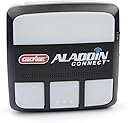
The Genie Aladdin Connect is a WiFi-enabled smart garage door opener that lets you monitor, open, and close your garage door remotely via iPhone or Android. It provides real-time alerts on door status, supports up to three doors with additional sensors, and integrates with Alexa and Google Assistant for voice control. Features like virtual keys and scheduled auto-close enhance security and convenience, making it an essential upgrade for modern smart homes.


| ASIN | B016QB7K5O |
| Assembly Required | No |
| Best Sellers Rank | #10,636 in Tools & Home Improvement ( See Top 100 in Tools & Home Improvement ) #54 in Garage Door Keypads & Remotes |
| Brand | Genie |
| Brand Name | Genie |
| Color | , Monitor & Control Your Garage Door From Anywhere |
| Customer Reviews | 4.3 out of 5 stars 4,192 Reviews |
| Global Trade Identification Number | 00050049020644 |
| Included Components | Building Materials & Ladders; Doors; garage-door-remote-controls |
| Item Type Name | Aladdin Connect Smart Garage Door Opener |
| Item Weight | 1 Pounds |
| Manufacturer | The Genie Company |
| Manufacturer Part Number | Genie Aladdin Connect Kit - OEM 100% |
| Manufacturer Warranty Description | Limited 1 Year Waranty |
| Material | Plastic |
| Material Type | Plastic |
| Model Number | ALKT1-R |
| Required Assembly | No |
| Smart Home Compatibility | Smart Home Compatible |
| Style | Aladdin Connect Kit |
| Style Name | Aladdin Connect Kit |
| UPC | 050049020644 780320067432 |
| Unit Count | 1.0 Count |
A**O
Works well with my Genie Model 2028
I was looking for options on how I can make my garage door "smart" and be able to use my phone to open and close it without using the remote. Searches always leads to other brands with built in wifi modules and their dedicated app. I didn't want to spend the money to replace my unit just to have smart/wifi function. And then I found the Aladdin Connect! Loved this! Super easy to install! Plenty of videos online for setup and install. I was able to save money by purchasing the "used" version but when I received it, it was more of a "refurbished" version because everything was well packed and sealed and there are no signs of use. Would definitely recommend this specially if you have a Genie product.
M**.
Fully featured. Simple install.
TLDR; Works well and much happier with this solution over the originally installed Q competitor. The scenario functions (both schedule and timer) are much more advanced in the Aladdin product, in addition to the Alexa integration not available in the other. Bought the competing Q product first, as it was $20 cheaper (and then realized it was only $5 difference after I bought the mount for it). While that product was a simpler install (pair it as if another remote), it did not connect to Alexa - only controlled via app. I don’t always have my phone in hand so voice control via Alexa is where I see the largest benefits of a “smart” home. After realizing the price was $5 difference I unplugged the other and bought the Aladdin. My door opener is a newer Genie installed last year. The initial setup for both products is very similar. I recommend that you setup the app and complete the linking prior to hardware install. Once the two devices are synced, you can unplug and then mount. The pairing was stored even though it was almost 2 weeks in between the pairing and final install. For install, I’d recommend watching a few of the videos here on Amazon. The written instructions aren’t bad but there are options in install that while noted in the setup sheet, aren’t detailed enough to help differentiate A from B. I had already watched the videos prior to purchase to confirm functionality so I was aware of the options and how I wanted to set mine up. However, if you’re relying just on the simple setup doc, it may be a little too simplified. For the door mount, I used a drywall anchor and one of the existing holes in the garage door frame. Living in the South, I don’t trust sticker mounts. I mounted the sensor lower on the door since I have windows in the top panels. This will also make any future battery replacement easier (no need for a step ladder to reach). Works well. The ceiling mount is what gave me the most pause in thinking where to mount. Be aware of the connecting wires between your main opener and the Aladdin controller - you’ll want to keep those free from any moving parts. I ended up mounting on the same side as the wire inputs to avoid running the wire across the opener itself which avoids any potential snags or pulls. Luckily for me, the ceiling plug was also on that same side. With the controller facing the garage door. I can now feel confident that the garage door is not inadvertently left open overnight. While it is part of our evening routine to check the doors, I no longer have to open door between the house and the garage to check and I’m looking forward to removing it from my mind entirely. Using the saved schedule, have it set to auto close if the door is opened at any point after our normal dinner hour and before we leave for work in the AM. Door will operate normally and auto-close 5 minutes later. You can set the auto close to a timer, rather than a schedule. Meaning, close door after being open for X minutes. However, that doesn’t work for us since my husband likes to putter in the yard and leave the garage open while he does so. As much as I prefer the door closed, the Aladdin gives us both a solution that works for us. We’ve got it set so that if it’s dark outside, door will auto close. Otherwise, he can leave it open while he’s in the yard during the day. The controller gives you the option of setting behavior based on day of the week as well. So you could timer close during the weekdays and schedule close on weekends. We may eventually do that but for now, we are both happy with the setup. Overall much better solution than the competitor. Happy with the control and flexibility it provides.
D**C
Works on my old Genie SL9000
We have an old genie SL 9000 screwdriver garage door opener that is an absolute tank. I thought for sure when I bought this house 13 years ago that it would be the first thing to fail yet it’s still going strong. We’re getting a new garage door and I didn’t want to get a new door opener if I didn’t need it, but I also wanted Wi-Fi control because I have two other doors that are on Aladdin Connect. The Aladdin Connect retrofit kit was easy to install I hooked it up to my switch on the wall that opens and closes the door and it took about 15 minutes total install time. Very happy I don’t have to get rid of this drive unit as it’s been reliable and now I have Wi-Fi control.
J**E
Works as expected
Been using it for a couple months now and so far, I am please with the product. It was very easy to install and it turned my older Craftsman garage door opener (circa 1993) into a smart garage door opener. I can now say things like "Hey Google open the garage door" and it will happen. The only downside is that it requires a pin, so Google will prompt you to speak a pin before it will actually open the garage door. I guess this is done for security reasons but that does make it a bit more cumbersome to open the garage door. The documentation is also a bit confusing but I ultimately figured it out. As an added safety feature, it will also beep and blink a few times to warn that that the garage door will be opening. There are multiple ways to install this gadget, you can either replace your existing wall switch, or add this as an additional wall switch, or simply attach it to the opener itself to provide the smart capabilities. I chose the latter because I didn't need an additional wall switch and also didn't want to lose some enhanced functionality that I had with my existing wall switch so I simply attached it to the hanger bracket and it works perfectly. I would definitely recommend this without hesitation.
A**R
Good Addition for Garage Door
In our old house, I used a wired, numeric keypad to allow outside access to our garage door. I was hesitant to do this in our new house due to the proximity of the door to the street where I felt someone would be able to easily see the code combination to activate the door. I also like the idea of being able to create rules to close the door after a specified time open, or to make sure the door is closed overnight. Installation was pretty easy -- this was installed on an Overhead Door controller. It appears that Overhead and Genie are made by the same company as they both have a wireless controller that look identical to each other except for the branding. I took one star away from the overall review due to a couple of glitches in the install. First, when I tried to register the opener, it stated that the serial number of the unit 'was not available'. After checking online for help, I ended up calling the help line for assistance. I was on hold for about 10 - 15 minutes on a Saturday afternoon, which I didn't think was unreasonable. The tech was helpful. He asked if I had purchased through Amazon. I told him that I did and he said that they had been experiencing this serial number issue with some units sold through Amazon, so apparently quality control must have bypassed a step or two. He added the SN to my account, and stayed on the line while I verified that the SN was accepted by the application. The second glitch was trying to connect the unit to my router. The application tried to connect for about 5 minutes, then came back and said no network could be found. The dialog stated that I might have to turn off mobile data during setup and try again. I tried once more without turning off the mobile data with the same result, so I then went into Android settings, turned off mobile data, and tried to connect again. This time, the network list populated almost immediately. It actually defaulted to my 5gHz network, and according to the documentation, it needs to connect to a 2.4 gHZ network, so I did switch to the 2.4 gHz network, added my password, and it connected successfully. The garage part of the install went smoothly -- just a little awkward getting my big hands to work with the terminal screws on the opener. The placement of the screws on the Overhead unit are a bit shielded by the housing. I'm more used to Chamberlain units and I think their placement is a bit more accessible. In any case, I chose to install and wire directly to the opener unit instead of the remote wall unit as I didn't have an electrical receptacle in a spot convenient to the remote and as my garage is drywalled, I didn't want to run a conduit from the receptacle to the remote for the bell wire. One word about the Android application. It has a pretty abysmal 1.9 rating on the Play store. Thus far, I haven't had any issues with using it to operate the door. Hopefully, it remains reliable.
D**Y
Genie Aladdin Connect works from my car.
Needed an APP to open/close the garage door. After an easy installation and 30 minutes on the phone with customer service I was able to program with doors. Works great after the tech support. I purchased an extra door position sensor.
D**K
Great product
Used with Overhead Door Odyssey 1000. Hooked it up at the opener itself at the ceiling. Works perfect. The stand alone app is very simple and just works. I ordered it over the Chamberlain one because it also works with Google home.
T**S
Work well with my genie
The kit works well with my genie garage module. It did take a bit to connect to the wifi and settings up. APP is easy to use but settings up could be pain as some area of the app just stay there and do nothing. Sometimes waited like 10 minutes pr more and have to close and redo few times. Even part where we just label the naming takes along time. But overall, once it works, it works well. I do like the part it is hard wited to your garage button area so no need to wireless learning to synch with the garage module like MyQ does.
J**N
como puedo arreglar para que el aparato abra el garage
buenas tardes estaba funcionando muy bien pero de repente manda la señal se oye como el relaigth manda una señal para abrir el portón pero el no abre y con el boton de el porton si por lo cual algo le sucedio en la señal que manda al motor de el porton
A**A
No lo he logrado enlazar a Google Home.
No es muy fácil su instalación, y no lo he logrado enlazar a Google Home. Estoy en Mexico, no se si eso afecte.
Trustpilot
2 weeks ago
3 weeks ago